Get Things Done App
The Ultimate Guide to Finding Your Perfect Get Things Done App
Are you feeling overwhelmed by your to-do list? Do sticky notes cover every surface of your desk, yet you still feel like you're dropping the ball? If so, you've likely heard of the revolutionary productivity system known as Getting Things Done, or GTD, developed by David Allen.
But let's be real: implementing GTD manually with just paper can quickly become messy. That's why the right tool is essential. Finding the perfect Get Things Done App is the key to transforming stress into clear, actionable results. This guide will walk you through exactly what GTD requires and how to choose the digital tool that will finally help you achieve that sought-after "mind like water" state.
What Exactly is the Get Things Done (GTD) Methodology?
The GTD methodology is far more than just a list of tasks. It's a comprehensive system designed to capture all incoming commitments and information, process them quickly, and store them reliably. The goal is simple: get everything out of your head so your brain can focus on performing tasks, not remembering them.
By relying on a trusted external system—like a dedicated Get Things Done App—you reduce cognitive load significantly. This clarity allows you to make better decisions about what to work on at any given moment.
The Five Pillars of GTD Success
To implement GTD correctly, your chosen application must support these five fundamental steps. These steps form the core workflow that distinguishes GTD from a standard to-do list.
- Capture: You must rapidly record anything that has your attention—big or small—into an inbox.
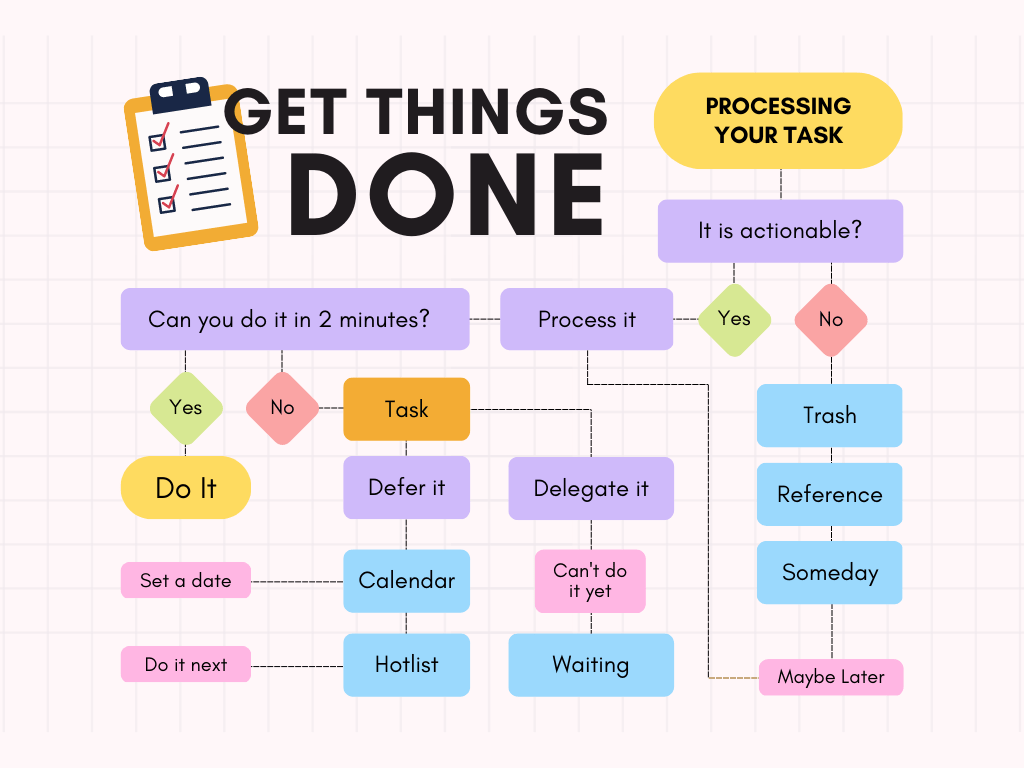
- Clarify: You process those items. Is it actionable? If not, trash it, file it for reference, or put it on a someday/maybe list.
- Organize: If it's actionable, define the specific "Next Action," project (if needed), due date, and relevant context.
- Reflect: This is the crucial weekly review, where you look over everything to ensure clarity and control.
- Engage: You confidently choose the next action to tackle based on context, time, energy, and priority.
A superior Get Things Done App integrates features that make this five-step cycle smooth and seamless.
Why Do You Need a Dedicated Get Things Done App?
While a simple notepad works for step one (Capture), it fails miserably when you get to the complex organization and reflection stages required by GTD. Trying to manage contexts, projects, and someday/maybe lists across multiple tools or physical binders introduces friction and reduces trust in the system.
A purpose-built productivity app is designed specifically to handle the sheer volume and complexity of a modern life, offering incredible organizational horsepower that paper just can't match.
The Tangible Benefits of Going Digital
Switching to a powerful digital tool provides immediate improvements to your workflow and compliance with the GTD rules.
- Universal Capture: You can capture tasks instantly from your phone, desktop, email, or smart watch, ensuring nothing ever slips through the cracks.
- Context Filtering: Easily filter tasks by location (e.g., @Office, @Home) or tool needed (e.g., @Computer, @Call), a hallmark of effective GTD organization.
- Automated Review Prompts: A good app can remind you exactly when it's time for your weekly review, ensuring consistency.
- Project Tracking: Complex projects can be broken down into nested sub-tasks, making large goals feel manageable.
- Synchronization: Your entire trusted system is synchronized across all devices, meaning you always have the right action list, wherever you are.
Key Features Your GTD App Must Have
Not every task manager is a true GTD application. Many general to-do list apps lack the structural rigor needed to properly support David Allen's method. When evaluating potential candidates, look beyond simple checkboxes.
Must-Have Features for the Serious GTD User
The best tools prioritize structure over simplicity when it comes to organizing information. They understand that clarity requires powerful categorization features.
Context and Next Actions
GTD relies on viewing only the "next action" you can take, filtered by your current context (like being at your computer or having 10 minutes free). Your chosen app must support powerful tagging or project hierarchy features to make this possible.
Look for sophisticated filtering options that allow you to create custom views, ensuring you never see tasks that are waiting for someone else, or tasks that require a location you aren't currently in.
Robust Review System
The weekly review is the absolute backbone of GTD. If you skip it, your system will inevitably fail. A top-tier Get Things Done App should provide a dedicated review mode or checklist that guides you through checking your inbox, projects, waiting-for list, and someday/maybe list systematically.
This automated guidance makes compliance easy and helps build the habit of reflection, which is crucial for maintaining trust in your system over time.
Comparing Top Get Things Done App Options
While the market is flooded with productivity tools, a few stand out as true powerhouses tailored specifically for the rigor of GTD. Choosing one depends largely on your operating system and your budget.
OmniFocus: The Dedicated GTD Tool (Apple Ecosystem)
OmniFocus is perhaps the most faithful digital implementation of David Allen's methodology. It deeply understands projects, contexts, and review cycles. However, it is primarily restricted to Apple devices (iOS/macOS) and comes with a premium price tag.
Todoist: The Cross-Platform Champion
Todoist isn't natively designed for GTD, but its flexible labeling, powerful natural language input, and excellent cross-platform support (Windows, Android, Web, Mac) make it easy to adapt for GTD. If you need a tool that works everywhere, Todoist is a fantastic choice, especially if you prioritize collaborative features.
Things 3: Beautiful Simplicity Meets GTD
Known for its stunning design and ease of use (again, primarily Apple-focused), Things 3 strikes a wonderful balance between simplicity and adherence to core GTD principles, making it an excellent entry point for new users who want robust functionality without overwhelming complexity.
The important thing is to choose an app that you enjoy using, as adherence is far more critical than choosing the 'most feature-rich' option. Consistency beats intensity every single time when implementing GTD.
Conclusion: Finding Your Trusted GTD Tool
Transitioning to a structured productivity system like GTD is a major step toward taking back control of your commitments. However, the system only works if you trust the tools you use. That trust hinges entirely on selecting the correct Get Things Done App—one that aligns with your operating system, budget, and personal workflow preference.
We've seen that the best apps provide powerful filtering for contexts, streamline the weekly review process, and make capturing new ideas effortless. Don't settle for a basic checklist; invest the time to find a solution that truly embodies the five stages of GTD. Once you do, you'll find that achieving that calm, focused state of "mind like water" is finally within reach.
Frequently Asked Questions (FAQ)
- Can I use a free app for GTD?
- Yes, many apps offer free tiers (like Todoist or Trello), but be aware that critical GTD features like advanced filtering, deep project nesting, and specific review modes are often locked behind paid subscriptions. For serious long-term implementation, a paid Get Things Done App is often required.
- How long does it take to implement GTD using an app?
- The initial setup (or "brain dump") can take several hours, followed by the Clarify and Organize steps. However, true mastery of the GTD workflow typically takes several weeks of consistent use and, crucially, performing the weekly review without fail.
- What is the most important feature of a GTD App?
- While Capture is vital, the ability to define and easily filter by "Next Action" and "Context" is arguably the most essential GTD feature. This capability ensures that when you look at your list, you immediately know what task to tackle based on where you are and what tools you have available.
- Should I use the same GTD App for personal and work tasks?
- David Allen recommends keeping all your commitments—personal and professional—in one single trusted system. The best Get Things Done App allows you to separate these areas using project folders or tags while keeping everything centralized for your weekly review.
Get Things Done App
Get Things Done App Wallpapers
Collection of get things done app wallpapers for your desktop and mobile devices.
Mesmerizing Get Things Done App Picture Art
Discover an amazing get things done app background image, ideal for personalizing your devices with vibrant colors and intricate designs.
Spectacular Get Things Done App Picture Art
This gorgeous get things done app photo offers a breathtaking view, making it a perfect choice for your next wallpaper.
Lush Get Things Done App Picture Art
Immerse yourself in the stunning details of this beautiful get things done app wallpaper, designed for a captivating visual experience.
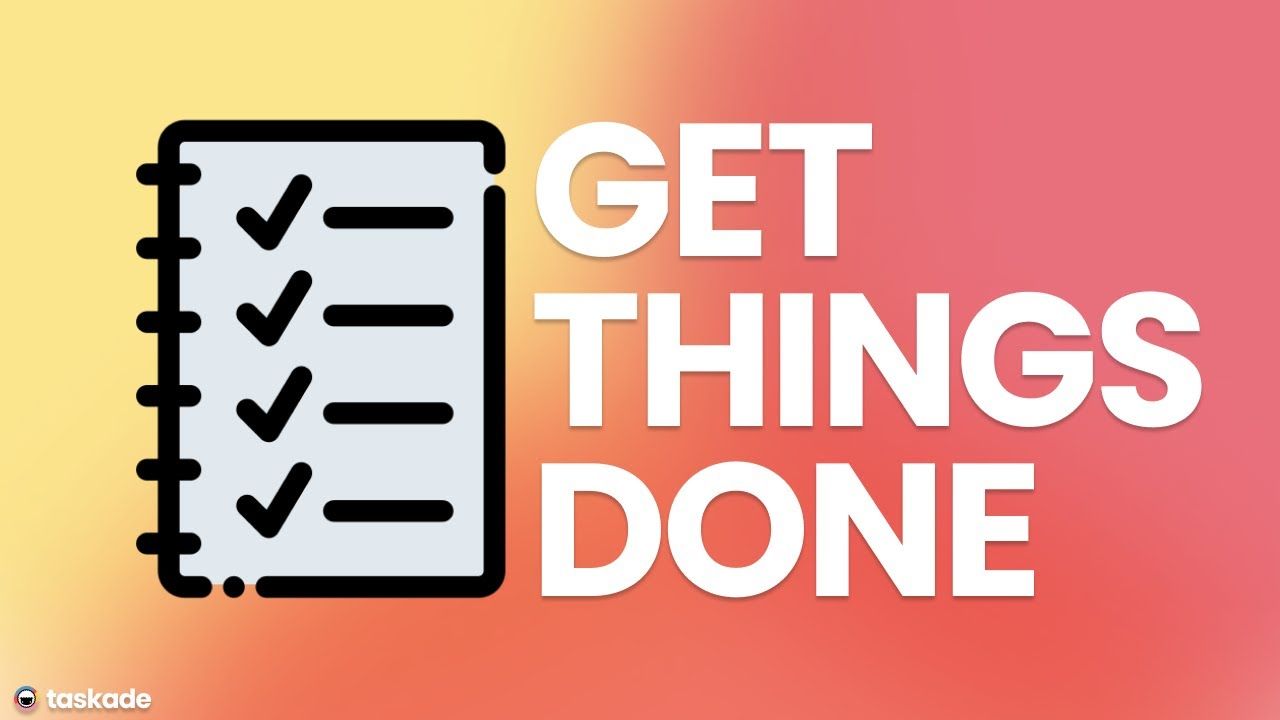
Serene Get Things Done App Abstract in 4K
Experience the crisp clarity of this stunning get things done app image, available in high resolution for all your screens.
Vibrant Get Things Done App Picture for Mobile
Explore this high-quality get things done app image, perfect for enhancing your desktop or mobile wallpaper.
Artistic Get Things Done App Wallpaper in HD
A captivating get things done app scene that brings tranquility and beauty to any device.
Serene Get Things Done App Moment for Desktop
Transform your screen with this vivid get things done app artwork, a true masterpiece of digital design.

Exquisite Get Things Done App View Digital Art
Find inspiration with this unique get things done app illustration, crafted to provide a fresh look for your background.
Amazing Get Things Done App Picture Art
Explore this high-quality get things done app image, perfect for enhancing your desktop or mobile wallpaper.
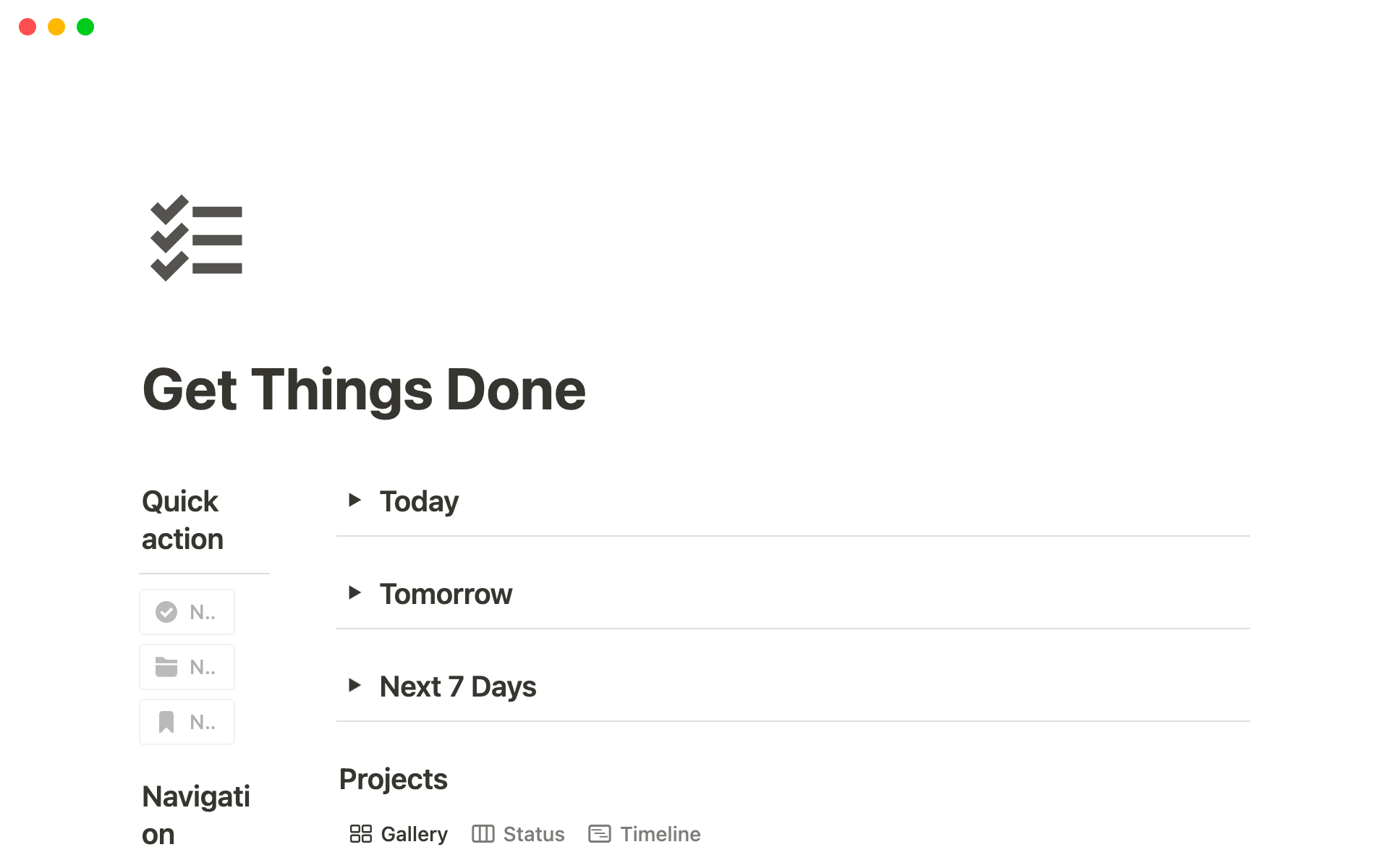
Exquisite Get Things Done App Abstract in HD
This gorgeous get things done app photo offers a breathtaking view, making it a perfect choice for your next wallpaper.
Lush Get Things Done App Design for Desktop
Find inspiration with this unique get things done app illustration, crafted to provide a fresh look for your background.
Crisp Get Things Done App Photo in HD
Find inspiration with this unique get things done app illustration, crafted to provide a fresh look for your background.
Breathtaking Get Things Done App Landscape Digital Art
Transform your screen with this vivid get things done app artwork, a true masterpiece of digital design.
High-Quality Get Things Done App Moment in 4K
Discover an amazing get things done app background image, ideal for personalizing your devices with vibrant colors and intricate designs.
Breathtaking Get Things Done App Wallpaper Digital Art
Transform your screen with this vivid get things done app artwork, a true masterpiece of digital design.
Exquisite Get Things Done App Design Digital Art
Find inspiration with this unique get things done app illustration, crafted to provide a fresh look for your background.
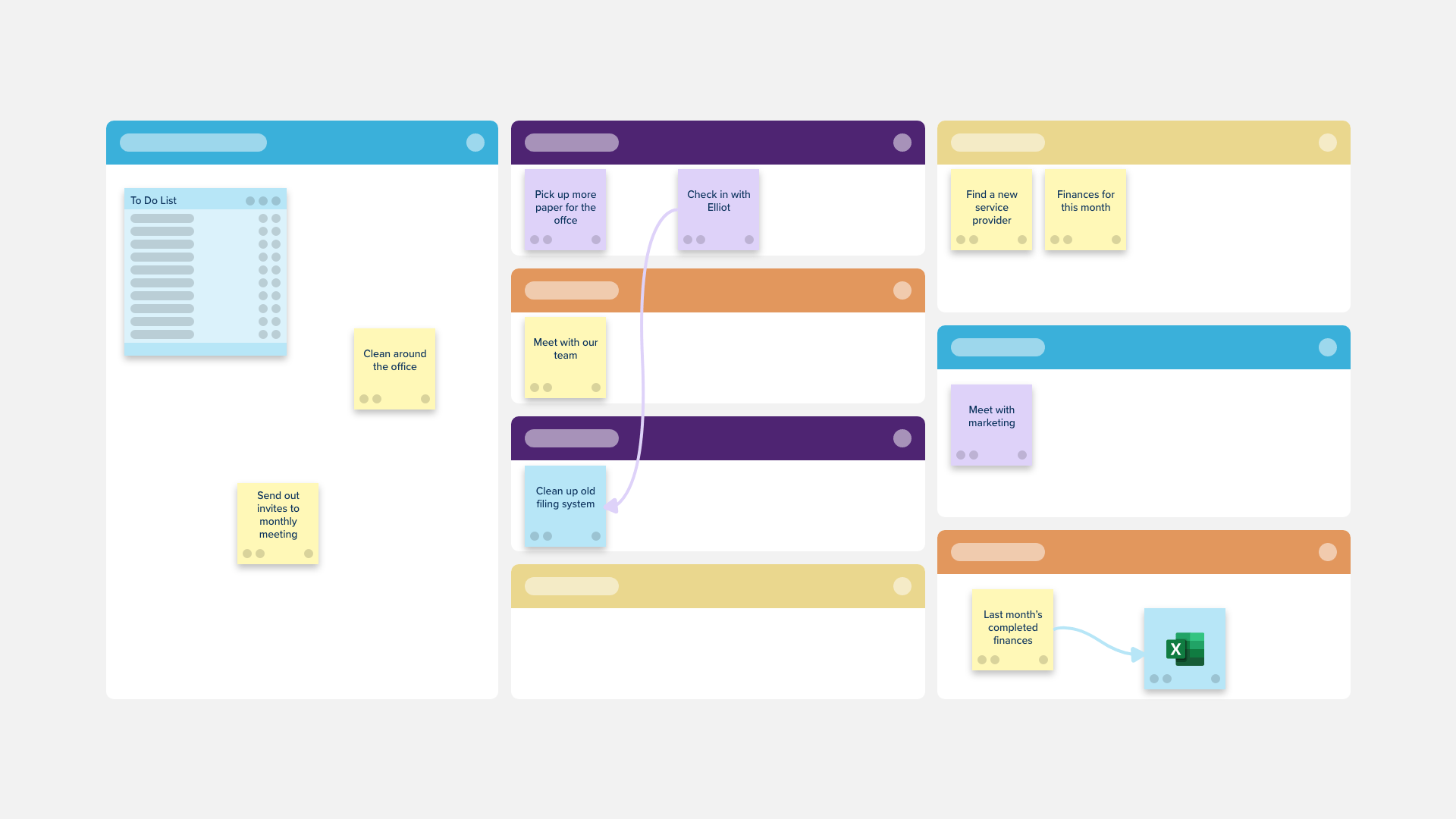
Vibrant Get Things Done App View in HD
Transform your screen with this vivid get things done app artwork, a true masterpiece of digital design.

Exquisite Get Things Done App Abstract for Mobile
Immerse yourself in the stunning details of this beautiful get things done app wallpaper, designed for a captivating visual experience.
Captivating Get Things Done App Landscape Digital Art
Find inspiration with this unique get things done app illustration, crafted to provide a fresh look for your background.
Detailed Get Things Done App Capture for Mobile
Experience the crisp clarity of this stunning get things done app image, available in high resolution for all your screens.
Download these get things done app wallpapers for free and use them on your desktop or mobile devices.