How To Get Rid Of Kindle Ads
How To Get Rid Of Kindle Ads: A Simple Step-by-Step Guide
Hey there, fellow book lover! You just settled in with a cup of coffee, ready to dive into that new bestseller, and BAM! You're hit with an annoying ad for a romance novel you have zero interest in. If you're tired of these interruptions and desperately searching for information on How To Get Rid Of Kindle Ads, you've come to the right place.
Those persistent "Special Offers" on your Kindle Fire or Paperwhite can be incredibly distracting, especially when they pop up right on your lock screen. The good news is that removing them is totally possible, and often easier than you might think. We're going to walk you through the two main methods—one guaranteed and one that often works for free.
Let's unlock that pristine, ad-free reading experience you deserve!
Understanding Why Your Kindle Has Ads
First things first: your Kindle has ads because you purchased the cheaper version. When you buy a Kindle, Amazon offers two price points: the standard price and the "With Special Offers" price, which is typically $20 cheaper.
This discounted model means you agreed (sometimes unknowingly) to receive sponsored screen savers and special deals pushed directly to your device. These ads help Amazon offset the lower cost of the device itself.
They aren't technically malware or intrusive pop-ups; they are baked right into the device's operating system as a form of marketing. However, if you find yourself constantly battling these interruptions, it's time to figure out How To Get Rid Of Kindle Ads once and for all.
Method 1: The Official Amazon Way (Paying the Difference)
 "Method 1: The Official Amazon Way (Paying the Difference)")
This is the official, guaranteed way Amazon allows users to remove the ads. Since you originally received a $20 discount for accepting the ads, Amazon simply requires you to pay that difference back to upgrade your device to the ad-free version.
You don't need to mail your Kindle back or talk to anyone. You can manage this entire process directly through your Amazon account online. It's quick, straightforward, and instantly resolves your problem.
Steps to Remove Ads via Amazon Account

Follow these steps exactly to ensure the charge goes through and the setting is updated:
- Log In to Amazon: Head over to Amazon.com and log into the account associated with your Kindle device.
- Navigate to Your Devices: Go to the "Account & Lists" dropdown menu, then select "Manage Your Content and Devices."
- Find Your Kindle: Click on the "Devices" tab at the top. Locate your specific Kindle model in the list.
- Manage Special Offers: Click on the device to expand its details. You should see a section labeled "Special Offers" or "Special Offers and Ads."
- Remove Ads: Look for a line that says, "Remove offers." Click this link, and Amazon will display the cost (usually $20) to pay off the difference. Confirm the payment.
- Sync Your Kindle: After payment, turn on your Kindle and sync it. You might need to turn the Wi-Fi off and on again. The ads should disappear almost immediately, replaced by generic screen savers or book cover art.
This method is foolproof, but if you're thinking, "I really don't want to spend $20 right now," there is another, slightly less conventional path you can try.
Method 2: The Customer Service Approach (The Secret Weapon)
Many experienced Kindle users know that Amazon's customer service is incredibly helpful and often authorized to waive the fee as a one-time courtesy. This method relies heavily on who you speak to and how you phrase your request.
If you're wondering How To Get Rid Of Kindle Ads without opening your wallet, this is the best possible option. Amazon typically values customer satisfaction, especially if you are a long-time or frequent customer.
Tips for Contacting Amazon Support Effectively
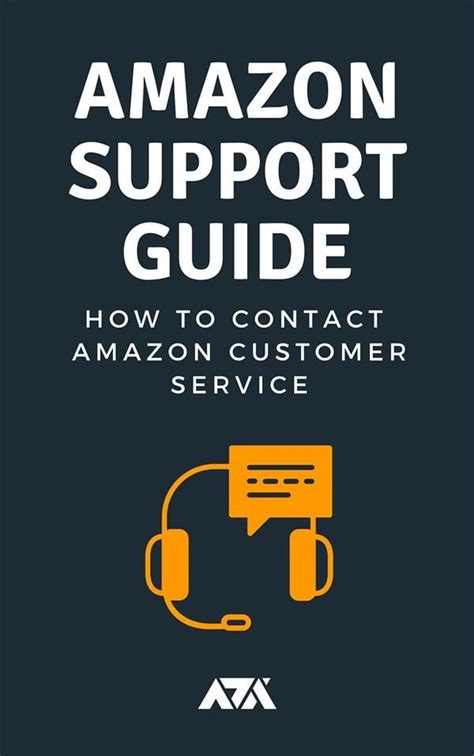
When reaching out, follow these guidelines to maximize your chances of success:
- Use Live Chat: Chat support is generally more effective and quicker than phone support for this specific issue. It also gives you time to craft your request carefully.
- Be Polite and Respectful: Customer service reps are more likely to help someone who is kind and reasonable.
- Mention Distraction, Not Price: Frame the issue around the ads disrupting your reading, not the fact that you don't want to pay $20.
- Ensure Account Info is Ready: Have your Kindle serial number (found in Settings > All Settings > Device Options > Device Info) available, just in case they ask for it.
What to Say When Talking to Customer Service
A good starting script is short, sweet, and focused on the reading experience:
"Hello, I recently purchased a Kindle Paperwhite, and I'm finding the 'Special Offers' highly disruptive to my reading experience. I absolutely love the device itself, but the constant changing lock screen ads break my concentration every time I pick it up.
I know I bought the version with ads, but I was wondering if, as a courtesy, you could disable the ads on my device. I would really appreciate it if you could help me enjoy reading without interruption."
If they agree (and they often do), they will update the settings immediately, and you just need to sync your device. If they deny the request, you can always revert to Method 1 and pay the small fee.
Preventing Future Kindle Ads and Alternative Options
If you plan to buy a new Kindle in the future, the easiest way to avoid this whole situation is simply to select the "Without Special Offers" option at checkout. It costs a bit more upfront, but it saves you the hassle and ensures an ad-free experience right out of the box.
In the meantime, if you want a temporary fix while you decide How To Get Rid Of Kindle Ads permanently, here's a small trick:
- Use Airplane Mode: Since the ads require a Wi-Fi connection to download and refresh, putting your Kindle in Airplane Mode will prevent new ads from appearing.
- The Catch: You won't be able to buy or download new books without briefly turning Wi-Fi back on. However, if you are deep into a long book, this can provide weeks of blissful, interruption-free reading.
Remember that even if you pay the fee or get the ads removed via customer service, your Kindle will still show notifications for things like low battery or device updates. The key is that the third-party marketing content will be gone.
Conclusion
Dealing with persistent lock screen ads can be a major annoyance, but luckily, learning How To Get Rid Of Kindle Ads is a straightforward process. You essentially have two excellent routes to regain your peace and quiet.
You can choose the guaranteed path by paying the $20 difference through the "Manage Your Content and Devices" section on Amazon, which offers immediate results. Alternatively, you can try contacting Amazon's customer support via chat, use a polite script focusing on disruption, and potentially get the ads removed for free as a courtesy.
Either way, once you've completed these steps and synced your device, you can finally return to enjoying your vast digital library without those pesky, distracting "Special Offers." Happy reading!
Frequently Asked Questions (FAQ) About Removing Kindle Ads
- Can I remove the ads from my Kindle Fire tablet?
- Yes, the process is the same for Kindle Fire tablets and e-readers like the Paperwhite. You can pay the difference via your Amazon account's Device Management section, or contact customer service to request a courtesy removal.
- If I remove the ads, will I still see offers on my home screen?
- Removing the ads specifically targets the full-screen advertisements displayed on your lock screen and the banner ads at the bottom of the home screen. You will still see recommended books listed under the "Your Library" view, but those are based on your reading history, not sponsored marketing.
- How much does it cost to remove Kindle Special Offers?
- The official cost is typically the price difference between the "With Special Offers" model and the standard model, which is usually $20 USD (or the equivalent local currency). If you successfully contact customer service, the cost might be waived.
- Will removing the ads affect my Kindle warranty?
- No. Both paying the fee and having Amazon support remove the ads are officially supported actions and will not void your device warranty or future support access.
- Do I need to keep my Wi-Fi on after the ads are removed?
- You must connect to Wi-Fi immediately after paying or receiving confirmation from support so the setting update can push to your device. Once the ads are gone, you can use Airplane Mode for as long as you like without them returning.
How To Get Rid Of Kindle Ads
How To Get Rid Of Kindle Ads Wallpapers
Collection of how to get rid of kindle ads wallpapers for your desktop and mobile devices.

Vibrant How To Get Rid Of Kindle Ads Artwork Digital Art
Experience the crisp clarity of this stunning how to get rid of kindle ads image, available in high resolution for all your screens.

Amazing How To Get Rid Of Kindle Ads Landscape Concept
Transform your screen with this vivid how to get rid of kindle ads artwork, a true masterpiece of digital design.

Spectacular How To Get Rid Of Kindle Ads Moment for Mobile
Find inspiration with this unique how to get rid of kindle ads illustration, crafted to provide a fresh look for your background.
Amazing How To Get Rid Of Kindle Ads Design in 4K
Explore this high-quality how to get rid of kindle ads image, perfect for enhancing your desktop or mobile wallpaper.

Detailed How To Get Rid Of Kindle Ads Scene Art
Transform your screen with this vivid how to get rid of kindle ads artwork, a true masterpiece of digital design.

Dynamic How To Get Rid Of Kindle Ads View Art
A captivating how to get rid of kindle ads scene that brings tranquility and beauty to any device.

Gorgeous How To Get Rid Of Kindle Ads Photo for Desktop
Immerse yourself in the stunning details of this beautiful how to get rid of kindle ads wallpaper, designed for a captivating visual experience.

Lush How To Get Rid Of Kindle Ads Capture Digital Art
Immerse yourself in the stunning details of this beautiful how to get rid of kindle ads wallpaper, designed for a captivating visual experience.

Lush How To Get Rid Of Kindle Ads Picture Digital Art
Find inspiration with this unique how to get rid of kindle ads illustration, crafted to provide a fresh look for your background.
Crisp How To Get Rid Of Kindle Ads Image in HD
Find inspiration with this unique how to get rid of kindle ads illustration, crafted to provide a fresh look for your background.

Detailed How To Get Rid Of Kindle Ads Design Collection
Explore this high-quality how to get rid of kindle ads image, perfect for enhancing your desktop or mobile wallpaper.

Exquisite How To Get Rid Of Kindle Ads Wallpaper for Mobile
A captivating how to get rid of kindle ads scene that brings tranquility and beauty to any device.

Beautiful How To Get Rid Of Kindle Ads Moment Concept
Explore this high-quality how to get rid of kindle ads image, perfect for enhancing your desktop or mobile wallpaper.

Beautiful How To Get Rid Of Kindle Ads Photo for Mobile
Transform your screen with this vivid how to get rid of kindle ads artwork, a true masterpiece of digital design.

Dynamic How To Get Rid Of Kindle Ads Image for Desktop
Immerse yourself in the stunning details of this beautiful how to get rid of kindle ads wallpaper, designed for a captivating visual experience.

Gorgeous How To Get Rid Of Kindle Ads Artwork Nature
Immerse yourself in the stunning details of this beautiful how to get rid of kindle ads wallpaper, designed for a captivating visual experience.

Breathtaking How To Get Rid Of Kindle Ads View for Mobile
Transform your screen with this vivid how to get rid of kindle ads artwork, a true masterpiece of digital design.

Gorgeous How To Get Rid Of Kindle Ads Moment Illustration
A captivating how to get rid of kindle ads scene that brings tranquility and beauty to any device.
Lush How To Get Rid Of Kindle Ads Wallpaper for Your Screen
This gorgeous how to get rid of kindle ads photo offers a breathtaking view, making it a perfect choice for your next wallpaper.
Gorgeous How To Get Rid Of Kindle Ads Photo in 4K
Immerse yourself in the stunning details of this beautiful how to get rid of kindle ads wallpaper, designed for a captivating visual experience.
Download these how to get rid of kindle ads wallpapers for free and use them on your desktop or mobile devices.