How To Get Rid Unwanted Emails
How To Get Rid Unwanted Emails: The Ultimate Guide to a Cleaner Inbox
Are you tired of waking up to an inbox flooded with sales pitches, newsletters you never signed up for, and downright shady spam? We totally get it. That constant digital clutter isn't just annoying; it steals your time and makes it impossible to find the emails that actually matter.
If you are serious about figuring out How To Get Rid Unwanted Emails and finally achieve Inbox Zero, you've come to the right place. We're going to walk you through a powerful, step-by-step strategy to cleanse your inbox and keep it sparkling clean for good. Say goodbye to spam!
The Core Strategy: Unsubscribe, Don't Just Delete
When you see an unwanted email, your first instinct is likely to hit the delete button. While this temporarily clears the clutter, it doesn't solve the long-term problem. That same email sender will be back tomorrow, filling your inbox again.
The crucial first step in learning How To Get Rid Unwanted Emails is shifting your focus from reactive deletion to proactive prevention. This starts with understanding the difference between legitimate marketing emails and malicious spam.
Identifying Legitimate Spam vs. Marketing Emails
Legitimate marketing emails come from companies you may have interacted with, perhaps when you bought a product or signed up for a free trial. These companies are required by law (like CAN-SPAM in the US) to include a working unsubscribe link.
On the other hand, true spam or phishing attempts often lack clear identification, use poor grammar, or try to scare you into clicking a suspicious link. You should never, ever try to unsubscribe from these malicious emails; doing so confirms that your email address is active.
The Unsubscribe Button: Use It Wisely
For those unwanted, yet legitimate, newsletters or marketing emails, use the unsubscribe link. This link is usually found in very small text at the bottom of the email.
Sometimes your email provider (like Gmail or Outlook) will place a large, easy-to-use unsubscribe button right next to the sender's address at the top of the message. This is often the safest and fastest option.
Here's the golden rule for unsubscribing:
- **Do Unsubscribe:** From known retailers, legitimate newsletters, and services you signed up for but no longer use.
- **Do NOT Unsubscribe:** From emails that look suspicious, have strange attachments, or claim to be from banks/services requiring immediate login (Phishing). Instead, mark these as spam.
Proactive Measures to Stop Spam Before It Starts
While clearing out the existing junk is important, the best defense is a good offense. Implementing preventative strategies will drastically reduce the volume of unwanted emails reaching your primary account.
Using Disposable Email Addresses (Email Aliases)
A disposable or secondary email address is essential for maintaining privacy and reducing clutter. Think of it as a barrier between your important account and the rest of the internet.
Use your secondary email for non-critical activities:
- Signing up for public Wi-Fi or free downloads.
- Entering contests or online giveaways.
- Making one-time purchases from new retailers.
If that address gets overwhelmed, you can simply delete it or abandon it, protecting your main inbox from the fallout.
Being Careful Where You Share Your Primary Email
Email addresses are often harvested by bots scouring forums, comment sections, and poorly secured websites. The fewer places your primary email exists online, the less likely it is to fall into the hands of spammers.
Always use the highest level of privacy settings when engaging online. Never post your main email address directly on public profiles or social media bios.
Recognizing Phishing and Scam Attempts (Crucial Security Step)
A major source of unwanted communication is malicious phishing attempts designed to steal your information. These are not marketing emails; these are security threats.
Look for these red flags:
- Urgent or threatening language ("Your account will be suspended immediately!").
- Sender email address doesn't match the company name (e.g., an Amazon email coming from "support@randommail.ru").
- Requests for personal information (passwords, social security numbers).
Leveraging Email Provider Tools
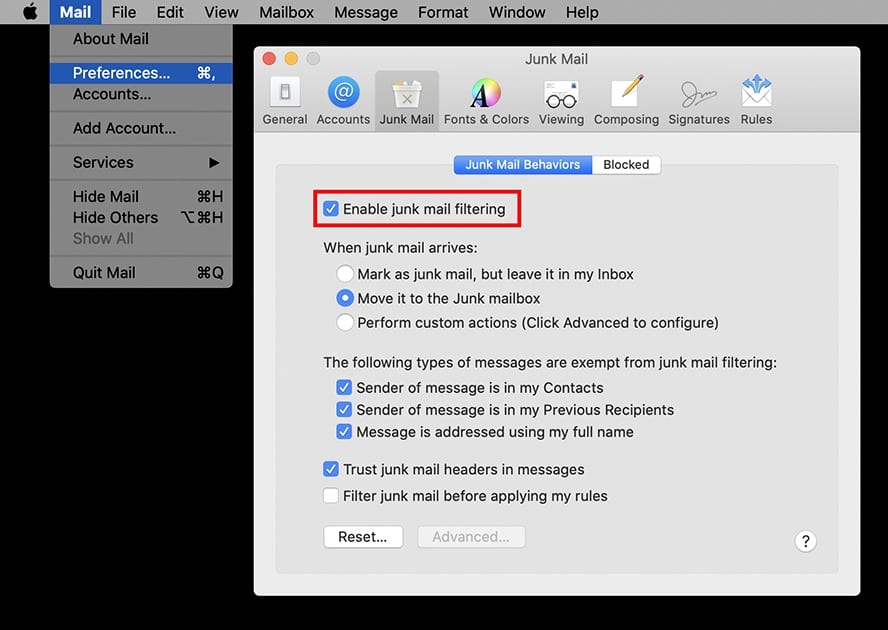
Your email service provider (ESP), whether it's Gmail, Outlook, Yahoo, or something else, has powerful built-in tools designed to filter out junk. Often, these tools aren't configured to their maximum potential.
Mastering the Spam Filter Settings
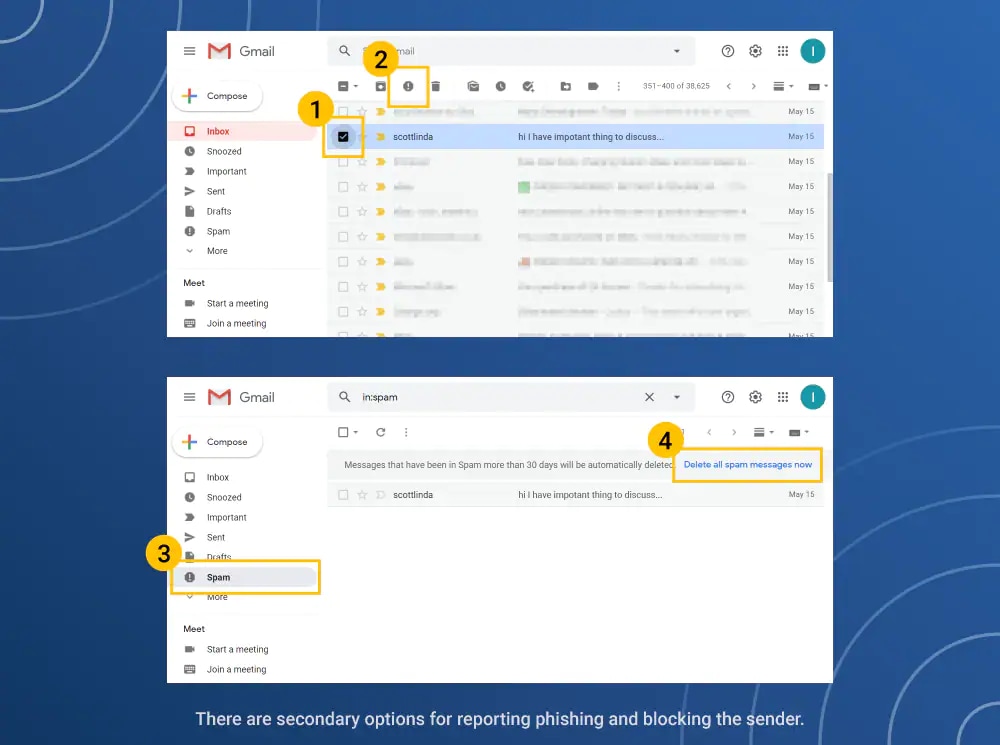
The best way to improve your spam filter is by actively teaching it what is junk. When an unwanted email slips through, always click the "Report Spam" button instead of just deleting it.
Reporting spam helps your provider refine its algorithms. If enough users report the same source, the provider will automatically block that sender's domain globally, benefiting everyone.
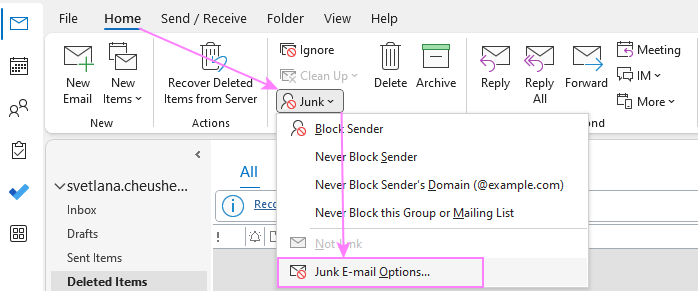
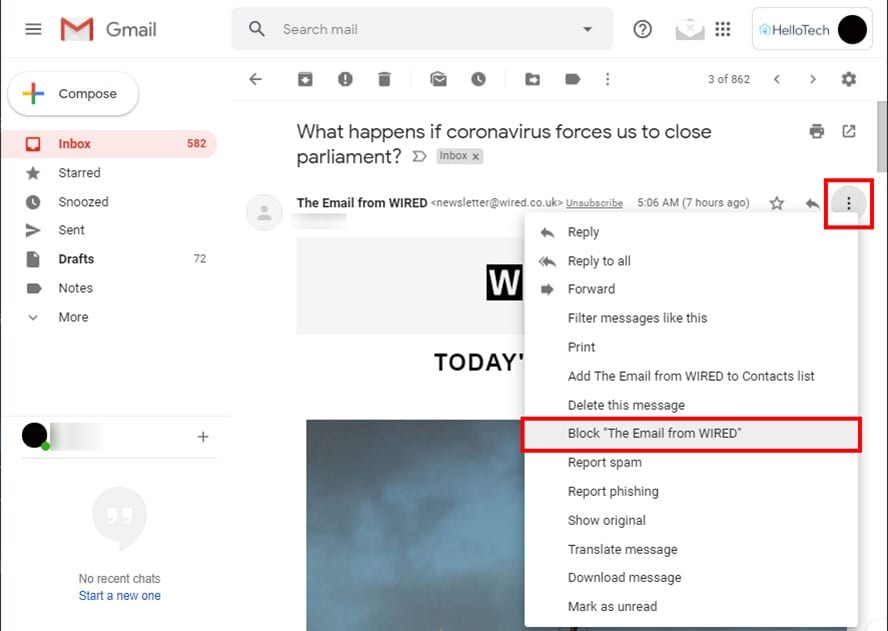
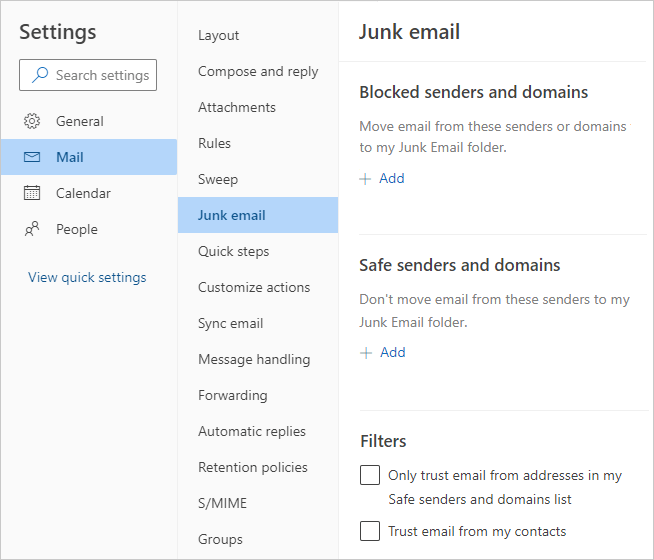
Blocking Specific Senders Permanently
Sometimes, simply reporting spam isn't enough, especially if it's coming from a known, persistent annoyance. Almost all email clients allow you to manually block an entire sender's address or domain.
If you block a sender, any future email from that address will automatically be sent straight to the trash, bypassing the inbox entirely. This is a great tactic for sources that constantly change their mailing list names but keep the same email domain.
Advanced Tactics for Inbox Zero
For those emails that are technically legitimate but you still don't want to see them in your primary feed—like receipts or infrequent notifications—advanced filtering is your best friend.
Creating Strict Filtering Rules
Filtering rules automate the process of sorting and prioritizing emails. You can instruct your email client to perform specific actions based on keywords, senders, or recipients.
For example, you could set up a rule that says: "If an email contains the words 'receipt' or 'order confirmation' AND is not from my boss, skip the inbox and archive it in the 'Financial Records' folder." This clears your primary view without deleting important documentation.
Reporting Spam Effectively
If you encounter truly malicious or dangerous spam, simply reporting it within your email client may not be enough. You should also consider forwarding the email (as an attachment, if possible) to relevant authorities.
In the US, you can forward phishing emails to the Anti-Phishing Working Group (reportphishing@apwg.org) or directly to the Federal Trade Commission (FTC). This helps them track and shut down large-scale spam campaigns.
Conclusion
Getting rid of unwanted emails isn't an overnight fix, but it is entirely achievable with consistency and the right strategy. By focusing on smart unsubscribing, being proactive about where you share your contact information, and effectively utilizing your email provider's filtering tools, you take back control of your digital life.
Remember that the key to How To Get Rid Unwanted Emails is a combination of defense (using secondary emails and recognizing threats) and offense (clearing out old subscriptions). Take the time today to clean up your account, and you'll enjoy a much calmer, more productive inbox tomorrow!
Frequently Asked Questions (FAQ)
- Can I just delete my emails instead of unsubscribing?
- You can, but it's a temporary fix. Deleting an unwanted marketing email doesn't stop the sender from sending the next one. Unsubscribing permanently removes your address from their mailing list, saving you effort long-term.
- Is it safe to click the unsubscribe link on every email?
- No. You should only click the unsubscribe link on emails from senders you recognize and trust (like major retailers or legitimate subscription services). Clicking an unsubscribe link on a true spam or phishing email confirms your address is active, leading to even more spam.
- What should I do if a spammer keeps changing their email address?
- If they are changing the specific email address (e.g., sales1@domain.com, sales2@domain.com) but the domain name (@domain.com) remains the same, block the entire domain. If they use random domains, rely on your spam filter and aggressively mark all their emails as spam to teach your system to recognize their patterns.
- How do I know if an email is truly a phishing attempt?
- Phishing emails usually contain urgency, demand immediate action, have poor spelling/grammar, or ask you to verify sensitive information like passwords or credit card numbers by clicking an external link. Always navigate to the official website directly rather than clicking links in suspicious emails.
How To Get Rid Unwanted Emails
How To Get Rid Unwanted Emails Wallpapers
Collection of how to get rid unwanted emails wallpapers for your desktop and mobile devices.
Mesmerizing How To Get Rid Unwanted Emails Abstract Collection
Explore this high-quality how to get rid unwanted emails image, perfect for enhancing your desktop or mobile wallpaper.

Vivid How To Get Rid Unwanted Emails Abstract Nature
Explore this high-quality how to get rid unwanted emails image, perfect for enhancing your desktop or mobile wallpaper.
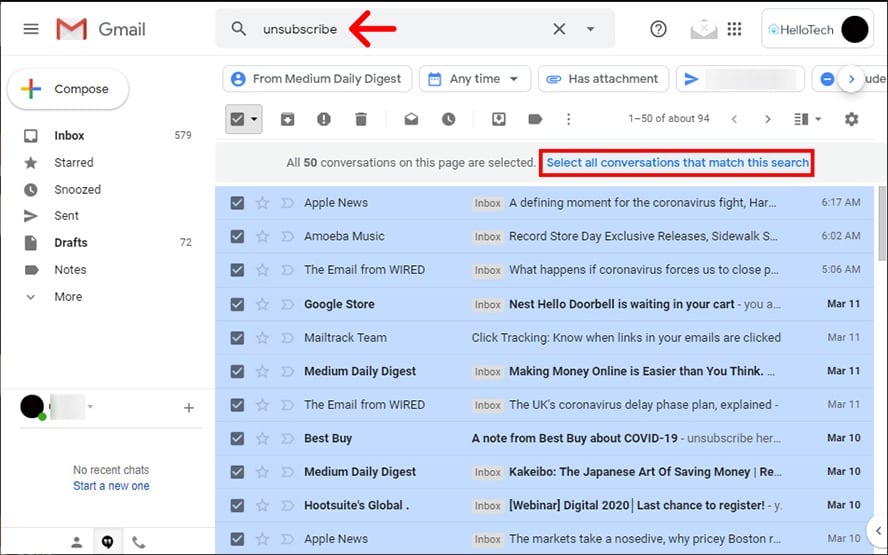
Artistic How To Get Rid Unwanted Emails Landscape Collection
This gorgeous how to get rid unwanted emails photo offers a breathtaking view, making it a perfect choice for your next wallpaper.
Gorgeous How To Get Rid Unwanted Emails Abstract Photography
A captivating how to get rid unwanted emails scene that brings tranquility and beauty to any device.
Crisp How To Get Rid Unwanted Emails Picture in HD
Immerse yourself in the stunning details of this beautiful how to get rid unwanted emails wallpaper, designed for a captivating visual experience.
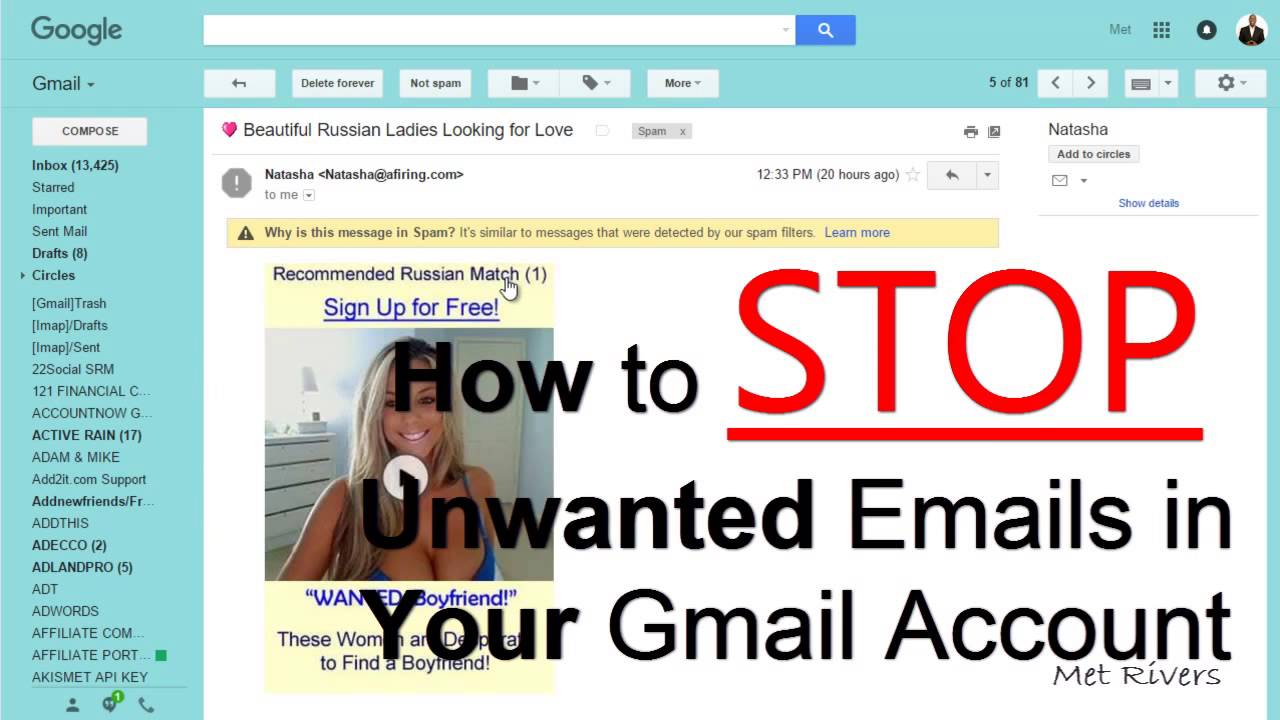
Detailed How To Get Rid Unwanted Emails Landscape Art
Transform your screen with this vivid how to get rid unwanted emails artwork, a true masterpiece of digital design.
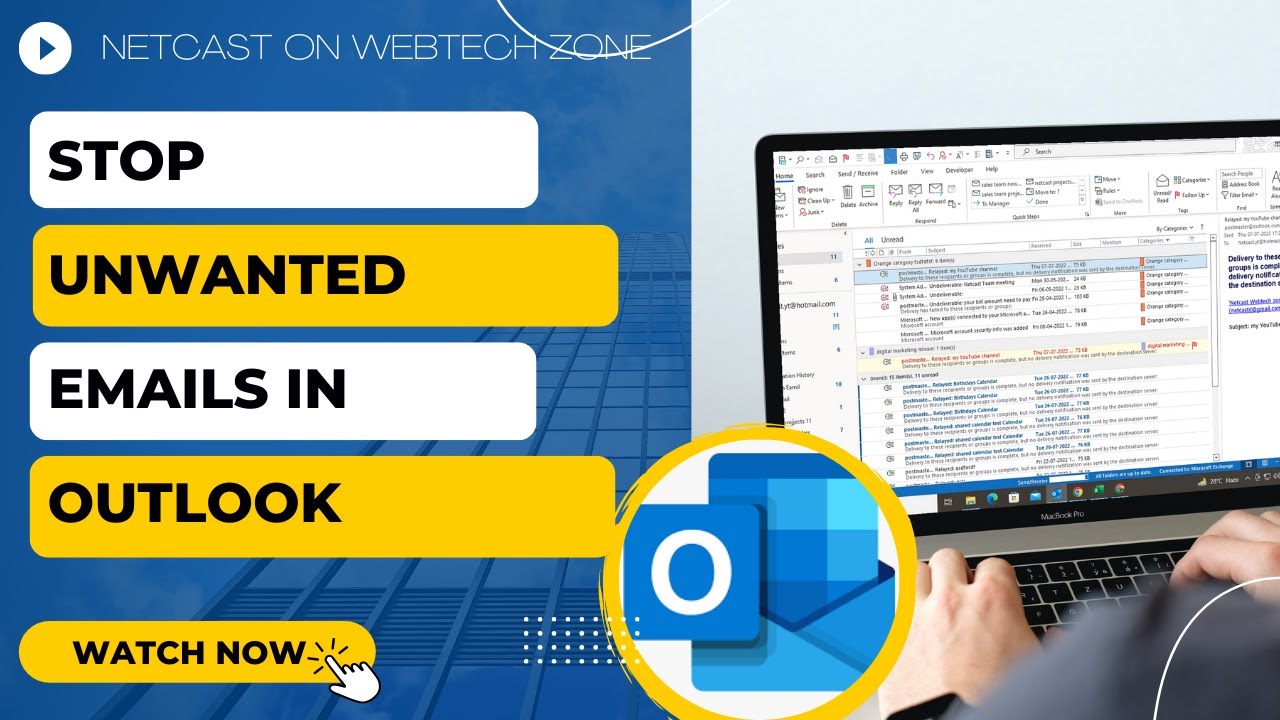
Dynamic How To Get Rid Unwanted Emails Background for Desktop
Find inspiration with this unique how to get rid unwanted emails illustration, crafted to provide a fresh look for your background.
Detailed How To Get Rid Unwanted Emails Artwork for Your Screen
Discover an amazing how to get rid unwanted emails background image, ideal for personalizing your devices with vibrant colors and intricate designs.
Exquisite How To Get Rid Unwanted Emails Wallpaper Art
A captivating how to get rid unwanted emails scene that brings tranquility and beauty to any device.
Exquisite How To Get Rid Unwanted Emails Background for Your Screen
Immerse yourself in the stunning details of this beautiful how to get rid unwanted emails wallpaper, designed for a captivating visual experience.
Spectacular How To Get Rid Unwanted Emails Scene Concept
This gorgeous how to get rid unwanted emails photo offers a breathtaking view, making it a perfect choice for your next wallpaper.

Spectacular How To Get Rid Unwanted Emails Photo in 4K
Find inspiration with this unique how to get rid unwanted emails illustration, crafted to provide a fresh look for your background.
Detailed How To Get Rid Unwanted Emails Photo Digital Art
Experience the crisp clarity of this stunning how to get rid unwanted emails image, available in high resolution for all your screens.
Spectacular How To Get Rid Unwanted Emails Landscape Concept
A captivating how to get rid unwanted emails scene that brings tranquility and beauty to any device.
Exquisite How To Get Rid Unwanted Emails Capture in 4K
Find inspiration with this unique how to get rid unwanted emails illustration, crafted to provide a fresh look for your background.
Crisp How To Get Rid Unwanted Emails Wallpaper Photography
This gorgeous how to get rid unwanted emails photo offers a breathtaking view, making it a perfect choice for your next wallpaper.
Amazing How To Get Rid Unwanted Emails Moment Digital Art
Experience the crisp clarity of this stunning how to get rid unwanted emails image, available in high resolution for all your screens.

Detailed How To Get Rid Unwanted Emails Artwork in HD
Discover an amazing how to get rid unwanted emails background image, ideal for personalizing your devices with vibrant colors and intricate designs.
Spectacular How To Get Rid Unwanted Emails Capture Art
This gorgeous how to get rid unwanted emails photo offers a breathtaking view, making it a perfect choice for your next wallpaper.
Artistic How To Get Rid Unwanted Emails Photo Illustration
Find inspiration with this unique how to get rid unwanted emails illustration, crafted to provide a fresh look for your background.
Download these how to get rid unwanted emails wallpapers for free and use them on your desktop or mobile devices.