How To Get A Url From A Picture
How To Get A Url From A Picture: A Simple Step-by-Step Guide
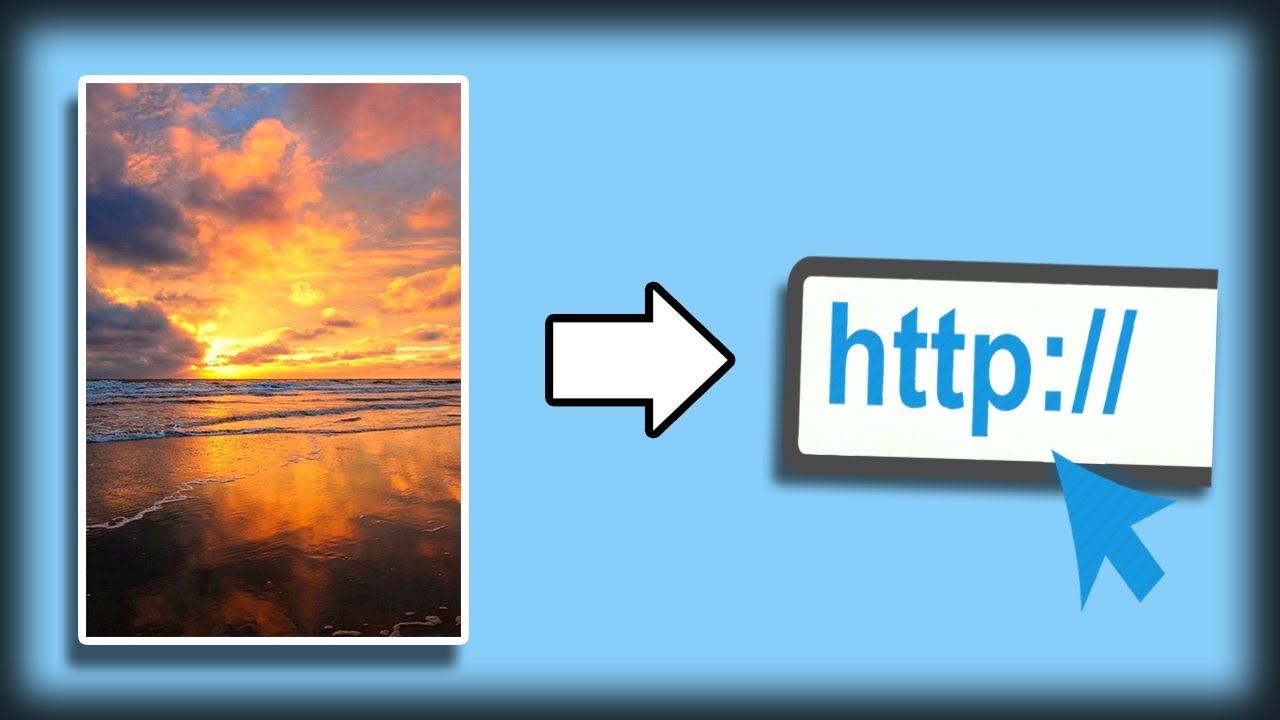
Have you ever been browsing online and spotted the perfect image you wanted to share, reference, or use in a citation? You know the picture is there, but how do you actually grab the unique web address—the URL—that points directly to it? Don't worry, you are in the right place! Learning How To Get A Url From A Picture is a fundamental skill for anyone using the internet, and it's surprisingly easy once you know the tricks.
A picture's URL (Uniform Resource Locator) is its precise digital location. Whether the image is sitting on a webpage, stored locally on your device, or buried deep within a cloud service, this guide will walk you through the various methods to successfully extract that link.
Method 1: The Easiest Way: Using Your Browser's Context Menu
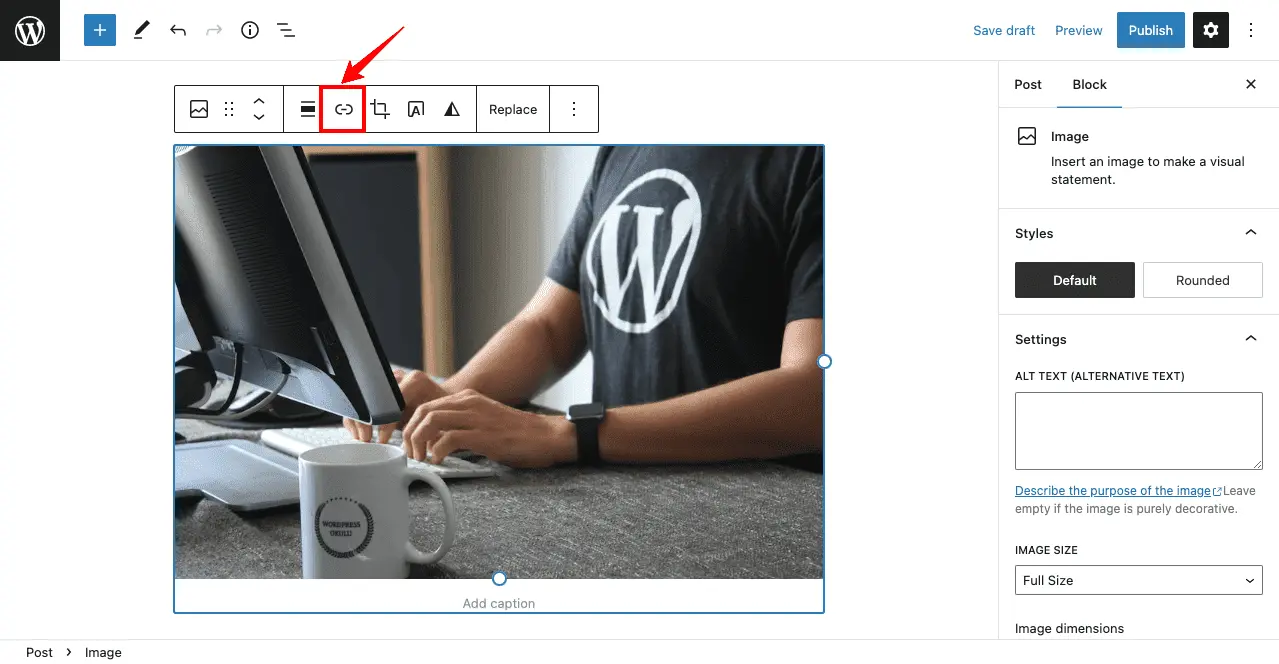
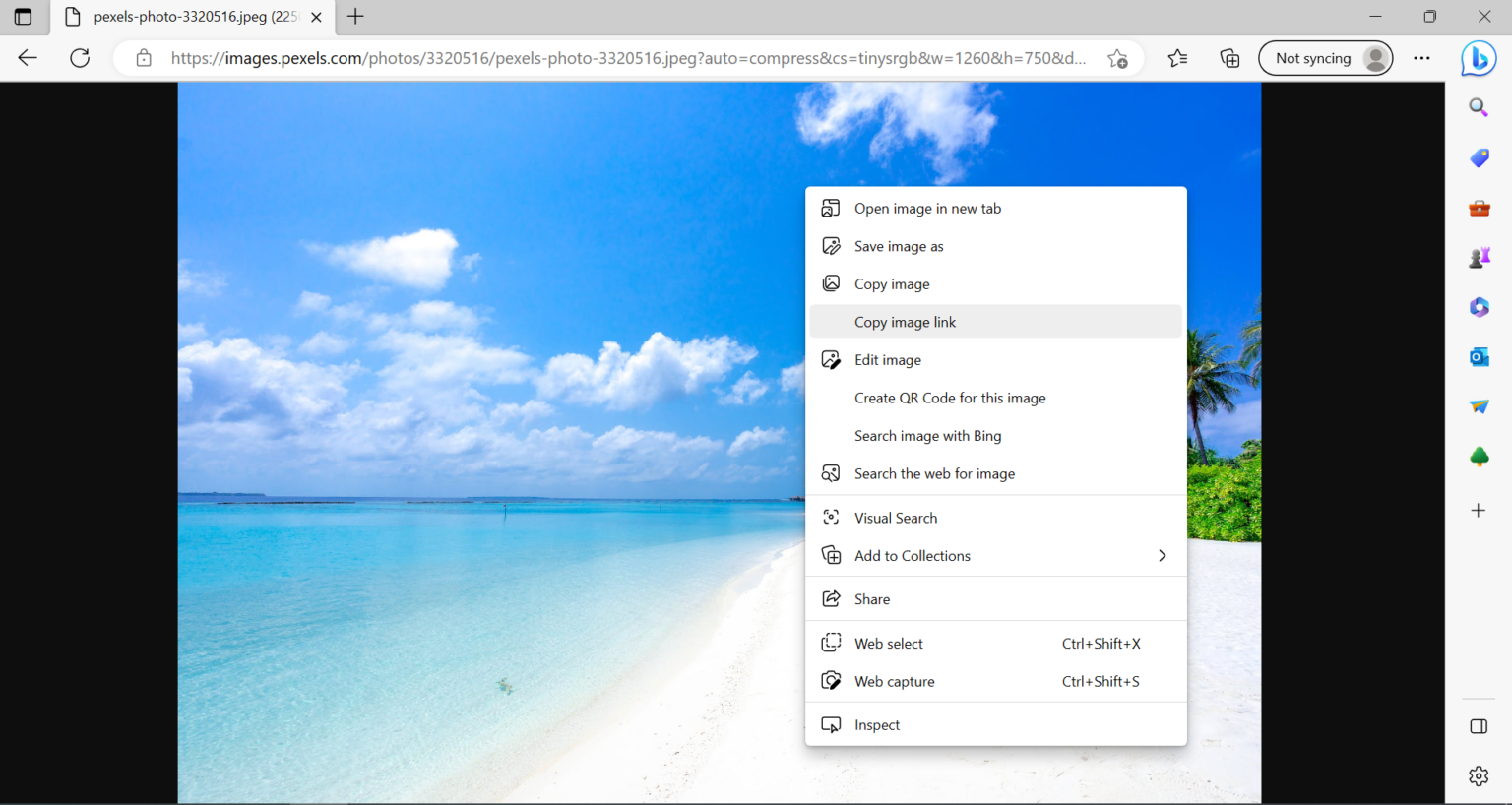
If the image is already visible on a website (like a blog post, a social media feed, or an online gallery), the quickest route to getting its URL is using the "right-click" method. This works across nearly all major desktop and laptop browsers, including Chrome, Firefox, Edge, and Safari.
This technique pulls the direct link to the image file itself, which often ends in extensions like .jpg, .png, or .gif. This is the link you need if you plan to embed the image elsewhere or link directly to the source file.
Step-by-Step on Desktop Browsers
Getting the URL of an image that's hosted online takes only a few clicks. Follow these steps:
- Navigate to the webpage where the desired image is located.
- Locate the picture and hover your mouse cursor over it.
- Right-click (or Control-click on Mac) on the image to open the context menu.
- Look for an option that says "Copy Image Address," "Copy Image Location," or "Copy Link."
- Click that option. The URL is now saved to your clipboard!
You can then paste this link into a new browser tab, an email, or a document to confirm that it loads the image directly.
When the Picture is on Your Desktop: Hosting Before Sharing
If the picture is stored on your local computer, it does not currently have a public URL. URLs are for resources accessible via the internet. Therefore, before you can get a link that others can access, you need to upload it to an online hosting service.
Popular free services like Imgur, Google Photos, Dropbox, or Flickr are excellent choices for hosting images and generating shareable links. This process is essential if you want to know How To Get A Url From A Picture that originated on your hard drive.
- Choose an image hosting service (e.g., Imgur).
- Upload the image file from your computer to the service.
- Once the upload is complete, the service will usually provide options for sharing or embedding.
- Look specifically for the option labeled "Direct Link" or "Copy Image URL." This is the unique address that links specifically to your hosted image file.
Method 2: Getting Image URLs on Mobile Devices
Since smartphones don't have a right-click function, the method for retrieving a picture's URL changes slightly. Both iOS (iPhone/iPad) and Android rely on the "long-press" action to bring up the relevant options menu.
Be aware that the precise text for the option may vary depending on the mobile browser (Chrome vs. Safari) or if you are viewing the image within a dedicated app (like Instagram or Facebook). In some apps, you might need to use the built-in "Share" button to reveal the link, rather than directly accessing the image address.
Steps for iOS and Android Browsers
- Open the image within your mobile browser.
- Tap and hold (long-press) your finger on the picture for a second or two until a pop-up menu appears.
- Look for the option that says "Copy Address," "Copy Image URL," or "Copy Link Address."
- Tap this option to copy the image URL to your device's clipboard.
If the image is one you took yourself, you must first upload it to a cloud service (see the next section) before attempting to find a publicly shareable URL.
Turning Your Smartphone Photos into Shareable Links
If you have a photo stored in your camera roll and want to create a URL for sharing, cloud storage apps are the best solution. Google Photos and Dropbox are the most common platforms used for this task. The crucial step here is ensuring the sharing permissions are set correctly.
After uploading the photo to the cloud service, you must explicitly tell the service to create a public link. Simply having the photo uploaded isn't enough; the service needs to know you intend to share it publicly. Always double-check the permissions to avoid errors when someone tries to access your link.
For example, in Google Drive:
- Upload the image file.
- Tap the three dots next to the file name and select "Share."
- Change the access setting from "Restricted" to "Anyone with the link."
- Tap "Copy Link." This generated link is the URL you can share with others.
Method 3: What if I Only Have the Image File? Reverse Search Magic
Sometimes you save an image to your device, but you forget where it came from. You have the picture, but you need to find the original source URL. This is where reverse image search tools come in handy. Tools like Google Lens (or Google Images) and TinEye allow you to upload the file and search the web for its exact matches.
Using reverse search is a slightly different approach to How To Get A Url From A Picture, as you are starting with the picture itself to find the webpage URL where it resides.
Step-by-Step: Using Google Lens/Search
Google has streamlined its image search capabilities, making it the easiest way to find the source of nearly any picture file you have on hand.
This process is crucial for tasks like copyright checking or simply citing the original photographer or artist.
- Go to Google Images (images.google.com) or use the Google Lens feature on your phone.
- Click or tap the camera icon (Search by Image).
- Upload the image file from your computer or phone.
- Google will analyze the image and present results showing matching or similar images.
- Review the results, paying attention to the "Visually similar images" or "Pages that include matching images." The link associated with the highest quality match is usually the source URL you need.
Remember, the result of a reverse search is the URL of the *webpage* containing the image, not necessarily the direct image file link, though the direct link is often available on the resulting webpage via the right-click method.
Conclusion: Mastering Image URL Retrieval
Knowing How To Get A Url From A Picture is a valuable skill that applies whether you are citing sources, sharing memories, or embedding content on your own site. We covered three main scenarios: retrieving a link from an image already on a website (via right-click/long-press), creating a public link for a locally saved image (via hosting services), and finding the original source link for an image file you already possess (via reverse search).
By using these simple techniques, you ensure that you can always pinpoint the exact location of any visual asset you encounter or create, making your internet use much more efficient and professional.
Frequently Asked Questions (FAQ)
- What is the difference between an image URL and a webpage URL?
- A webpage URL (e.g., www.example.com/blog-post) links to the entire document or page where the image is displayed. An image URL (e.g., www.example.com/images/picture.jpg) links directly and exclusively to the image file itself, loading only the picture in the browser.
- Why does my copied link sometimes stop working?
- If you copied the link from an external website, the link will stop working if the original website owner deletes the image or moves it to a different server location. For links you want to last forever, always host the image on a reliable platform like Google Photos or Imgur yourself.
- Can I get a URL for a picture saved in a private folder?
- No. A URL must be publicly accessible. If your image is in a private folder (either on your computer or in a cloud service set to "Private"), no one else can access it using a link. You must adjust the sharing settings to "Public" or "Anyone with the link" to generate a working, shareable URL.
- Does the right-click method work on all images?
- It works on most standard web images. However, some complex websites (especially those using advanced JavaScript overlays or slideshows) may disable the right-click menu or hide the direct image file, making it harder to get a precise link without inspecting the webpage code.
How To Get A Url From A Picture
How To Get A Url From A Picture Wallpapers
Collection of how to get a url from a picture wallpapers for your desktop and mobile devices.

Captivating How To Get A Url From A Picture Photo Collection
A captivating how to get a url from a picture scene that brings tranquility and beauty to any device.

Beautiful How To Get A Url From A Picture Scene Art
Experience the crisp clarity of this stunning how to get a url from a picture image, available in high resolution for all your screens.

Lush How To Get A Url From A Picture Capture Collection
Find inspiration with this unique how to get a url from a picture illustration, crafted to provide a fresh look for your background.

Spectacular How To Get A Url From A Picture Capture Nature
Immerse yourself in the stunning details of this beautiful how to get a url from a picture wallpaper, designed for a captivating visual experience.

Vivid How To Get A Url From A Picture Artwork in HD
Experience the crisp clarity of this stunning how to get a url from a picture image, available in high resolution for all your screens.

Beautiful How To Get A Url From A Picture Photo Art
Experience the crisp clarity of this stunning how to get a url from a picture image, available in high resolution for all your screens.

Vivid How To Get A Url From A Picture View for Your Screen
Transform your screen with this vivid how to get a url from a picture artwork, a true masterpiece of digital design.

Captivating How To Get A Url From A Picture Photo for Your Screen
This gorgeous how to get a url from a picture photo offers a breathtaking view, making it a perfect choice for your next wallpaper.
Gorgeous How To Get A Url From A Picture Photo in HD
Find inspiration with this unique how to get a url from a picture illustration, crafted to provide a fresh look for your background.
Vivid How To Get A Url From A Picture Image Illustration
Transform your screen with this vivid how to get a url from a picture artwork, a true masterpiece of digital design.

Artistic How To Get A Url From A Picture View Photography
Immerse yourself in the stunning details of this beautiful how to get a url from a picture wallpaper, designed for a captivating visual experience.
Vivid How To Get A Url From A Picture Artwork Nature
Discover an amazing how to get a url from a picture background image, ideal for personalizing your devices with vibrant colors and intricate designs.

Stunning How To Get A Url From A Picture Landscape Illustration
Immerse yourself in the stunning details of this beautiful how to get a url from a picture wallpaper, designed for a captivating visual experience.

Vibrant How To Get A Url From A Picture Picture Nature
Experience the crisp clarity of this stunning how to get a url from a picture image, available in high resolution for all your screens.
Vivid How To Get A Url From A Picture Wallpaper for Mobile
Transform your screen with this vivid how to get a url from a picture artwork, a true masterpiece of digital design.

Mesmerizing How To Get A Url From A Picture Abstract for Your Screen
Transform your screen with this vivid how to get a url from a picture artwork, a true masterpiece of digital design.
Gorgeous How To Get A Url From A Picture Scene Concept
Immerse yourself in the stunning details of this beautiful how to get a url from a picture wallpaper, designed for a captivating visual experience.

Spectacular How To Get A Url From A Picture Photo in 4K
Immerse yourself in the stunning details of this beautiful how to get a url from a picture wallpaper, designed for a captivating visual experience.

Amazing How To Get A Url From A Picture Artwork in 4K
Transform your screen with this vivid how to get a url from a picture artwork, a true masterpiece of digital design.
Mesmerizing How To Get A Url From A Picture Picture Collection
Explore this high-quality how to get a url from a picture image, perfect for enhancing your desktop or mobile wallpaper.
Download these how to get a url from a picture wallpapers for free and use them on your desktop or mobile devices.