Cypress Software
Tired of Flaky Tests? Mastering Cypress Software for Robust Frontend Quality
If you are a modern web developer or QA engineer, you have probably wrestled with the ghosts of flaky end-to-end (E2E) tests. These tests are notoriously slow, difficult to debug, and often fail unpredictably, stalling deployment pipelines and eroding trust in the codebase. Thankfully, the landscape has changed dramatically with the rise of modern tools.
Enter **Cypress Software**. Cypress is not just another testing utility; it's a complete architectural shift designed specifically for the modern web. It promises a faster, more reliable, and ultimately more enjoyable testing experience. But what exactly makes Cypress so revolutionary, and how can you master it to future-proof your development process? Let's dive deep.
What Makes Cypress Software a Game-Changer in Testing?
To understand the power of Cypress, we first need to look under the hood. Traditional testing tools like Selenium operate remotely, sending commands across a network wire to the browser. This separation often leads to synchronization issues and painfully slow execution.
Cypress throws out that paradigm entirely. Instead of controlling the browser from the outside, Cypress executes directly inside the browser—alongside your application—in the same run loop. This fundamental architectural choice solves nearly all the classic E2E problems.
The Core Difference: Running in the Browser
Because Cypress runs within your application, it has native access to everything: the Document Object Model (DOM), local storage, network traffic, and even internal application objects. This level of access means tests are faster, more stable, and can bypass complex API mocking setups because you can manipulate the state of your application directly.
Furthermore, Cypress utilizes Node.js processes outside the browser to handle tasks that require higher privileges, such as file system operations or network proxying. This dual architecture provides the perfect blend of client-side visibility and server-side power.
Superior Debugging Experience
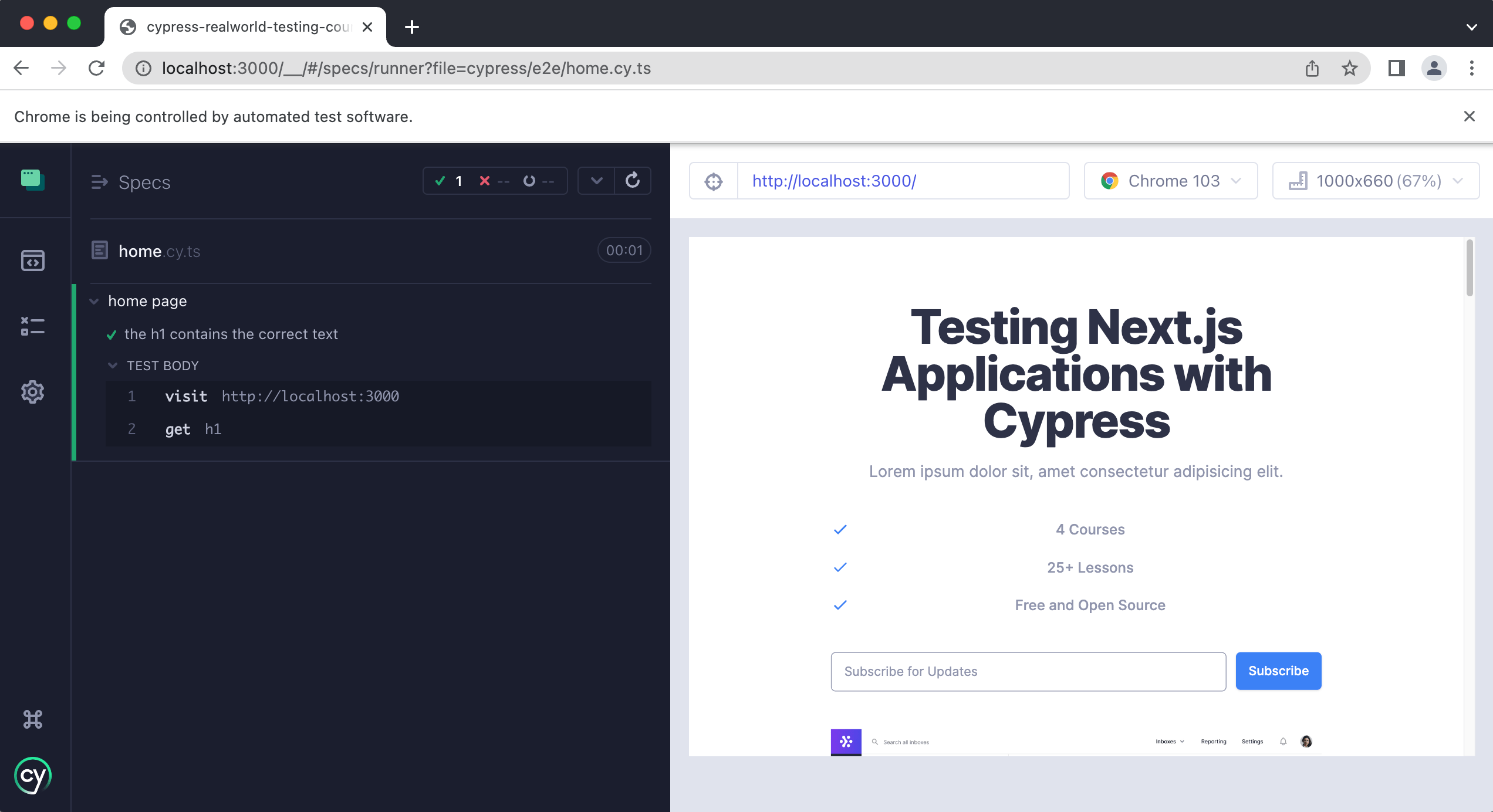
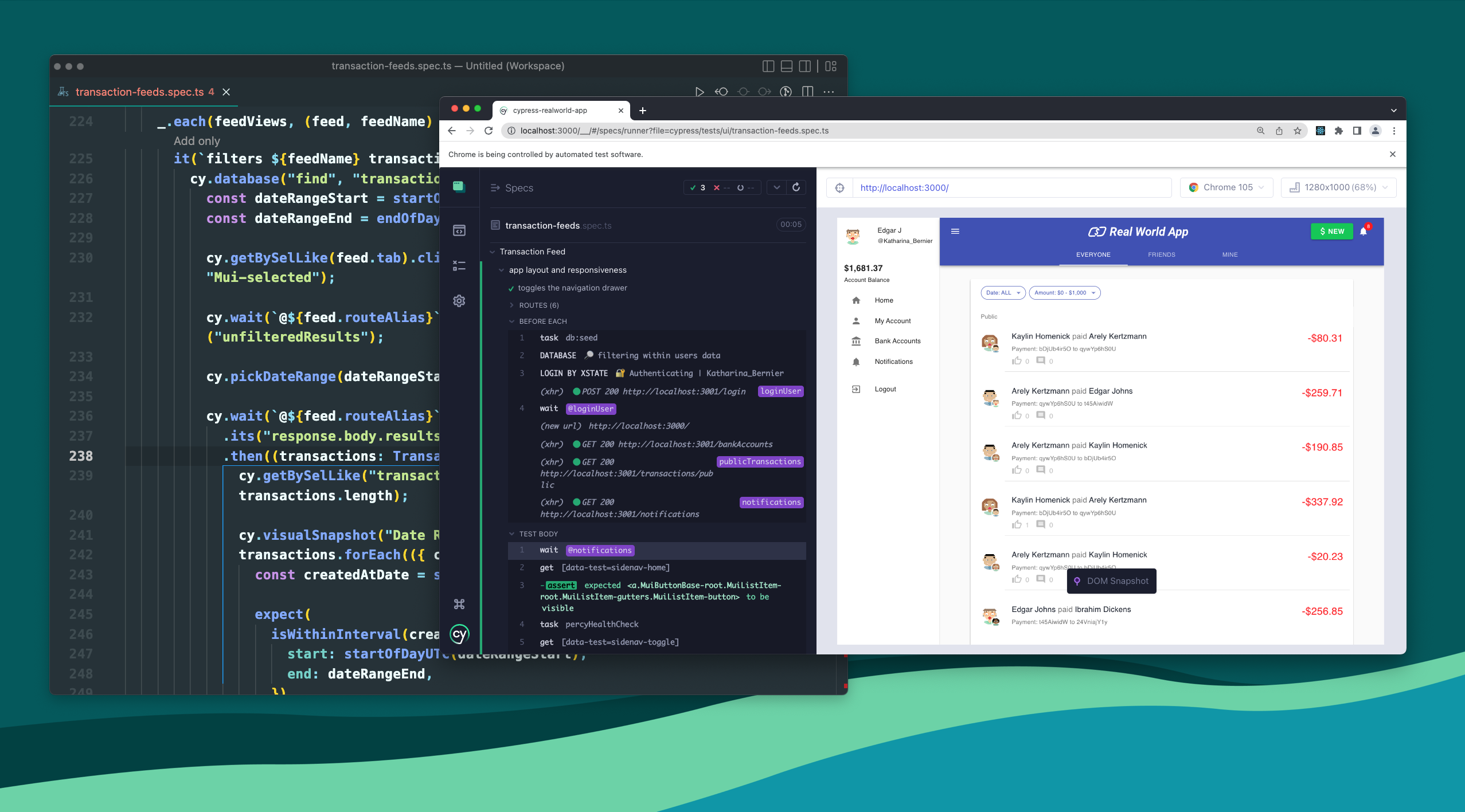
One of the most praised aspects of the **Cypress Software** ecosystem is its powerful developer tool. The Cypress Test Runner provides a visual interface that allows developers to watch commands execute in real-time. If a test fails, Cypress provides detailed error messages and snapshots of the application state at the exact moment of failure, significantly cutting down debugging time. This feature alone drastically improves the developer experience.
Key Features and Benefits of Using Cypress Software
Beyond its architecture, Cypress offers a suite of built-in features that accelerate the writing and execution of tests, solidifying its place as an authority in the testing world.
Time Travel: The Test Runner takes snapshots of your application at every command and assertion. You can hover over any step in the Command Log, and the application's state is instantly restored to that point in time. It's like having a dedicated time machine for debugging.
Automatic Waiting: Say goodbye to manually coding brittle waits and sleeps! Cypress automatically waits for commands and assertions before proceeding. It intelligently waits for DOM elements to appear, animations to complete, and XHRs (network requests) to resolve before deciding if a test has failed. This is the single biggest factor in eliminating flakiness.
Stubbing and Spying: Cypress makes it incredibly easy to control the functions, server responses, and timers that your application relies on. This allows you to test edge cases without needing a complex backend setup, ensuring tests are fast and isolated. For more on web requests, check the official documentation: Cypress Official Documentation on Network Requests.
Effortless Setup and Installation
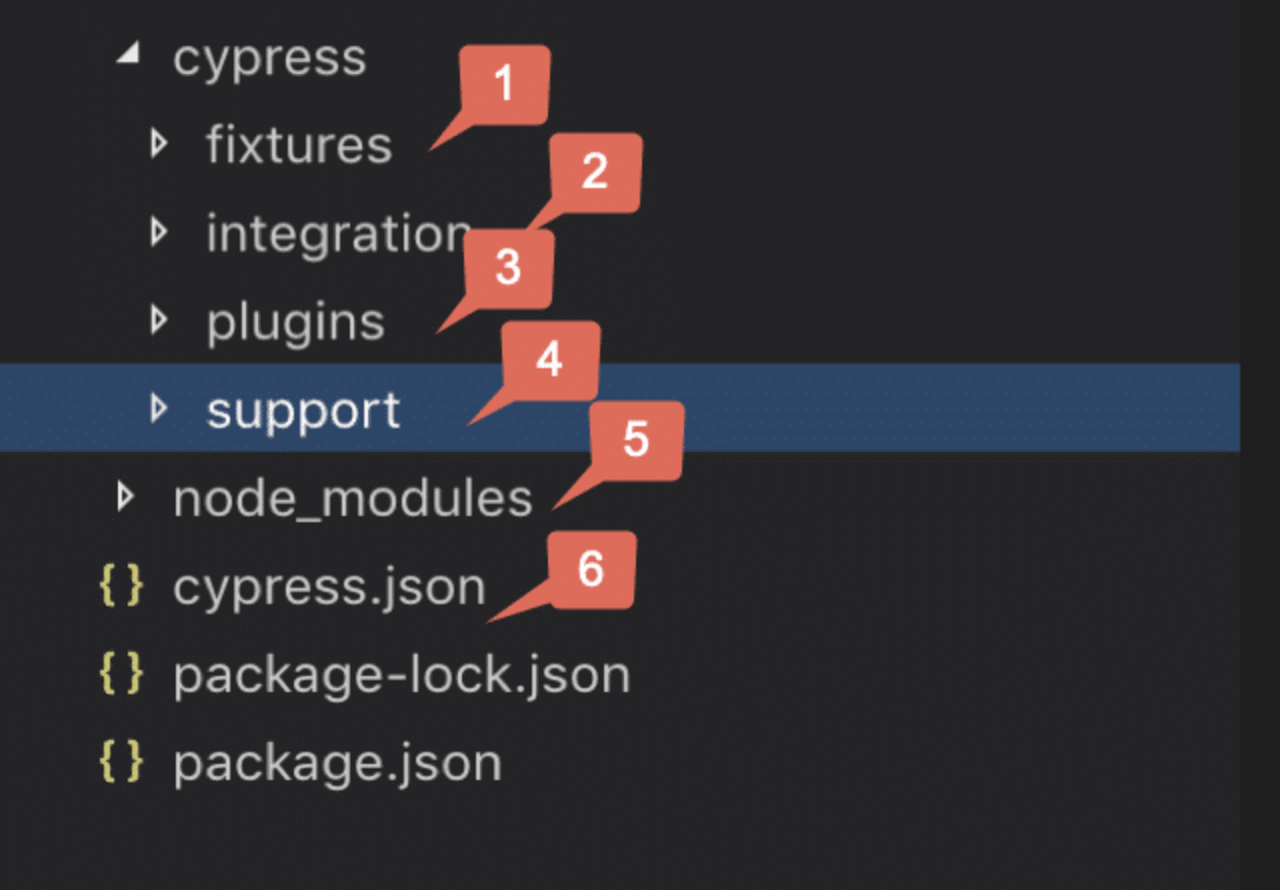
Getting started with Cypress is trivial. It is installed via npm, and it comes bundled with everything you need—no need to manage separate drivers, executables, or dependencies. This ease of use dramatically lowers the barrier to entry for teams adopting modern testing practices.
Cypress vs. Selenium: Why Developers Are Switching
For years, Selenium was the reigning champion of web testing. While powerful, its complexity and inherent instability drove many developers to seek simpler alternatives. The adoption rate of **Cypress Software** demonstrates a clear shift in priority: speed, stability, and developer experience matter most.
The primary difference, as discussed, is architectural. Selenium relies on the WebDriver protocol, which communicates externally. Cypress communicates internally. This distinction makes Cypress tests inherently faster and dramatically reduces the likelihood of race conditions—where the test tries to interact with an element before it is fully rendered.
The table below summarizes the key differentiators that often motivate teams to make the switch:
| Feature | Cypress Software | Selenium WebDriver |
|---|---|---|
| Architecture | Runs inside the browser (Node.js backend) | Runs outside the browser (Remote control via WebDriver) |
| Installation Complexity | Simple npm install; zero driver management | Requires separate driver executables and setup |
| Debugging | Excellent: Time Travel, Command Log, Snapshots | Relies heavily on standard browser dev tools |
| Language Support | JavaScript/TypeScript only | Multi-language (Java, Python, C#, etc.) |
| Mobile Testing | Limited (no native mobile app support) | Stronger native mobile support (via Appium) |
Getting Started: A Quick Guide to Your First Cypress Test
Assuming you have Node.js installed, setting up Cypress takes just a few commands. The simplicity and reliance on JavaScript/TypeScript make it an easy transition for frontend developers familiar with frameworks like React or Vue.
Step 1: Installation
npm install cypress --save-dev
Step 2: Opening the Test Runner
npx cypress open
This command launches the interactive Test Runner GUI, which will automatically configure your project structure and provide example tests. From here, you can select the browser you want to run against (Chrome, Edge, Firefox) and start writing your first spec file.
A Simple Example (Log-in Test): Cypress commands are highly readable and chainable, almost mirroring how a user would interact with the application.
describe('Login Functionality', () => {
it('should successfully log in a user', () => {
// 1. Visit the page
cy.visit('http://localhost:3000/login')
// 2. Type credentials
cy.get('#username').type('user@example.com')
cy.get('#password').type('securepassword')
// 3. Click submit
cy.get('button[type="submit"]').click()
// 4. Assert success (check for URL change or element presence)
cy.url().should('include', '/dashboard')
})
})
Achieving E-E-A-T: Best Practices for Robust Cypress Software Implementation
True expertise in E2E testing comes from implementing best practices that ensure your tests remain stable as your application scales. This involves adopting predictable testing patterns and integrating robust quality assurance tools.
- Use Data Attributes for Selectors: Avoid brittle selectors based on CSS classes (which change frequently for styling). Instead, use custom data attributes (e.g.,
data-cy="login-button") exclusively for testing. - Isolate Test State: Always ensure tests are independent. Use
cy.request()orcy.exec()to create and tear down test data directly via APIs or the backend database between tests, rather than relying on UI actions. - Integrate with CI/CD: For maximum reliability, Cypress tests must run automatically on every code commit. This integration ensures quick feedback on regressions and improves overall trustworthiness of the product. [Baca Juga: Panduan Integrasi Cypress dan CI/CD].
- Understand the Limitations: Cypress is primarily focused on web applications. It does not support switching between tabs or running two different browsers simultaneously within the same test. For deep insights into the browser environment, you can refer to the Mozilla Developer Network (MDN) Web API Documentation.
Mastering these practices ensures that your use of **Cypress Software** moves from simple script execution to a key component of your software quality assurance strategy.
Conclusion: Is Cypress the Right Testing Tool for Your Stack?
Cypress has firmly established itself as the preferred E2E testing framework for teams prioritizing speed, stability, and excellent developer experience. By running tests directly within the browser, it eliminates the pain points associated with older protocols like WebDriver, dramatically reducing flaky tests and speeding up feedback loops.
While it requires using JavaScript (or TypeScript), and doesn't support true cross-browser parallelization in the same way as Selenium Grid, the benefits—especially its debugging features and automatic waiting—make it a superior choice for testing modern [Baca Juga: Pengembangan UI Frameworks Modern] built on React, Vue, or Angular.
If your goal is to build robust, predictable, and maintainable E2E tests for your web application, adopting **Cypress Software** is arguably the best move you can make today. For a historical perspective on this testing paradigm, you can read more about End-to-End Testing on Wikipedia.
Frequently Asked Questions (FAQ) about Cypress
- Is Cypress only for end-to-end (E2E) testing?
While best known for E2E testing, Cypress can also be effectively used for integration testing and unit testing, especially for components that interact heavily with the DOM or network. Its primary strength, however, lies in simulating real user journeys.
- Does Cypress support testing on multiple browsers?
Yes, Cypress supports Chrome, Firefox, Edge, and Electron (default). However, a key distinction is that Cypress runs tests sequentially in one browser at a time on your local machine or CI server, unlike tools that support simultaneous grid execution.
- Can I use Cypress to test backend APIs?
Yes. Although Cypress is primarily a frontend tool, the
cy.request()command allows you to send standard HTTP requests directly. This is commonly used for setup/teardown (creating users or resetting database states) or for purely testing API endpoints. - Is Cypress free to use?
The core Cypress framework is open-source and entirely free. Cypress also offers a paid Dashboard service that provides parallelization, recorded test results, and advanced reporting for CI environments.
Cypress Software
Cypress Software Wallpapers
Collection of cypress software wallpapers for your desktop and mobile devices.

Lush Cypress Software Design for Desktop
Immerse yourself in the stunning details of this beautiful cypress software wallpaper, designed for a captivating visual experience.

Exquisite Cypress Software Design Collection
Immerse yourself in the stunning details of this beautiful cypress software wallpaper, designed for a captivating visual experience.
Crisp Cypress Software Scene in HD
Find inspiration with this unique cypress software illustration, crafted to provide a fresh look for your background.

Exquisite Cypress Software Artwork Photography
Immerse yourself in the stunning details of this beautiful cypress software wallpaper, designed for a captivating visual experience.

Captivating Cypress Software Artwork Nature
A captivating cypress software scene that brings tranquility and beauty to any device.

Mesmerizing Cypress Software Landscape for Desktop
Discover an amazing cypress software background image, ideal for personalizing your devices with vibrant colors and intricate designs.

Vivid Cypress Software Background Collection
Transform your screen with this vivid cypress software artwork, a true masterpiece of digital design.

Mesmerizing Cypress Software Capture Art
Experience the crisp clarity of this stunning cypress software image, available in high resolution for all your screens.
Vibrant Cypress Software Scene Concept
Explore this high-quality cypress software image, perfect for enhancing your desktop or mobile wallpaper.

Crisp Cypress Software Design Digital Art
This gorgeous cypress software photo offers a breathtaking view, making it a perfect choice for your next wallpaper.

High-Quality Cypress Software Abstract in HD
Explore this high-quality cypress software image, perfect for enhancing your desktop or mobile wallpaper.
:max_bytes(150000):strip_icc()/italian-cypress-tree-growing-guide-7108396_01a-b7f2a81a11ba4ce9afefd5bf8e3a453d.jpg "Detailed Cypress Software View Art")
Detailed Cypress Software View Art
Transform your screen with this vivid cypress software artwork, a true masterpiece of digital design.
Detailed Cypress Software Design Digital Art
Transform your screen with this vivid cypress software artwork, a true masterpiece of digital design.
Amazing Cypress Software Photo for Desktop
Explore this high-quality cypress software image, perfect for enhancing your desktop or mobile wallpaper.
Artistic Cypress Software Landscape for Mobile
Immerse yourself in the stunning details of this beautiful cypress software wallpaper, designed for a captivating visual experience.
Amazing Cypress Software Capture Digital Art
Explore this high-quality cypress software image, perfect for enhancing your desktop or mobile wallpaper.
Serene Cypress Software View for Desktop
Discover an amazing cypress software background image, ideal for personalizing your devices with vibrant colors and intricate designs.
Dynamic Cypress Software Moment for Mobile
Immerse yourself in the stunning details of this beautiful cypress software wallpaper, designed for a captivating visual experience.

Artistic Cypress Software View for Your Screen
A captivating cypress software scene that brings tranquility and beauty to any device.
/leyland-cypress-leaf-closeup-big-58a4b74c5f9b58a3c9170bb8.jpg "Exquisite Cypress Software View Collection")