Get Identity Protection Pin Online
Get Identity Protection Pin Online: Your Ultimate Guide
Are you worried about tax identity theft? You are definitely not alone! Filing your taxes can be stressful enough without the added concern that someone else might try to claim a fraudulent refund using your Social Security number. That is where the Identity Protection Personal Identification Number, or IP PIN, comes in. Think of it as a secret key known only to you and the IRS, providing an essential layer of security.
If you have been thinking, "How can I safely and efficiently Get Identity Protection Pin Online?" then you have come to the right place. We will walk you through the simple, secure process provided by the Internal Revenue Service (IRS) so you can protect yourself quickly and confidently. Let's dive into exactly what the IP PIN is and how to get started!
What is an Identity Protection Pin (IP PIN)?
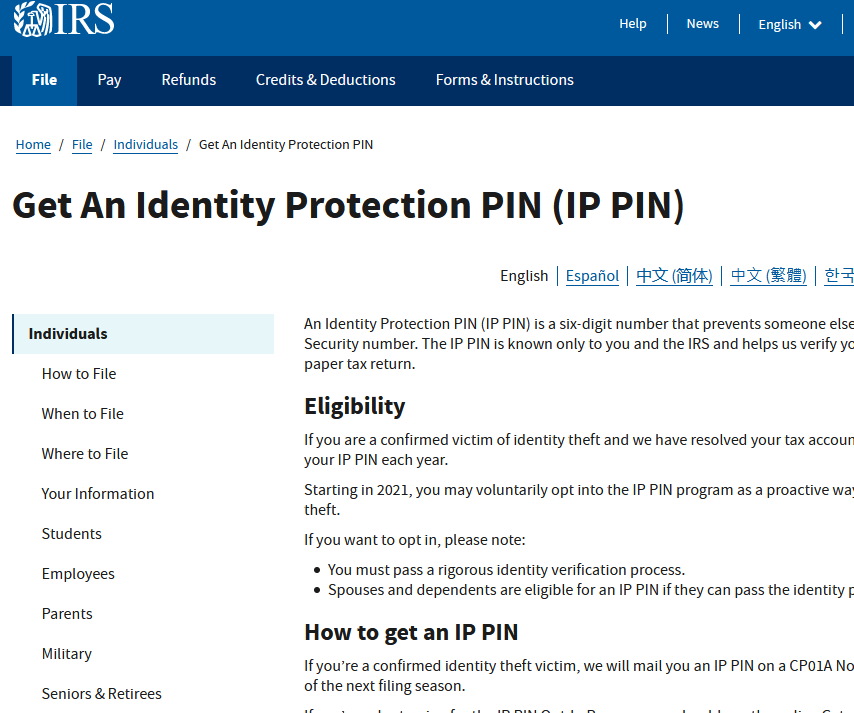
The IP PIN is a unique, six-digit number assigned by the IRS to eligible taxpayers. It helps prevent identity thieves from filing fraudulent tax returns using your personal information. When you file a tax return—whether electronically or on paper—you must enter this IP PIN for the return to be accepted.
This program is voluntary for most taxpayers, but once you opt in, you must use the IP PIN every year going forward. It serves as an authentication tool, confirming to the IRS that you are indeed the legitimate filer. Essentially, if the IP PIN is missing or incorrect, the IRS will reject the filing, stopping tax fraud in its tracks.
The IP PIN is critical because it changes annually. A new PIN is generated for you every year, ensuring that even if last year's number was compromised, your current year's filing remains secure. This makes the ability to Get Identity Protection Pin Online a powerful defense mechanism against digital theft.
How to Get Identity Protection Pin Online Step-by-Step
The absolute fastest and easiest way to obtain your IP PIN is through the official IRS "Get an IP PIN" online tool. This secure tool is available 24/7. However, before accessing the PIN itself, you must verify your identity through a process called Secure Access. This ensures the PIN goes only to the rightful owner.
Here is a detailed breakdown of the steps required to successfully Get Identity Protection Pin Online:
- Visit the Official IRS Website: Navigate to the IRS "Get an IP PIN" page.
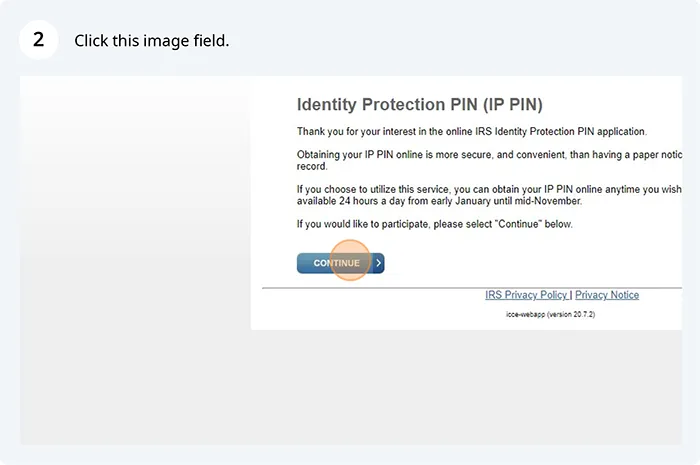
- Access the Tool: Click the link to access the online tool. You will be redirected to the secure portal.
- Log In or Register: If you already have an IRS Secure Access account (which is often used for other IRS online services), log in. If not, you must register for a new account.
- Identity Verification: Complete the rigorous multi-factor authentication process. This step is critical for security.
- Retrieve Your PIN: Once verification is complete, you can view, print, or download your current year's IP PIN immediately.
- Use Immediately: If you are filing your taxes now, ensure you use this six-digit number on your return.
The entire process, assuming you already have the necessary documentation and technical setup, can take less than 15 minutes. It is a small investment of time for such a significant boost in security.
Crucial Steps Before You Can Get Identity Protection Pin Online
To successfully pass the Secure Access verification and Get Identity Protection Pin Online, you will need several pieces of information ready. The IRS needs to be absolutely certain you are who you claim to be. If you fail the verification process twice in a 24-hour period, you will be locked out for 24 hours.
Prepare the following documents and information before you start the registration process:
- Social Security Number (SSN) or Individual Taxpayer Identification Number (ITIN).
- Your filing status from last year (e.g., Single, Married Filing Jointly).
- A valid email address and phone number for multi-factor authentication.
- Financial account information (e.g., specific loan account numbers or credit card numbers used for verification purposes).
- A digital photo of a government-issued ID (like a driver's license or passport) if you are starting a new account.
Verification sometimes involves a photo and video selfie process, often handled by third-party identity partners like ID.me, to compare your face against your submitted photo ID. While this might seem tedious, it is a robust security measure designed purely to protect your sensitive tax data.
What If I Cannot Get My Identity Protection Pin Online Immediately?
Sometimes, identity verification issues, or lack of access to required documentation, prevent taxpayers from being able to Get Identity Protection Pin Online through the immediate tool. Do not worry—you still have options! The IRS provides alternative methods for obtaining your IP PIN, though they require more time.
These methods are generally used if you: failed the online identity verification process; do not have the necessary financial documentation; or do not have a computer/smartphone for identity verification.
The main alternatives include:
- Submitting Form 15227: You can fill out and mail or fax Form 15227, Application for an Identity Protection Personal Identification Number (IP PIN). The IRS will then mail the IP PIN to the address on file within four to six weeks.
- In-Person Appointment (For Extreme Hardship): If you are filing soon and cannot wait for the mail, and you have exhausted all online options, you may call the IRS to schedule an appointment at a Taxpayer Assistance Center (TAC).
- Calling the Specialized IP PIN Line: In very rare cases, if you previously had a PIN but lost access and the online tool fails, the IRS has dedicated lines, but this typically requires a rigorous phone verification process.
Remember, the IRS strongly encourages everyone capable of using the online tool to do so, as it is instantaneous and minimizes administrative delays.
Using and Protecting Your New IP PIN
Once you successfully Get Identity Protection Pin Online, your job is only half done. Now you need to understand how to use it correctly and, crucially, how to keep it safe throughout the year until the next tax season begins. Unlike some passwords, your IP PIN is not reusable indefinitely; a new one is issued every calendar year.
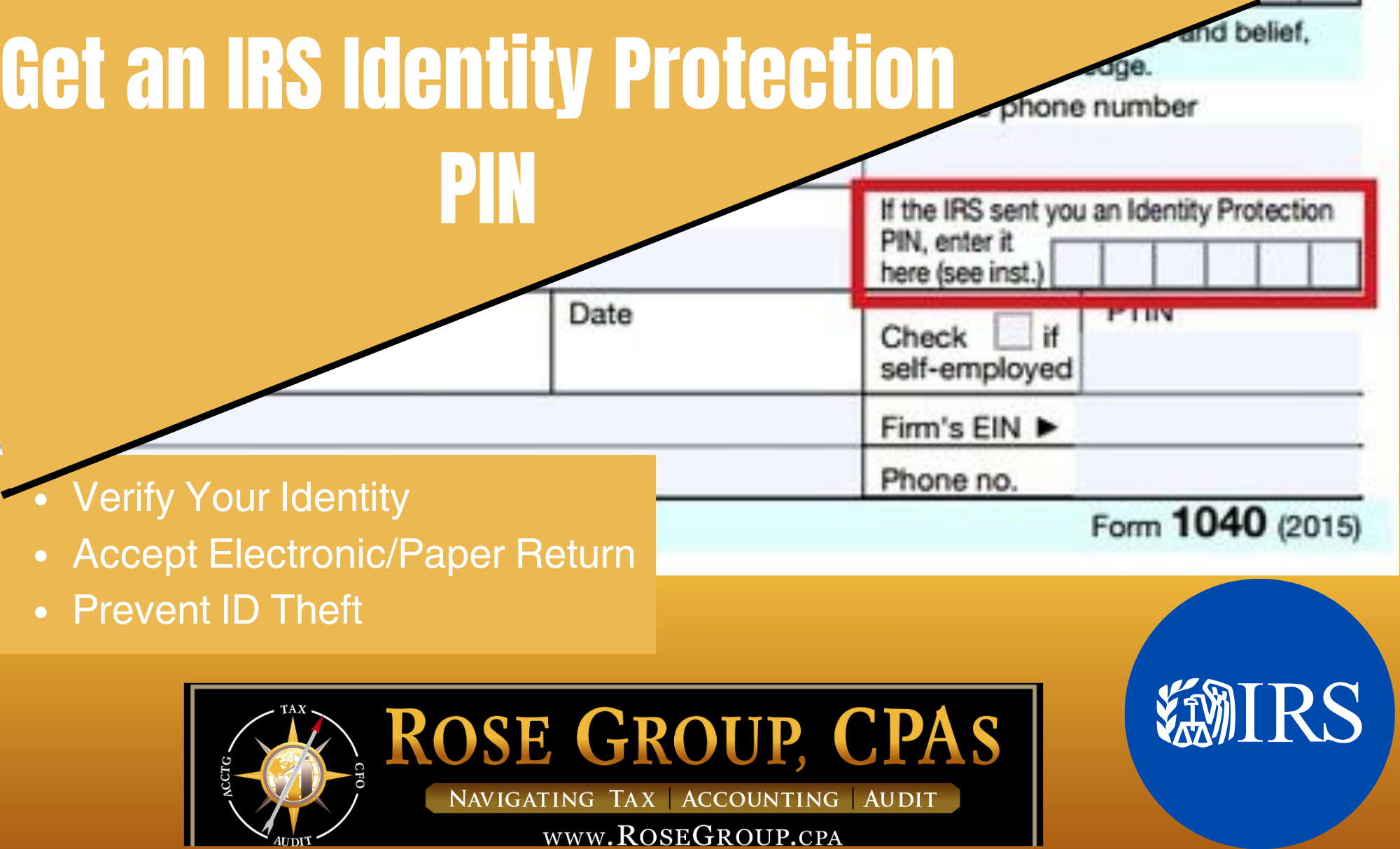
When filing, you must enter the current year's IP PIN exactly where indicated on your tax preparation software (or on the paper forms). If you are filing jointly, only the spouse whose name is associated with the IP PIN needs to enter it.
Tips for Keeping Your Identity Protection Pin Safe
Since the IP PIN is the primary defense against someone filing a return in your name, protecting it is paramount. Treat this number with the same level of security as your banking information.
- Do Not Store It Digitally (Unencrypted): Avoid saving the IP PIN in a simple text file on your desktop or emailing it to yourself. If you must store it digitally, use a highly encrypted password manager.
- Beware of Scams: The IRS will never call, text, or email you asking for your IP PIN. Any contact requesting this information is an immediate red flag for fraud.
- Use the Online Tool Annually: Even if you initially received the PIN by mail, make sure to register for the online tool if possible. This allows you instant access to your new PIN every January.
Troubleshooting Common Issues When You Get Identity Protection Pin Online
While the process to Get Identity Protection Pin Online is designed to be smooth, issues occasionally arise. Knowing how to quickly address these problems can save you a lot of headache during tax season.
The two most common issues are losing the PIN and verification failure:
Lost or Forgotten PIN
If you lose the PIN that the IRS mailed or you forgot the number you retrieved online, you must go back to the "Get an IP PIN" tool immediately. The tool is the only way to retrieve the number quickly. If you cannot access the tool (e.g., you are locked out), you must follow the Form 15227 process, which takes several weeks.
Verification Failure
If you fail the Secure Access identity verification, usually the error is minor, such as mistyping a previous address or not having the exact financial information requested. Double-check all inputs. If you continue to fail, you will have to resort to mailing in Form 15227, as the IRS will not bypass the verification security.
Conclusion
The Identity Protection PIN is an invaluable tool in the fight against tax fraud. While the initial verification process to Get Identity Protection Pin Online requires attention to detail, the security it provides is well worth the effort. By utilizing the IRS's secure online platform, you can retrieve your unique six-digit code instantly, ensuring that only you can successfully file a tax return under your name.
Take the proactive step today to secure your tax filings. The IP PIN offers peace of mind and is the best defense available against sophisticated tax identity theft schemes.
Frequently Asked Questions (FAQ) About the IP PIN
- Is the IP PIN mandatory for all taxpayers?
- No, the IP PIN is voluntary for most taxpayers. However, once you choose to opt in using the online tool, or if the IRS issues you one due to a suspected identity theft incident, you must use it every year thereafter.
- When is the best time to Get Identity Protection Pin Online?
- The IRS typically generates new IP PINs in mid-to-late January each year. You should retrieve your new PIN as soon as it becomes available and before you prepare to file your annual tax return.
- Can my tax preparer Get Identity Protection Pin Online for me?
- No. Due to the high level of identity verification required (including personal knowledge questions and often photo ID submission), only the taxpayer associated with the SSN/ITIN can access or retrieve the IP PIN online.
- What happens if I try to file my taxes without my IP PIN?
- If you are required to use an IP PIN and fail to enter it (or enter the wrong one), the IRS will reject your electronically filed return, or delay the processing of your paper return, until the correct PIN is provided.
- Does getting an IP PIN mean I was already a victim of identity theft?
- Not necessarily. While some taxpayers are automatically issued an IP PIN after being victims of fraud, most people Get Identity Protection Pin Online voluntarily as a preventative measure to secure their filing.
Get Identity Protection Pin Online
Get Identity Protection Pin Online Wallpapers
Collection of get identity protection pin online wallpapers for your desktop and mobile devices.
Exquisite Get Identity Protection Pin Online Background for Desktop
This gorgeous get identity protection pin online photo offers a breathtaking view, making it a perfect choice for your next wallpaper.
Amazing Get Identity Protection Pin Online Design Digital Art
Explore this high-quality get identity protection pin online image, perfect for enhancing your desktop or mobile wallpaper.

Captivating Get Identity Protection Pin Online View Concept
This gorgeous get identity protection pin online photo offers a breathtaking view, making it a perfect choice for your next wallpaper.

Detailed Get Identity Protection Pin Online Design Nature
Explore this high-quality get identity protection pin online image, perfect for enhancing your desktop or mobile wallpaper.
Crisp Get Identity Protection Pin Online Abstract for Desktop
A captivating get identity protection pin online scene that brings tranquility and beauty to any device.

Stunning Get Identity Protection Pin Online Design for Desktop
Find inspiration with this unique get identity protection pin online illustration, crafted to provide a fresh look for your background.
Detailed Get Identity Protection Pin Online Wallpaper in HD
Explore this high-quality get identity protection pin online image, perfect for enhancing your desktop or mobile wallpaper.
Spectacular Get Identity Protection Pin Online Design Collection
Find inspiration with this unique get identity protection pin online illustration, crafted to provide a fresh look for your background.
Beautiful Get Identity Protection Pin Online Background Concept
Explore this high-quality get identity protection pin online image, perfect for enhancing your desktop or mobile wallpaper.

Vibrant Get Identity Protection Pin Online Photo Collection
Discover an amazing get identity protection pin online background image, ideal for personalizing your devices with vibrant colors and intricate designs.

Crisp Get Identity Protection Pin Online Wallpaper in 4K
A captivating get identity protection pin online scene that brings tranquility and beauty to any device.

Serene Get Identity Protection Pin Online Scene for Mobile
Experience the crisp clarity of this stunning get identity protection pin online image, available in high resolution for all your screens.

Vivid Get Identity Protection Pin Online Design Concept
Experience the crisp clarity of this stunning get identity protection pin online image, available in high resolution for all your screens.
Serene Get Identity Protection Pin Online Image Collection
Explore this high-quality get identity protection pin online image, perfect for enhancing your desktop or mobile wallpaper.
Lush Get Identity Protection Pin Online Artwork Digital Art
A captivating get identity protection pin online scene that brings tranquility and beauty to any device.
Gorgeous Get Identity Protection Pin Online View for Desktop
Immerse yourself in the stunning details of this beautiful get identity protection pin online wallpaper, designed for a captivating visual experience.

Beautiful Get Identity Protection Pin Online Artwork Nature
Experience the crisp clarity of this stunning get identity protection pin online image, available in high resolution for all your screens.

Stunning Get Identity Protection Pin Online Photo in HD
Immerse yourself in the stunning details of this beautiful get identity protection pin online wallpaper, designed for a captivating visual experience.
Gorgeous Get Identity Protection Pin Online Moment in HD
This gorgeous get identity protection pin online photo offers a breathtaking view, making it a perfect choice for your next wallpaper.
