How Do I Get Rid Of Adverts On My Phone
How Do I Get Rid Of Adverts On My Phone Once and For All?
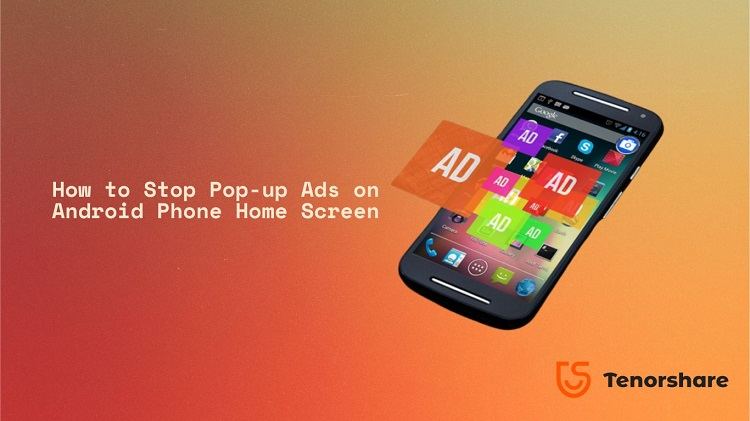
If you're reading this, chances are you are completely fed up with intrusive pop-ups, disruptive video ads, and those annoying banner ads that ruin your mobile experience. You open an app, and bam! An ad appears. You try to browse the web, and suddenly your screen is hijacked by a pop-up promising you a free prize. It's frustrating, and it raises a critical question: How Do I Get Rid Of Adverts On My Phone?
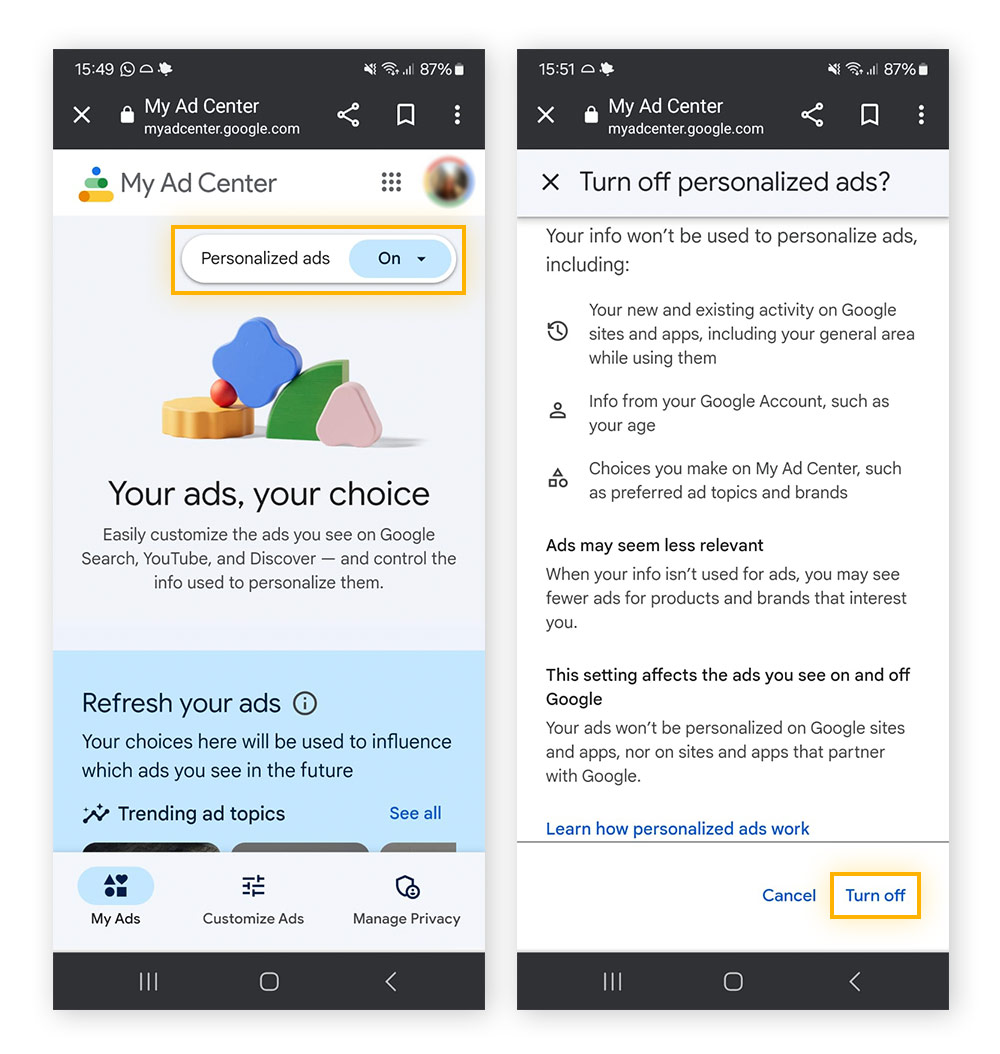
The good news is that you don't have to live with this constant digital noise. Getting rid of mobile ads requires a combination of identifying the source and implementing proactive blocking measures. We're going to walk through the most effective strategies, whether you're dealing with browser pop-ups or sneaky ad-supported apps.
Identifying the Source of the Problem
Mobile advertisements usually come from two main places: your web browser or a specific application you've installed. Before diving into full-scale ad blocking, we must first pinpoint the culprit. Are the ads only appearing when you are using Chrome or Safari, or are they popping up randomly even when your browser is closed?
Understanding the source dictates the solution you need to apply. If it's browser-related, the fix is often simple settings adjustments. If the ads are system-wide, we might be looking at malicious apps or even low-level adware.
Dealing with Browser Pop-Ups (Easy Fixes)
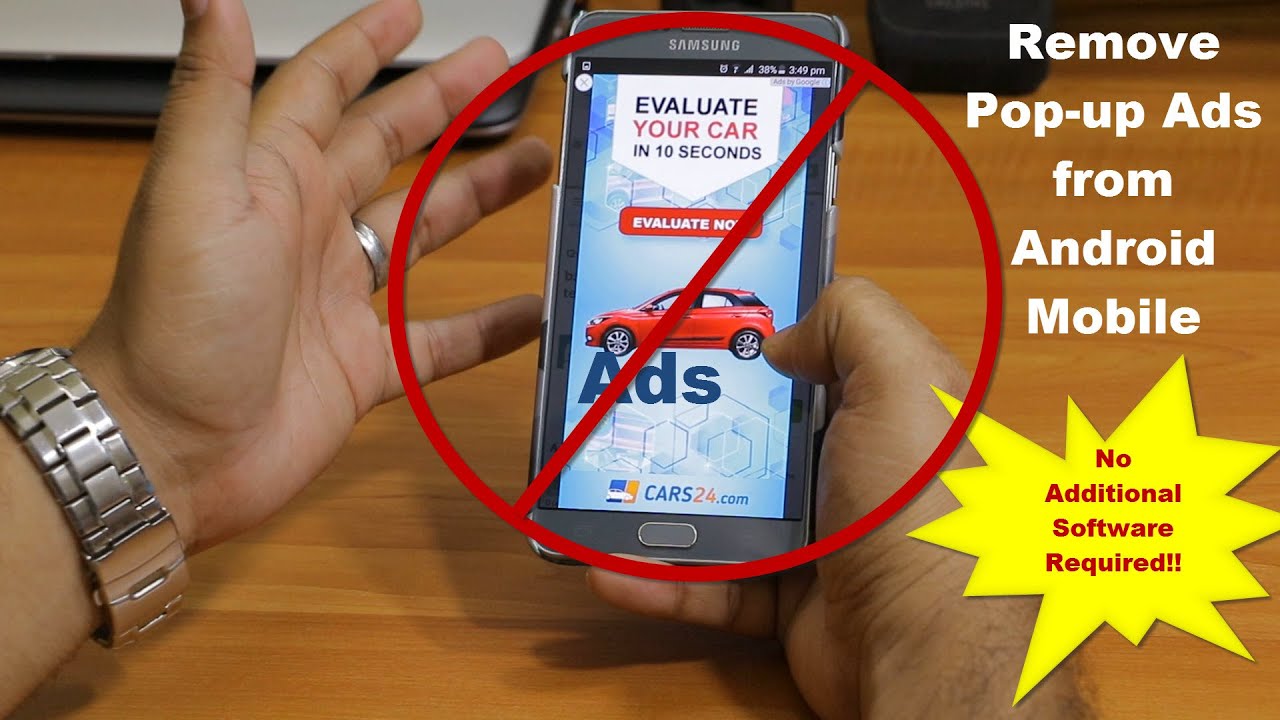
Browser pop-ups are the most straightforward ads to handle. Modern mobile browsers usually have built-in defenses that just need to be enabled. If you are seeing invasive pop-ups only when surfing the internet, start here.
Here are the steps to lock down your browser settings:
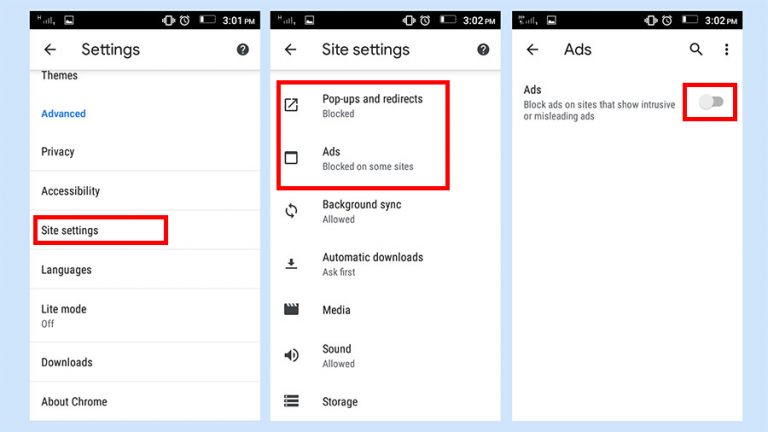
- Enable Pop-up Blocker: Check your browser settings (Chrome, Firefox, Safari) and ensure the "Block Pop-ups" feature is toggled ON. This simple step stops 90% of nuisance web ads.
- Clear Browser Cache and Data: Sometimes persistent ads are linked to malicious cookies or lingering site data. Go to your browser settings and clear all browsing history, cache, and cookies.
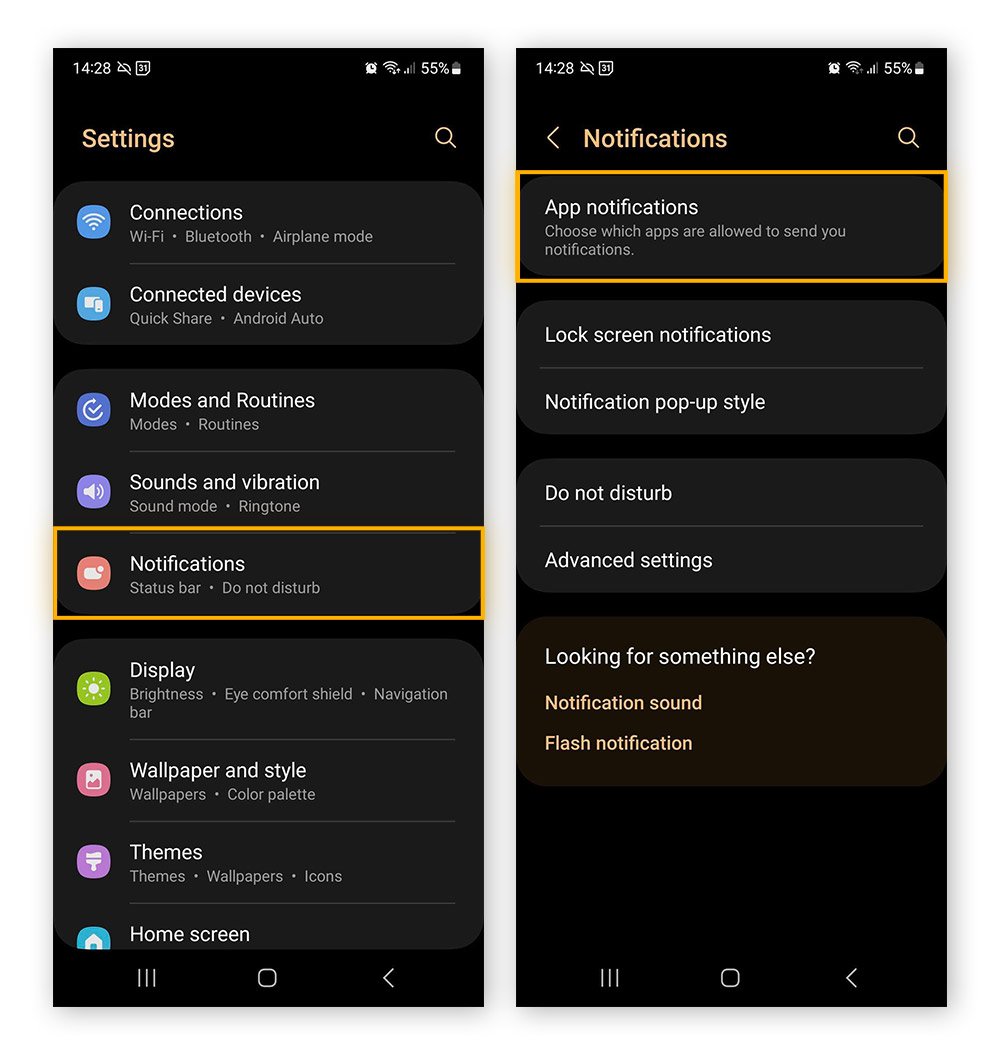
- Review Site Permissions: Some sites trick you into giving them permission to send notifications. Review your site settings and revoke permission for any sites you don't recognize or trust.
Stopping Ads from Specific Apps (The Stealthy Culprits)
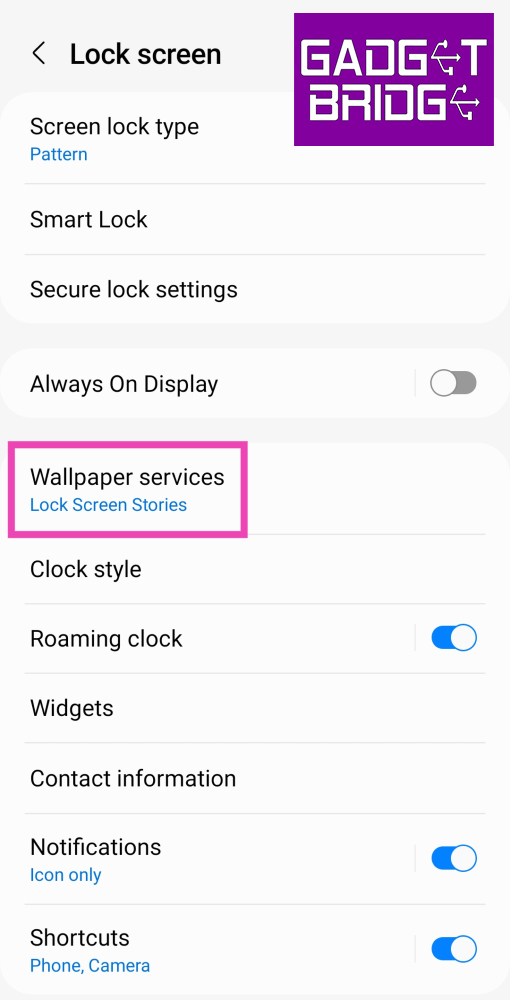
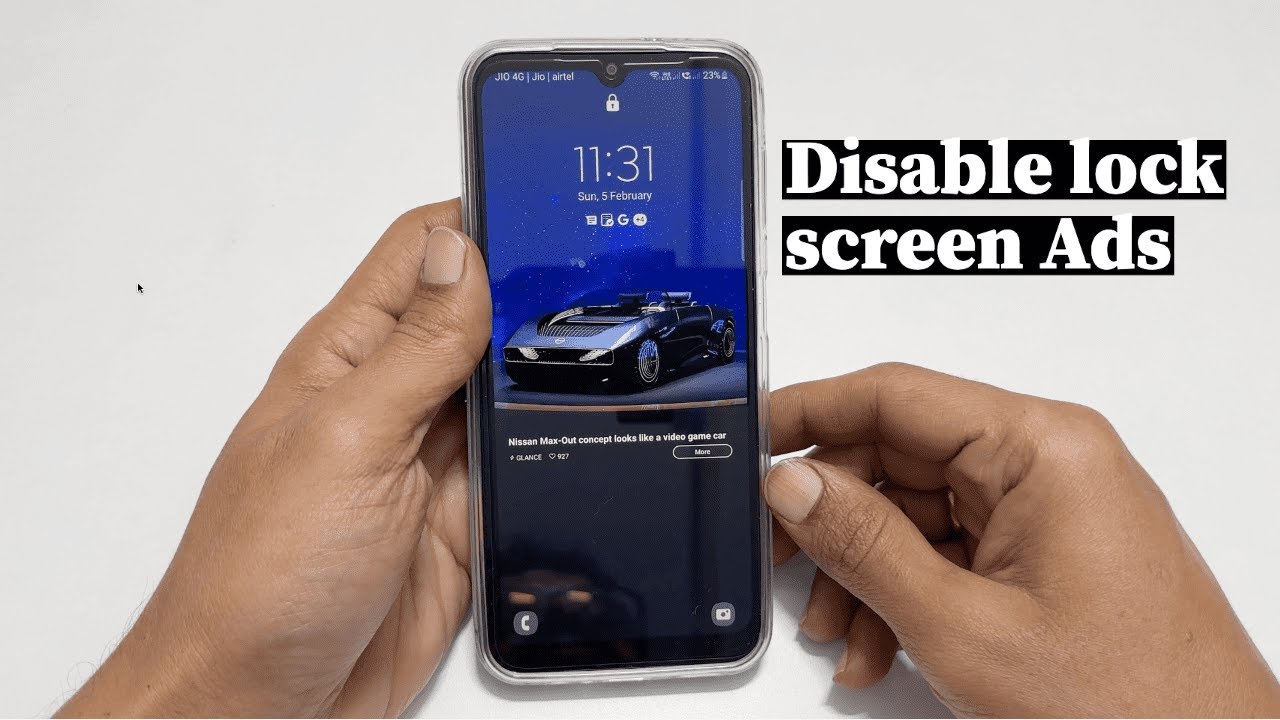
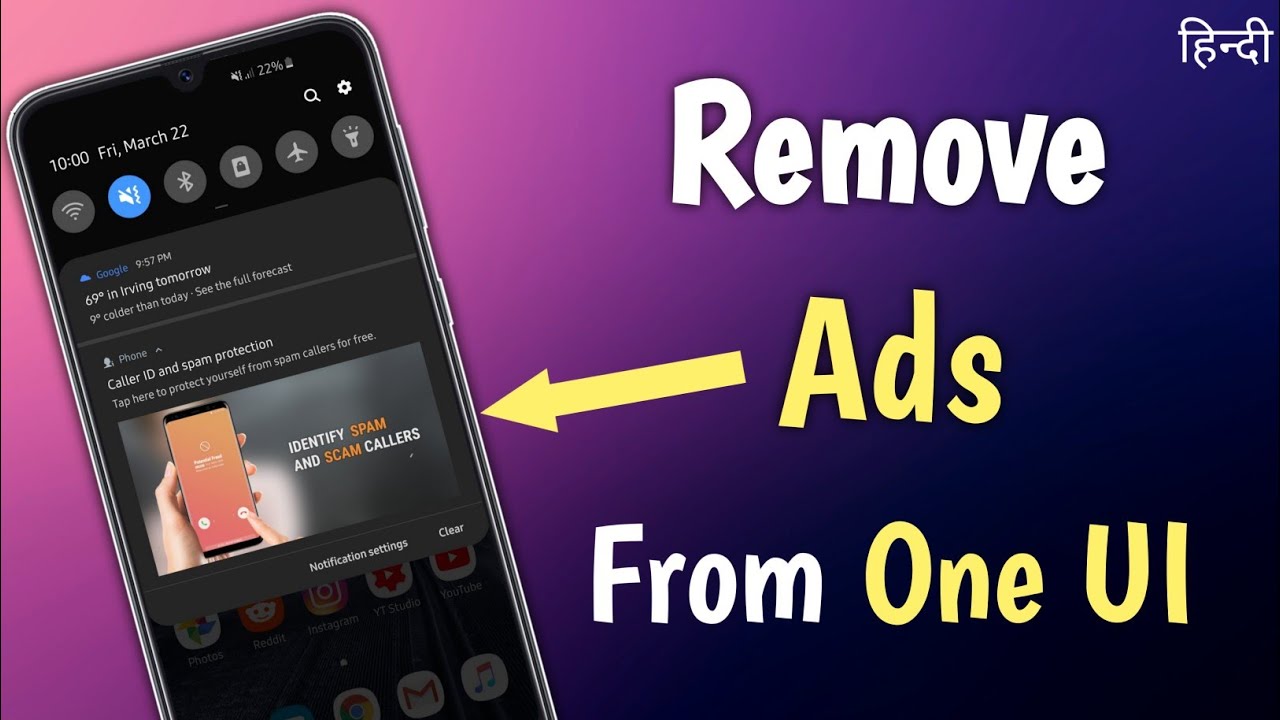
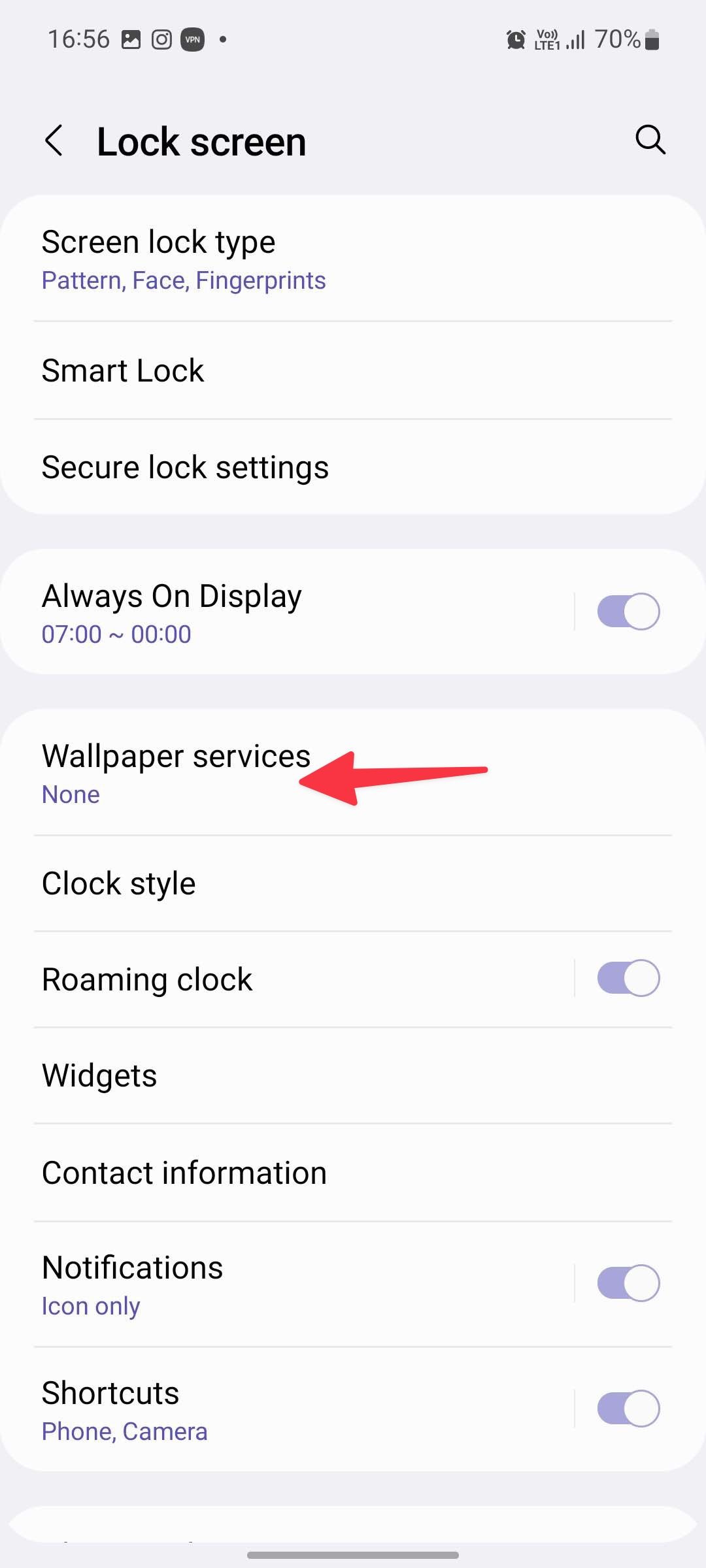
If you're getting ads even when you aren't actively using your browser, an installed app is likely the source. Free games, utility apps, and customization tools often contain embedded advertising networks that are designed to display ads aggressively. They might even display ads on your lock screen or in the notification bar.
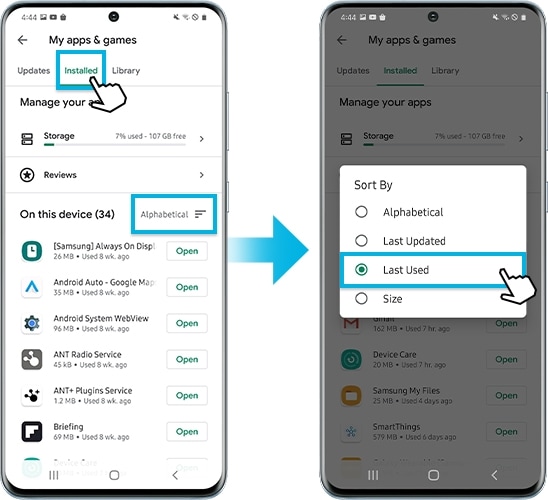
To identify the rogue application, pay attention to which app was the last one you used before the ad popped up. If you can't tell, you may need to use a diagnostic tool or simply review your recently installed apps.
Reviewing App Permissions
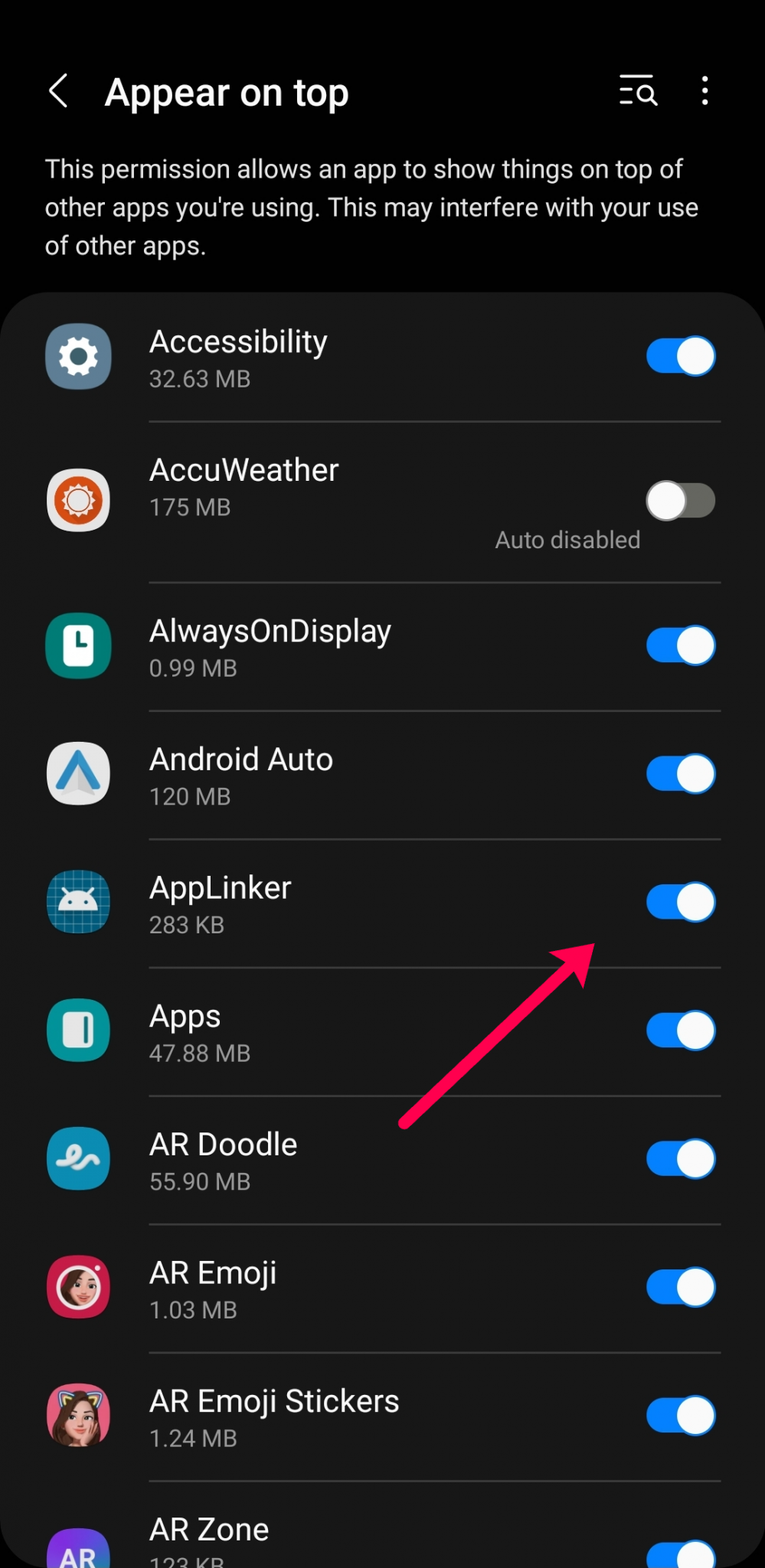
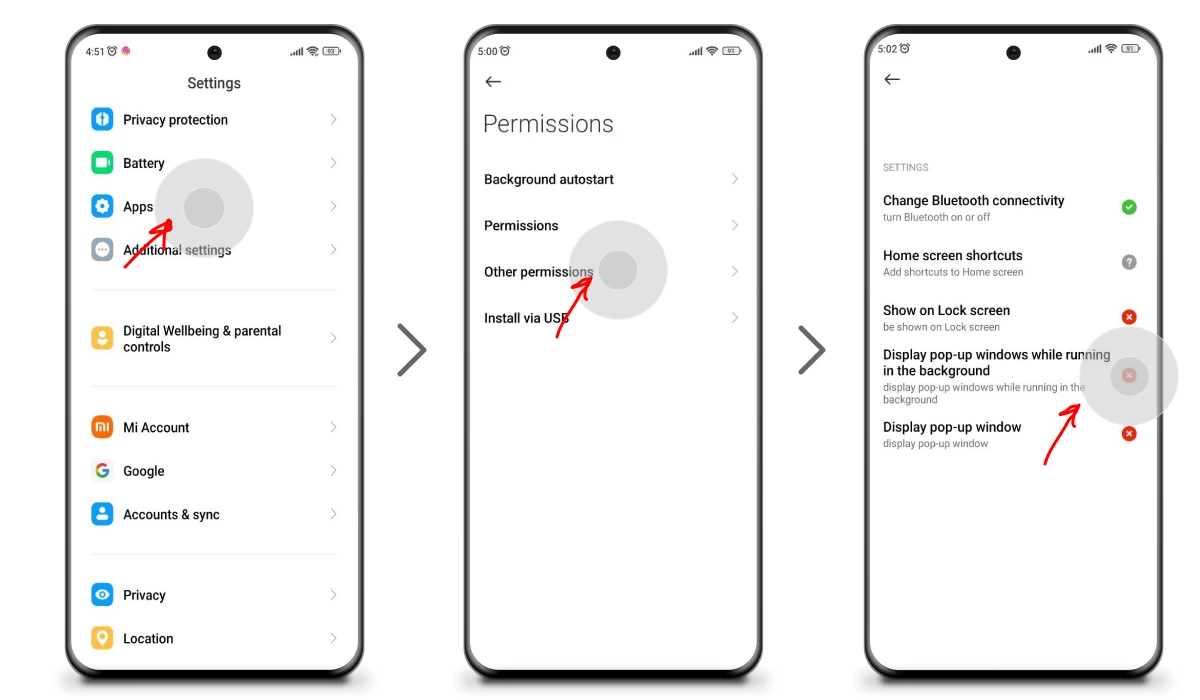
A good indicator of an intrusive app is its set of requested permissions. Why does a calculator app need access to your photos or the ability to draw over other apps? These "Draw over other apps" permissions are often used by adware to overlay unwanted advertisements.
You need to go into your phone's settings and review which apps have elevated permissions. If you find a simple app demanding extensive access, your best bet is usually to uninstall it immediately. If the app is essential, search for a paid, ad-free version or a better alternative.
Implementing Long-Term Ad Blocking Solutions (Proactive Measures)
If you want a permanent solution to answer the question, "How Do I Get Rid Of Adverts On My Phone?", you need a solid defense mechanism. These proactive steps ensure ads are filtered out before they even reach your device, offering a cleaner, faster mobile experience.
Using Dedicated Ad Blockers (Software Solutions)
A dedicated ad blocker is often the most effective tool. While iOS users have excellent content blockers that integrate directly into Safari, Android users often need to look for third-party browsers or VPN-style ad blockers.
Key types of ad-blocking software:
- Browser Extensions/Add-ons: Excellent for blocking web-based ads, but they don't help with in-app ads.
- System-wide Ad Blockers (VPN-based): These apps route your network traffic through a local filter, blocking known ad servers across all apps and browsers. This offers comprehensive protection.
- Ad-blocking Browsers: Browsers like Brave or Firefox Focus have built-in tracking and ad protection features enabled by default, making them much cleaner surfing environments.
Adjusting System Settings (Built-in Controls)
For Android users, a relatively secret but highly effective method exists: Private DNS settings. By pointing your device to a DNS server that filters out known advertising domains, you can achieve system-wide ad blocking without installing a third-party application.
Look for the "Private DNS" setting in your network or connection settings. Set the hostname to a popular ad-blocking provider like "dns.adguard.com." This method is incredibly powerful and requires almost no maintenance once configured.
Advanced Steps: Cleaning Up Malware
If you've tried all the standard steps and you are still seeing ads that interrupt your calls or take over your home screen, you might have aggressive adware or malware installed. This requires more drastic action.
Here's how to tackle serious mobile malware:
- Boot into Safe Mode: On both Android and iOS, rebooting your device in Safe Mode prevents third-party apps from running. If the ads disappear in Safe Mode, you know an installed app is the issue.
- Identify and Uninstall: While in Safe Mode, navigate to your app list and immediately uninstall any suspicious apps, especially those installed just before the ad problem started.
- Run an Anti-Malware Scan: Use a trusted mobile antivirus or anti-malware application (like Malwarebytes or Bitdefender Mobile Security) to perform a deep scan of your entire device storage to catch hidden threats.
- Factory Reset (Last Resort): If absolutely nothing works, a factory reset will wipe the device clean, guaranteeing the removal of all software-based adware. Be sure to back up essential data first!
Remember, the best defense is vigilance. Always download apps from official sources and read the reviews before hitting that install button.
Conclusion
The constant stream of digital advertising can severely degrade your phone's performance, battery life, and your overall sanity. Fortunately, you now have a comprehensive toolkit to address this nuisance. Whether through simple browser tweaks, utilizing Private DNS settings, or deploying dedicated ad blockers, you can reclaim your digital space.
By taking these steps—from identifying sneaky app culprits to using powerful filtering tools—you gain control. Now you know definitively: How Do I Get Rid Of Adverts On My Phone and enjoy a smoother, less interrupted mobile experience.
Frequently Asked Questions (FAQ)
- Can I get rid of ads without rooting my Android phone?
- Yes, absolutely. Modern solutions like using Private DNS (e.g., dns.adguard.com) or system-wide ad blockers that utilize local VPNs are highly effective and do not require rooting your device.
- Why do ads still appear in apps even after I clear my browser cache?
- Clearing your browser cache only affects web ads. In-app ads are embedded directly into the application itself and require different solutions, such as system-wide ad blockers or firewall apps that block the app's connection to ad servers.
- Is using an ad blocker legal?
- Generally, yes. Ad blockers are perfectly legal consumer software. While they may impact a website's revenue, they are simply utilizing your device's ability to filter network traffic, which is well within your legal rights.
- How can I tell which specific app is causing pop-up ads?
- If the ads appear randomly, try using the "Recent Apps" or "App History" feature on your phone right after an intrusive ad pops up. Often, the malicious app is listed there, or you may see a translucent screen overlay indicating the source.
How Do I Get Rid Of Adverts On My Phone
How Do I Get Rid Of Adverts On My Phone Wallpapers
Collection of how do i get rid of adverts on my phone wallpapers for your desktop and mobile devices.
Gorgeous How Do I Get Rid Of Adverts On My Phone View for Mobile
A captivating how do i get rid of adverts on my phone scene that brings tranquility and beauty to any device.
Artistic How Do I Get Rid Of Adverts On My Phone Wallpaper Illustration
Find inspiration with this unique how do i get rid of adverts on my phone illustration, crafted to provide a fresh look for your background.
Vibrant How Do I Get Rid Of Adverts On My Phone View for Desktop
Experience the crisp clarity of this stunning how do i get rid of adverts on my phone image, available in high resolution for all your screens.
Mesmerizing How Do I Get Rid Of Adverts On My Phone Picture Illustration
Transform your screen with this vivid how do i get rid of adverts on my phone artwork, a true masterpiece of digital design.

High-Quality How Do I Get Rid Of Adverts On My Phone Capture Concept
Transform your screen with this vivid how do i get rid of adverts on my phone artwork, a true masterpiece of digital design.

High-Quality How Do I Get Rid Of Adverts On My Phone Image Art
Transform your screen with this vivid how do i get rid of adverts on my phone artwork, a true masterpiece of digital design.
Exquisite How Do I Get Rid Of Adverts On My Phone Scene Nature
Find inspiration with this unique how do i get rid of adverts on my phone illustration, crafted to provide a fresh look for your background.
Exquisite How Do I Get Rid Of Adverts On My Phone Photo in 4K
Find inspiration with this unique how do i get rid of adverts on my phone illustration, crafted to provide a fresh look for your background.
High-Quality How Do I Get Rid Of Adverts On My Phone Wallpaper Concept
Transform your screen with this vivid how do i get rid of adverts on my phone artwork, a true masterpiece of digital design.

Spectacular How Do I Get Rid Of Adverts On My Phone Scene for Mobile
Immerse yourself in the stunning details of this beautiful how do i get rid of adverts on my phone wallpaper, designed for a captivating visual experience.

Stunning How Do I Get Rid Of Adverts On My Phone View in 4K
A captivating how do i get rid of adverts on my phone scene that brings tranquility and beauty to any device.
Breathtaking How Do I Get Rid Of Adverts On My Phone Photo in HD
Discover an amazing how do i get rid of adverts on my phone background image, ideal for personalizing your devices with vibrant colors and intricate designs.
Dynamic How Do I Get Rid Of Adverts On My Phone Scene Digital Art
A captivating how do i get rid of adverts on my phone scene that brings tranquility and beauty to any device.
Breathtaking How Do I Get Rid Of Adverts On My Phone Design for Mobile
Transform your screen with this vivid how do i get rid of adverts on my phone artwork, a true masterpiece of digital design.
High-Quality How Do I Get Rid Of Adverts On My Phone Capture Illustration
Transform your screen with this vivid how do i get rid of adverts on my phone artwork, a true masterpiece of digital design.
Captivating How Do I Get Rid Of Adverts On My Phone Abstract Photography
This gorgeous how do i get rid of adverts on my phone photo offers a breathtaking view, making it a perfect choice for your next wallpaper.

Gorgeous How Do I Get Rid Of Adverts On My Phone Wallpaper for Your Screen
This gorgeous how do i get rid of adverts on my phone photo offers a breathtaking view, making it a perfect choice for your next wallpaper.

High-Quality How Do I Get Rid Of Adverts On My Phone Picture for Desktop
Explore this high-quality how do i get rid of adverts on my phone image, perfect for enhancing your desktop or mobile wallpaper.
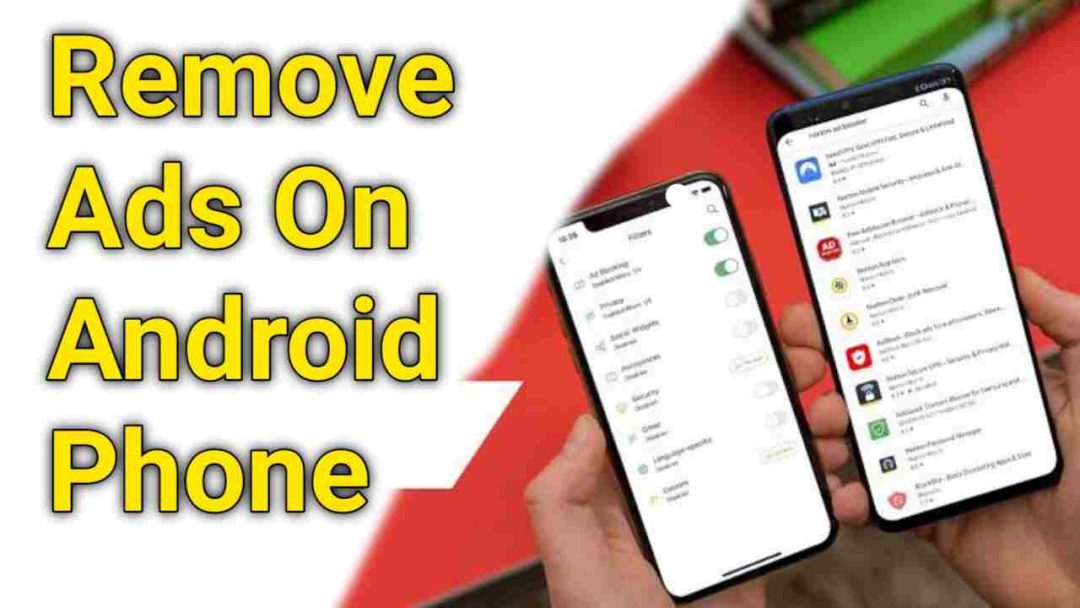
Mesmerizing How Do I Get Rid Of Adverts On My Phone Landscape for Your Screen
Explore this high-quality how do i get rid of adverts on my phone image, perfect for enhancing your desktop or mobile wallpaper.

Spectacular How Do I Get Rid Of Adverts On My Phone Landscape Illustration
Find inspiration with this unique how do i get rid of adverts on my phone illustration, crafted to provide a fresh look for your background.
Download these how do i get rid of adverts on my phone wallpapers for free and use them on your desktop or mobile devices.