How To Get A Custom Email Domain
How To Get A Custom Email Domain: Your Ultimate Guide to Professional Email
Tired of using a generic Gmail or Yahoo address for your business? If you're serious about building a professional brand, upgrading to an email address like name@yourbusiness.com isn't just a luxury—it's a necessity. It instantly boosts credibility and shows the world you mean business.
If you've been asking yourself, "How To Get A Custom Email Domain," you've come to the right place. This guide will walk you through the process, step by step, making the technical stuff simple and approachable. Let's ditch [yourcompany]@[freemail].com for good and secure your professional identity!
Why You Absolutely Need a Custom Email Domain
When customers or potential partners see an email address linked directly to your business name, it changes their perception immediately. Think about it: which email looks more trustworthy? john.doe.plumbing@gmail.com or john@doemodernplumbing.com?
A custom domain email is crucial for multiple reasons, ranging from basic trust signals to sophisticated marketing opportunities.
Professionalism and Trust
In the digital age, phishing and scams are common. Using a free email provider often raises red flags, especially if you are communicating sensitive business information. A custom domain acts as an immediate verification of your legitimacy.
It signals that you have invested time and money into securing your brand online. Furthermore, custom email domains are much less likely to end up in spam folders, ensuring your important communications actually reach their intended destination.
Branding and Memorability
Every single email you send becomes a small marketing tool. When you use a custom domain, your brand name is reiterated every time someone looks at your contact information. This repetitive exposure significantly aids in brand recall.
It also simplifies communication. Your customers don't have to remember two different names (your website and your email service provider). Everything is unified under one clear brand identity.
Step-by-Step Guide: How To Get A Custom Email Domain
Getting your custom email domain setup involves three main steps: registration, choosing a hosting service, and configuration. Don't worry; this process is much easier than it sounds, especially with modern providers.
Step 1: Choosing and Registering Your Domain Name
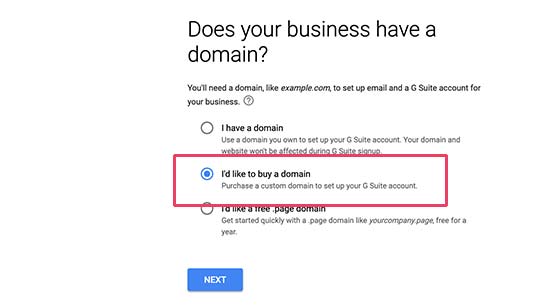
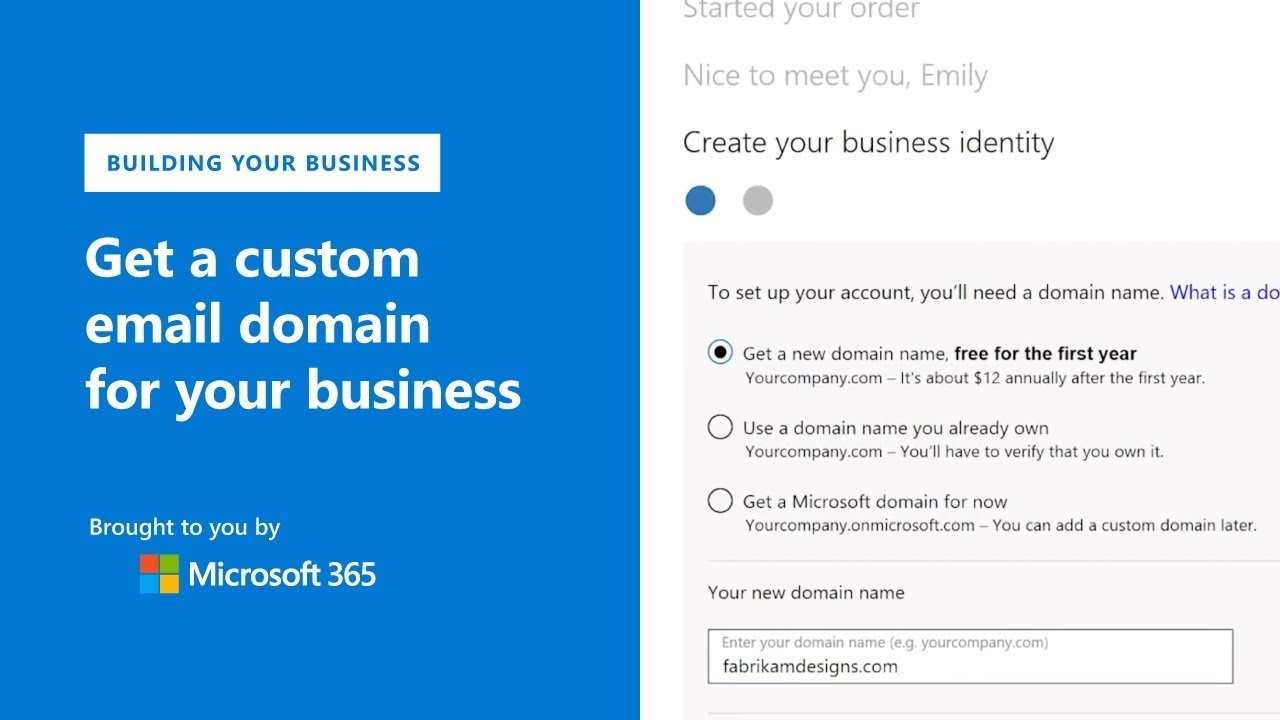
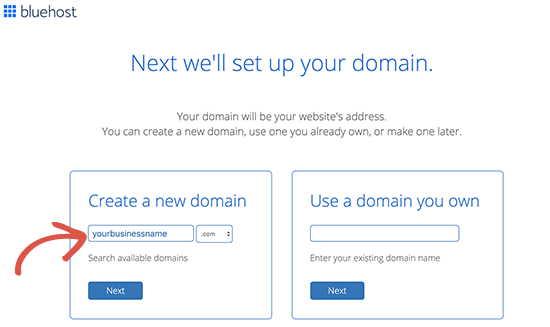
Before you can set up your email, you need the foundation: the domain name itself (e.g., myawesomestore.com). If you already have a website, you can skip this step, but if you're starting from scratch, here is what you need to do.
A Domain Registrar is where you purchase the rights to use a specific domain name for a certain period (usually annually). Popular registrars include GoDaddy, Namecheap, and Google Domains.
Domain Name Tips
When selecting your domain name, keep the email in mind. A complicated domain name leads to a complicated email address that is prone to typos.
- Keep it Short and Simple: Easy to type and remember.
- Stick to .com: While there are many new extensions (like .net, .org, or .co), .com remains the most trusted and assumed extension.
- Avoid Numbers and Hyphens: These confuse users when communicating the address verbally.
- Check Availability: Use the registrar's search tool to ensure your desired domain hasn't been claimed yet.
Once you purchase the domain, congratulations! You now own the foundation for your custom email.
Step 2: Selecting an Email Hosting Provider
A common misconception is that your domain registrar hosts your email. They usually don't. You need a dedicated email hosting service to manage your inboxes, storage, spam filtering, and sending capabilities.
You have two main paths here: using dedicated email services or using the email features included with your web hosting package (if you have one).
Popular Options Compared
For most businesses looking for reliable delivery and scalability, these dedicated services are the gold standard:
- Google Workspace (formerly G Suite): Offers familiar Gmail interface, excellent integration with Google tools (Docs, Drive), and top-tier security. It is highly recommended for scalability.
- Microsoft 365 Business: Perfect if your organization relies heavily on Outlook, Word, and Excel. Strong security features and enterprise-level reliability.
- Zoho Mail: A highly affordable and powerful alternative, often ideal for small businesses needing multiple user accounts without the high cost of the tech giants.
Choose the provider that best fits your existing workflow and budget, then sign up for their business email plan.
Step 3: Setting Up DNS Records
This is the technical heart of How To Get A Custom Email Domain working. DNS records (Domain Name System) tell the internet where to send emails addressed to your new domain. Your email hosting provider (Google, Microsoft, etc.) will give you specific records you must enter into your domain registrar's control panel.
The key record you must update is the MX (Mail Exchange) record. This record points all incoming emails for your domain toward your chosen host's servers.
You may also need to configure security records like SPF (Sender Policy Framework) and DKIM (DomainKeys Identified Mail). These records prove that emails coming from your domain are legitimate, which is essential for ensuring good email deliverability and avoiding spam filters. Your email host will provide detailed instructions, often with copy-and-paste values.
Configuring Your Custom Email Accounts
Once the DNS propagation is complete (which can take a few minutes up to 48 hours), your new custom email domain is ready to be used! Now you can create specific user accounts.
The beauty of a custom domain is the flexibility in addresses. Instead of just using your name, you can create addresses for specific departments, enhancing organization:
- Personal:
john@yourcompany.com - Support:
support@yourcompany.com - Sales:
sales@yourcompany.com - General Info:
info@yourcompany.com
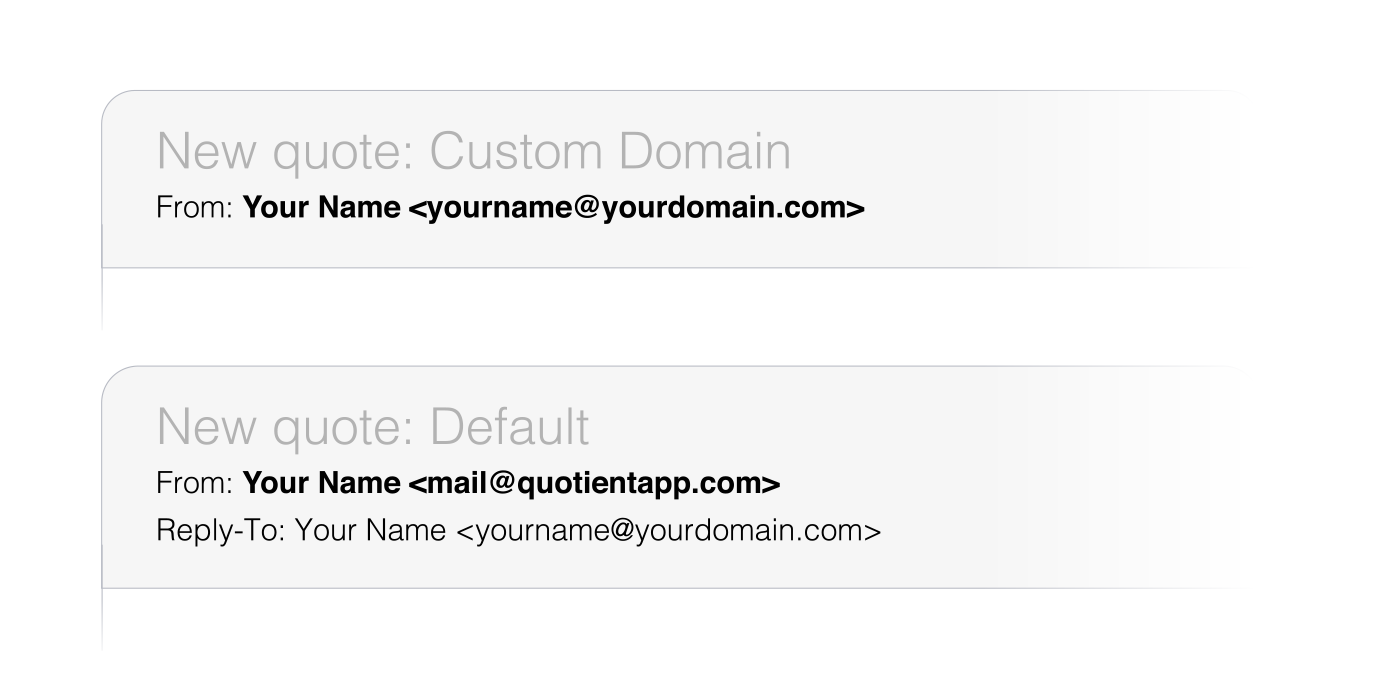
If you prefer to manage all emails in one place, you can often set up aliases or forwarders. For example, you could set up info@yourcompany.com to automatically forward all incoming messages to your main account, john@yourcompany.com.
Always test your setup rigorously. Send an email from your new custom domain to a generic address (like a personal Gmail) and reply back. Verify that both the sending and receiving functions work perfectly before you start using it for official communications.
Transitioning to a custom email domain might seem like a chore, but it's a necessary step in modern business professionalism. Mastering How To Get A Custom Email Domain is mastering a key element of your digital credibility.
Conclusion
Securing and setting up your custom email domain is one of the smartest investments you can make in your business's credibility and professionalism. By following the simple steps—registering a quality domain, choosing a reliable email host like Google Workspace or Microsoft 365, and correctly setting up your MX and security DNS records—you transform a generic communication tool into a powerful branding asset.
Stop relying on free email services that compromise your image. Take control of your digital identity today. Learning How To Get A Custom Email Domain successfully positions you as a trustworthy and established entity in your industry.
Frequently Asked Questions (FAQ)
- What is the typical cost of getting a custom email domain?
- The cost typically involves two parts: the domain name registration (usually $10–$20 per year) and the email hosting service. Email hosting costs generally range from $5 to $12 per user per month, depending on the provider and storage needs.
- Can I use my custom domain email with Gmail?
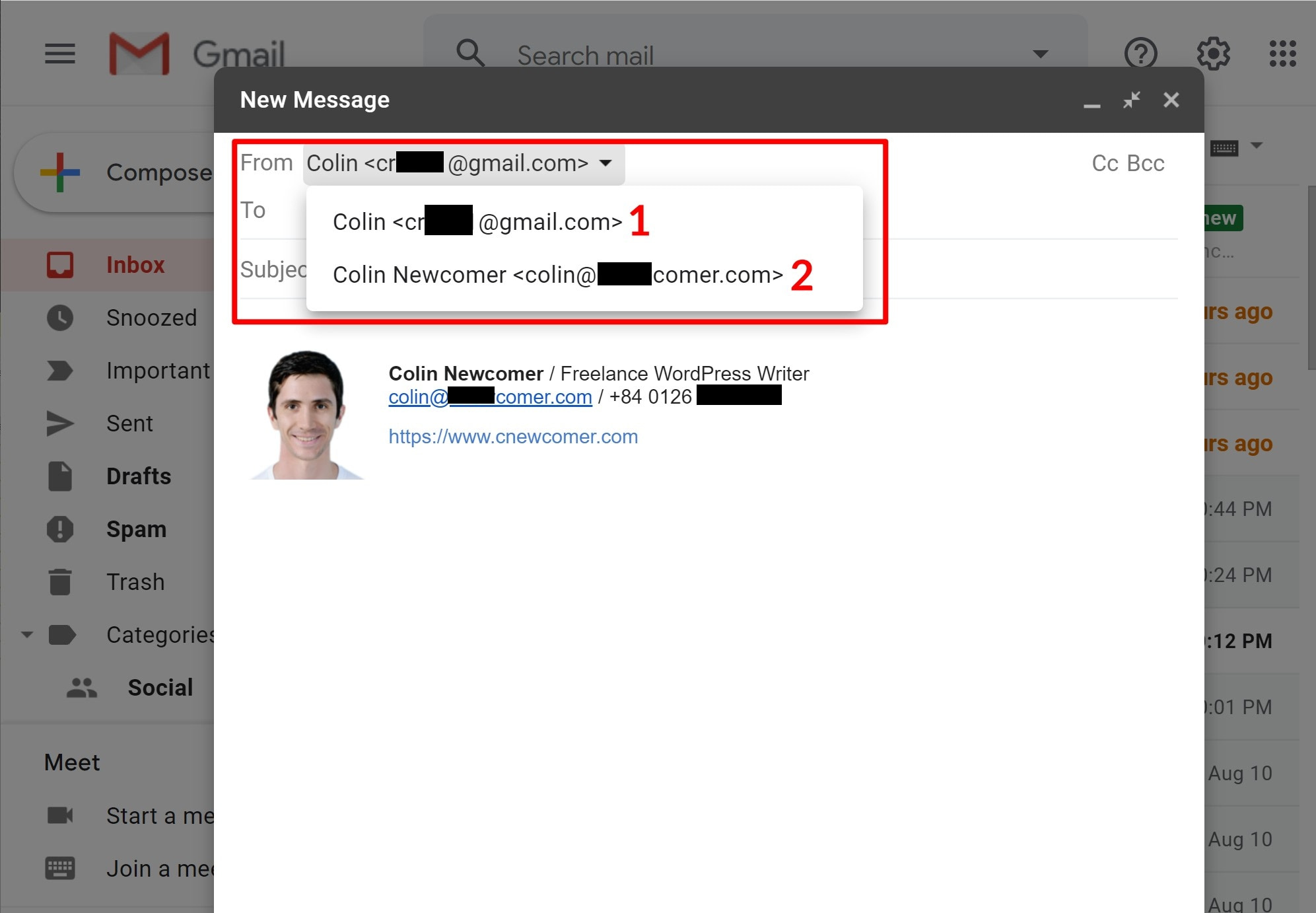
- Yes, absolutely! If you use Google Workspace (G Suite) as your email host, you will use the familiar Gmail interface to send and receive emails using your custom domain address.
- How long does it take for my custom email domain to start working?
- The setup process itself takes about 30 minutes. However, the DNS changes needed to link your domain to the email host (known as propagation) can take anywhere from a few minutes to 48 hours to update across the global internet. Usually, the process is completed within a few hours.
- Do I need to host a website to get a custom email domain?
- No. You only need to register the domain name itself. You do not have to purchase web hosting or build a website to use the domain purely for email purposes. However, if you plan to eventually build a site, buying the domain now is highly recommended.
- What is an MX record and why is it important?
- MX (Mail Exchange) records are essential DNS records that specify which servers are responsible for accepting emails on behalf of your domain name. Without correct MX records, emails addressed to your custom domain will not know where to go.
How To Get A Custom Email Domain
How To Get A Custom Email Domain Wallpapers
Collection of how to get a custom email domain wallpapers for your desktop and mobile devices.

Serene How To Get A Custom Email Domain Capture for Mobile
Experience the crisp clarity of this stunning how to get a custom email domain image, available in high resolution for all your screens.

Amazing How To Get A Custom Email Domain View Concept
Explore this high-quality how to get a custom email domain image, perfect for enhancing your desktop or mobile wallpaper.
Amazing How To Get A Custom Email Domain Design Collection
Explore this high-quality how to get a custom email domain image, perfect for enhancing your desktop or mobile wallpaper.
Detailed How To Get A Custom Email Domain Wallpaper in HD
Transform your screen with this vivid how to get a custom email domain artwork, a true masterpiece of digital design.

Captivating How To Get A Custom Email Domain Artwork Photography
This gorgeous how to get a custom email domain photo offers a breathtaking view, making it a perfect choice for your next wallpaper.

Captivating How To Get A Custom Email Domain View in HD
Immerse yourself in the stunning details of this beautiful how to get a custom email domain wallpaper, designed for a captivating visual experience.

Detailed How To Get A Custom Email Domain Wallpaper Concept
Transform your screen with this vivid how to get a custom email domain artwork, a true masterpiece of digital design.

Spectacular How To Get A Custom Email Domain Capture Photography
A captivating how to get a custom email domain scene that brings tranquility and beauty to any device.
Gorgeous How To Get A Custom Email Domain View Collection
A captivating how to get a custom email domain scene that brings tranquility and beauty to any device.
Amazing How To Get A Custom Email Domain Capture in HD
Discover an amazing how to get a custom email domain background image, ideal for personalizing your devices with vibrant colors and intricate designs.

Stunning How To Get A Custom Email Domain Moment Art
Immerse yourself in the stunning details of this beautiful how to get a custom email domain wallpaper, designed for a captivating visual experience.

Breathtaking How To Get A Custom Email Domain Image Collection
Discover an amazing how to get a custom email domain background image, ideal for personalizing your devices with vibrant colors and intricate designs.

Breathtaking How To Get A Custom Email Domain Image Illustration
Experience the crisp clarity of this stunning how to get a custom email domain image, available in high resolution for all your screens.

Beautiful How To Get A Custom Email Domain Wallpaper for Mobile
Transform your screen with this vivid how to get a custom email domain artwork, a true masterpiece of digital design.

Dynamic How To Get A Custom Email Domain Wallpaper for Your Screen
Immerse yourself in the stunning details of this beautiful how to get a custom email domain wallpaper, designed for a captivating visual experience.
Amazing How To Get A Custom Email Domain Landscape Illustration
Discover an amazing how to get a custom email domain background image, ideal for personalizing your devices with vibrant colors and intricate designs.
Breathtaking How To Get A Custom Email Domain Photo Photography
Transform your screen with this vivid how to get a custom email domain artwork, a true masterpiece of digital design.
Exquisite How To Get A Custom Email Domain Wallpaper Art
This gorgeous how to get a custom email domain photo offers a breathtaking view, making it a perfect choice for your next wallpaper.

Artistic How To Get A Custom Email Domain View in HD
This gorgeous how to get a custom email domain photo offers a breathtaking view, making it a perfect choice for your next wallpaper.
Stunning How To Get A Custom Email Domain Photo for Desktop
Immerse yourself in the stunning details of this beautiful how to get a custom email domain wallpaper, designed for a captivating visual experience.
Download these how to get a custom email domain wallpapers for free and use them on your desktop or mobile devices.