How To Get Rid Of Malware On Android
How To Get Rid Of Malware On Android: A Step-by-Step Guide
There is nothing quite as frustrating as realizing your trusted Android phone or tablet has been infected by malware. Maybe your device is suddenly running slower, or perhaps you are bombarded with annoying pop-up ads that won't go away. Don't panic! While malware is certainly a nuisance, figuring out How To Get Rid Of Malware On Android is completely manageable if you follow the right steps.
This comprehensive, easy-to-follow guide will walk you through the process, from recognizing the initial signs of infection to completely cleaning your device and implementing preventative measures for the future. Let's reclaim your Android device!
Recognizing the Signs of Android Malware
The first step in fighting back is understanding what you are up against. Malware often disguises itself, but it usually leaves some telltale signs that something is wrong under the hood. Keep an eye out for any unusual behavior.
One of the most common signs is an aggressive increase in unwanted advertisements, particularly those that appear outside of your browser. Furthermore, if your battery seems to drain much faster than usual, or if your data usage suddenly spikes, a malicious app might be running covertly in the background.
Immediate Actions: Stopping the Bleeding
Before you dive into cleaning the device, you need to isolate the infection. Think of this as putting a patient in quarantine. By limiting the malware's ability to communicate, you prevent it from spreading data or downloading further malicious payloads.
Follow these two critical immediate steps:
- Disconnect from the Internet: Switch off your Wi-Fi and mobile data immediately. This stops the malware from sending your sensitive information (like passwords) back to its creator and prevents it from receiving new instructions.
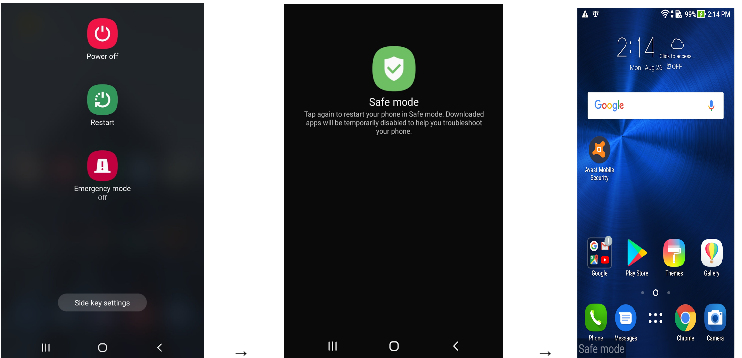
- Power Down or Restart in Safe Mode: Booting into Safe Mode loads only the essential operating system files, effectively disabling most third-party applications, including the malicious one.
The Essential Steps To Get Rid Of Malware On Android
Now that your device is contained, we can start the removal process. The most effective way to address the problem of How To Get Rid Of Malware On Android is to systematically remove the offending applications while they are temporarily paralyzed.
Step 1: Entering Safe Mode
Safe Mode is your primary tool in this fight. The exact procedure varies slightly depending on your Android manufacturer (Samsung, Google Pixel, OnePlus, etc.), but the general process is similar across most modern devices.
- Press and hold the Power button until the Power off prompt appears on the screen.
- Tap and hold the "Power off" option.
- You should see a prompt asking if you want to reboot into Safe Mode. Confirm by tapping "OK."
- Once rebooted, the words "Safe Mode" will appear, usually in the bottom-left corner of the screen.
If the suspicious behavior stops while you are in Safe Mode, you have successfully confirmed that a third-party application is the source of your problem. Great job—you are halfway there!
Step 2: Locating and Uninstalling the Naughty App
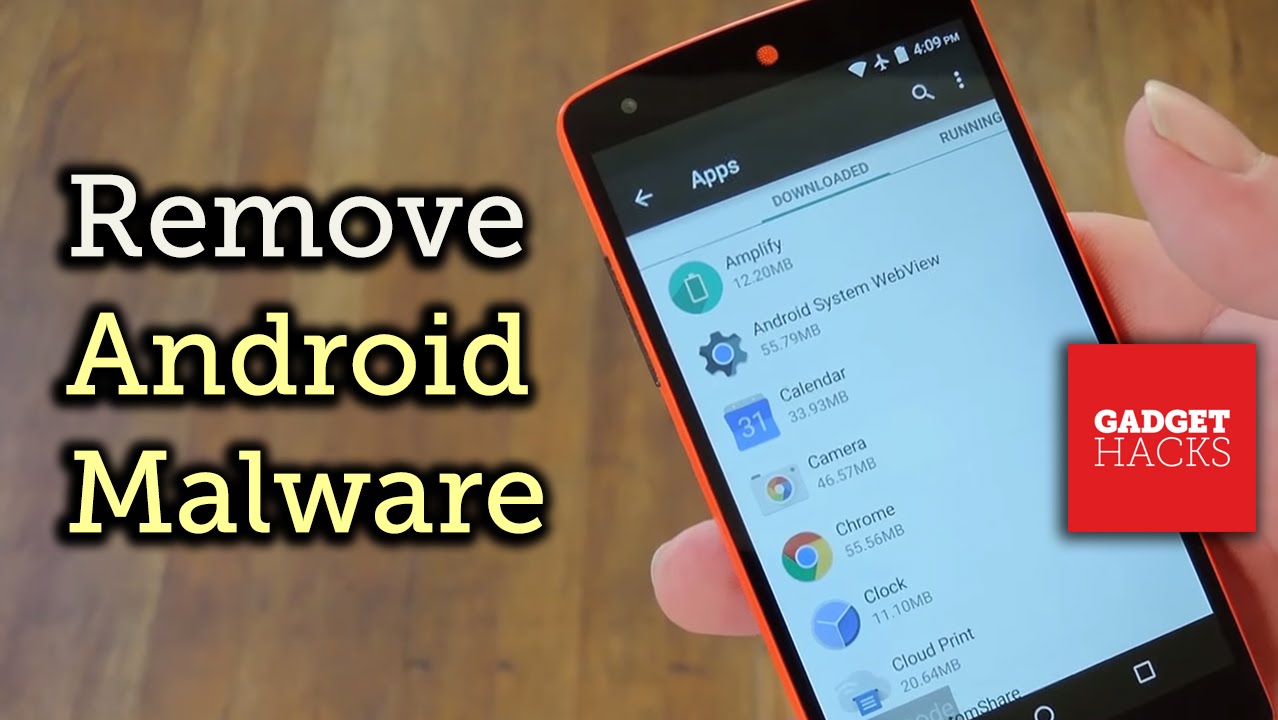
In Safe Mode, head straight to your Settings and find the Application Manager or Apps menu. You need to look for any applications that you did not intentionally download, or any apps with suspicious names (like "System Update," or names filled with random characters).
Think about when the problems started and target any apps installed around that time. When you find the culprit, select it and tap "Uninstall." If the uninstall button is grayed out, the malware has likely given itself elevated administrator permissions—a common trick used by aggressive adware.
Dealing with Device Administrators
If the uninstall button is inaccessible, you must first revoke the app's special privileges. In your Settings menu, look for "Security," and then find "Device Administrator" or "Device admin apps."
Locate the suspicious app in this list and uncheck or toggle off its administrative permission. Once this is done, return to the App Manager, and you should now be able to successfully uninstall the malicious application.
Step 3: Running a Trusted Security Scan
After uninstalling the obvious culprits, it's wise to run a full system scan just to be sure there are no remaining hidden files or residual malware. Reboot your phone normally (exit Safe Mode) and reconnect to the internet.
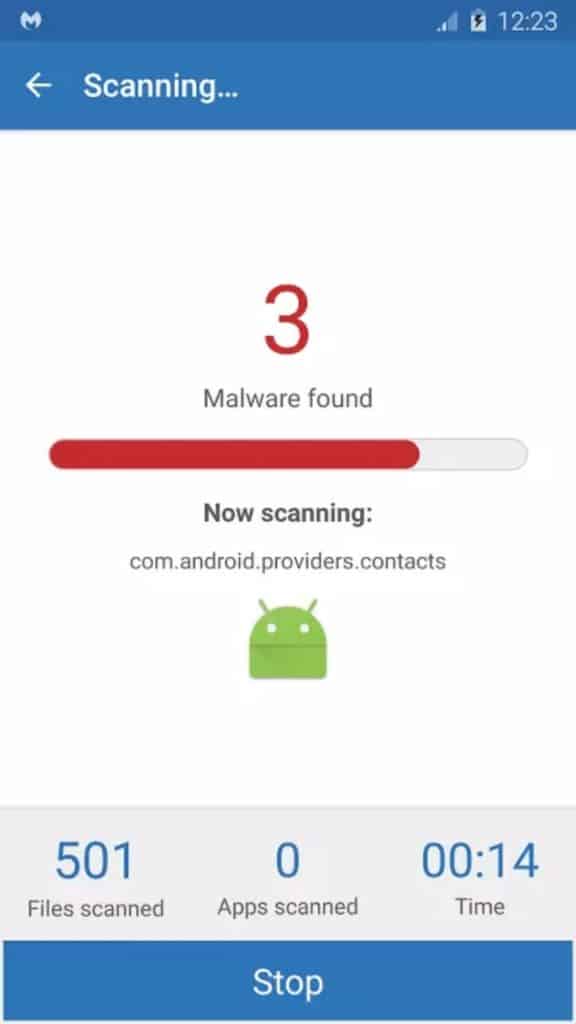
Download a reputable and well-known antivirus application from the Google Play Store (e.g., Malwarebytes, Avast, or Bitdefender). Run a full scan using this new tool. If the scan finds anything else, follow the app's instructions to quarantine and delete the remaining threats.
Post-Malware Cleanup and Prevention
You've cleaned the malware, but you are not completely finished yet. The infection might have compromised your login credentials or left traces in your browser history. A bit of post-cleanup is essential for full security.
First, clear your browser's cache and stored data to eliminate any remaining malicious cookies or tracking elements. Next, and this is crucial, change all important passwords immediately. Start with your Google account, banking apps, and social media.
To prevent future incidents, follow these simple prevention tips:
- Stick to the Play Store: Only download apps from the official Google Play Store. Avoid "sideloading" APKs from untrusted sources.
- Check Permissions: Before installing an app, review the permissions it requests. Does a flashlight app really need access to your contacts or microphone? If it seems excessive, avoid it.
- Read Reviews: Always check recent user reviews for any complaints about malware, excessive ads, or suspicious behavior.
- Keep Updated: Ensure your Android operating system and all applications are regularly updated. Updates often include critical security patches.
Conclusion: Mastering How To Get Rid Of Malware On Android
Dealing with a malware infection can be stressful, but by working through the steps—isolating the device in Safe Mode, revoking administrator privileges, and systematically uninstalling the malicious application—you can successfully restore your phone to its healthy state. Mastering How To Get Rid Of Malware On Android boils down to being quick, thorough, and adopting smarter digital habits moving forward.
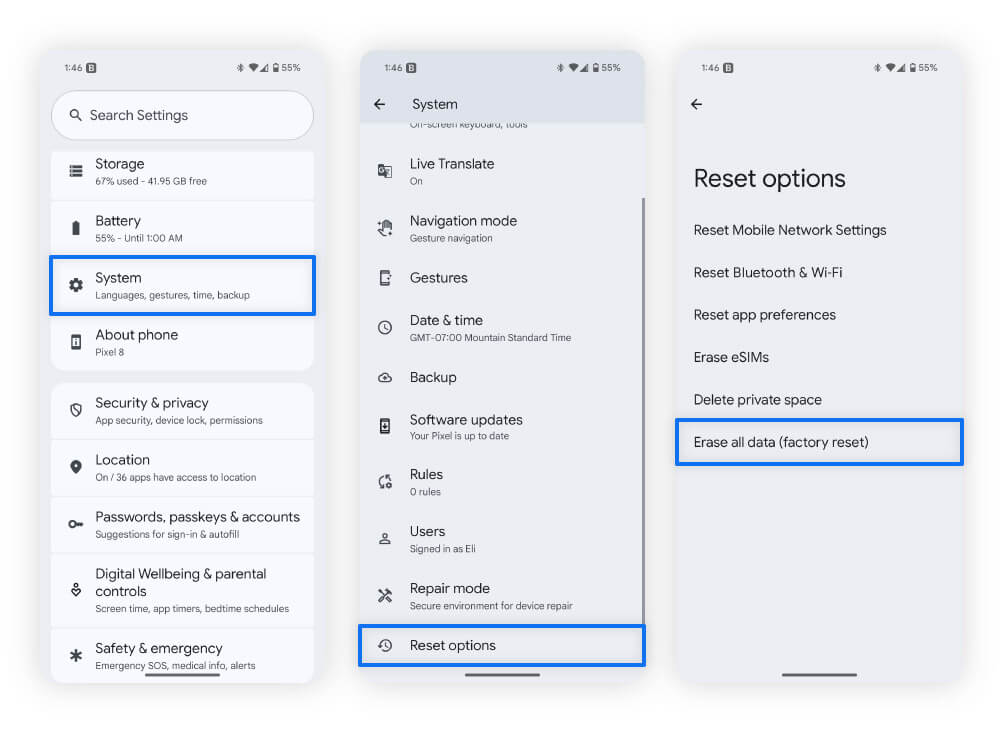
If, after all these steps, your device still acts erratically, the infection might be too deep. In that rare case, performing a factory reset is the final, definitive solution, though this should only be done after backing up your essential data.
Frequently Asked Questions (FAQ)
- What if I can't find the suspicious app?
- Malware sometimes hides itself using invisible characters or generic names (like "com.android.service"). If you cannot identify it, look for any app with zero icons or strange icon images installed around the time the problem started. If all else fails, a security scanner (Step 3) should locate it.
- Is a factory reset the only way to get rid of Android malware?
- No, usually not. A factory reset is the nuclear option. Most malware can be removed using Safe Mode and manual uninstallation. You should only resort to a factory reset if the malware prevents you from accessing critical system settings or if the infection persists after a thorough cleaning.
- Does connecting to the internet again during the cleanup process re-infect my phone?
- It shouldn't, provided you are connected to the internet only when running the official security scan (Step 3) and when downloading a reputable antivirus app from the Play Store. Ensure you uninstall the culprit app completely before restoring full connectivity.
- Can Android phones get viruses like a PC?
- While technically Android malicious software is usually categorized as malware (adware, spyware, ransomware) rather than traditional self-replicating viruses, the effect is similar: system damage and data theft. The term "malware" is generally more accurate for Android threats.
How To Get Rid Of Malware On Android
How To Get Rid Of Malware On Android Wallpapers
Collection of how to get rid of malware on android wallpapers for your desktop and mobile devices.

Vivid How To Get Rid Of Malware On Android Background for Mobile
Experience the crisp clarity of this stunning how to get rid of malware on android image, available in high resolution for all your screens.
Stunning How To Get Rid Of Malware On Android Design for Your Screen
Find inspiration with this unique how to get rid of malware on android illustration, crafted to provide a fresh look for your background.

Dynamic How To Get Rid Of Malware On Android Wallpaper Illustration
This gorgeous how to get rid of malware on android photo offers a breathtaking view, making it a perfect choice for your next wallpaper.
Spectacular How To Get Rid Of Malware On Android Artwork Illustration
Immerse yourself in the stunning details of this beautiful how to get rid of malware on android wallpaper, designed for a captivating visual experience.

Spectacular How To Get Rid Of Malware On Android Abstract Illustration
A captivating how to get rid of malware on android scene that brings tranquility and beauty to any device.
Amazing How To Get Rid Of Malware On Android Landscape Nature
Explore this high-quality how to get rid of malware on android image, perfect for enhancing your desktop or mobile wallpaper.

Stunning How To Get Rid Of Malware On Android Scene Photography
Immerse yourself in the stunning details of this beautiful how to get rid of malware on android wallpaper, designed for a captivating visual experience.

Breathtaking How To Get Rid Of Malware On Android Moment in 4K
Discover an amazing how to get rid of malware on android background image, ideal for personalizing your devices with vibrant colors and intricate designs.

Exquisite How To Get Rid Of Malware On Android Background Illustration
A captivating how to get rid of malware on android scene that brings tranquility and beauty to any device.
Lush How To Get Rid Of Malware On Android Picture for Your Screen
A captivating how to get rid of malware on android scene that brings tranquility and beauty to any device.
Spectacular How To Get Rid Of Malware On Android Moment Concept
This gorgeous how to get rid of malware on android photo offers a breathtaking view, making it a perfect choice for your next wallpaper.

Beautiful How To Get Rid Of Malware On Android Photo Illustration
Transform your screen with this vivid how to get rid of malware on android artwork, a true masterpiece of digital design.

Detailed How To Get Rid Of Malware On Android Picture Digital Art
Experience the crisp clarity of this stunning how to get rid of malware on android image, available in high resolution for all your screens.
Lush How To Get Rid Of Malware On Android Design in HD
This gorgeous how to get rid of malware on android photo offers a breathtaking view, making it a perfect choice for your next wallpaper.

Gorgeous How To Get Rid Of Malware On Android Photo in 4K
A captivating how to get rid of malware on android scene that brings tranquility and beauty to any device.

Stunning How To Get Rid Of Malware On Android Background Collection
This gorgeous how to get rid of malware on android photo offers a breathtaking view, making it a perfect choice for your next wallpaper.

Captivating How To Get Rid Of Malware On Android Image Concept
This gorgeous how to get rid of malware on android photo offers a breathtaking view, making it a perfect choice for your next wallpaper.
Gorgeous How To Get Rid Of Malware On Android Scene for Mobile
A captivating how to get rid of malware on android scene that brings tranquility and beauty to any device.

Stunning How To Get Rid Of Malware On Android Picture for Mobile
This gorgeous how to get rid of malware on android photo offers a breathtaking view, making it a perfect choice for your next wallpaper.

Detailed How To Get Rid Of Malware On Android Artwork in 4K
Transform your screen with this vivid how to get rid of malware on android artwork, a true masterpiece of digital design.
Download these how to get rid of malware on android wallpapers for free and use them on your desktop or mobile devices.