Jira Software Reviews
Jira Software Reviews: Is This Powerful Tool Too Complex for Your Team?
If you're reading this, chances are you are standing at a critical crossroads: you need serious project management software, and everyone keeps whispering the name "Jira."
For large engineering organizations, the answer is usually a resounding yes. But for startups, non-technical teams, or those just starting their Agile journey, the complexity of the platform often leads to analysis paralysis.
Our comprehensive look at Jira Software Reviews will cut through the noise. We won't just tell you what Jira does; we'll discuss who it's truly built for, where it shines, and the specific pain points that could make you regret hitting the "Subscribe" button.
Let's dive in and determine if Atlassian's powerhouse solution is the right fit for your unique workflow.
Understanding Jira: More Than Just a Task Tracker
Jira, initially launched in 2002, was built specifically for software developers to track bugs and manage issues. Over the past two decades, it has evolved into a sprawling ecosystem capable of managing entire enterprise projects, portfolios, and global teams.
The Core Philosophy: Agile First
At its heart, Jira is engineered around Agile methodologies. It provides dedicated frameworks for:
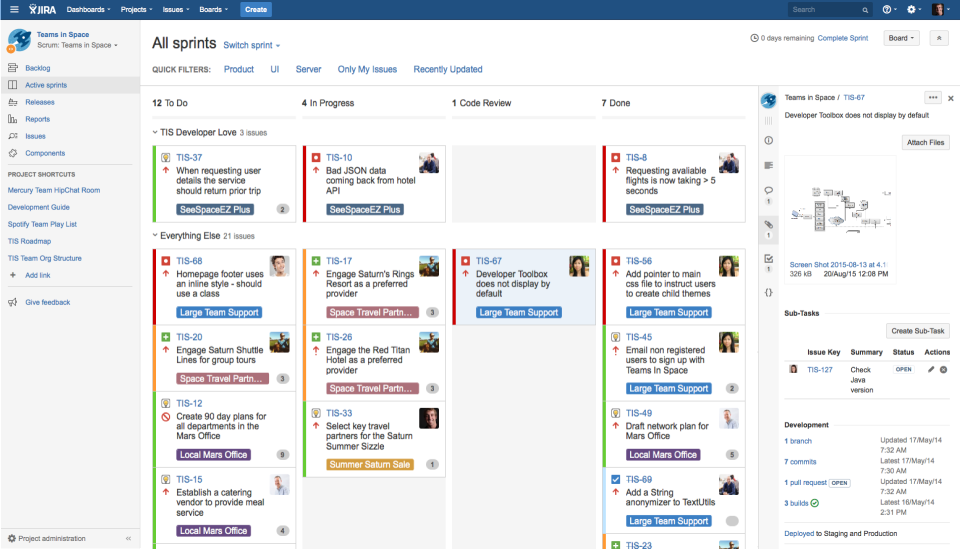
- Scrum: Perfect for time-boxed sprints, daily stand-ups, and managing a prioritized backlog.
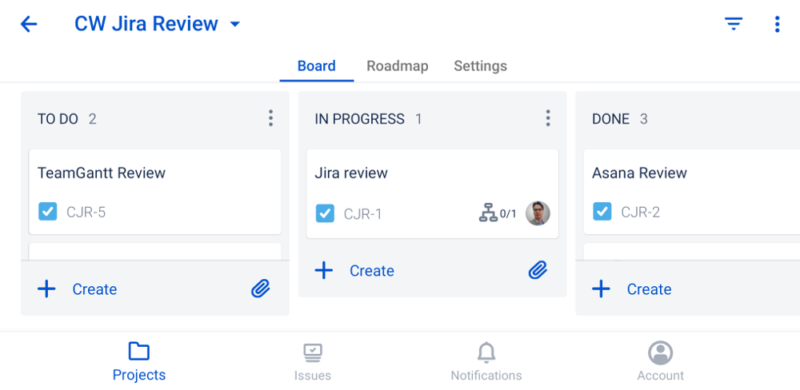
- Kanban: Ideal for continuous flow, visualizing WIP (Work In Progress), and minimizing cycle time.
This means Jira doesn't just let you move tickets; it forces you to think systematically about your development process. To fully leverage its power, your team must understand the fundamentals of these methodologies. If you need a refresher on the basics, start here: What is Agile Development?
Workflow Customization and Scalability
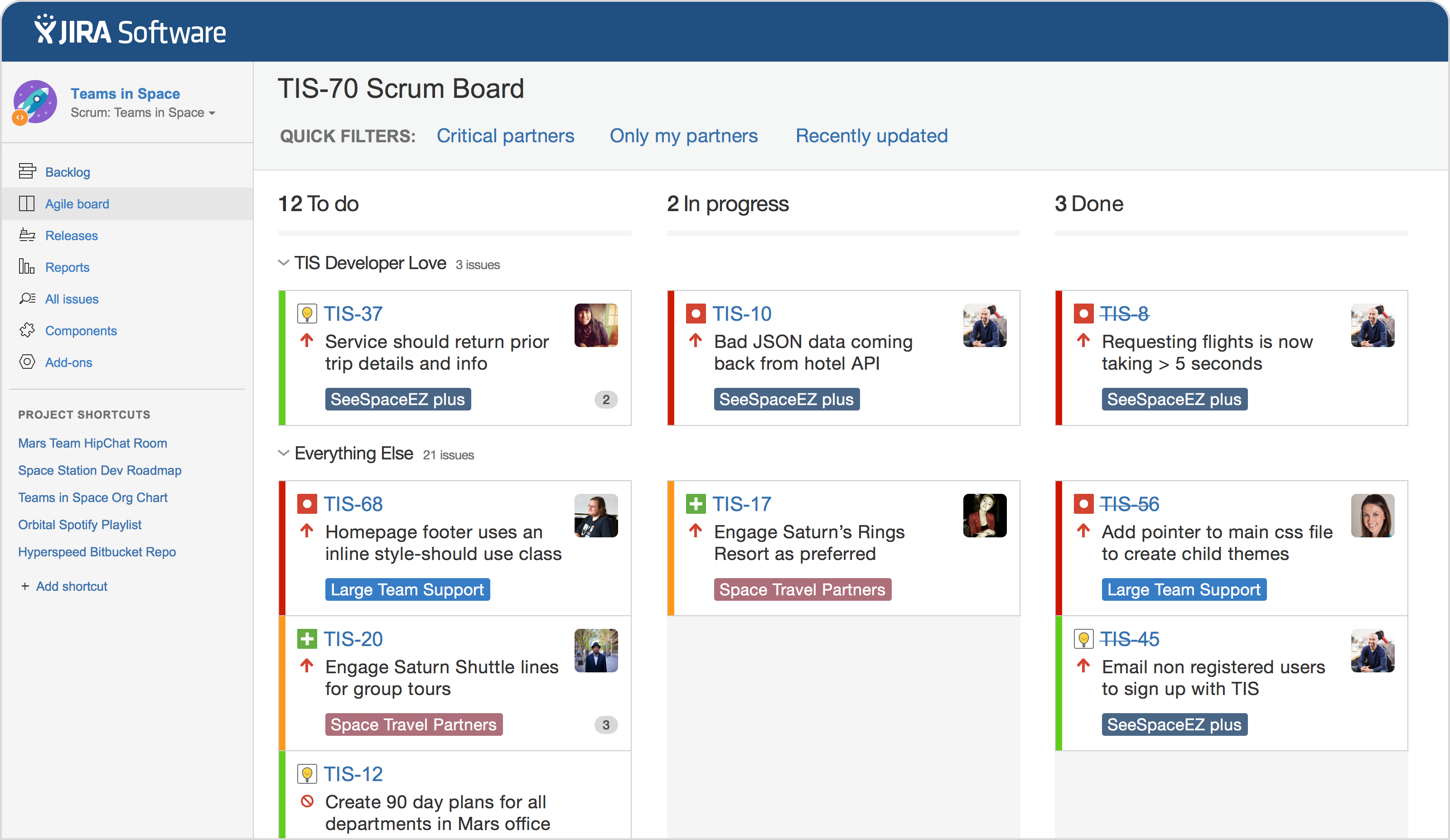
One feature that consistently earns high marks in Jira Software Reviews is its unparalleled ability to customize workflows. You can define every single step a task (or "issue") takes—from "To Do" to "In Review" to "Done"—and assign specific rules, transitions, and permissions to each stage.
This level of detail is a dream for large, regulated, or geographically distributed teams who need standardized processes. However, it's also the first major roadblock for new users, as initial setup can feel overwhelming.
The Good, The Bad, and The Ugly: Honest Jira Software Reviews
We've broken down the key pros and cons based on years of user feedback and experience:
The Pros: Power and Integration
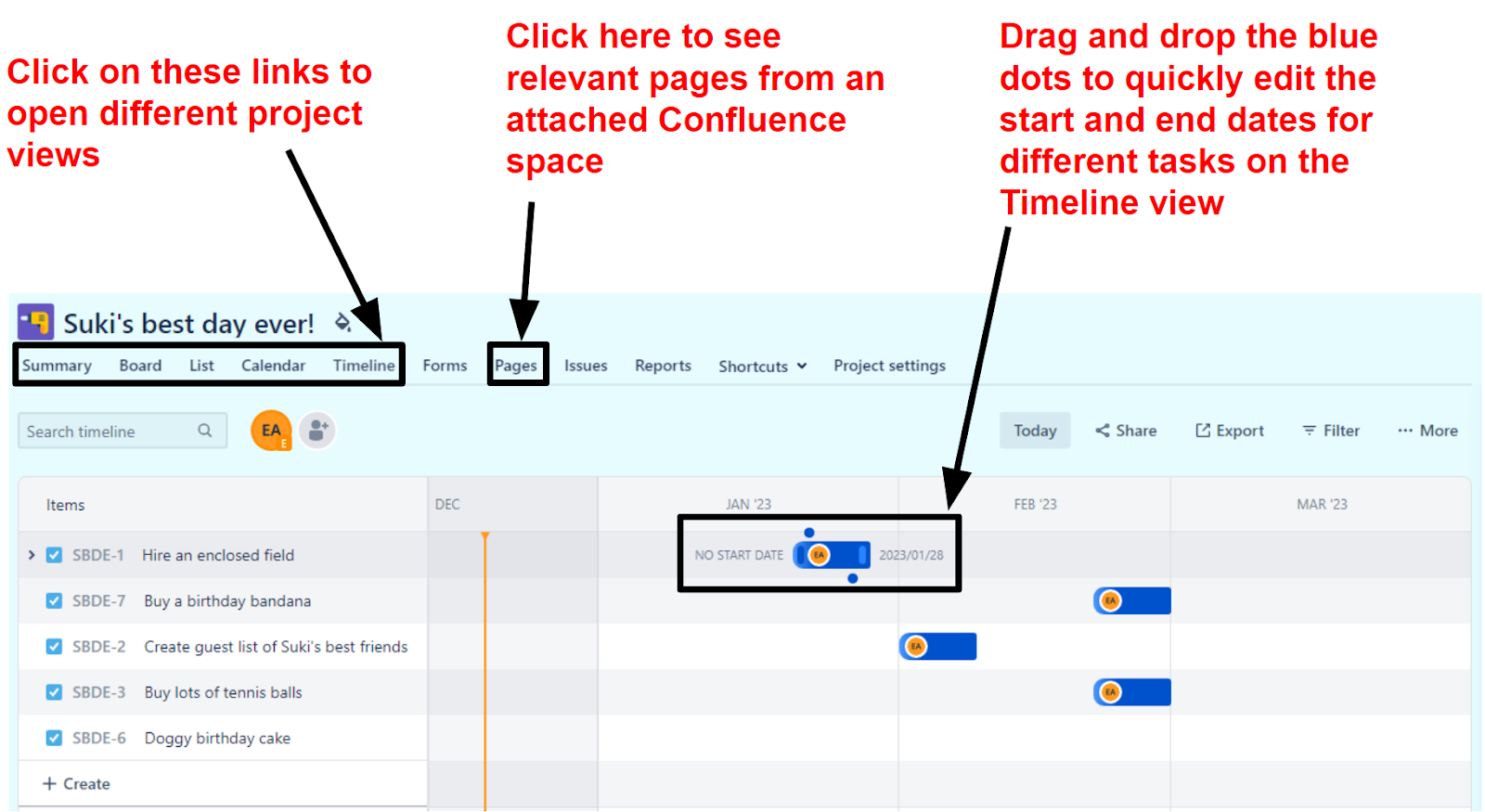
- Deep Integrations: Jira is the central hub for software development. It integrates seamlessly with Confluence (documentation), Bitbucket/GitHub (code repositories), and hundreds of third-party tools via the Atlassian Marketplace.
- JQL (Jira Query Language): This powerful, database-like language allows users to create incredibly specific filters and reports (e.g., "Show me all high-priority bugs created last week by the Android team that are still unassigned").
- Unmatched Reporting: Velocity charts, burndown charts, cumulative flow diagrams—Jira provides the metrics sophisticated engineering managers need to predict delivery times and measure team efficiency.
The Cons: Complexity and Interface
- Steep Learning Curve: The setup process and initial user experience can be intimidating. Simply creating a basic project requires understanding schemes, issue types, and permission sets.
- Clunky Interface (Historically): While Atlassian has made significant modernizing strides, many users still report the UI feels dense and less intuitive compared to newer, visual-first project management tools.
- Admin Overhead: Managing Jira requires a dedicated administrator (or several). It's not a tool you can just set up and forget; continuous maintenance, permission checks, and cleanup are required for scaling teams.
Remember, the power of Jira is directly proportional to the complexity you are willing to embrace. Don't underestimate the time commitment required for proper rollout.
Pricing and Tiers: Deciphering the Cost of Complexity
Jira Software offers multiple pricing tiers, and choosing the right one depends entirely on your team size and compliance needs. All plans are billed per user.
1. Free: Excellent for teams up to 10 users. This is perfect for small startups or learning environments. It includes essential features like Scrum and Kanban boards, but limits storage and advanced permissions.
2. Standard: Suitable for growing teams that need more storage, user roles, and basic automation features. This is often the sweet spot for teams between 11 and 50 users.
3. Premium: Required for scaling organizations that rely on high availability, advanced roadmaps (essential for portfolio management), and unlimited storage. This tier introduces critical features like sandbox environments and release tracking.
4. Enterprise: Designed for the largest global companies needing centralized user management, data residency options, and enterprise-grade security controls.
The total cost can quickly escalate, especially when adding essential marketplace apps. Always factor in the cost of necessary add-ons (like advanced time tracking or specific reporting tools) when evaluating the total spend.
[Baca Juga: Jira Cloud vs. Data Center: Which Deployment is Right for You?]
Jira vs. The Competition: When to Choose Which Tool
While Jira is dominant in the software world, it faces stiff competition from tools that prioritize simplicity and visual collaboration. Understanding these differences is key to making an informed decision, which is the whole point of deep Jira Software Reviews.
Here is a quick comparison of Jira against two major competitors:
| Feature | Jira Software | Asana | Monday.com |
|---|---|---|---|
| Core Focus | Software Development & Bug Tracking (Issue-centric) | Marketing, Operations, General Project Management (Task-centric) | Visual CRM & Workflow Automation (Board-centric) |
| Learning Curve | Very Steep | Moderate | Low |
| Customization Depth | Highest (Complex Workflow Schemes) | Good (Custom Fields, Basic Automation) | High (Visual Customization) |
If your primary need is technical project tracking, detailed release management, and integrating with code repositories, Jira is the undisputed heavyweight. If your team is non-technical (e.g., HR, Marketing), or you prioritize quick adoption and visual appeal, alternatives might offer better ROI.
For further comparison data and industry benchmarks, consult reports from trusted software reviewers like Gartner or Forrester: Forrester Software Management Report (Example Link).
Conclusion: Who Should Invest in Jira?
After sifting through the layers of features, complexity, and cost, our comprehensive Jira Software Reviews lead to a clear conclusion: Jira is a magnificent tool, but it is not universally necessary.
You should invest in Jira if:
- You are a software development team (engineering, QA, DevOps) needing robust integration with your codebase.
- Your organization strictly adheres to Agile frameworks (Scrum or Kanban) and requires deep metric tracking.
- You need high scalability, enterprise-level permissions, and the ability to customize workflows down to the smallest detail.
You should look elsewhere if:
- You are a small team (under 15 people) managing non-technical projects.
- Rapid adoption and ease of use are more critical than granular customization.
- You lack a dedicated admin who can manage the platform's complexities.
In short, Jira is a powerhouse platform that requires serious commitment and administrative capacity. When implemented correctly, it provides an unparalleled level of process control and visibility. Just be prepared to commit to the learning curve.
Frequently Asked Questions (FAQ) about Jira Software Reviews
Is Jira only for software development teams?
While originally designed for software, Atlassian has expanded Jira's use cases with Jira Work Management (for business teams like marketing and HR). However, the interface and underlying architecture still heavily favor technical users.
How long does it take to learn Jira?
A basic user can learn to create and update tickets in a day. However, becoming proficient in advanced features like JQL, workflow customization, and project administration typically takes months of dedicated use and training.
What is the difference between Jira Cloud and Jira Data Center?
Jira Cloud is a SaaS solution hosted by Atlassian, offering lower maintenance and easier scaling. Jira Data Center is a self-hosted solution designed for the largest enterprises that require maximum control over data residency and compliance.
Can I integrate Microsoft Teams with Jira?
Yes. Jira offers robust integration options with Microsoft Teams, Slack, and other communication tools, allowing teams to receive notifications and manage basic tasks directly within their communication channels.
[Baca Juga: Top 5 Agile Project Management Tools for Scaling Teams]
— End of Article —
Jira Software Reviews
Jira Software Reviews Wallpapers
Collection of jira software reviews wallpapers for your desktop and mobile devices.
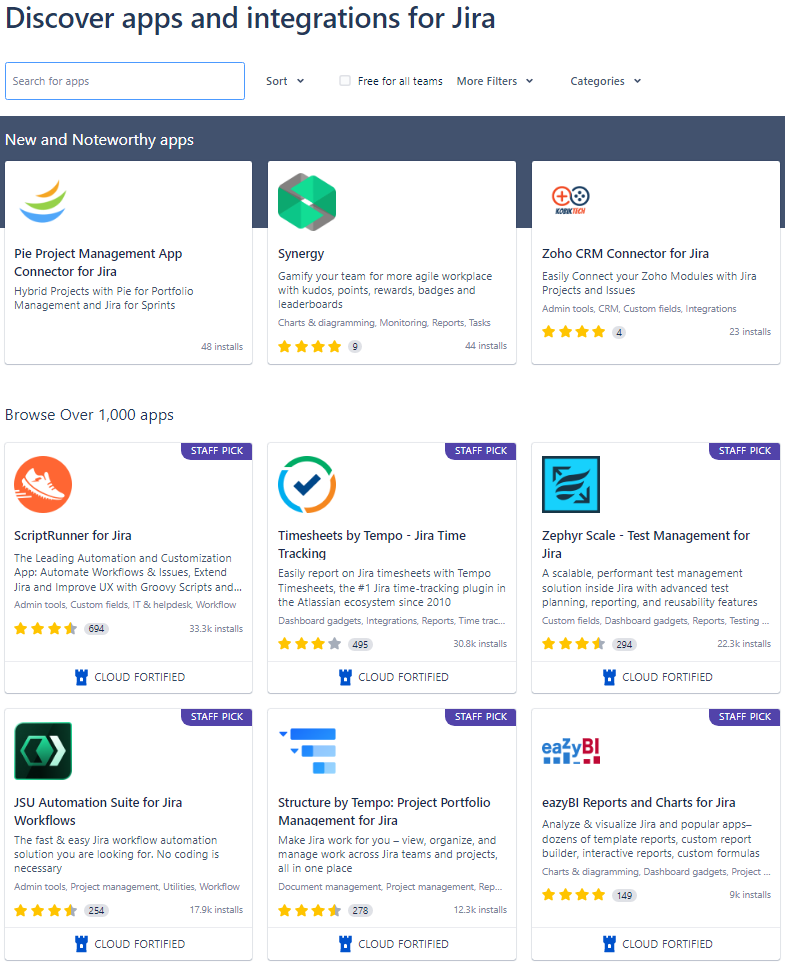
Vivid Jira Software Reviews Wallpaper for Your Screen
Transform your screen with this vivid jira software reviews artwork, a true masterpiece of digital design.

Exquisite Jira Software Reviews Capture in 4K
This gorgeous jira software reviews photo offers a breathtaking view, making it a perfect choice for your next wallpaper.
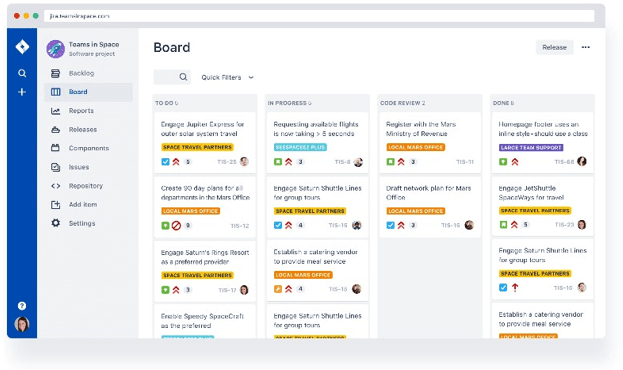
High-Quality Jira Software Reviews Abstract in 4K
Discover an amazing jira software reviews background image, ideal for personalizing your devices with vibrant colors and intricate designs.

Stunning Jira Software Reviews Background Illustration
Immerse yourself in the stunning details of this beautiful jira software reviews wallpaper, designed for a captivating visual experience.
Captivating Jira Software Reviews Moment Photography
A captivating jira software reviews scene that brings tranquility and beauty to any device.
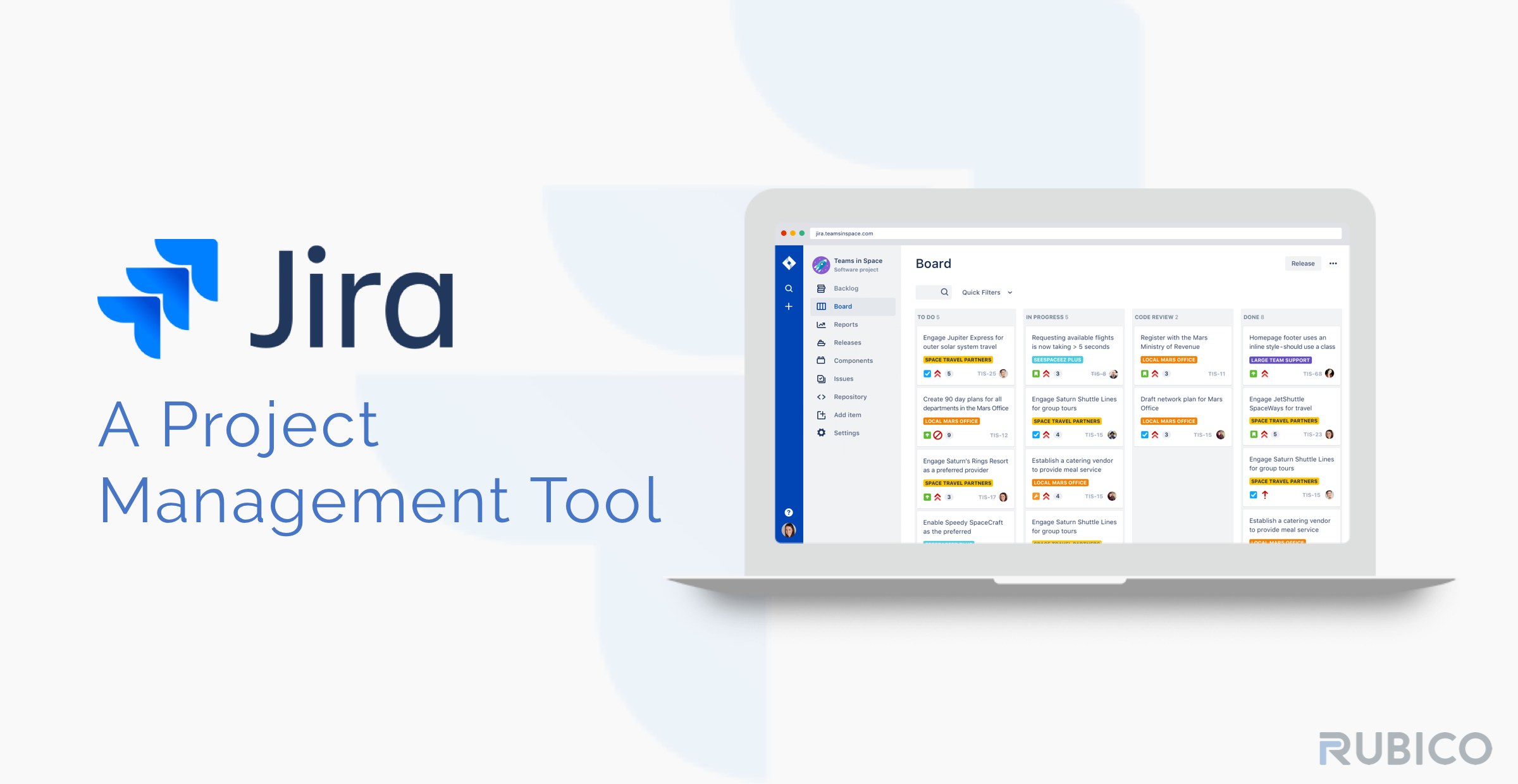
Serene Jira Software Reviews Scene in HD
Discover an amazing jira software reviews background image, ideal for personalizing your devices with vibrant colors and intricate designs.

Gorgeous Jira Software Reviews Scene in 4K
Find inspiration with this unique jira software reviews illustration, crafted to provide a fresh look for your background.

Dynamic Jira Software Reviews Picture in HD
Immerse yourself in the stunning details of this beautiful jira software reviews wallpaper, designed for a captivating visual experience.

Dynamic Jira Software Reviews Image for Mobile
Find inspiration with this unique jira software reviews illustration, crafted to provide a fresh look for your background.
Artistic Jira Software Reviews Capture for Mobile
Immerse yourself in the stunning details of this beautiful jira software reviews wallpaper, designed for a captivating visual experience.
Dynamic Jira Software Reviews Background for Your Screen
This gorgeous jira software reviews photo offers a breathtaking view, making it a perfect choice for your next wallpaper.
Vivid Jira Software Reviews Image Nature
Explore this high-quality jira software reviews image, perfect for enhancing your desktop or mobile wallpaper.

Vibrant Jira Software Reviews Artwork Digital Art
Experience the crisp clarity of this stunning jira software reviews image, available in high resolution for all your screens.
Beautiful Jira Software Reviews Scene Collection
Discover an amazing jira software reviews background image, ideal for personalizing your devices with vibrant colors and intricate designs.
Vivid Jira Software Reviews Moment in 4K
Transform your screen with this vivid jira software reviews artwork, a true masterpiece of digital design.

Amazing Jira Software Reviews Artwork in 4K
Explore this high-quality jira software reviews image, perfect for enhancing your desktop or mobile wallpaper.
Captivating Jira Software Reviews Picture for Desktop
Find inspiration with this unique jira software reviews illustration, crafted to provide a fresh look for your background.
Captivating Jira Software Reviews Moment Collection
Immerse yourself in the stunning details of this beautiful jira software reviews wallpaper, designed for a captivating visual experience.
Vibrant Jira Software Reviews Moment for Mobile
Discover an amazing jira software reviews background image, ideal for personalizing your devices with vibrant colors and intricate designs.
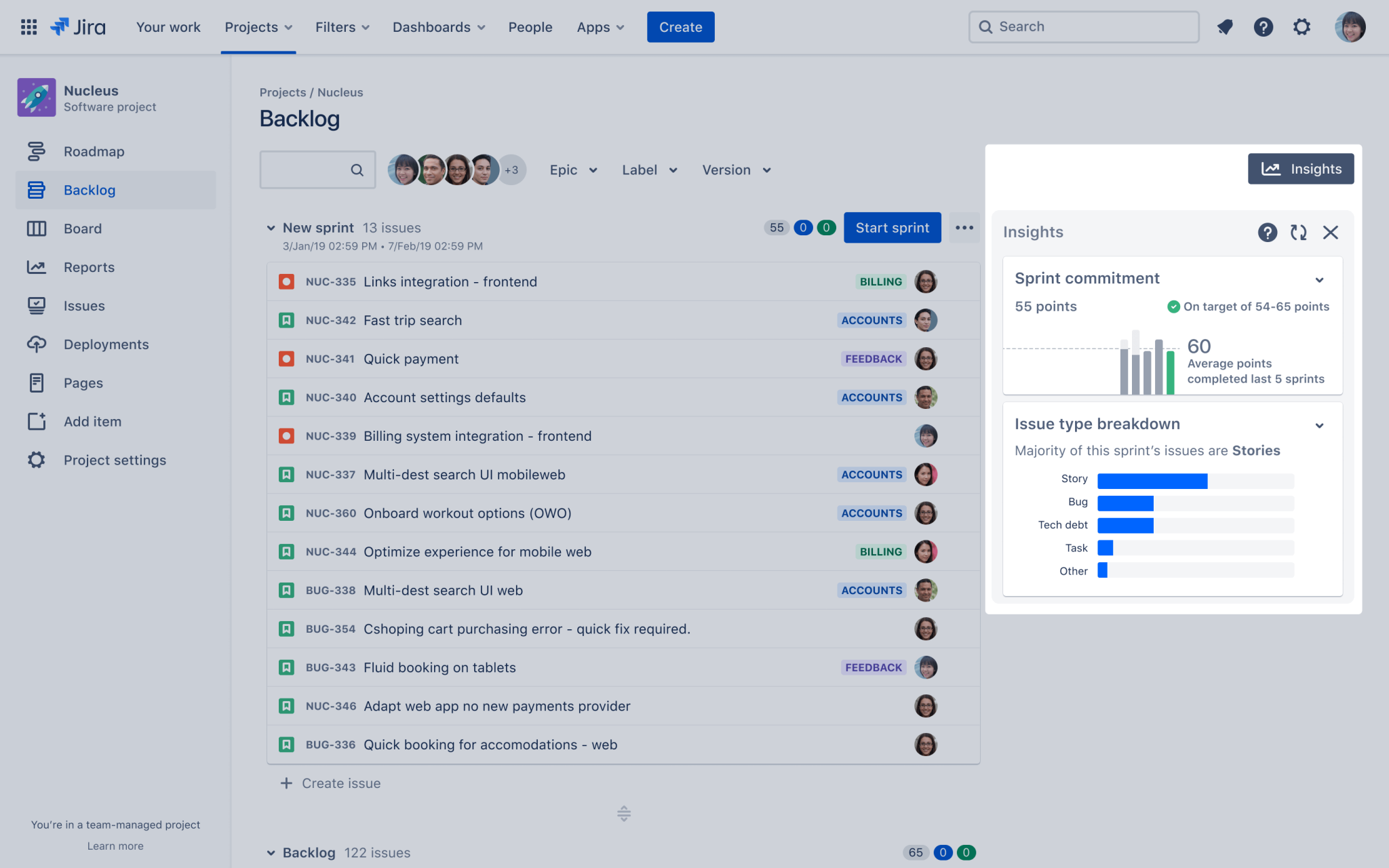
Spectacular Jira Software Reviews Background for Your Screen
A captivating jira software reviews scene that brings tranquility and beauty to any device.
Download these jira software reviews wallpapers for free and use them on your desktop or mobile devices.