Kia Software Upgrade
Don't Miss Out: Your Complete Guide to the Latest Kia Software Upgrade
If you own a modern Kia, you probably know that your vehicle is more than just an engine and four wheels—it's a sophisticated piece of technology. But just like your smartphone, that technology needs regular updates to stay sharp, secure, and deliver the best possible experience.
We're talking about the crucial Kia Software Upgrade. This isn't just about tweaking the navigation map; it often unlocks new features, enhances connectivity, and ensures your car's systems are operating optimally. Yet, many owners avoid it because the process seems complicated. Spoiler alert: it's easier than you think!
In this comprehensive guide, we'll walk you through exactly what these upgrades do, why they matter, and the step-by-step process for performing the installation yourself—all while keeping things straightforward and simple.
What is the Kia Software Upgrade (and Why Bother)?
The term "Kia Software Upgrade" usually refers to updates for the Infotainment System, which includes the navigation software, display cluster themes, and audio unit functions. These updates are released periodically—often twice a year—by Kia Motors.
Ignoring these updates means missing out on several key enhancements:
- Improved Navigation Accuracy: Roads change, new landmarks appear. Regular updates ensure your GPS is current.
- Enhanced System Security: Patches are applied to close vulnerabilities, keeping your data safer.
- New Features and UX Improvements: Recent upgrades have introduced things like natural voice command enhancements, cleaner map layouts, and even new digital display themes for specific models.
- Better Phone Connectivity: Optimizations for Apple CarPlay and Android Auto performance.
In short, updating your software helps maintain the resale value and, more importantly, keeps your driving experience modern and friction-free. These improvements are backed by Kia's commitment to post-purchase support. You can read more about their global tech initiatives on their official news hub here.
Preparing for the Update: Checklist and Requirements
Preparation is half the battle. Before you start downloading the massive data packet (which can range from 16 GB to over 40 GB depending on the region and vehicle model), make sure you meet the following requirements.
Required Tools and USB Stick Specs
The single most common error people encounter is using the wrong USB drive. To ensure a smooth installation, pay close attention to the storage device specs:
- Storage Size: Minimum 64 GB. While the file may only be 32 GB, the download process often requires extra space for extraction.
- Speed: Use a high-speed USB 3.0 stick or better. Older USB 2.0 drives can drastically increase installation time.
- Formatting: The USB drive must be formatted to FAT32 or exFAT. If you're unsure how to properly format, look for basic PC or Mac tutorials on file system standards. For more details on exFAT standards, check out this Wikipedia link.
You will also need a reliable internet connection and a PC or Mac capable of running the official Kia Navigation Updater Tool.
The Step-by-Step Installation Process
This entire process is standardized across most modern Kia models (2018 onwards) that utilize the UVO or Kia Connect system.
1. Downloading the Kia Navigation Updater Tool
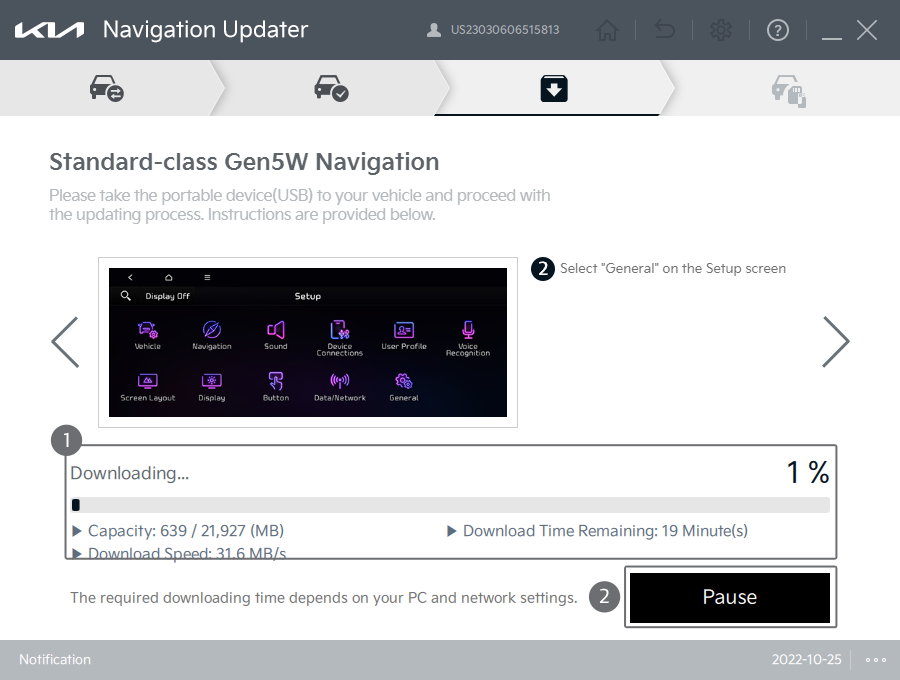
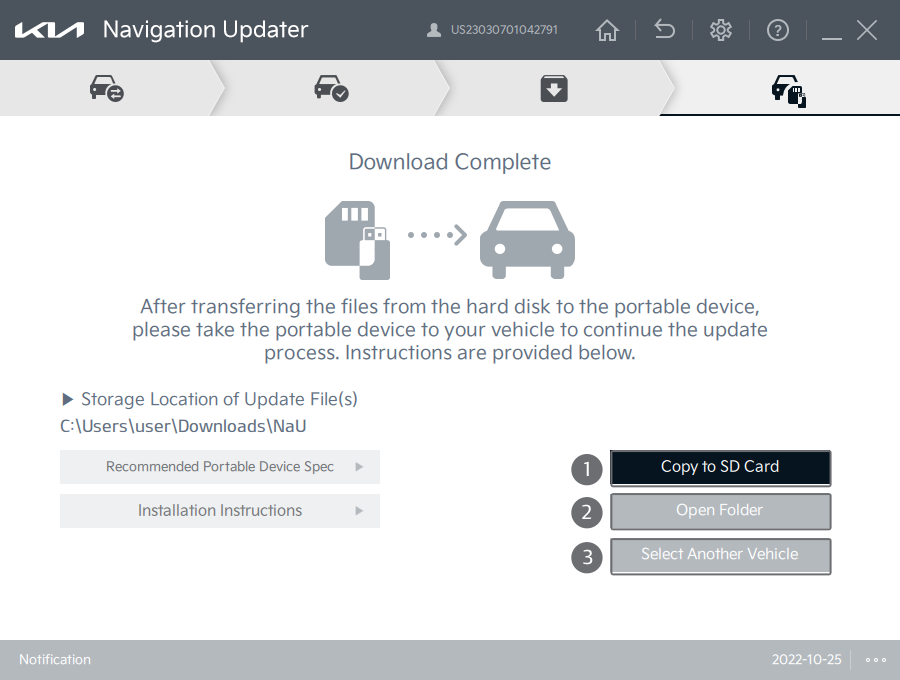
First, visit the official Kia global update site and download the "Navigation Updater" software for your operating system (Windows or macOS). This tool handles all the complex parts—checking your vehicle's current version, downloading the correct regional files, and formatting the USB drive correctly.
Once installed, launch the tool, select your region (e.g., North America, Europe), and then select your specific Kia model. The tool will then prompt you to insert your prepared USB drive and begin the download process.
Pro Tip: This download can take several hours depending on your internet speed. Do this overnight if possible!
2. Vehicle Installation: From USB to Infotainment
Once the files are completely written to your USB stick, you are ready to move to the car. This part requires patience, as the installation takes between 45 minutes to over an hour.
- Start the car and keep the engine running. Crucially, the engine must stay on for the entire duration of the update to prevent battery drain from stopping the process mid-way.
- Locate the USB port connected to the infotainment system (often in the center console).
- Insert the prepared USB drive.
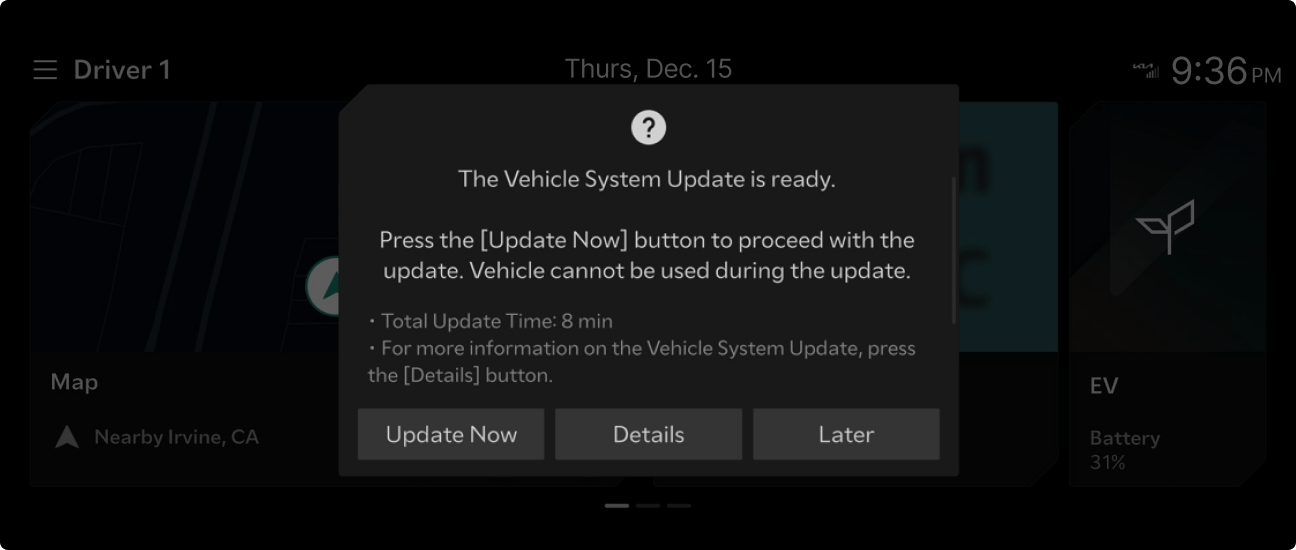
- The system should automatically recognize the update package. A pop-up prompt will usually appear asking if you want to start the "Kia Software Upgrade."
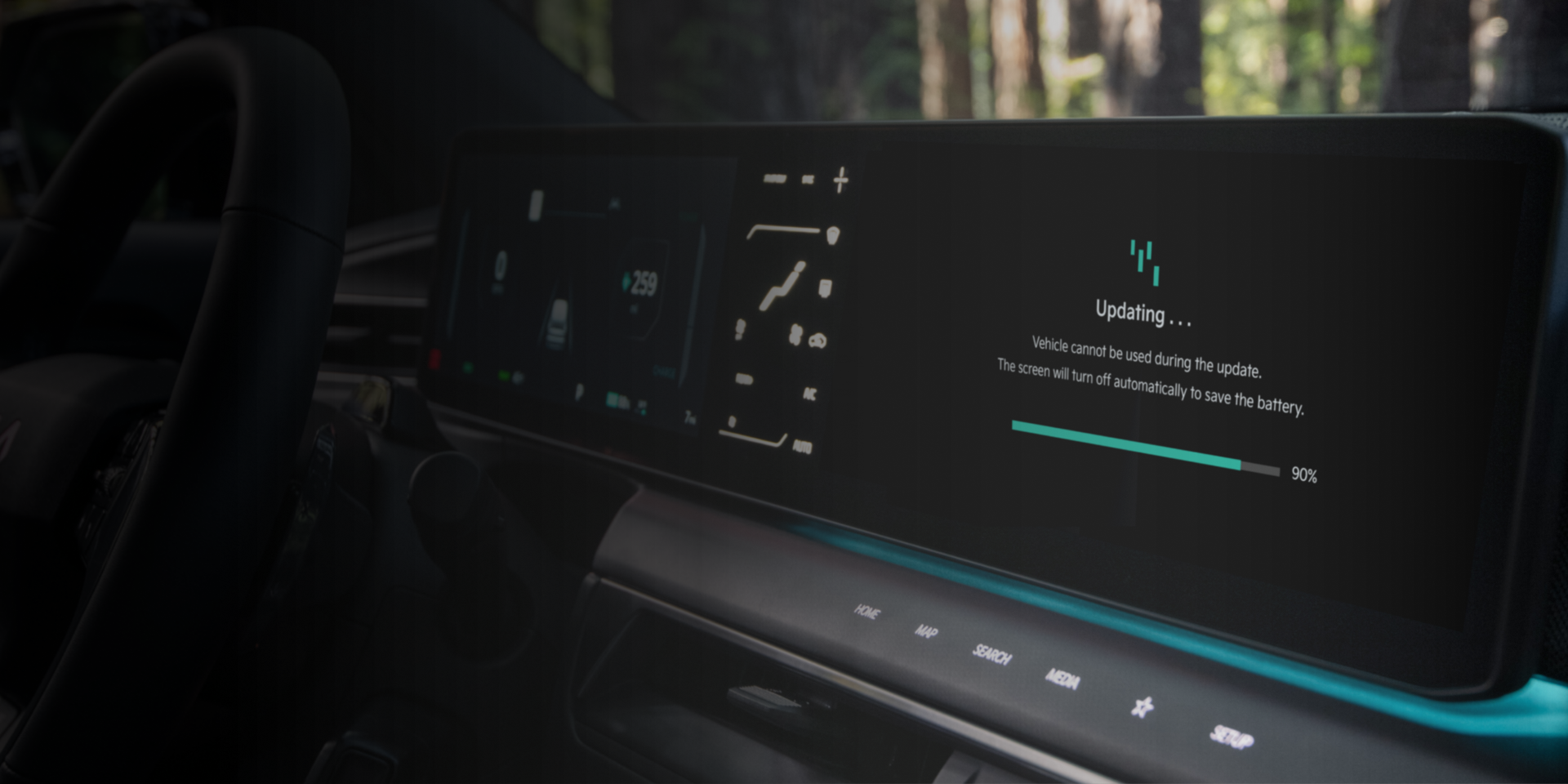
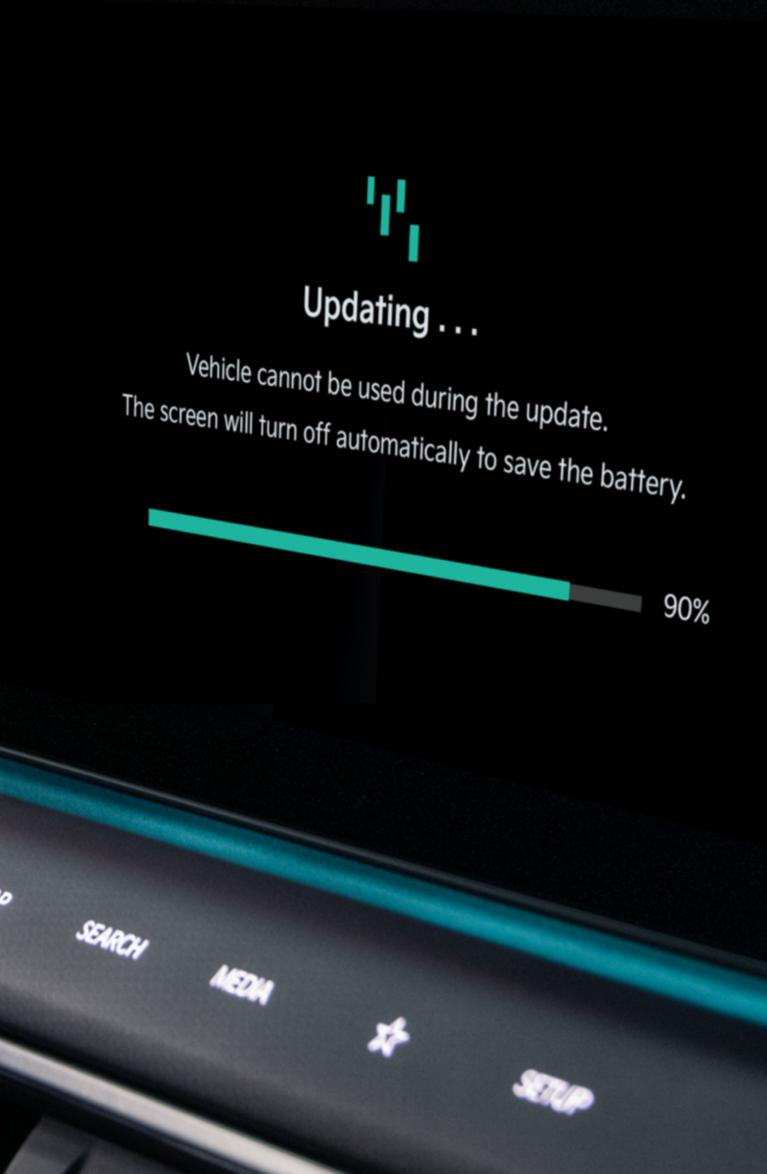
- Confirm the installation. The screen will turn off and display a progress bar. DO NOT turn off the engine, remove the USB, or try to use the infotainment system until the process is 100% complete.
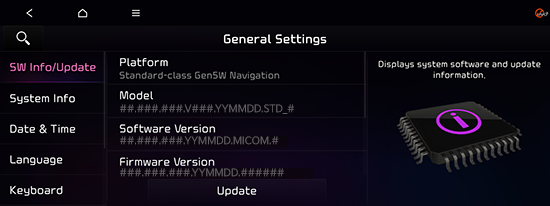
Once finished, the system will reboot, and you will see the updated software version displayed in the settings menu. Congratulations, you're done!
[Baca Juga: Kia Connect Subscription Benefits: Is It Worth the Price?]
Troubleshooting Common Upgrade Issues
If the update process fails, don't panic. There are usually only a few specific causes:
Issue 1: "Cannot read USB / Files not found."
Solution: This almost always relates to the USB format or the file structure. Re-format the USB stick (exFAT is generally preferred for large files) and ensure the folder structure created by the Navigation Updater Tool remains untouched on the root directory.
Issue 2: The update stops mid-installation (e.g., at 65%).
Solution: Power issue or faulty USB connection. Ensure your engine is running and the car is parked safely. If it fails again, try a different, higher-quality USB stick. Sometimes, low-quality memory chips fail under continuous read operations.
Issue 3: Download stuck in the Navigation Updater Tool.
Solution: Check your firewall or antivirus settings. Since the download is large and uses proprietary protocols, security software sometimes blocks it. Temporarily disable the firewall or run the Updater as an administrator.
If all troubleshooting steps fail, it's best to contact your local Kia dealership or customer support for official assistance.
Upgrade Comparison: Which Models Benefit Most?
While every eligible Kia gets general bug fixes, some models experience more noticeable feature leaps due to their hardware compatibility. Here is a brief look at how different generations of infotainment hardware are usually affected by a major Kia Software Upgrade:
| Infotainment Generation | Example Models | Key Upgrade Benefit |
|---|---|---|
| Gen 5 (2020+) | Telluride, Sorento (New Gen), EV6 | New UI themes, optimized EV battery pre-conditioning logic, enhanced split-screen functionality. |
| Gen 4/4.5 (2018-2020) | Stinger, Optima, Sportage | Android Auto/CarPlay stability fixes, Map data expansion, improved voice recognition response time. |
| Legacy Systems (Pre-2018) | Older Cadenza, Sedona | Primarily security and map data updates. Fewer new feature introductions due to hardware limitations. |
If you own one of the newer Gen 5 vehicles, the updates tend to be more feature-rich, leveraging the improved processing power of the system.
[Baca Juga: Maintaining Your EV Battery Health: A Comprehensive Guide]
Conclusion
The Kia Software Upgrade process is a simple, if somewhat time-consuming, DIY task that every Kia owner should tackle regularly. By dedicating an afternoon to the download and installation, you ensure your vehicle stays current, secure, and utilizes all the features Kia intended. Think of it as free maintenance for your digital driving experience!
The official Kia Navigation Updater tool has made this process more user-friendly than ever before. Grab that 64GB USB stick, follow the steps, and enjoy the smooth, upgraded ride!
Frequently Asked Questions (FAQ)
- Is the Kia Software Upgrade free?
Yes, for most Kia models, the software and map data updates for the infotainment system are provided free of charge by Kia. You only need to purchase the necessary USB storage device.
- How long does the installation take in the car?
The time varies significantly based on the update size and the hardware speed of your vehicle. Generally, expect the in-car installation phase to take between 45 minutes to 1 hour and 15 minutes.
- Do I lose my settings (radio presets, paired phones) after the update?
In most cases, no. The update applies changes to the core system files, not the user data partition. However, it is always a good practice to photograph your critical settings before starting a major update.
- Can I drive the car while the update is running?
No. For safety and consistency, the update must be performed while the car is stationary, typically with the engine running and in Park (P). Driving will likely interrupt the installation and could potentially brick the system.
-- End of Article --
Kia Software Upgrade
Kia Software Upgrade Wallpapers
Collection of kia software upgrade wallpapers for your desktop and mobile devices.
Gorgeous Kia Software Upgrade Picture for Your Screen
This gorgeous kia software upgrade photo offers a breathtaking view, making it a perfect choice for your next wallpaper.

Vibrant Kia Software Upgrade Moment Collection
Discover an amazing kia software upgrade background image, ideal for personalizing your devices with vibrant colors and intricate designs.
Exquisite Kia Software Upgrade Picture Nature
This gorgeous kia software upgrade photo offers a breathtaking view, making it a perfect choice for your next wallpaper.

Vibrant Kia Software Upgrade Landscape in 4K
Experience the crisp clarity of this stunning kia software upgrade image, available in high resolution for all your screens.

Spectacular Kia Software Upgrade Abstract for Your Screen
A captivating kia software upgrade scene that brings tranquility and beauty to any device.

Vivid Kia Software Upgrade Landscape Concept
Experience the crisp clarity of this stunning kia software upgrade image, available in high resolution for all your screens.
Stunning Kia Software Upgrade View Collection
This gorgeous kia software upgrade photo offers a breathtaking view, making it a perfect choice for your next wallpaper.
Vivid Kia Software Upgrade Artwork in 4K
Discover an amazing kia software upgrade background image, ideal for personalizing your devices with vibrant colors and intricate designs.
Detailed Kia Software Upgrade Picture for Desktop
Discover an amazing kia software upgrade background image, ideal for personalizing your devices with vibrant colors and intricate designs.
Stunning Kia Software Upgrade Abstract Illustration
Find inspiration with this unique kia software upgrade illustration, crafted to provide a fresh look for your background.
Exquisite Kia Software Upgrade Wallpaper Illustration
Immerse yourself in the stunning details of this beautiful kia software upgrade wallpaper, designed for a captivating visual experience.

Dynamic Kia Software Upgrade Design for Mobile
This gorgeous kia software upgrade photo offers a breathtaking view, making it a perfect choice for your next wallpaper.
Vivid Kia Software Upgrade View for Your Screen
Explore this high-quality kia software upgrade image, perfect for enhancing your desktop or mobile wallpaper.
Exquisite Kia Software Upgrade Landscape Digital Art
This gorgeous kia software upgrade photo offers a breathtaking view, making it a perfect choice for your next wallpaper.
Vibrant Kia Software Upgrade Moment Art
Transform your screen with this vivid kia software upgrade artwork, a true masterpiece of digital design.
Lush Kia Software Upgrade View for Mobile
This gorgeous kia software upgrade photo offers a breathtaking view, making it a perfect choice for your next wallpaper.
Captivating Kia Software Upgrade Picture in 4K
Find inspiration with this unique kia software upgrade illustration, crafted to provide a fresh look for your background.
Breathtaking Kia Software Upgrade Scene in 4K
Explore this high-quality kia software upgrade image, perfect for enhancing your desktop or mobile wallpaper.

High-Quality Kia Software Upgrade View Concept
Experience the crisp clarity of this stunning kia software upgrade image, available in high resolution for all your screens.
Gorgeous Kia Software Upgrade Photo in HD
This gorgeous kia software upgrade photo offers a breathtaking view, making it a perfect choice for your next wallpaper.
Download these kia software upgrade wallpapers for free and use them on your desktop or mobile devices.