Logitech Media Server Software
Logitech Media Server Software: Why This Legacy Platform is Still the Audiophile's Best Kept Secret
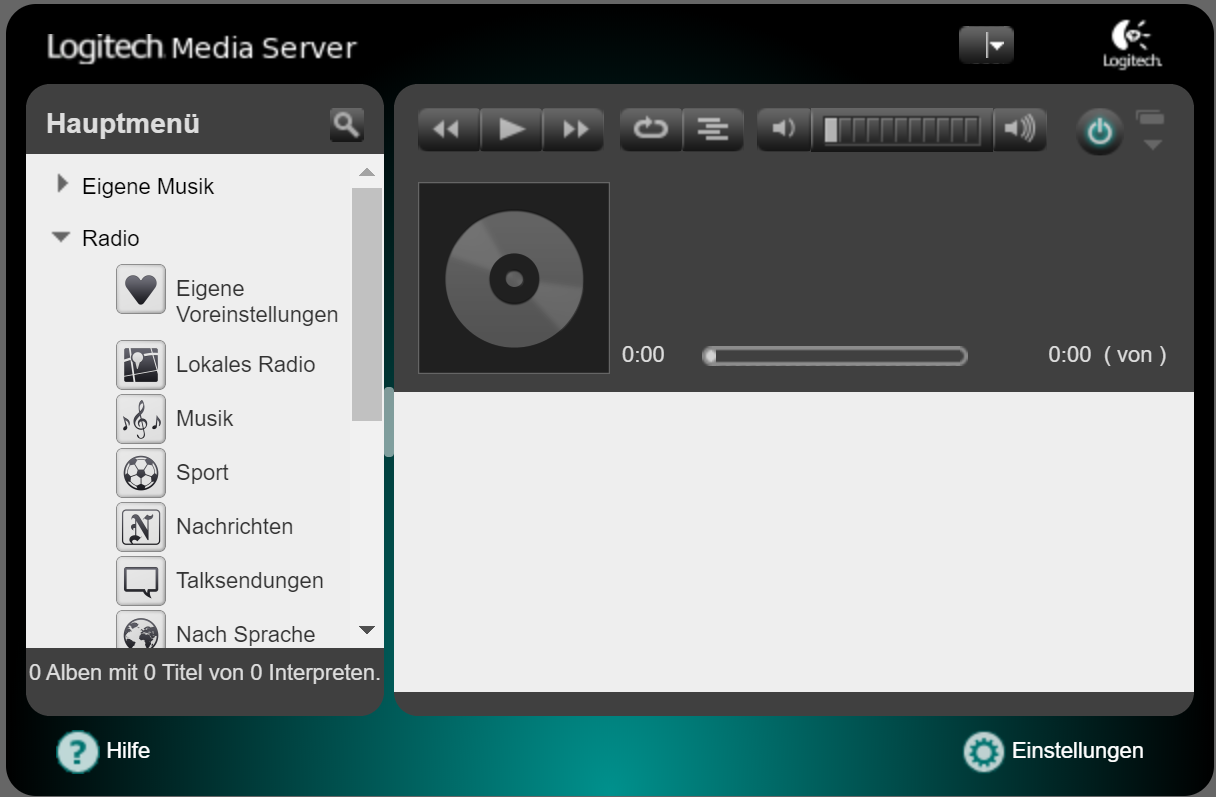
If you consider yourself a true music enthusiast, someone who cherishes meticulously curated local libraries over ephemeral cloud services, you've likely stumbled upon a piece of software that refuses to die: the Logitech Media Server Software (LMS).
Often referred to simply as "Squeezebox Server" in older circles, this software powers a decentralized, highly customizable home audio system. Even though Logitech formally discontinued the Squeezebox hardware line over a decade ago, LMS continues to thrive, supported by an incredibly active and dedicated community.
But why does a piece of "legacy" software still warrant attention in the age of Roon, Plex, and high-fidelity streaming services? This comprehensive guide dives deep into the architecture, setup, and indispensable plugins that make LMS the go-to choice for serious audiophiles globally.
Understanding the Legacy: What Exactly is LMS?
Logitech Media Server is fundamentally a piece of server software designed to stream digital audio content from a central host computer or Network Attached Storage (NAS) device to various networked player endpoints. Crucially, it manages metadata, artwork, and playback synchronization across multiple rooms.
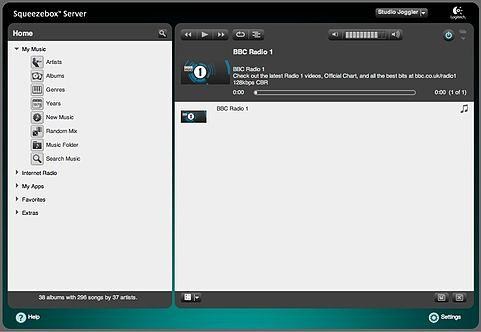
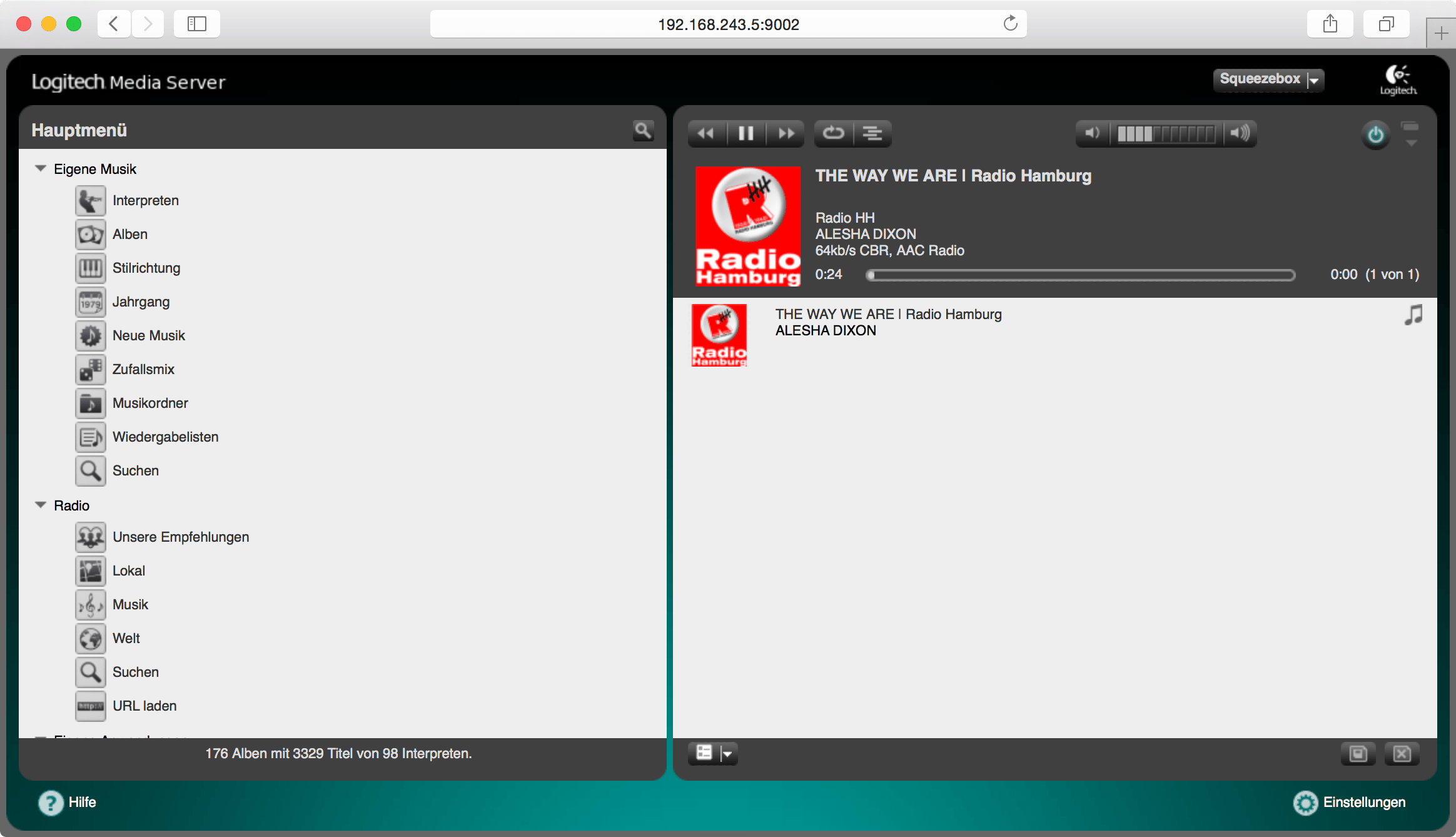
Unlike simple file shares, LMS provides a sophisticated web interface for control and library management, handling complex tasks like transcoding and gapless playback flawlessly.
The Squeezebox Ecosystem
To truly understand LMS, you must understand its origins with the Squeezebox hardware line (originally developed by Slim Devices). Devices like the Squeezebox Touch and Transporter were revolutionary because they acted as high-quality audio streamers, relying entirely on the central server (LMS) for content.
While the hardware is discontinued, the spirit lives on. Today, the endpoints aren't limited to old Squeezeboxes. Thanks to open-source contributions, you can now use Raspberry Pis, specific network players (via protocols like UPnP/DLNA), or even software clients on your smartphone as LMS players.
This reliance on a central, customizable server, rather than a locked-down proprietary ecosystem, is the key reason for its longevity.
[Baca Juga: Panduan Lengkap Solusi Streaming Audio Open Source Terbaik]Installing Logitech Media Server Software: A Step-by-Step Guide
The installation process for the Logitech Media Server Software is remarkably straightforward, regardless of your operating system. LMS is robustly supported on Windows, macOS, and virtually all Linux distributions, including those commonly found on NAS devices (like Synology and QNAP).
Hardware and OS Requirements
LMS is surprisingly lightweight. If you only intend to stream standard resolution audio (up to 16-bit/44.1 kHz FLAC), almost any modern machine or even an older Raspberry Pi will suffice. However, if your library consists of extensive DSD or high-resolution PCM files (192 kHz or higher), you'll need a bit more processing power for real-time transcoding.
- Minimum CPU: Dual-Core processor (e.g., Intel Atom or higher).
- RAM: 1GB minimum, 4GB recommended if running on a primary desktop OS.
- Storage: Adequate storage for your music library (NAS or local drive).
Initial Setup and Configuration
Once installed, LMS opens automatically in your web browser, typically on port 9000 (e.g., http://[YourServerIP]:9000). The initial configuration wizards guide you through two critical steps:
- Defining Your Library Path: You tell LMS exactly where your music files are located.
- Scanning the Library: LMS builds its internal database, gathering metadata. This can take significant time for large libraries (100,000+ tracks), but subsequent scans are much faster.
Pro Tip: Ensure your music files have clean, consistent metadata (tags). LMS relies heavily on tools like MP3Tag or Picard to correctly categorize and display your collection.
Unlocking Power: Essential Features and Plugins
While the core Logitech Media Server Software is functional, its true power lies in its modularity. The community has developed thousands of plugins that extend functionality far beyond what Logitech originally envisioned.
This commitment to open extensibility is where LMS earns its E-E-A-T score; the active development ensures it stays modern despite its age. Learn more about the history of the Squeezebox ecosystem on Wikipedia.
Standard Features vs. Community Plugins
Standard features include multi-room synchronization, smart playlists, and remote access. However, for modern relevance, plugins are mandatory.
Must-Have Plugins for Modern Streaming
These plugins bridge the gap between your local library and today's dominant streaming services:
- Tidal/Qobuz Plugin: Integrates high-resolution streaming services directly into the LMS interface, allowing you to browse and play streaming content alongside your local files seamlessly.
- Material Skin: Replaces the dated default web interface with a modern, responsive, and visually appealing design that significantly improves mobile UX.
- SqueezeLite: While technically a player client, integrating SqueezeLite (or related players) on devices like the Raspberry Pi transforms them into high-end audio renderers controllable entirely via LMS.
- Don't Stop The Music (DSM): An essential utility plugin that adds sophisticated controls for automated playback, volume management, and sleep timers.
LMS vs. Modern Alternatives: A Comparative Look
The biggest question users ask is: should I use LMS, or switch to a commercial system like Roon or a popular free solution like Plex? The answer depends heavily on your priorities—specifically, control, cost, and library focus.
| Feature | Logitech Media Server (LMS) | Roon | Plex |
|---|---|---|---|
| Primary Focus | Local Music Playback & Multi-room Sync | Metadata Enrichment & Discovery | All Media (Video, Photos, Music) |
| Cost | Free (Open Source) | Subscription/Lifetime License (High) | |
| Plugin Extensibility | Extremely High (Community Driven) | Low (Closed Ecosystem) | Moderate |
| Required Technical Skill | Moderate (Requires setup/tinkering) | Low (Plug-and-play) | Low |
LMS is ideal for those who prioritize open-source flexibility and the highest level of control over their streaming environment, especially if they already utilize DIY audio endpoints (like custom DACs or Raspberry Pis). If you want simplicity and vast metadata, Roon wins, but at a significant cost.
For continuing community support and developer conversations, checking active LMS forum threads is highly recommended.
[Baca Juga: Mana yang Lebih Baik: Roon, Plex, atau Audirvana?]Conclusion: The Enduring Charm of LMS
The Logitech Media Server Software stands as a testament to the power of open-source development and community dedication. It proves that software doesn't need constant corporate funding to remain relevant; it just needs a loyal user base willing to maintain and expand it.
For the audiophile who wants meticulous control over file playback, seamless multi-room synchronization, and the ability to integrate cutting-edge streaming services alongside decades-old FLAC files—all without paying a subscription fee—LMS is, without question, the definitive choice.
It's not just a legacy system; it is the resilient backbone of thousands of high-fidelity home audio setups worldwide.
Frequently Asked Questions (FAQ) about LMS
- Is the Logitech Media Server Software still officially supported by Logitech?
No. Logitech ceased active development on LMS and the Squeezebox product line around 2012. However, the software remains available and is actively maintained and updated by a global, volunteer open-source community, ensuring compatibility with modern operating systems and streaming protocols.
- Do I need a physical Squeezebox player to use LMS?
Absolutely not. While LMS was designed for Squeezebox hardware, today you can use a variety of software clients and DIY solutions as endpoints. Popular options include SqueezeLite (for Linux/Pi), iPeng (iOS), or Orange Squeeze (Android).
- Can LMS handle high-resolution audio files (Hi-Res)?
Yes. LMS natively supports virtually all major audio formats, including FLAC, ALAC, WAV, AIFF, and high-resolution PCM up to 24-bit/192 kHz. It can also manage and stream DSD files, often requiring the server to transcode them to a PCM format recognized by the endpoint DAC.
- How do I control LMS remotely?
LMS offers multiple control options. The default method is via its web interface, accessible from any browser on the local network. For enhanced control, third-party mobile apps like iPeng (iOS) and Orange Squeeze (Android) offer much superior user experiences designed specifically for navigating large libraries.
Logitech Media Server Software
Logitech Media Server Software Wallpapers
Collection of logitech media server software wallpapers for your desktop and mobile devices.
Gorgeous Logitech Media Server Software View Digital Art
A captivating logitech media server software scene that brings tranquility and beauty to any device.
Amazing Logitech Media Server Software View for Mobile
Discover an amazing logitech media server software background image, ideal for personalizing your devices with vibrant colors and intricate designs.
Vivid Logitech Media Server Software Moment for Your Screen
Transform your screen with this vivid logitech media server software artwork, a true masterpiece of digital design.
Stunning Logitech Media Server Software Moment Art
Immerse yourself in the stunning details of this beautiful logitech media server software wallpaper, designed for a captivating visual experience.
Mesmerizing Logitech Media Server Software Artwork in 4K
Discover an amazing logitech media server software background image, ideal for personalizing your devices with vibrant colors and intricate designs.

Serene Logitech Media Server Software Wallpaper Digital Art
Explore this high-quality logitech media server software image, perfect for enhancing your desktop or mobile wallpaper.
Exquisite Logitech Media Server Software Capture in HD
A captivating logitech media server software scene that brings tranquility and beauty to any device.
Spectacular Logitech Media Server Software Design for Desktop
This gorgeous logitech media server software photo offers a breathtaking view, making it a perfect choice for your next wallpaper.
Artistic Logitech Media Server Software Background in 4K
Find inspiration with this unique logitech media server software illustration, crafted to provide a fresh look for your background.
Stunning Logitech Media Server Software Moment Digital Art
This gorgeous logitech media server software photo offers a breathtaking view, making it a perfect choice for your next wallpaper.

Detailed Logitech Media Server Software Wallpaper Illustration
Discover an amazing logitech media server software background image, ideal for personalizing your devices with vibrant colors and intricate designs.
Vivid Logitech Media Server Software Abstract Illustration
Transform your screen with this vivid logitech media server software artwork, a true masterpiece of digital design.
Crisp Logitech Media Server Software View Photography
This gorgeous logitech media server software photo offers a breathtaking view, making it a perfect choice for your next wallpaper.
Lush Logitech Media Server Software Capture Photography
This gorgeous logitech media server software photo offers a breathtaking view, making it a perfect choice for your next wallpaper.

Lush Logitech Media Server Software Scene in 4K
Immerse yourself in the stunning details of this beautiful logitech media server software wallpaper, designed for a captivating visual experience.
Lush Logitech Media Server Software Picture Collection
Find inspiration with this unique logitech media server software illustration, crafted to provide a fresh look for your background.
Amazing Logitech Media Server Software Design Art
Transform your screen with this vivid logitech media server software artwork, a true masterpiece of digital design.
Vivid Logitech Media Server Software Design Photography
Experience the crisp clarity of this stunning logitech media server software image, available in high resolution for all your screens.
Vibrant Logitech Media Server Software Scene for Desktop
Transform your screen with this vivid logitech media server software artwork, a true masterpiece of digital design.
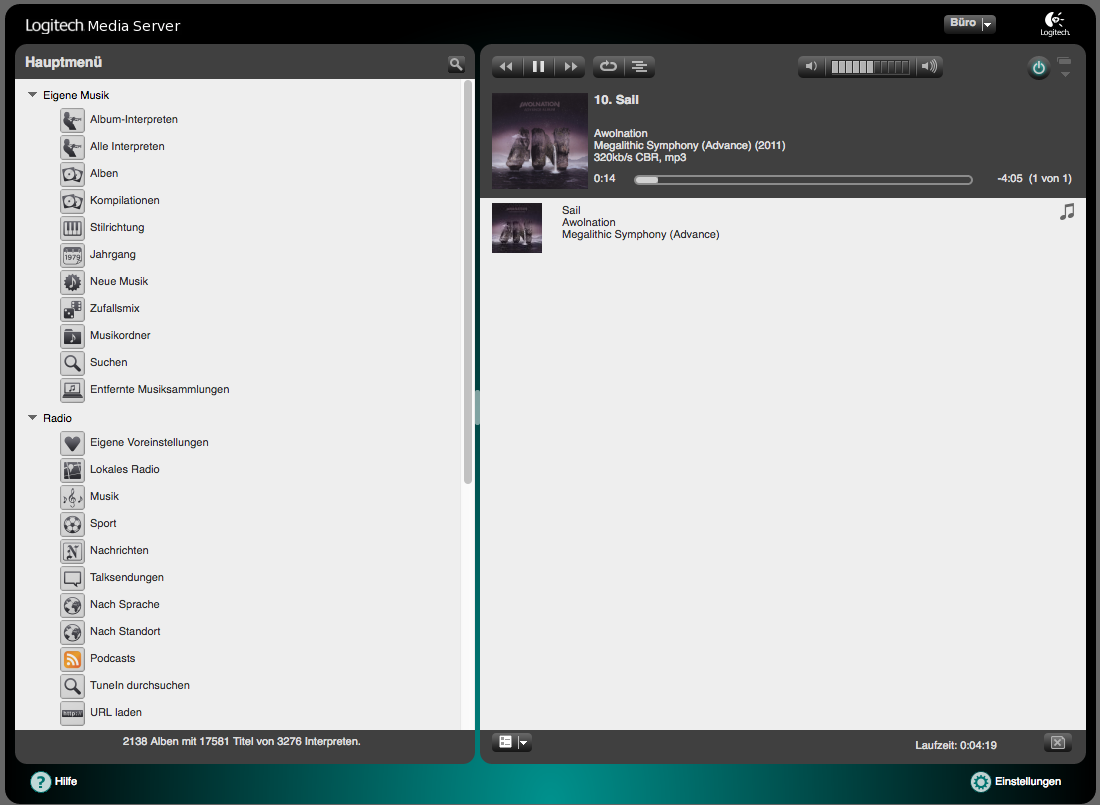
Gorgeous Logitech Media Server Software Background Photography
This gorgeous logitech media server software photo offers a breathtaking view, making it a perfect choice for your next wallpaper.
Download these logitech media server software wallpapers for free and use them on your desktop or mobile devices.