Macrium Software
Stop Data Loss Now: The Expert Guide to Macrium Software and System Recovery
The nightmare scenario is familiar to all tech enthusiasts and business owners: a critical system failure, a ransomware attack, or a simple hard drive crash. When disaster strikes, having a reliable backup solution isn't a luxury—it's survival. This is where Macrium Software steps in, specifically with its flagship product, Macrium Reflect.
For years, Macrium Reflect has been the benchmark for fast, robust, and highly technical disk imaging and cloning. But what exactly makes this tool a favorite among IT professionals and why should you trust it with your most precious data? This in-depth guide will break down the features, explore the critical differences between editions, and ensure you have the knowledge to master your data protection strategy.
What Makes Macrium Reflect the Gold Standard for Backup?
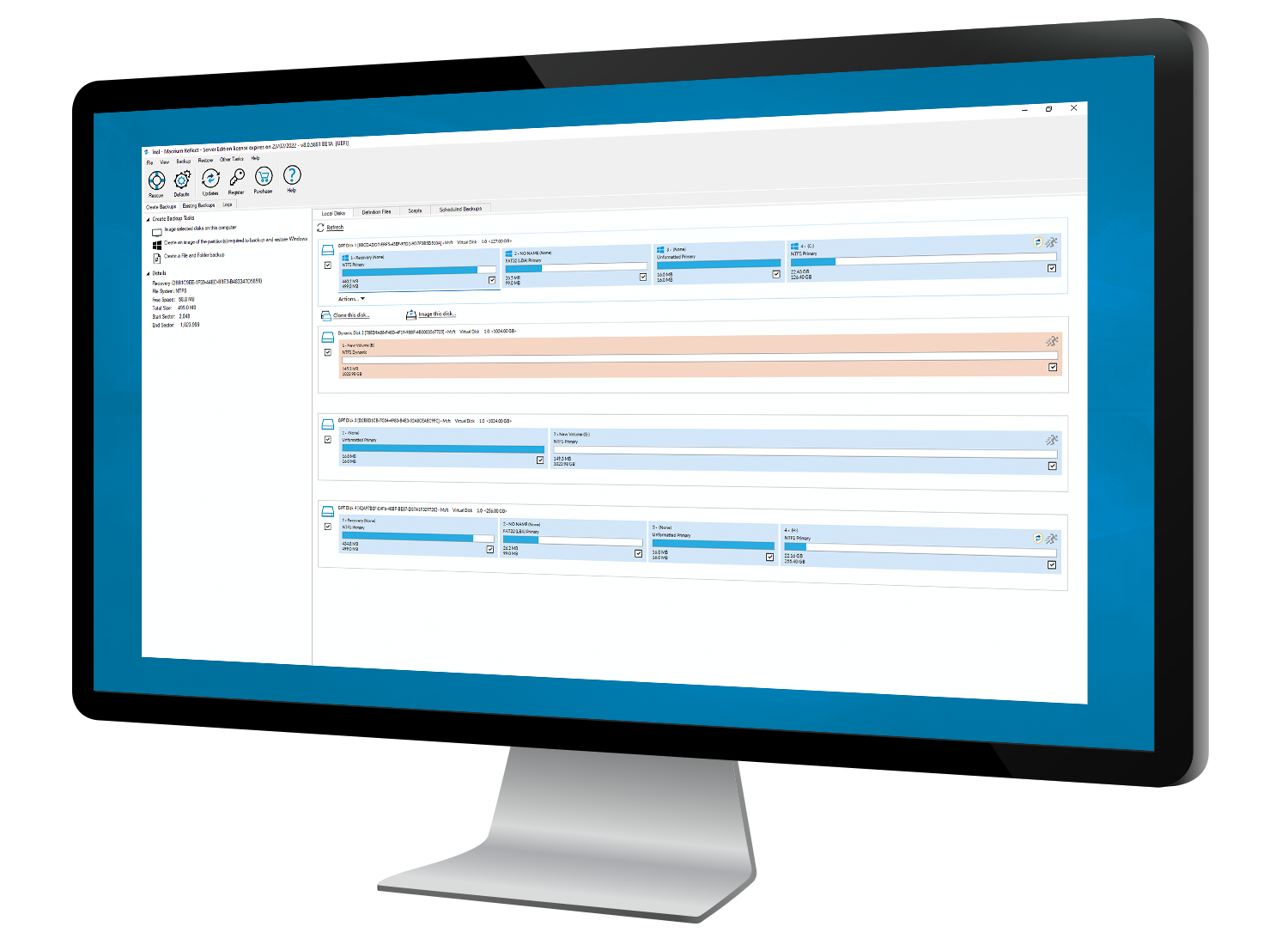
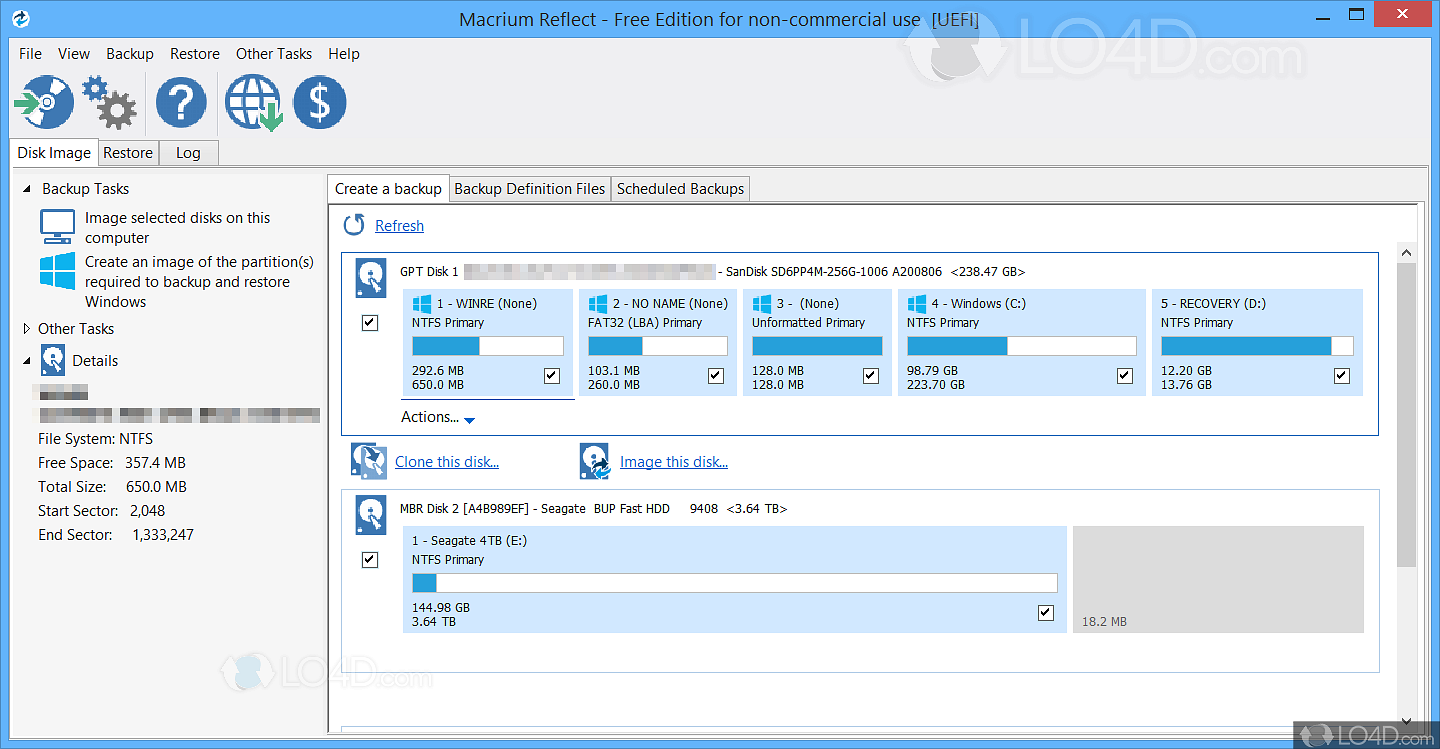
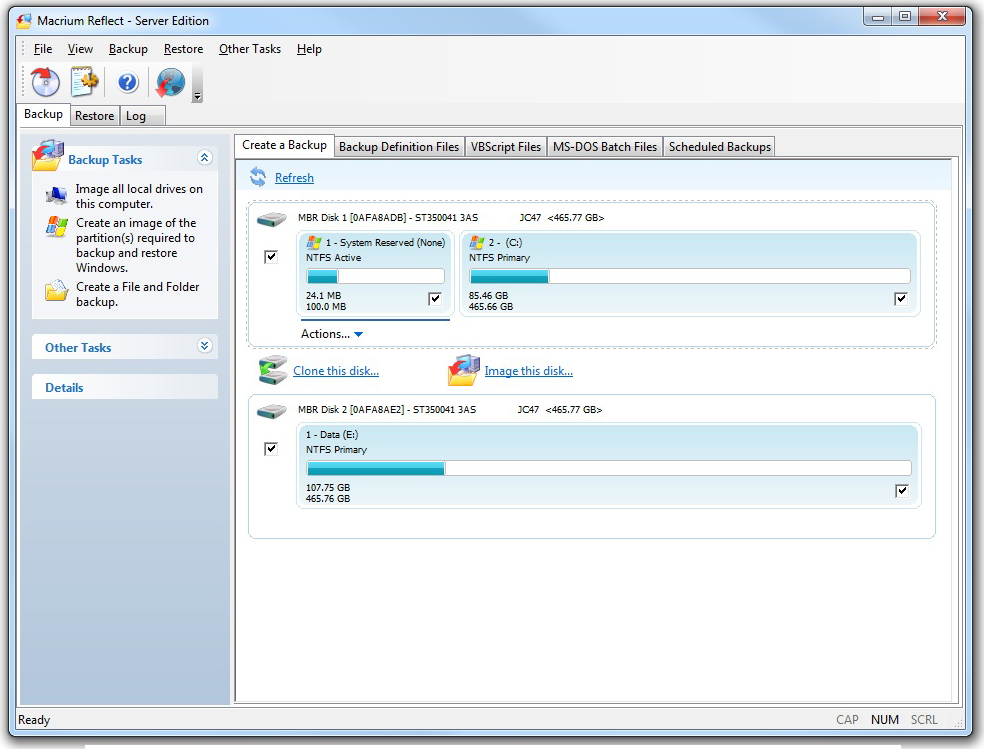
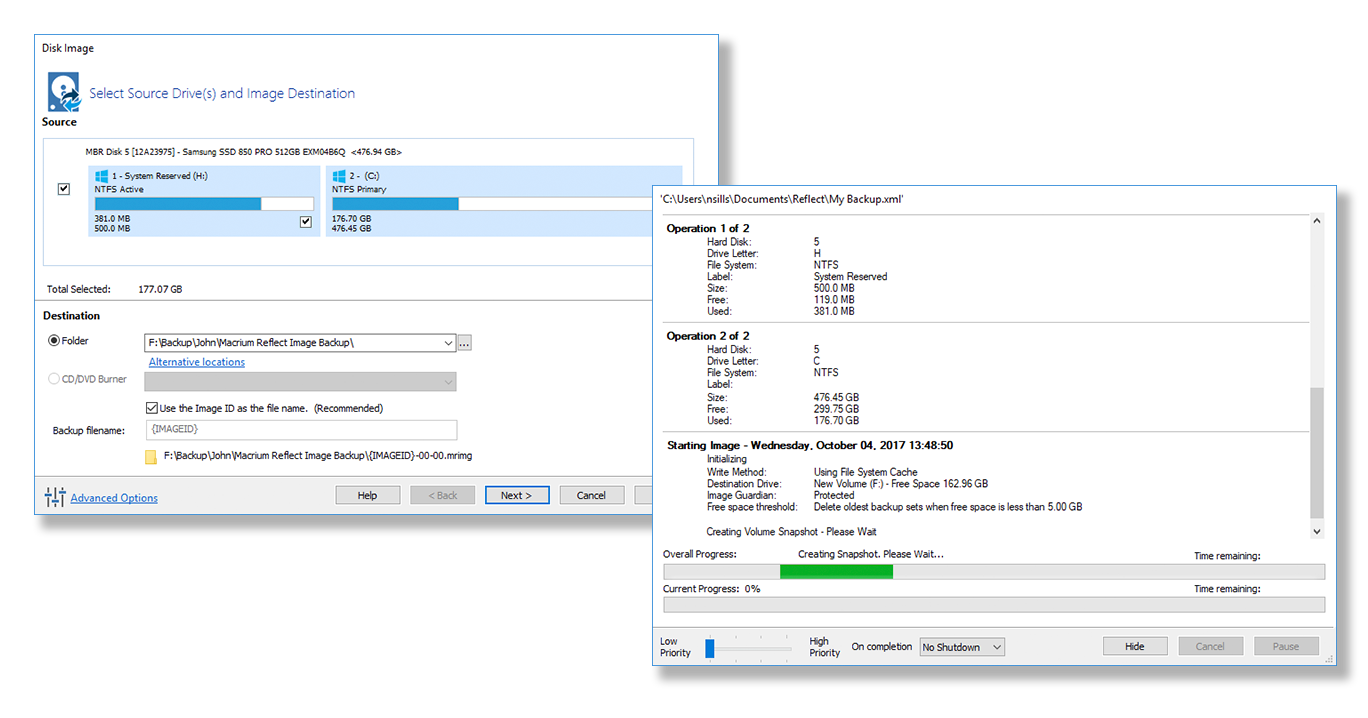
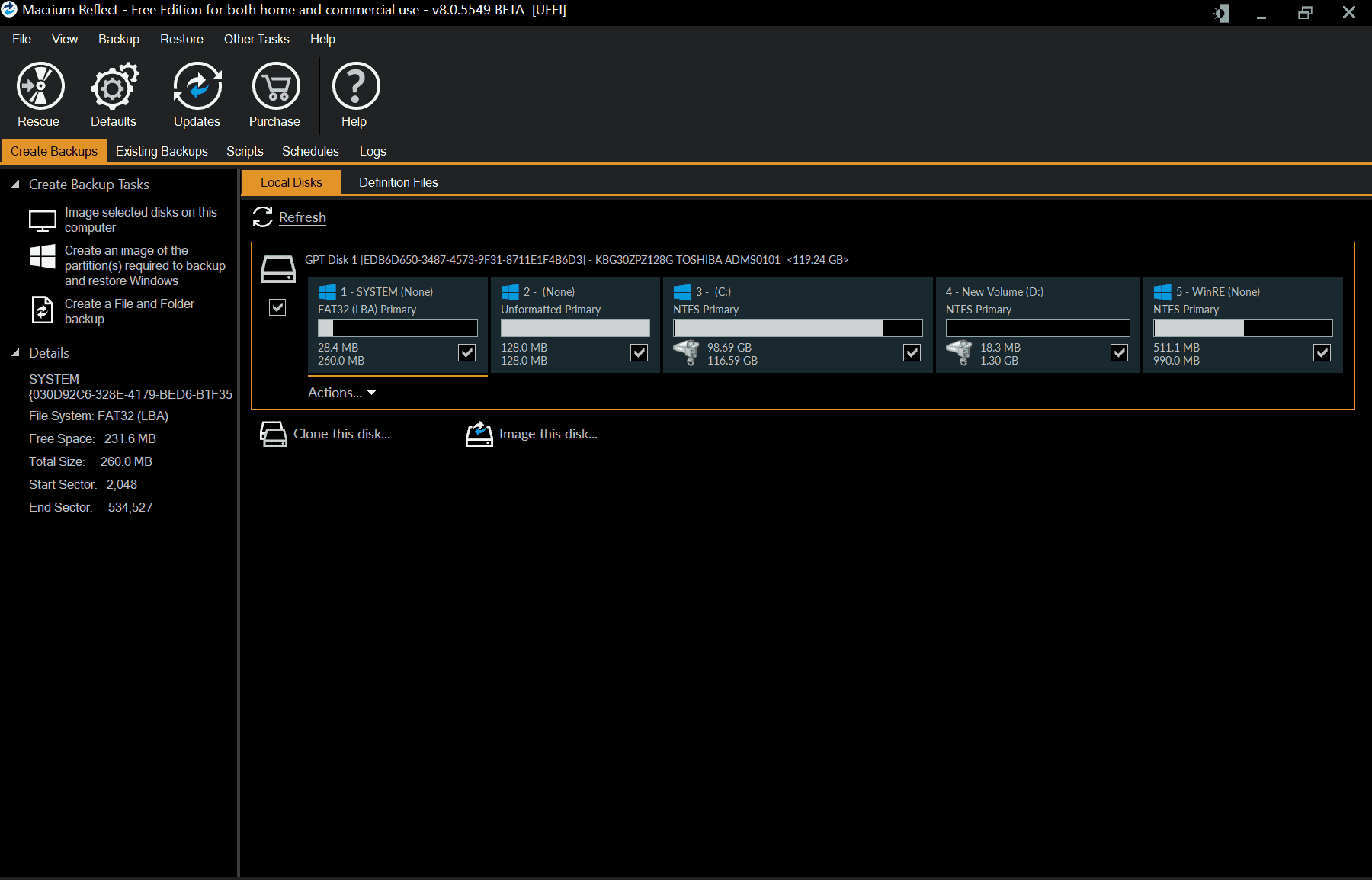
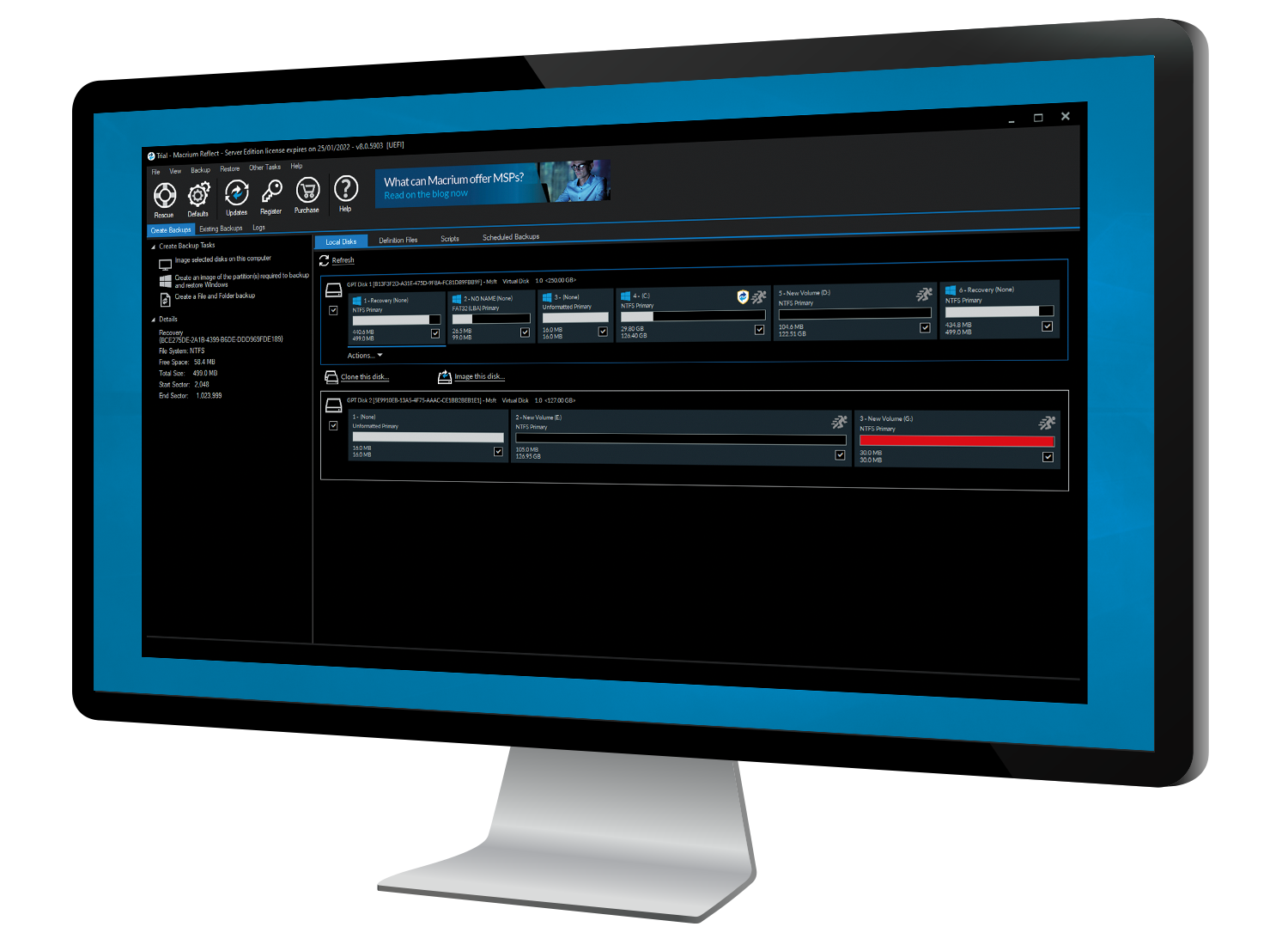
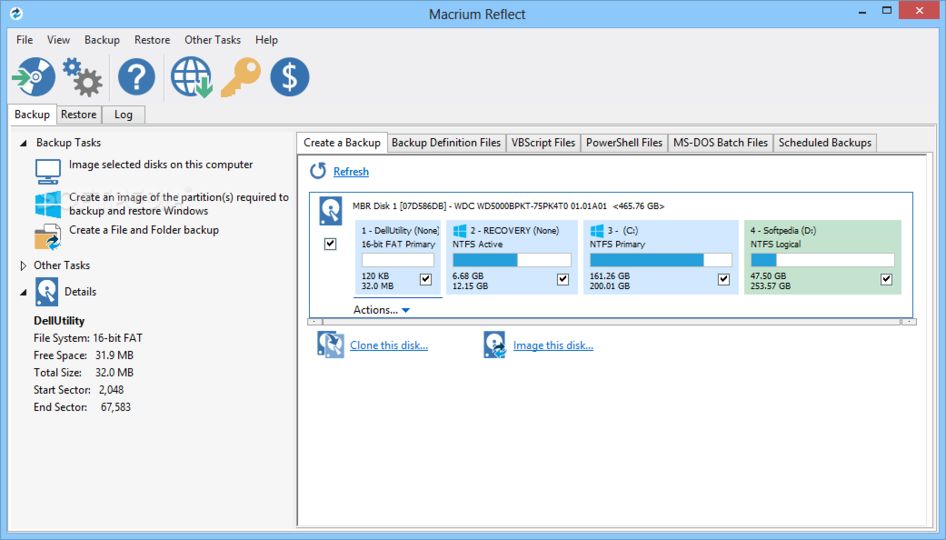
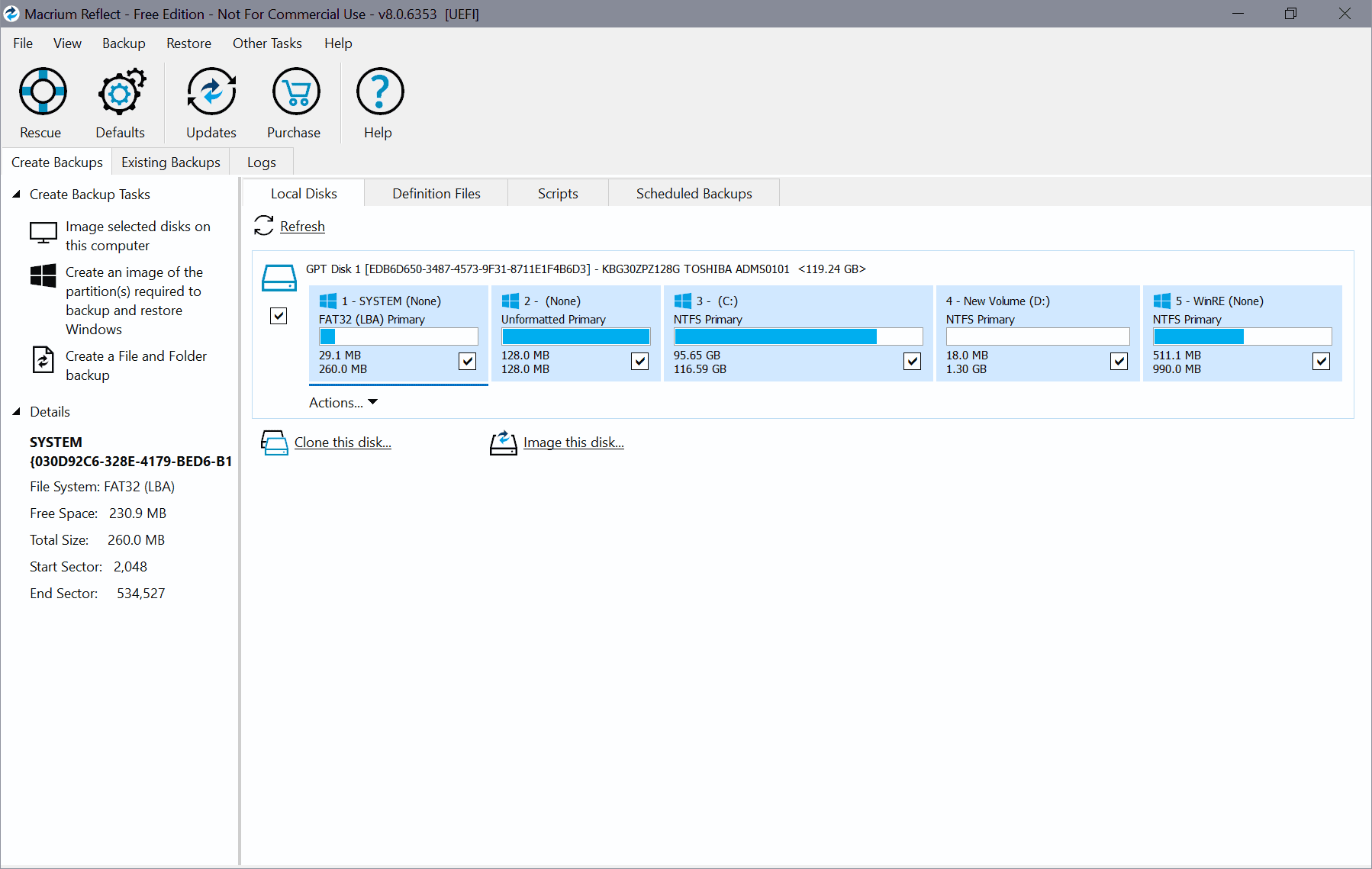
At its core, Macrium Reflect is an advanced disk imaging solution. Unlike simple file-level backups that only copy documents, disk imaging captures the entire operating system, applications, settings, and partition structure in a single, compressed file. This crucial capability ensures that if your primary drive fails, you can restore your system exactly as it was, minimizing downtime from hours to mere minutes.
The "Gold Standard" reputation stems from several key technical advantages:
- Speed and Efficiency: Macrium utilizes proprietary rapid delta cloning (RDC) technology, allowing it to perform incredibly fast incremental backups by only copying the data blocks that have changed since the last backup.
- Reliability: Every backup image created by Macrium is automatically verified for integrity. This trust mechanism is vital, as a backup is worthless if it cannot be restored when needed.
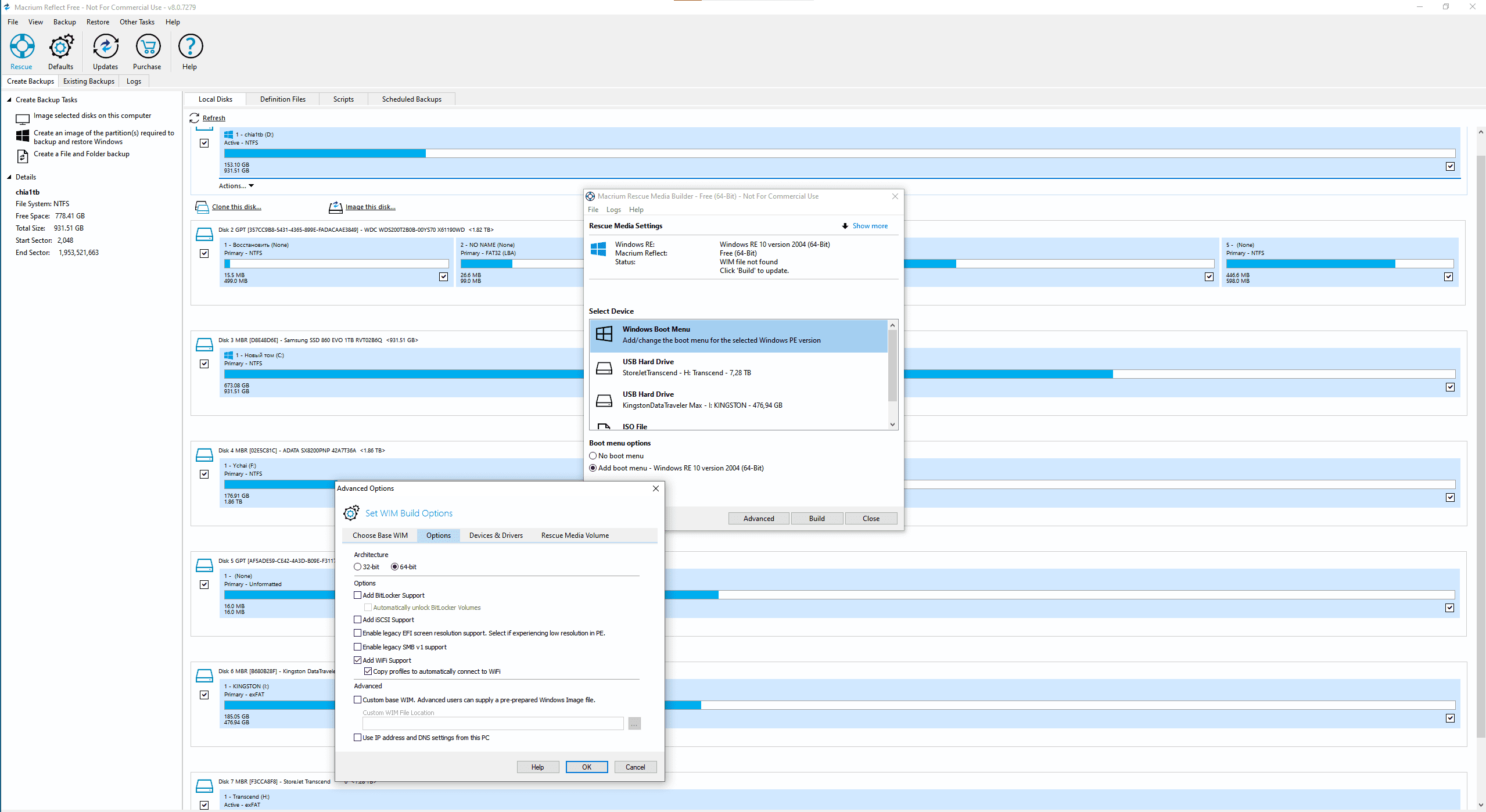
- Rescue Media: It creates bootable Windows PE (Preinstallation Environment) rescue media. This allows you to boot your system externally and initiate a recovery even if the main Windows OS is completely inaccessible—a critical feature for disaster recovery.
Deep Dive into Core Features: Cloning vs. Imaging
While often confused, imaging and cloning serve different purposes in a data management plan. Macrium Software excels at both, but understanding when to use each is essential for experienced users.
The Power of Disk Imaging
Disk imaging creates a point-in-time snapshot, compressed and stored as a file (often on external storage or network shares). This is your primary defense against disasters. You can create multiple images (full, differential, or incremental) and store them off-site. The benefit here is flexibility and history—you can roll back to a clean state from three weeks ago if a recent software update broke your system.
When to Use Cloning
Cloning, on the other hand, creates an exact, immediately bootable copy of one disk onto another, sector-by-sector. This process is typically used for hardware upgrades. If you're moving from a traditional HDD to a faster SSD, or upgrading to a larger drive, Macrium's cloning feature makes the migration seamless and fast. The cloned drive is instantly ready to replace the old one without needing a recovery step.
Expert Tip: Always keep a separate disk image archive even if you clone your drive. Cloning is for migration; imaging is for disaster recovery history.
Understanding Macrium Reflect Editions and Licensing
Macrium caters to a wide audience, from individual users to large enterprises, which is reflected in its tiered licensing structure. Choosing the right edition depends entirely on the features you genuinely need, specifically regarding management, security, and ransomware protection. Below is a simplified comparison of the major commercial editions:
| Feature | Home | Workstation | Server |
|---|---|---|---|
| Disk Imaging & Cloning | Yes | Yes | Yes |
| Ransomware Protection (Image Guardian) | Yes | Yes | Yes |
| Exchange/SQL Server Backup | No | No | Yes |
| Central Management Console (CMC) | No | No | Add-on |
| Licensing Focus | Personal Use | Business PC/Laptop | Critical Servers |
For most individual power users, the Home edition offers unparalleled depth and performance. However, businesses requiring centralized control, volume licensing, or backup for specialized server applications (like Microsoft Exchange) must opt for Workstation or Server editions.
Crucial UX: Creating the Macrium Rescue Media
A core element of the E-E-A-T (Expertise, Experience, Authority, Trustworthiness) requirement for any backup discussion is the ability to recover. Your data is only as safe as your ability to restore it. This is why the Macrium Rescue Media builder is perhaps the most critical tool within the software suite.
The Rescue Media is essentially a mini-operating system based on Windows PE that contains all the Macrium Reflect tools needed to browse your backups and execute a full restoration, regardless of your primary OS state.
Steps for a bulletproof Rescue Media drive:
- Inside Macrium Reflect, navigate to the "Other Tasks" menu and select "Create Rescue Media."
- Select the appropriate Windows PE version (Macrium usually defaults to the best compatible version).
- Choose your target media: USB stick, ISO file, or CD/DVD. (USB is highly recommended for modern systems).
- Ensure the necessary drivers (especially those for network cards and specialized storage controllers like RAID arrays) are included in the build.
- Test the USB drive immediately by rebooting your computer and selecting the USB drive from your boot menu (F12 or F2 depending on your BIOS/UEFI).
If you cannot successfully boot from the rescue media, your backup strategy has a gaping hole. A robust backup strategy relies on both creation and successful validation of the restore process.
Performance and Reliability: Why Trust Macrium Software?
Trust is not given; it's earned, especially when dealing with data protection. Macrium Software built its reputation on exceptional reliability. Industry reviewers consistently note its superior imaging speed compared to many competitors, which translates directly into less disruption for automated backup schedules.
Furthermore, the introduction of Macrium Image Guardian (MIG) significantly boosted security. MIG acts as a shield, preventing unauthorized processes—like ransomware—from modifying, deleting, or encrypting your backup files. Since modern ransomware often targets backups first, this layer of defense is invaluable and demonstrates Macrium's commitment to staying ahead of digital threats.
While the Macrium business underwent a transition in 2024, the development team has continued to emphasize security and compatibility, particularly with new Windows features and hardware standards like NVMe and UEFI. For those considering long-term viability, the continued professional support and focus on core imaging technology remain strong indicators of reliability.
We highly recommend reviewing specialized IT forums and [Baca Juga: Best Disk Imaging Tools 2024] to see Macrium Reflect consistently ranked among the top three tools globally.
Summary: The Final Verdict on Macrium Software
If you are looking for a backup solution that prioritizes speed, granular control, and guaranteed restorability, Macrium Software, through Macrium Reflect, remains a premier choice. Its technical depth may initially seem daunting to novice users, but the streamlined wizards and automatic validation features simplify the process significantly.
Mastering Macrium means achieving true peace of mind. By consistently creating verified disk images and ensuring your rescue media is ready, you have deployed the highest level of personal or business disaster recovery preparedness available today.
Common Questions About Macrium Reflect (FAQ)
- Is Macrium Reflect Free really enough for home users?
The free version offers basic disk imaging and cloning capabilities which are adequate for simple backups. However, it lacks advanced scheduling options, Image Guardian (ransomware protection), and rapid delta restore. For serious users, the paid Home edition is necessary for complete protection.
- What is the difference between an Incremental and Differential backup in Macrium?
An Incremental backup only captures data changed since the *last* incremental or differential backup. A Differential backup captures all data changed since the *original full backup*. Incremental backups save space but require all files in the chain to be intact for recovery; Differential backups are faster to restore but take up more space.
- Can Macrium Reflect backup specific files and folders?
Yes. While Macrium is famous for disk imaging, all modern versions of Macrium Reflect also include robust file and folder backup options, allowing users to combine system-level images with targeted file backups.
- Does Macrium support imaging NVMe/PCIe SSDs?
Absolutely. Macrium Reflect has robust support for the latest storage technologies, including M.2 NVMe SSDs and UEFI boot systems, making it ideal for modern high-performance computers.
Disclaimer: Always ensure your chosen backup solution is compliant with the latest security standards. For authoritative information on data standards, consult resources like NIST (National Institute of Standards and Technology).
Macrium Software
Macrium Software Wallpapers
Collection of macrium software wallpapers for your desktop and mobile devices.
Lush Macrium Software Wallpaper for Your Screen
This gorgeous macrium software photo offers a breathtaking view, making it a perfect choice for your next wallpaper.
High-Quality Macrium Software Image for Mobile
Discover an amazing macrium software background image, ideal for personalizing your devices with vibrant colors and intricate designs.
Exquisite Macrium Software View Illustration
Immerse yourself in the stunning details of this beautiful macrium software wallpaper, designed for a captivating visual experience.
Dynamic Macrium Software Picture Collection
This gorgeous macrium software photo offers a breathtaking view, making it a perfect choice for your next wallpaper.
Mesmerizing Macrium Software Picture for Desktop
Experience the crisp clarity of this stunning macrium software image, available in high resolution for all your screens.

Exquisite Macrium Software Picture for Your Screen
Immerse yourself in the stunning details of this beautiful macrium software wallpaper, designed for a captivating visual experience.
Dynamic Macrium Software View for Your Screen
Immerse yourself in the stunning details of this beautiful macrium software wallpaper, designed for a captivating visual experience.

Vibrant Macrium Software Abstract for Your Screen
Explore this high-quality macrium software image, perfect for enhancing your desktop or mobile wallpaper.

Captivating Macrium Software Scene in 4K
Immerse yourself in the stunning details of this beautiful macrium software wallpaper, designed for a captivating visual experience.
Breathtaking Macrium Software Design for Desktop
Experience the crisp clarity of this stunning macrium software image, available in high resolution for all your screens.
Vivid Macrium Software Image Photography
Transform your screen with this vivid macrium software artwork, a true masterpiece of digital design.
Captivating Macrium Software Landscape Digital Art
Immerse yourself in the stunning details of this beautiful macrium software wallpaper, designed for a captivating visual experience.

Vibrant Macrium Software Moment Digital Art
Discover an amazing macrium software background image, ideal for personalizing your devices with vibrant colors and intricate designs.

Dynamic Macrium Software Moment Photography
Find inspiration with this unique macrium software illustration, crafted to provide a fresh look for your background.

Breathtaking Macrium Software Scene Art
Experience the crisp clarity of this stunning macrium software image, available in high resolution for all your screens.
Mesmerizing Macrium Software View Nature
Transform your screen with this vivid macrium software artwork, a true masterpiece of digital design.
Stunning Macrium Software Design for Your Screen
Immerse yourself in the stunning details of this beautiful macrium software wallpaper, designed for a captivating visual experience.
Crisp Macrium Software Landscape for Your Screen
This gorgeous macrium software photo offers a breathtaking view, making it a perfect choice for your next wallpaper.
Breathtaking Macrium Software Artwork Digital Art
Explore this high-quality macrium software image, perfect for enhancing your desktop or mobile wallpaper.
High-Quality Macrium Software Picture in HD
Explore this high-quality macrium software image, perfect for enhancing your desktop or mobile wallpaper.
Download these macrium software wallpapers for free and use them on your desktop or mobile devices.