Microsoft says uninstall Windows 11 KB5074109 to fix Outlook POP, PST hang, as 2026's first update causes havoc
Microsoft Says Uninstall Windows 11 KB5074109 to Fix Outlook POP, PST Hang, as 2026's First Update Causes Havoc
The year 2026 has barely begun, and Microsoft is already scrambling to contain a major deployment failure. In a rapid U-turn, the tech giant has officially advised users to immediately uninstall the latest Windows 11 Cumulative Update, KB5074109, after it was found to cause widespread freezing and critical performance issues for Microsoft Outlook users relying on legacy POP and PST files.
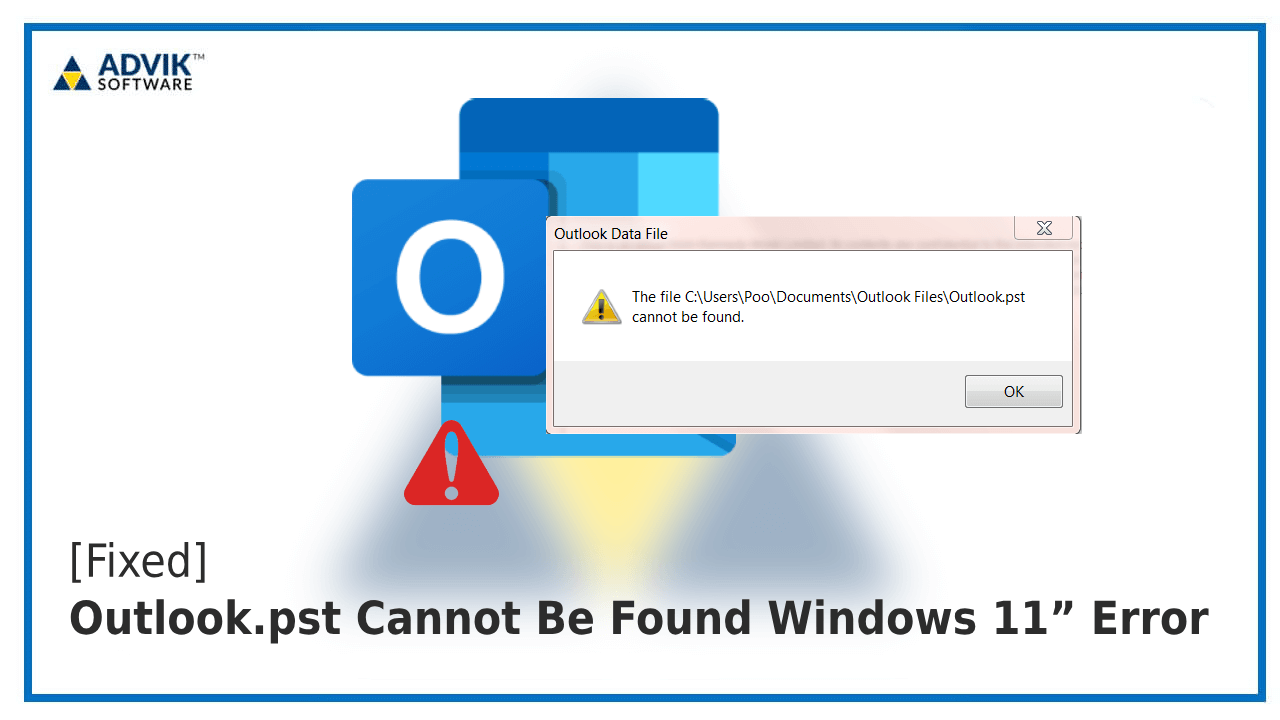
For many IT administrators and corporate users, this past week has been a nightmare of support tickets. Reports started flooding in shortly after Patch Tuesday deployment, detailing a consistent, repeatable bug: Outlook clients would instantly enter a "frozen state" or hang indefinitely when attempting to open, access, or sync data within older, larger PST (Personal Storage Table) files or when communicating via the POP (Post Office Protocol) system.
If you have been struggling with an Outlook client that locks up every time you launch it, performs sluggishly, or demands excessive CPU resources, the culprit is almost certainly the recently installed KB5074109 update. Microsoft has now confirmed the issue, tagging it as a high-priority bug demanding immediate user action.
The Immediate Crisis: Symptoms and Affected Configurations
The disastrous performance issues stemming from KB5074109 are not affecting all users, but they are critically impacting those who rely on older or non-Exchange email configurations. This often includes small businesses, long-term professionals, and users with extensive archival data stored locally.
The January 2026 cumulative update, intended to provide crucial security patches for the Windows 11 operating system, instead introduced a critical memory access conflict when Outlook attempts to read data streams from specific legacy storage formats. This is fundamentally different from a slow connection; the application itself becomes unresponsive, requiring users to force-close the program via the Task Manager.
Key Symptoms Confirmed by Microsoft:
- Outlook freezing immediately upon launch if large PST files are attached.
- Application hanging for several minutes when checking for new emails via the POP protocol.
- Excessive resource consumption (high CPU usage) traced directly to the Outlook process even when idle.
- Delayed access or corruption warnings when interacting with archived email data.
- Temporary lock-ups when trying to navigate deeply nested folders within the PST structure.
In a statement released late yesterday, a Microsoft spokesperson acknowledged the deployment failure. "We understand the disruption this mandatory cumulative update has caused, particularly for our professional users relying on traditional data formats. The current guidance is to utilize the standard uninstall procedure immediately to restore full functionality to Outlook and ensure data integrity is maintained."
This admission underscores the seriousness of the issue. When Microsoft recommends an immediate uninstall of a security patch, it means the operational chaos caused by the bug outweighs the risk of the vulnerabilities the patch was designed to address.
The Official Fix: Step-by-Step Guide to Uninstall KB5074109
Microsoft's official workaround is blunt and simple: remove the update. Fortunately, Windows 11 provides a straightforward method for rolling back cumulative updates, which should instantly resolve the Outlook hang issue.
We strongly recommend performing this action immediately if your system is experiencing the reported Outlook instability. Ensure you save all work before beginning the process, as a restart will be required.
How to Uninstall the Malicious Windows 11 Update:
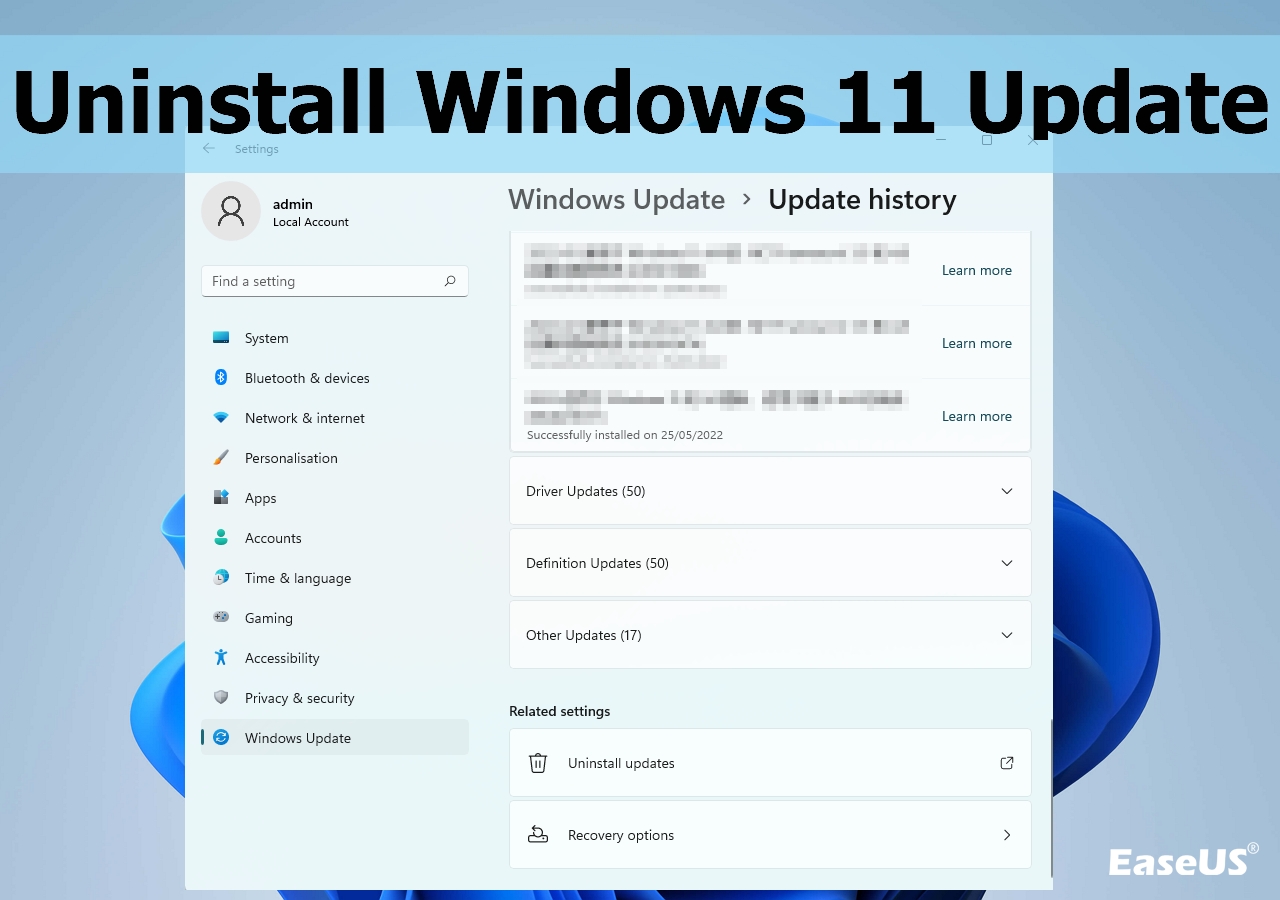
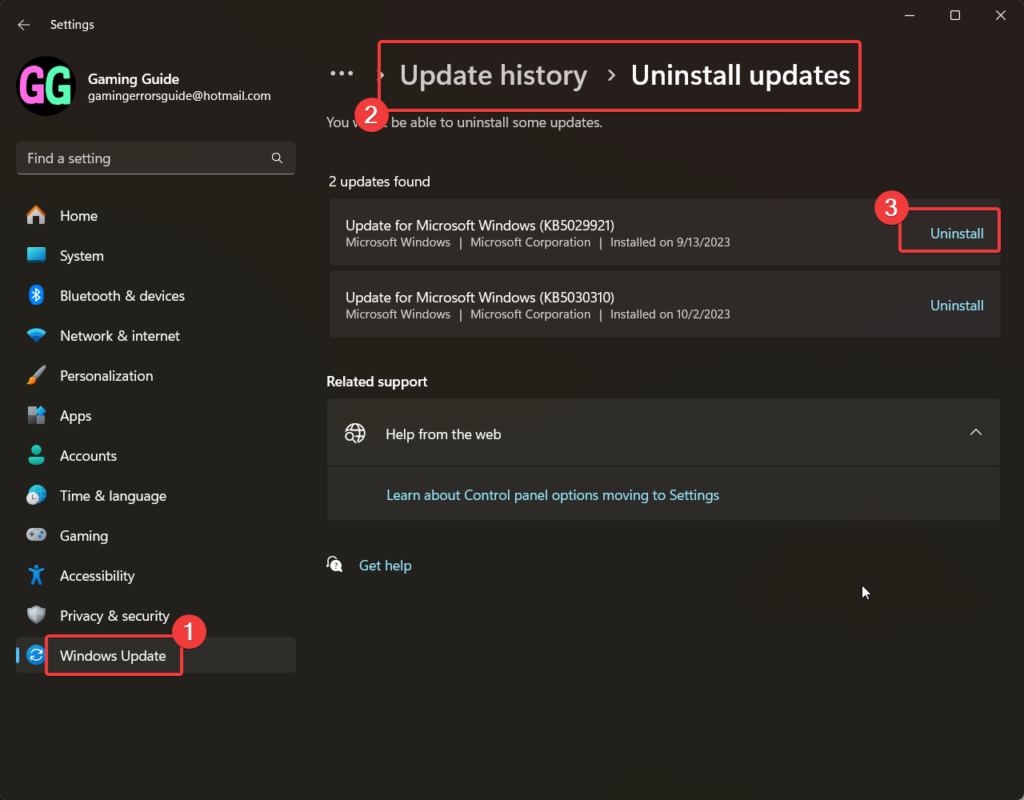
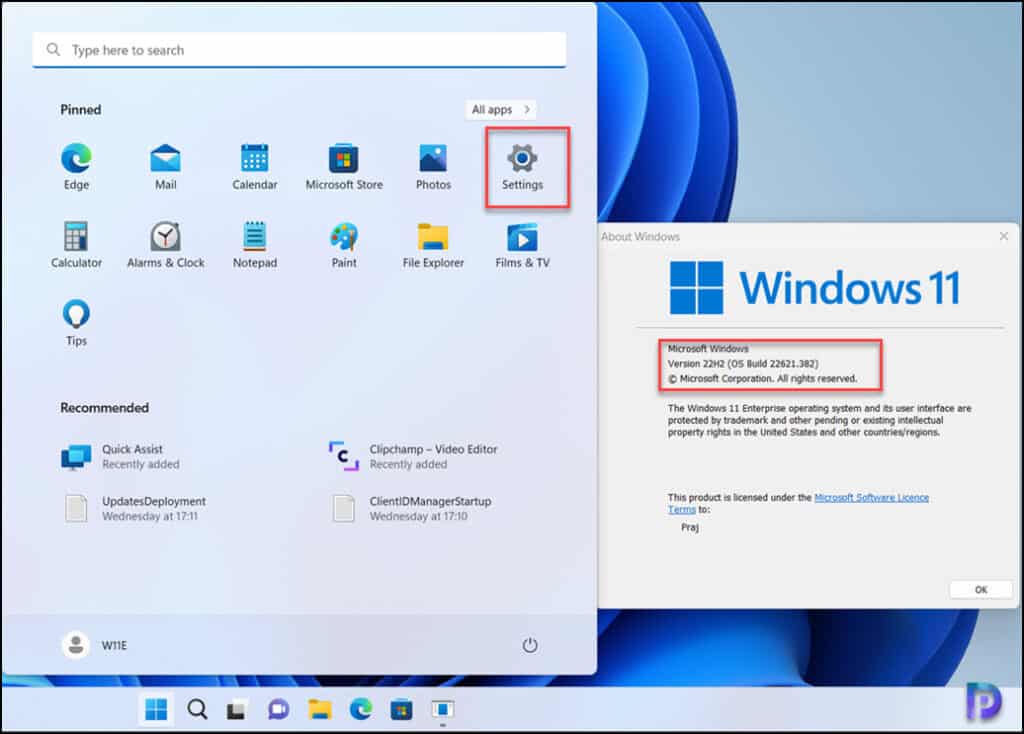
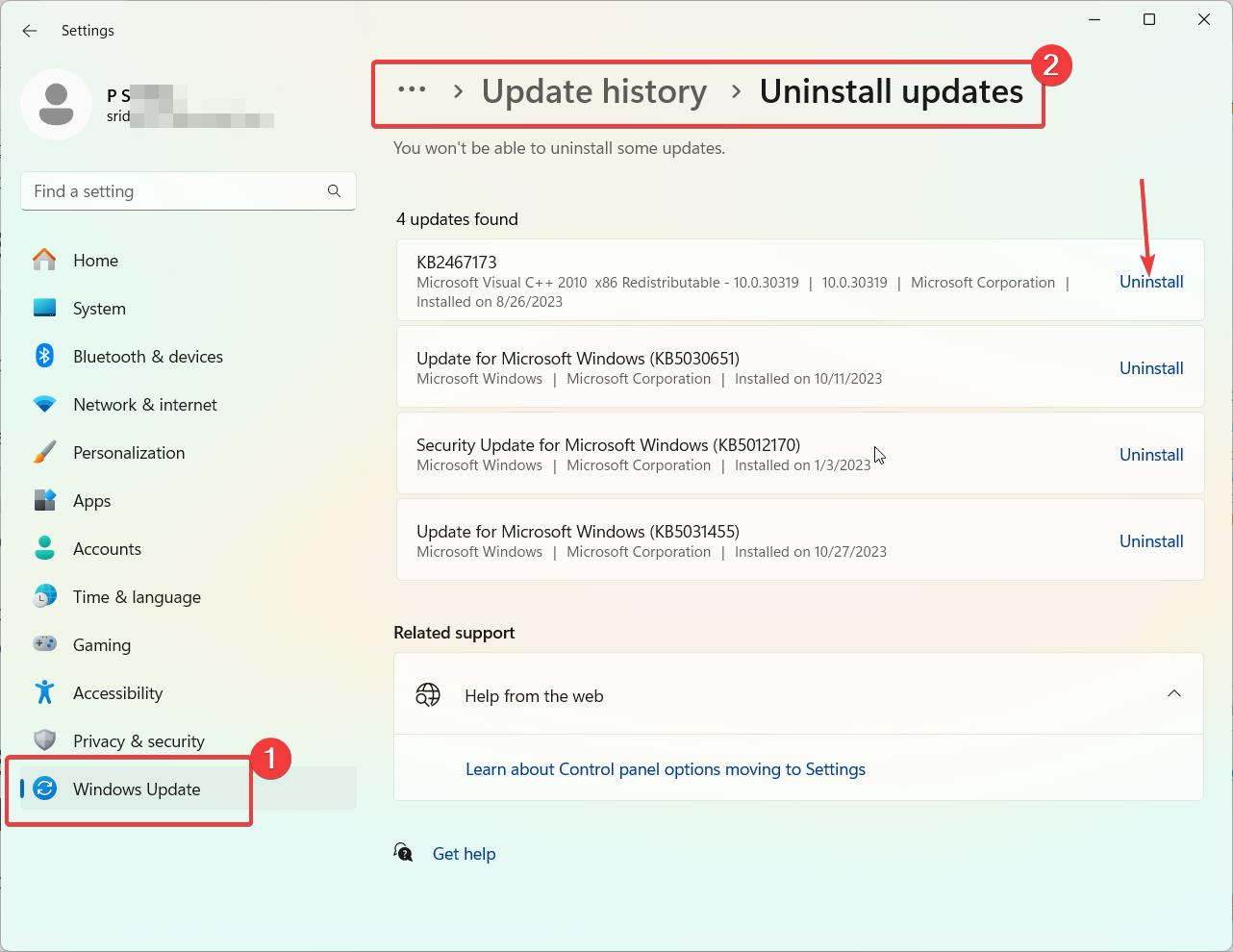
- Navigate to the Windows Settings menu (Win + I).
- Select "Windows Update" from the left-hand navigation pane.
- Click on "Update history."
- Under the section labeled "Related settings," click on "Uninstall updates."
- A new Control Panel window will open, displaying a list of installed updates.
- Locate the specific update package: Security Update for Microsoft Windows (KB5074109).
- Select KB5074109 and click the "Uninstall" button located at the top of the list.
- Confirm your selection and follow the on-screen prompts.
- The system will require a mandatory restart to complete the removal process.
Once your computer restarts, launch Outlook. You should find that the application opens smoothly and accessing archived data via POP or PST files is restored to normal performance levels. If the problem persists after the uninstall, ensure that the update was fully removed and check for any residual registry corruption, though the latter is rare.
Note for Managed Environments: For enterprise IT departments deploying updates via SCCM or Intune, you must revoke the deployment of KB5074109 immediately and consider creating a specific script to force removal across all affected endpoint devices before users experience data access failure.
Understanding the Legacy Conflict: POP, PST Files, and Windows Updates
Why did this specific update cause such dramatic issues only with older email formats? The conflict highlights the persistent technical debt associated with supporting legacy systems alongside modern Windows architecture.
PST files are a storage mechanism dating back decades, primarily used when Outlook clients operated outside of Exchange or Office 365 environments. They are single, large database files stored locally on the user's hard drive. They are prone to fragmentation and size limitations, and crucially, modern operating system optimizations sometimes interfere with how Outlook attempts to read or write data blocks within these enormous files.
Sources within the Windows Insider community suggest that KB5074109 included specific kernel-level adjustments to how data indexing and security permissions are handled for local files in Windows 11. While this was likely an attempt to enhance security against local file exploits, it inadvertently created a bottleneck when Outlook—a 32-bit or 64-bit application attempting to mimic legacy behavior—accessed the PST file structure.
The POP protocol relies on similar principles of local storage and retrieval, contrasting sharply with modern IMAP or Exchange protocols that prioritize cloud-based synchronization. When Outlook checks the POP server, it modifies the local PST file to track received and deleted messages, and this modification process appears to be the point of failure introduced by the new update.
Until Microsoft releases an Out-of-Band (OOB) fix—which is expected within days to address the catastrophic failure of KB5074109—users must remain vigilant. After uninstalling the update, Windows 11 will attempt to automatically reinstall it the next time it checks for updates. You must actively pause updates for at least seven days to prevent the bug from reappearing.
To pause updates, go back to the "Windows Update" settings and select "Pause updates for 1 week." Keep monitoring official Microsoft channels for the release of the replacement patch, which will likely arrive with a revised KB number and an explicit mention of the Outlook PST/POP fix.
The havoc caused by 2026's first cumulative update serves as a stark reminder of the complexities involved in patching a global operating system, particularly when attempting to harmonize brand-new security features with decades-old, crucial enterprise functionality.
For now, uninstalling KB5074109 is the only confirmed way to guarantee smooth operation of your Outlook email client.
Microsoft says uninstall Windows 11 KB5074109 to fix Outlook POP, PST hang, as 2026's first update causes havoc
Microsoft says uninstall Windows 11 KB5074109 to fix Outlook POP, PST hang, as 2026's first update causes havoc Wallpapers
Collection of microsoft says uninstall windows 11 kb5074109 to fix outlook pop, pst hang, as 2026's first update causes havoc wallpapers for your desktop and mobile devices.
Vivid Microsoft Says Uninstall Windows 11 Kb5074109 To Fix Outlook Pop, Pst Hang, As 2026's First Update Causes Havoc Abstract Collection
Discover an amazing microsoft says uninstall windows 11 kb5074109 to fix outlook pop, pst hang, as 2026's first update causes havoc background image, ideal for personalizing your devices with vibrant colors and intricate designs.
Dynamic Microsoft Says Uninstall Windows 11 Kb5074109 To Fix Outlook Pop, Pst Hang, As 2026's First Update Causes Havoc Scene Collection
A captivating microsoft says uninstall windows 11 kb5074109 to fix outlook pop, pst hang, as 2026's first update causes havoc scene that brings tranquility and beauty to any device.
Vibrant Microsoft Says Uninstall Windows 11 Kb5074109 To Fix Outlook Pop, Pst Hang, As 2026's First Update Causes Havoc Photo Photography
Discover an amazing microsoft says uninstall windows 11 kb5074109 to fix outlook pop, pst hang, as 2026's first update causes havoc background image, ideal for personalizing your devices with vibrant colors and intricate designs.
Vibrant Microsoft Says Uninstall Windows 11 Kb5074109 To Fix Outlook Pop, Pst Hang, As 2026's First Update Causes Havoc Landscape in HD
Explore this high-quality microsoft says uninstall windows 11 kb5074109 to fix outlook pop, pst hang, as 2026's first update causes havoc image, perfect for enhancing your desktop or mobile wallpaper.
Artistic Microsoft Says Uninstall Windows 11 Kb5074109 To Fix Outlook Pop, Pst Hang, As 2026's First Update Causes Havoc Wallpaper Photography
A captivating microsoft says uninstall windows 11 kb5074109 to fix outlook pop, pst hang, as 2026's first update causes havoc scene that brings tranquility and beauty to any device.

Crisp Microsoft Says Uninstall Windows 11 Kb5074109 To Fix Outlook Pop, Pst Hang, As 2026's First Update Causes Havoc Image for Desktop
Find inspiration with this unique microsoft says uninstall windows 11 kb5074109 to fix outlook pop, pst hang, as 2026's first update causes havoc illustration, crafted to provide a fresh look for your background.
Captivating Microsoft Says Uninstall Windows 11 Kb5074109 To Fix Outlook Pop, Pst Hang, As 2026's First Update Causes Havoc Scene in HD
Find inspiration with this unique microsoft says uninstall windows 11 kb5074109 to fix outlook pop, pst hang, as 2026's first update causes havoc illustration, crafted to provide a fresh look for your background.

Vibrant Microsoft Says Uninstall Windows 11 Kb5074109 To Fix Outlook Pop, Pst Hang, As 2026's First Update Causes Havoc Artwork in 4K
Discover an amazing microsoft says uninstall windows 11 kb5074109 to fix outlook pop, pst hang, as 2026's first update causes havoc background image, ideal for personalizing your devices with vibrant colors and intricate designs.

Crisp Microsoft Says Uninstall Windows 11 Kb5074109 To Fix Outlook Pop, Pst Hang, As 2026's First Update Causes Havoc Background in 4K
A captivating microsoft says uninstall windows 11 kb5074109 to fix outlook pop, pst hang, as 2026's first update causes havoc scene that brings tranquility and beauty to any device.
Vivid Microsoft Says Uninstall Windows 11 Kb5074109 To Fix Outlook Pop, Pst Hang, As 2026's First Update Causes Havoc Capture for Mobile
Transform your screen with this vivid microsoft says uninstall windows 11 kb5074109 to fix outlook pop, pst hang, as 2026's first update causes havoc artwork, a true masterpiece of digital design.

Exquisite Microsoft Says Uninstall Windows 11 Kb5074109 To Fix Outlook Pop, Pst Hang, As 2026's First Update Causes Havoc Design Photography
Find inspiration with this unique microsoft says uninstall windows 11 kb5074109 to fix outlook pop, pst hang, as 2026's first update causes havoc illustration, crafted to provide a fresh look for your background.

Lush Microsoft Says Uninstall Windows 11 Kb5074109 To Fix Outlook Pop, Pst Hang, As 2026's First Update Causes Havoc Photo Concept
Find inspiration with this unique microsoft says uninstall windows 11 kb5074109 to fix outlook pop, pst hang, as 2026's first update causes havoc illustration, crafted to provide a fresh look for your background.
Dynamic Microsoft Says Uninstall Windows 11 Kb5074109 To Fix Outlook Pop, Pst Hang, As 2026's First Update Causes Havoc Photo for Mobile
Immerse yourself in the stunning details of this beautiful microsoft says uninstall windows 11 kb5074109 to fix outlook pop, pst hang, as 2026's first update causes havoc wallpaper, designed for a captivating visual experience.
Serene Microsoft Says Uninstall Windows 11 Kb5074109 To Fix Outlook Pop, Pst Hang, As 2026's First Update Causes Havoc Picture in 4K
Transform your screen with this vivid microsoft says uninstall windows 11 kb5074109 to fix outlook pop, pst hang, as 2026's first update causes havoc artwork, a true masterpiece of digital design.
High-Quality Microsoft Says Uninstall Windows 11 Kb5074109 To Fix Outlook Pop, Pst Hang, As 2026's First Update Causes Havoc Abstract Nature
Discover an amazing microsoft says uninstall windows 11 kb5074109 to fix outlook pop, pst hang, as 2026's first update causes havoc background image, ideal for personalizing your devices with vibrant colors and intricate designs.
Captivating Microsoft Says Uninstall Windows 11 Kb5074109 To Fix Outlook Pop, Pst Hang, As 2026's First Update Causes Havoc Artwork in 4K
Find inspiration with this unique microsoft says uninstall windows 11 kb5074109 to fix outlook pop, pst hang, as 2026's first update causes havoc illustration, crafted to provide a fresh look for your background.
Serene Microsoft Says Uninstall Windows 11 Kb5074109 To Fix Outlook Pop, Pst Hang, As 2026's First Update Causes Havoc Capture Art
Transform your screen with this vivid microsoft says uninstall windows 11 kb5074109 to fix outlook pop, pst hang, as 2026's first update causes havoc artwork, a true masterpiece of digital design.

Detailed Microsoft Says Uninstall Windows 11 Kb5074109 To Fix Outlook Pop, Pst Hang, As 2026's First Update Causes Havoc Scene Digital Art
Experience the crisp clarity of this stunning microsoft says uninstall windows 11 kb5074109 to fix outlook pop, pst hang, as 2026's first update causes havoc image, available in high resolution for all your screens.
Captivating Microsoft Says Uninstall Windows 11 Kb5074109 To Fix Outlook Pop, Pst Hang, As 2026's First Update Causes Havoc Scene Collection
Find inspiration with this unique microsoft says uninstall windows 11 kb5074109 to fix outlook pop, pst hang, as 2026's first update causes havoc illustration, crafted to provide a fresh look for your background.
Crisp Microsoft Says Uninstall Windows 11 Kb5074109 To Fix Outlook Pop, Pst Hang, As 2026's First Update Causes Havoc Photo in HD
Immerse yourself in the stunning details of this beautiful microsoft says uninstall windows 11 kb5074109 to fix outlook pop, pst hang, as 2026's first update causes havoc wallpaper, designed for a captivating visual experience.
Download these microsoft says uninstall windows 11 kb5074109 to fix outlook pop, pst hang, as 2026's first update causes havoc wallpapers for free and use them on your desktop or mobile devices.