Spss Software
Struggling with Complex Data? How IBM SPSS Software Solves Your Statistical Headaches.
If you've ever had to handle large datasets, crunch numbers for a thesis, or forecast market trends, chances are you've encountered the term SPSS Software. But what exactly is this program, and why has it maintained its dominance in the world of statistical analysis for decades?
This guide is designed to be your comprehensive walkthrough—not just a dry manual, but a casual, informative look into what makes IBM SPSS Statistics the powerhouse it is, focusing on user experience, reliability, and delivering actionable insights.
We'll cover everything from its core functions to practical workflow tips, ensuring you have the expertise needed to use this sophisticated tool effectively and ethically.
What Exactly is IBM SPSS Statistics? The Foundation of Quantitative Research
SPSS, which stands for Statistical Package for the Social Sciences, is a suite of software programs developed for data management, advanced statistical analysis, and non-linear modeling. While its roots are in social science, today it is widely used across business, government, market research, and healthcare.
Since being acquired by IBM, its formal name is IBM SPSS Statistics. Its primary appeal lies in its robustness and its intuitive graphical user interface (GUI), which lowers the entry barrier for users who aren't traditional coders.
Unlike R or Python, where you primarily interact through code, SPSS allows you to click your way through complex analyses like regression, ANOVA, and factor analysis, making the learning curve significantly smoother.
Key Modules and Functionalities
IBM SPSS Statistics is modular, meaning you can purchase specialized components tailored to your needs. The core "Base" module handles most standard descriptive and inferential statistics, but the real power comes from its add-ons.
- Base System: Data management, descriptive statistics (means, standard deviations), t-tests, ANOVA, and basic regression.
- Regression: Advanced linear and non-linear regression, including logistic and weighted regression.
- Advanced Statistics: Complex procedures like General Linear Models (GLM), survival analysis, and mixed models.
- Custom Tables: Crucial for market researchers who need presentation-ready, highly customized output tables fast.
This flexibility ensures that whether you are a university student running a simple correlation or a multinational firm running complex predictive models, SPSS has a tool for the job.
The E-E-A-T Factor: Why SPSS Remains the Industry Standard
In the digital age, we have countless statistical alternatives (R, Python, SAS, JASP). So why do universities and serious research institutions still rely heavily on SPSS Software?
The answer boils down to E-E-A-T: Experience, Expertise, Authority, and Trust.
SPSS has been rigorously tested and validated by generations of statisticians. Its output is standard, widely accepted, and easily understood by peer reviewers, making published results highly credible. This historical pedigree translates directly into trust in the accuracy of your findings.
Superior Data Management Capabilities
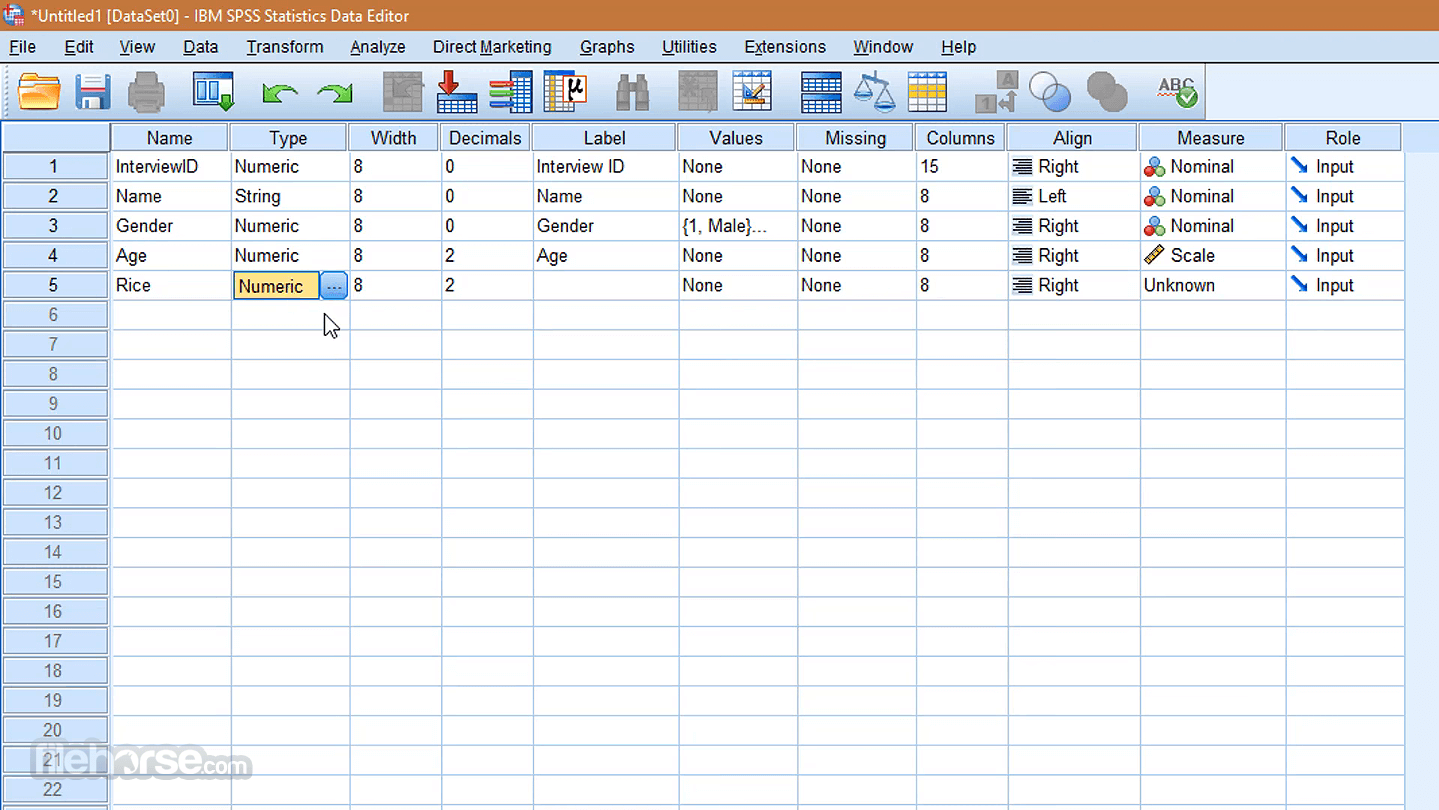
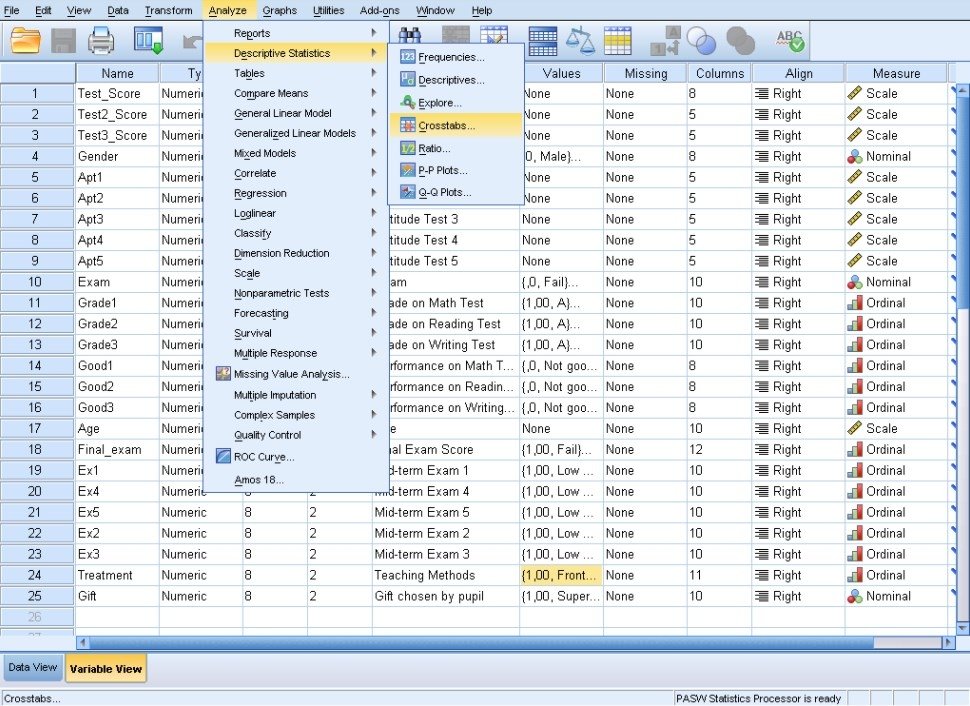
Handling "messy" real-world data is where SPSS truly shines. Its data editor is structured much like a spreadsheet, but with two crucial views: Data View and Variable View. The Variable View allows you to meticulously define variable types, assign value labels, and specify missing values—a process critical for preventing statistical errors.
User Interface: The "Click and Analyze" Approach
For those new to statistics or focusing purely on interpretation rather than methodology development, the GUI is a massive time-saver. You select your test, define your dependent and independent variables from a list, click OK, and the output viewer instantly generates the results, complete with significance levels and detailed tables.
While power users may opt for the Syntax Editor (similar to coding) for repeatable, complex tasks, the visual workflow dramatically reduces the cognitive load associated with learning statistical software.
[Baca Juga: Data Visualization in SPSS vs R]
Practical Deep Dive: Performing Your First Analysis
Let's walk through the basic workflow that every user experiences when performing analysis using SPSS Software.
From Raw Data to Insight: The Workflow
- Data Entry/Import: Data is usually imported (CSV, Excel, Database) into the Data View.
- Data Preparation (Variable View): Defining scales (Nominal, Ordinal, Scale), setting labels (e.g., 1='Male', 2='Female'), and screening for outliers or errors.
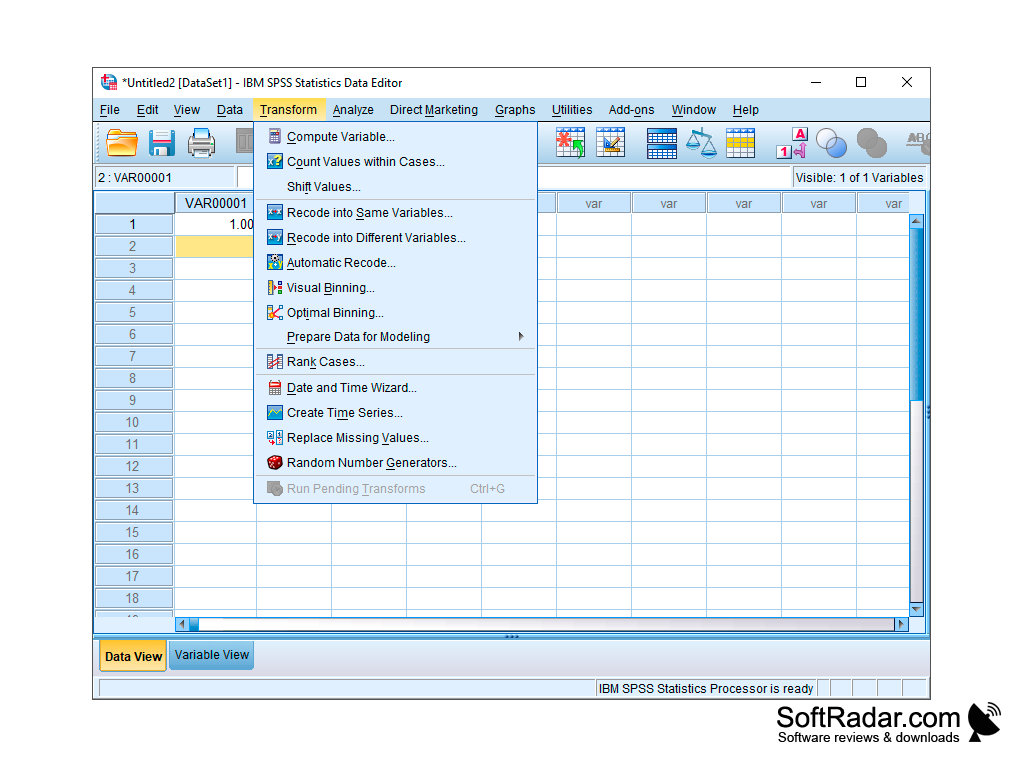
- Data Transformation: Creating new variables (e.g., summing up scores to create a total scale) using the "Transform" menu.
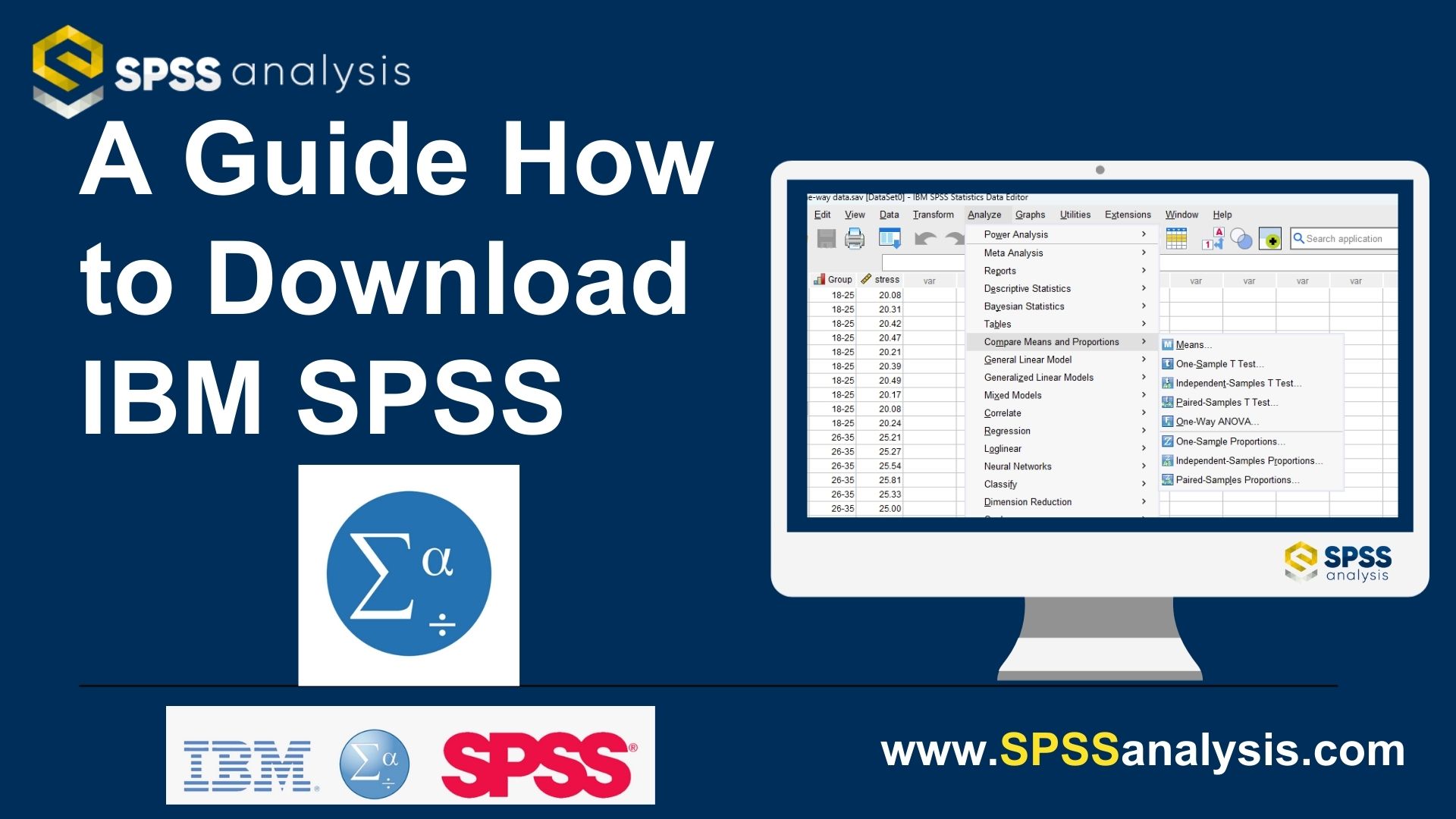
- Analysis: Navigating to "Analyze," selecting the appropriate test (e.g., Compare Means -> Independent-Samples T Test).
- Interpretation: Reading the output in the dedicated Output Viewer, focusing on key statistics like the significance (p-value).
This systematic approach ensures that even complex statistical modeling is broken down into manageable, repeatable steps.
| Test Name | SPSS Menu Path | Primary Goal |
|---|---|---|
| T-Test | Analyze > Compare Means | Compare means between two groups. |
| One-Way ANOVA | Analyze > General Linear Model | Compare means between three or more groups. |
| Pearson Correlation | Analyze > Correlate > Bivariate | Measure the linear relationship strength and direction between two continuous variables. |
| Linear Regression | Analyze > Regression > Linear | Predict a dependent variable based on one or more independent variables. |
Licensing and Accessibility: Is SPSS Worth the Investment?
Let's address the elephant in the room: cost. Unlike open-source options, IBM SPSS Statistics requires a license, and the pricing structure can be complex, involving different modules and subscription lengths.
For individuals, especially students, the cost is significantly mitigated. Most universities provide free or heavily discounted academic licenses, which are often time-limited (e.g., 6 or 12 months) and sufficient for thesis work.
For professionals, the decision is usually based on ROI (Return on Investment). If your job relies on validated, complex statistical output delivered quickly, the subscription cost is often justified by the time saved compared to learning and debugging code-based solutions.
However, if budget is a severe constraint, excellent free alternatives exist, such as JASP or R, though these often lack the comprehensive technical support offered by IBM. You can check the latest subscription options directly on the IBM website.
[Baca Juga: Statistical Modeling Using SPSS Syntax]
The Trust Factor in Research
Crucially, in environments where reproducibility and audited methodologies are paramount (like clinical trials or high-stakes governmental research), commercial, well-documented software like SPSS often provides a better foundation for compliance and long-term data security than custom code written in open-source tools.
This established reputation ensures that when you present results generated by this specific SPSS Software, your audience immediately grants a level of credibility based on the tool's authority.
Conclusion: Mastering the Data Mountain
IBM SPSS Software isn't just a statistical tool; it's a global standard for turning raw, often overwhelming data into clear, defensible conclusions. Its blend of powerful analytical capability and an accessible, click-based user interface makes it the perfect bridge between complex statistical theory and practical application.
Whether you are pursuing a Ph.D., running a marketing campaign, or auditing financial models, mastering SPSS gives you a significant edge in understanding the underlying truth hidden within your data. It simplifies the hard work, allowing you to focus on the insight, not the calculation.
Frequently Asked Questions (FAQ) about SPSS Software
Is SPSS difficult to learn?
No, compared to coding environments like R or Python, SPSS is often considered much easier for beginners due to its GUI. If you understand basic statistical concepts, the mechanics of performing the test are relatively straightforward.
Is SPSS still relevant, or should I learn Python/R instead?
SPSS remains highly relevant, especially in academia, market research, and organizations prioritizing fast, standardized results with minimal coding. While Python/R offer more flexibility and are free, SPSS is often superior for quick, standard procedures and for researchers who are not programmers.
What is the difference between SPSS and Excel?
Excel is a spreadsheet for data entry and basic calculations; SPSS is a dedicated statistical package. While Excel can run basic descriptive statistics, SPSS handles advanced inferential statistics (like Factor Analysis, Structural Equation Modeling, Complex Regression) and provides robust data cleaning tools that Excel lacks.
Can I use SPSS for qualitative data analysis?
No. SPSS is strictly for quantitative data analysis. For qualitative analysis (e.g., transcribing interviews, thematic coding), you would need specialized tools like NVivo or MAXQDA.
***
Spss Software
Spss Software Wallpapers
Collection of spss software wallpapers for your desktop and mobile devices.

Exquisite Spss Software Abstract Illustration
Find inspiration with this unique spss software illustration, crafted to provide a fresh look for your background.

Vivid Spss Software Landscape for Mobile
Explore this high-quality spss software image, perfect for enhancing your desktop or mobile wallpaper.

Dynamic Spss Software Scene Collection
This gorgeous spss software photo offers a breathtaking view, making it a perfect choice for your next wallpaper.
Detailed Spss Software Artwork in HD
Discover an amazing spss software background image, ideal for personalizing your devices with vibrant colors and intricate designs.
Beautiful Spss Software View Nature
Experience the crisp clarity of this stunning spss software image, available in high resolution for all your screens.
Lush Spss Software Background in 4K
Immerse yourself in the stunning details of this beautiful spss software wallpaper, designed for a captivating visual experience.
Vivid Spss Software Artwork for Your Screen
Transform your screen with this vivid spss software artwork, a true masterpiece of digital design.

Exquisite Spss Software Photo Nature
Immerse yourself in the stunning details of this beautiful spss software wallpaper, designed for a captivating visual experience.
High-Quality Spss Software Scene Photography
Explore this high-quality spss software image, perfect for enhancing your desktop or mobile wallpaper.

Spectacular Spss Software Background Photography
Immerse yourself in the stunning details of this beautiful spss software wallpaper, designed for a captivating visual experience.
Stunning Spss Software Scene Nature
A captivating spss software scene that brings tranquility and beauty to any device.
Vivid Spss Software Wallpaper Collection
Explore this high-quality spss software image, perfect for enhancing your desktop or mobile wallpaper.

Crisp Spss Software Moment Photography
Find inspiration with this unique spss software illustration, crafted to provide a fresh look for your background.
Crisp Spss Software Design for Mobile
Find inspiration with this unique spss software illustration, crafted to provide a fresh look for your background.
Stunning Spss Software View Art
Find inspiration with this unique spss software illustration, crafted to provide a fresh look for your background.
Captivating Spss Software Photo Concept
Find inspiration with this unique spss software illustration, crafted to provide a fresh look for your background.

Serene Spss Software Design in 4K
Explore this high-quality spss software image, perfect for enhancing your desktop or mobile wallpaper.
Artistic Spss Software Picture for Desktop
This gorgeous spss software photo offers a breathtaking view, making it a perfect choice for your next wallpaper.

Dynamic Spss Software Capture Collection
A captivating spss software scene that brings tranquility and beauty to any device.

Vibrant Spss Software Wallpaper Concept
Experience the crisp clarity of this stunning spss software image, available in high resolution for all your screens.
Download these spss software wallpapers for free and use them on your desktop or mobile devices.