What Is Dlp Software
Stop Data Breaches Before They Start: What Is DLP Software and Why You Need It
In the digital age, data is the most valuable asset—and the biggest liability. Every company, from small startups to multinational corporations, possesses confidential information ranging from customer credit card details and trade secrets to proprietary health records.
The risk of this data walking out the door—whether accidentally or maliciously—is immense. This is where Data Loss Prevention, or DLP, comes into play. But exactly what is DLP software, and how does it manage to catch data leaks before they happen?
If you're struggling to keep tabs on sensitive information moving across endpoints, networks, and the cloud, you've come to the right place. We'll break down the mechanisms, deployment methods, and strategic advantages of implementing a robust DLP solution.
The Core Mission: Why DLP Software Exists
At its heart, DLP software is a set of tools and processes designed to ensure that sensitive data is not lost, misused, or accessed by unauthorized users. Think of it as a vigilant security guard positioned at every exit point of your digital infrastructure.
DLP addresses two primary threats that lead to catastrophic data loss:
- Accidental Exposure: An employee mistakenly emailing a confidential spreadsheet to a non-authorized recipient or saving proprietary code to an unencrypted public cloud folder.
- Malicious Intent: A disgruntled employee stealing customer lists before quitting, or insider threats actively trying to sell sensitive data to competitors.
Beyond internal data integrity, modern DLP solutions are crucial for meeting strict regulatory mandates like the General Data Protection Regulation (GDPR), HIPAA (Health Insurance Portability and Accountability Act), and PCI-DSS (Payment Card Industry Data Security Standard). Non-compliance results in severe financial penalties and massive reputational damage.
How Does DLP Software Actually Work?
The sophistication of a DLP system lies in its ability to identify and categorize data accurately, regardless of its location or format. It doesn't just block files; it analyzes the content within the file to determine its sensitivity.
This identification process relies on several key detection techniques:
1. Data Identification and Classification
Before DLP can prevent loss, it needs to know what it is protecting. Classification involves tagging data based on predefined rules. For example, any document containing 16-digit sequences that match the Luhn algorithm (credit cards) is automatically tagged "PCI Data."
2. Content-Aware Detection Techniques
- Keyword Matching: Scanning for specific terms like "Confidential," "Internal Use Only," or project code names.
- Regular Expressions (RegEx): Using patterns to identify structures like Social Security Numbers (SSN), email addresses, or phone numbers.
- Digital Fingerprinting: Creating unique, irreversible "hashes" of proprietary documents (like source code or contract templates). If any part of this "fingerprint" is detected trying to leave the network, it's flagged immediately.
3. Policy Enforcement and Remediation
Once sensitive data is identified, the DLP solution takes action based on predefined policies. These actions can be preventative, detective, or corrective:
- Block: Preventing the email from being sent or the file from being uploaded to unauthorized cloud storage.
- Quarantine: Holding the document in a secure location for review by a security officer.
- Encrypt: Automatically encrypting data before it is moved to a removable device.
- Alert: Sending a real-time notification to the user and the security team.
[Baca Juga: Data Encryption Best Practices]
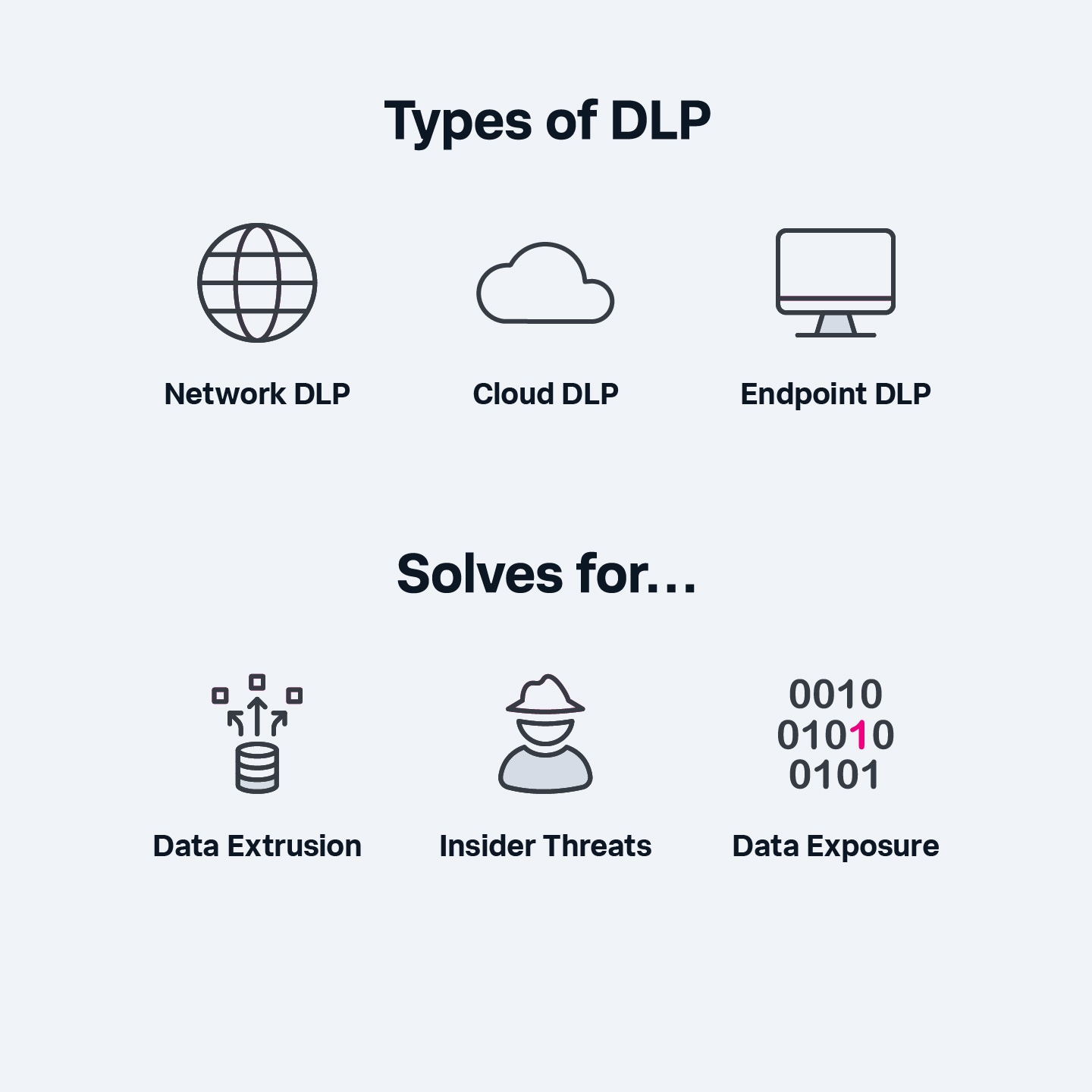
Understanding the Three Types of DLP Deployment
DLP solutions are typically deployed to protect data in three different states: Data in Use, Data in Motion, and Data at Rest. Depending on the company's biggest risk factor, they may choose one or a combination of these deployment models.
| DLP Type | Data State Protected | Primary Focus & Location |
|---|---|---|
| Network DLP | Data in Motion | Monitors all traffic leaving the corporate network (email, web uploads, FTP). |
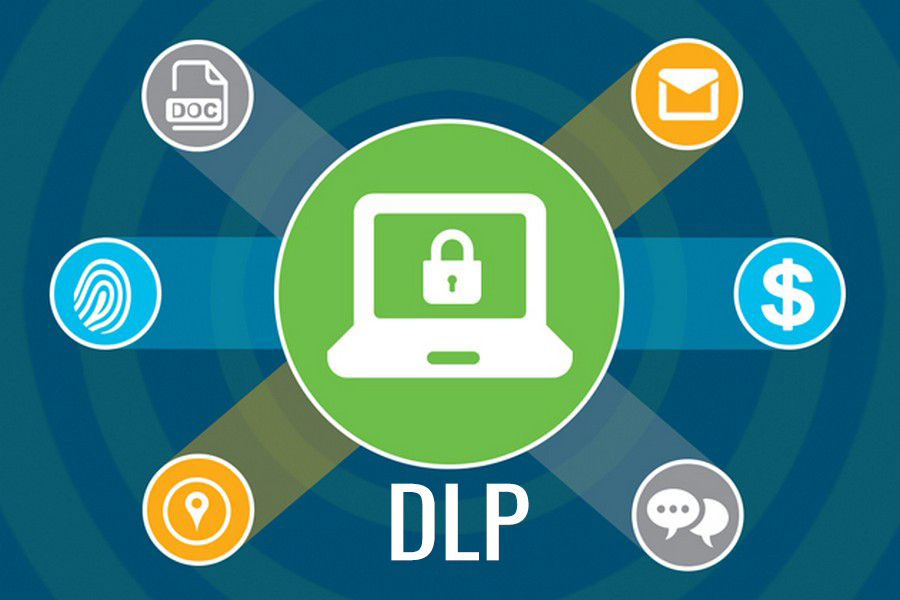
| Endpoint DLP | Data in Use | Installed on individual workstations (laptops/desktops) to control USB usage, printing, and clipboard actions. |
| Storage/Discovery DLP | Data at Rest | Scans internal file servers, databases, and cloud storage to locate and remediate sensitive data that has been improperly stored. |
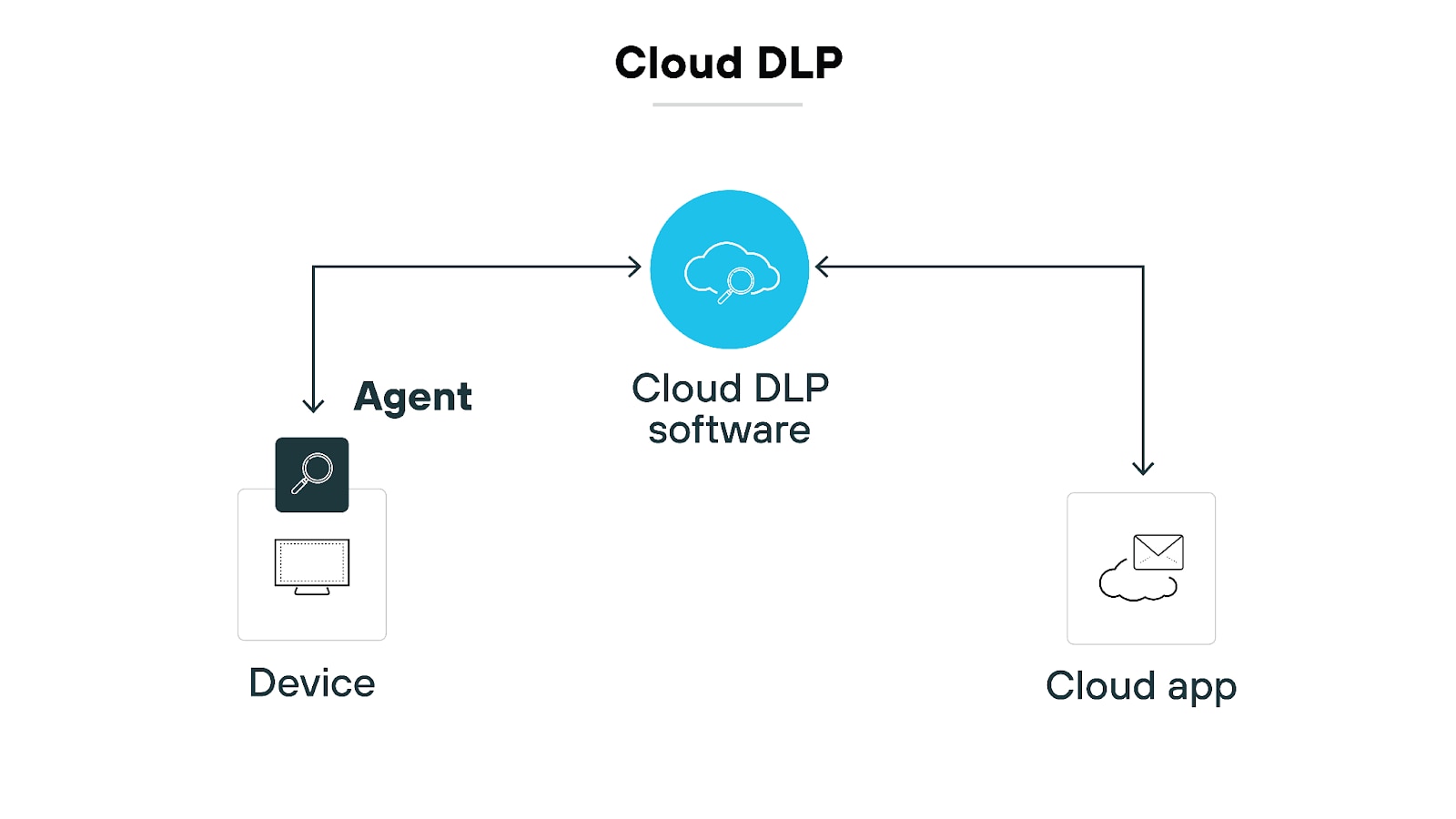
For organizations rapidly adopting remote work models, Cloud DLP has become a crucial fourth category. This solution integrates directly with platforms like Microsoft 365, Google Workspace, and SaaS applications to monitor data shared and stored outside the traditional corporate perimeter.
The US National Institute of Standards and Technology (NIST) emphasizes that a comprehensive data protection strategy must cover all three states to be effective against modern threats.
DLP Implementation Challenges and Best Practices
While the promise of Data Loss Prevention is appealing, implementing the software is rarely a "set it and forget it" task. Many organizations fail in the initial deployment phase due to poor planning or overly strict policies.
1. The "False Positive" Trap
One of the biggest hurdles is managing false positives—when the system mistakenly flags legitimate business communications as a data breach attempt. Overly aggressive policies lead to excessive blocking, frustrating employees, and burying the security team under mountains of false alarms.
2. Policy Fine-Tuning
A successful DLP strategy requires continuous refinement. Start by monitoring data flow passively (audit mode) to understand user behavior before moving to full enforcement. This allows you to tune the RegEx and classification rules to the specific needs of your business unit.
3. User Education
The most common source of data loss is human error. DLP software should be supplemented by strong, consistent training. Employees need to understand *why* certain data transfers are blocked and *how* to handle sensitive information correctly. If users feel the DLP system is a barrier rather than protection, they will find ways to bypass it.
[Baca Juga: Insider Threat Mitigation Strategies]
Conclusion: Investing in Information Integrity
Knowing what is DLP software is the first step; implementing it correctly is the challenge. Data Loss Prevention is no longer just a regulatory checkbox; it is a fundamental component of enterprise risk management. By accurately classifying your data and establishing clear, enforceable policies across your network, endpoints, and cloud services, DLP software ensures that your most critical assets stay precisely where they belong: securely within your control.
In an era defined by high-profile breaches and crippling fines, a robust DLP solution provides essential peace of mind, transforming your IT department from a reactive fire-fighter into a proactive data protector.
Frequently Asked Questions (FAQ) About DLP Software
- Is DLP the same as Firewall or Antivirus?
No. Firewalls protect the network perimeter from external threats, and Antivirus protects against malware. DLP specifically focuses on the *content* and *flow* of internal sensitive data to prevent it from leaving the organization, regardless of the threat vector (internal user or exploited malware).
- How long does it take to implement a full DLP solution?
Implementation can take anywhere from three months to over a year, depending on the scope. The process involves discovery (finding existing sensitive data), policy definition, pilot deployment (audit mode), and finally, full enforcement.
- Can DLP software monitor employees' personal devices?
It depends on corporate policy and legal jurisdiction. Endpoint DLP typically requires agents installed on the device. For Bring Your Own Device (BYOD) environments, organizations usually implement strict Mobile Device Management (MDM) or use Cloud Access Security Brokers (CASBs) to manage access to corporate data without fully controlling the personal device itself.
- Does DLP hurt network performance?
In the early days, network DLP inspection could cause latency. Modern DLP solutions are highly optimized and generally run in-line without noticeable slowdowns, though continuous, deep content inspection on very high-volume networks must be properly architected to minimize impact.
What Is Dlp Software
What Is Dlp Software Wallpapers
Collection of what is dlp software wallpapers for your desktop and mobile devices.
Exquisite What Is Dlp Software Abstract for Desktop
This gorgeous what is dlp software photo offers a breathtaking view, making it a perfect choice for your next wallpaper.
Beautiful What Is Dlp Software Capture for Desktop
Transform your screen with this vivid what is dlp software artwork, a true masterpiece of digital design.

Spectacular What Is Dlp Software Background in HD
A captivating what is dlp software scene that brings tranquility and beauty to any device.

Detailed What Is Dlp Software View Nature
Experience the crisp clarity of this stunning what is dlp software image, available in high resolution for all your screens.
Beautiful What Is Dlp Software Capture Digital Art
Experience the crisp clarity of this stunning what is dlp software image, available in high resolution for all your screens.

Exquisite What Is Dlp Software Image Digital Art
Immerse yourself in the stunning details of this beautiful what is dlp software wallpaper, designed for a captivating visual experience.
Mesmerizing What Is Dlp Software Photo Concept
Experience the crisp clarity of this stunning what is dlp software image, available in high resolution for all your screens.
Beautiful What Is Dlp Software Moment Nature
Discover an amazing what is dlp software background image, ideal for personalizing your devices with vibrant colors and intricate designs.
Dynamic What Is Dlp Software Capture Illustration
Find inspiration with this unique what is dlp software illustration, crafted to provide a fresh look for your background.

Dynamic What Is Dlp Software Image Nature
A captivating what is dlp software scene that brings tranquility and beauty to any device.
Dynamic What Is Dlp Software Picture Nature
A captivating what is dlp software scene that brings tranquility and beauty to any device.
Exquisite What Is Dlp Software Photo Collection
Find inspiration with this unique what is dlp software illustration, crafted to provide a fresh look for your background.
Stunning What Is Dlp Software Photo Nature
This gorgeous what is dlp software photo offers a breathtaking view, making it a perfect choice for your next wallpaper.
Artistic What Is Dlp Software Background Illustration
Immerse yourself in the stunning details of this beautiful what is dlp software wallpaper, designed for a captivating visual experience.
Vivid What Is Dlp Software Image Digital Art
Transform your screen with this vivid what is dlp software artwork, a true masterpiece of digital design.
Vivid What Is Dlp Software Landscape Photography
Explore this high-quality what is dlp software image, perfect for enhancing your desktop or mobile wallpaper.
Crisp What Is Dlp Software Scene Art
A captivating what is dlp software scene that brings tranquility and beauty to any device.

Captivating What Is Dlp Software Background Photography
This gorgeous what is dlp software photo offers a breathtaking view, making it a perfect choice for your next wallpaper.
High-Quality What Is Dlp Software Landscape Nature
Experience the crisp clarity of this stunning what is dlp software image, available in high resolution for all your screens.

Stunning What Is Dlp Software Capture for Mobile
Find inspiration with this unique what is dlp software illustration, crafted to provide a fresh look for your background.
Download these what is dlp software wallpapers for free and use them on your desktop or mobile devices.