How Do You Get Amber Alerts
How Do You Get Amber Alerts: A Comprehensive Guide
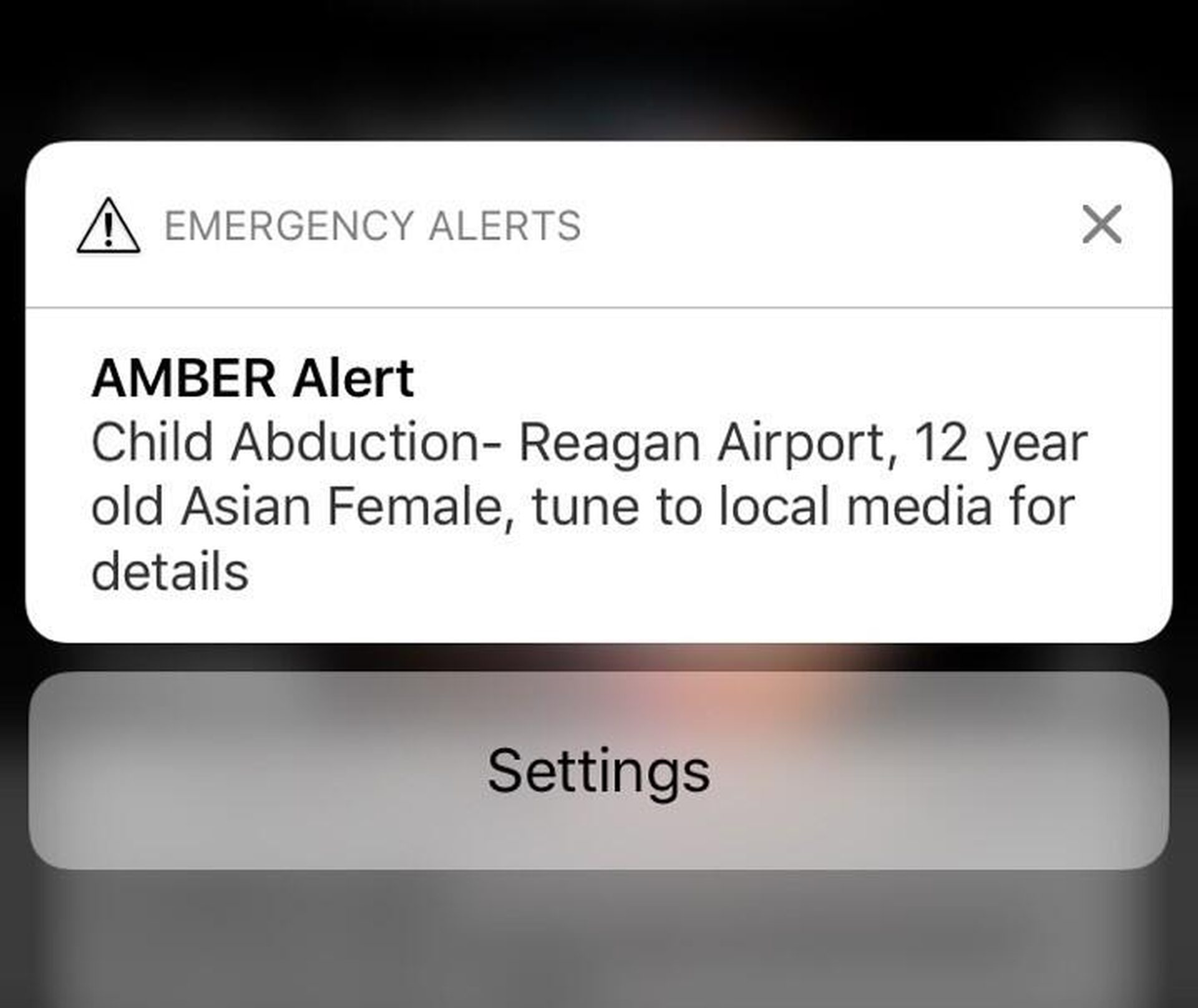
If you've ever heard that loud, alarming tone blast from your phone, followed by a text detailing a missing child, you've experienced an Amber Alert. These notifications are critical tools used to mobilize the public quickly in the search for abducted children. Understanding how you receive these alerts is crucial because rapid awareness can truly save a life.
Many people ask, "How do you get Amber Alerts?" The good news is that receiving them is usually automatic, but there are multiple channels working together to ensure these vital messages reach as many eyes and ears as possible. We will walk you through the primary notification methods and ensure you are fully prepared.
Understanding the Amber Alert System
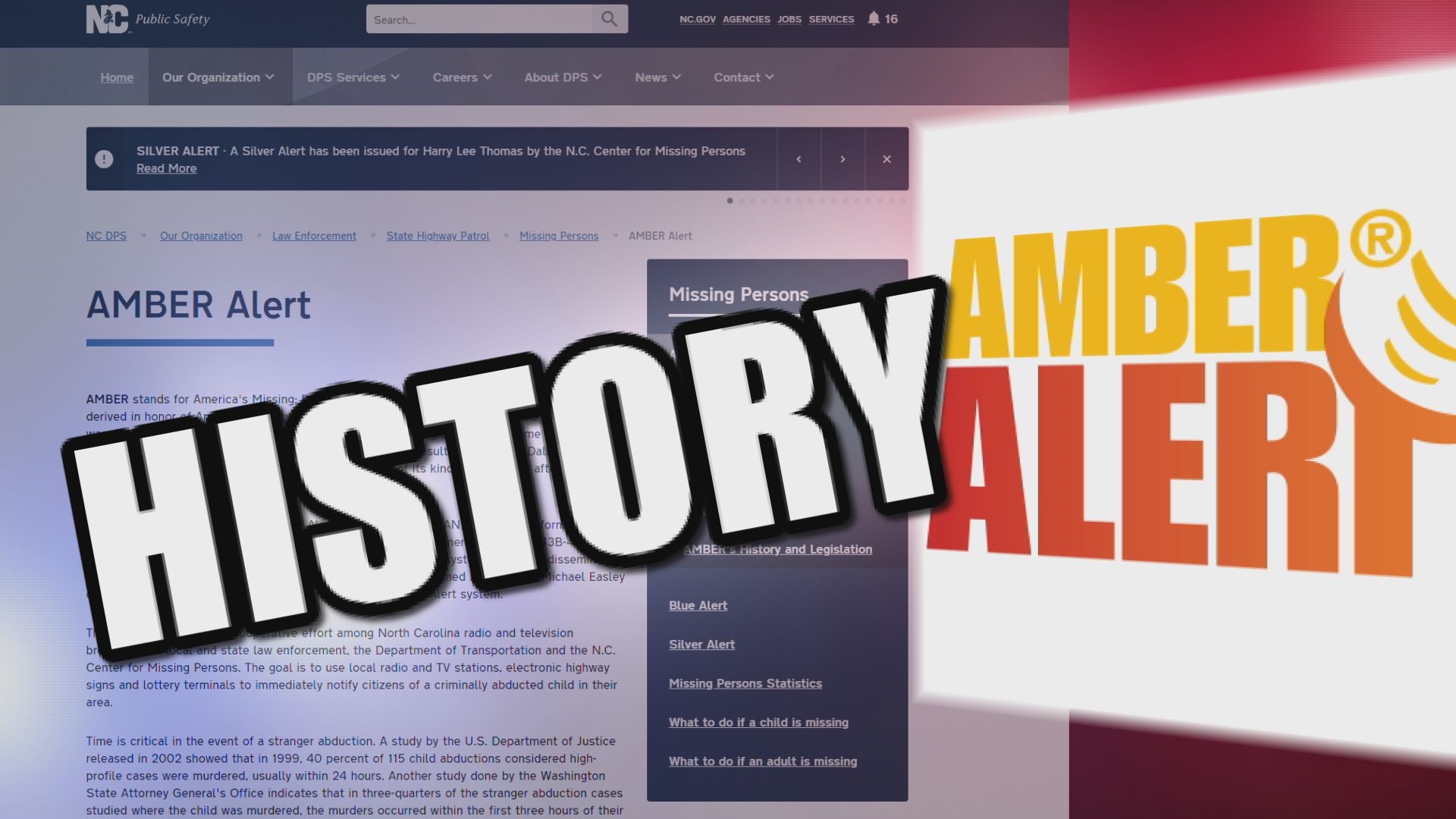
The Amber Alert system is a voluntary partnership between law enforcement, broadcasters, transportation agencies, and wireless carriers. It was established in 1996 following the tragic abduction and murder of 9-year-old Amber Hagerman in Arlington, Texas.
An alert is only issued when strict criteria are met. This ensures the public is not overwhelmed by false alarms, maintaining the system's effectiveness. Criteria typically include confirmation of an abduction, the child being in serious danger, and sufficient descriptive information available about the child, abductor, or vehicle.
Once law enforcement activates an alert, that information is broadcast almost instantly across multiple platforms simultaneously, turning regular citizens into potential eyes and ears for the search efforts.
The Primary Method: Wireless Emergency Alerts (WEA)
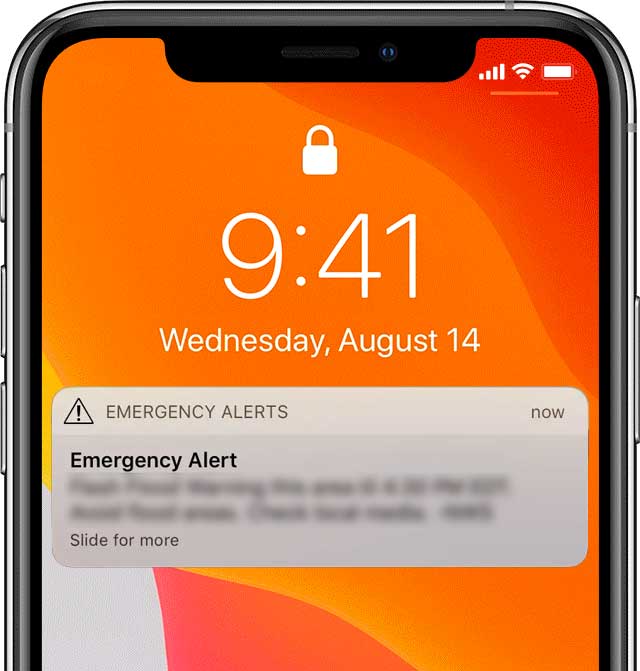
For most people today, the primary way they receive Amber Alerts is through the Wireless Emergency Alert (WEA) system. WEA is a crucial government system that allows authorized public safety officials to send urgent, location-based messages directly to your mobile device.
What makes WEA unique is that these alerts are geo-targeted. You only receive the alert if you are physically located within the defined geographical area where the abducted child is believed to be, or where they were last seen. This targeted approach minimizes disruption and maximizes relevance.
You do not need to sign up or subscribe to receive these critical notifications. If you have a WEA-compatible smartphone (which nearly all modern phones are) connected to a cellular network, you will receive the alert automatically.
Checking Your Phone Settings for WEA
While WEA alerts are often automatically enabled, it's always smart to verify your phone settings, especially if you have changed carriers or updated your operating system recently. Amber Alerts fall under the category of "Public Safety" or "Severe Threat" alerts, which generally cannot be disabled, unlike test alerts.
Here's a quick guide on where to look, though the exact wording may vary slightly based on your device and carrier:
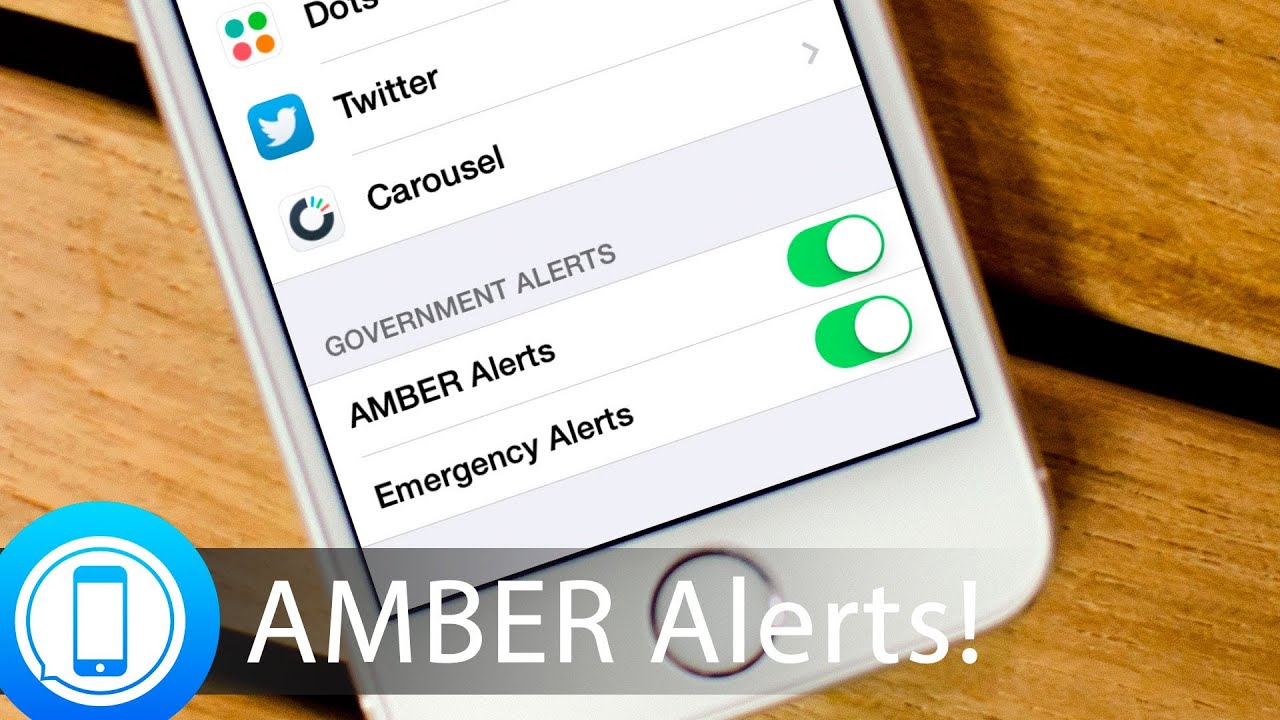
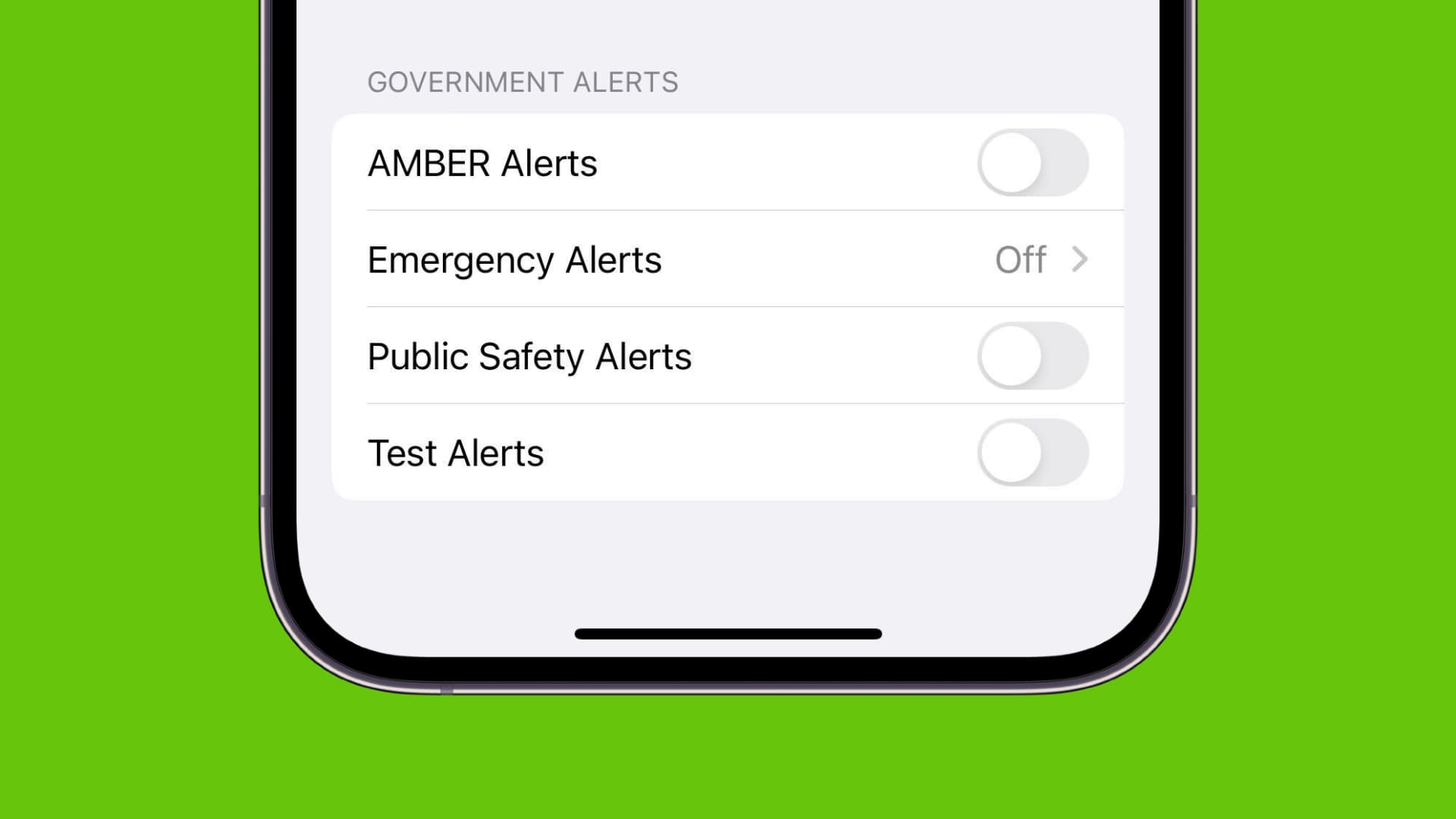
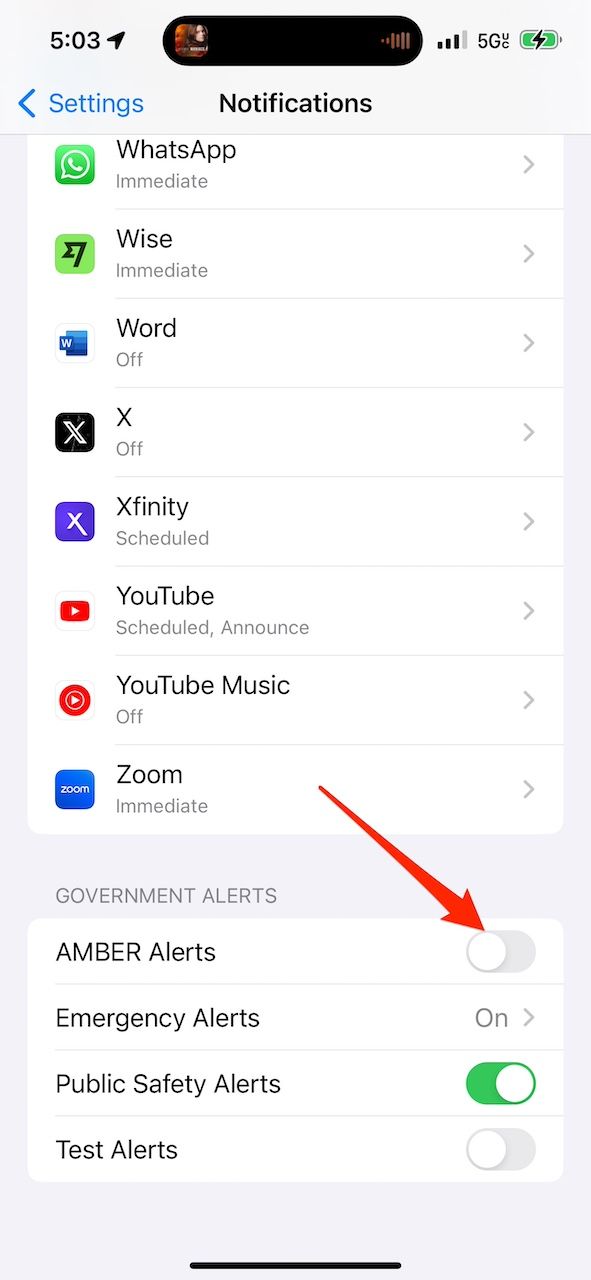
- For iPhone Users (iOS): Go to Settings > Notifications. Scroll all the way to the bottom. Look for the "Government Alerts" section. Ensure that "AMBER Alerts" is toggled ON.
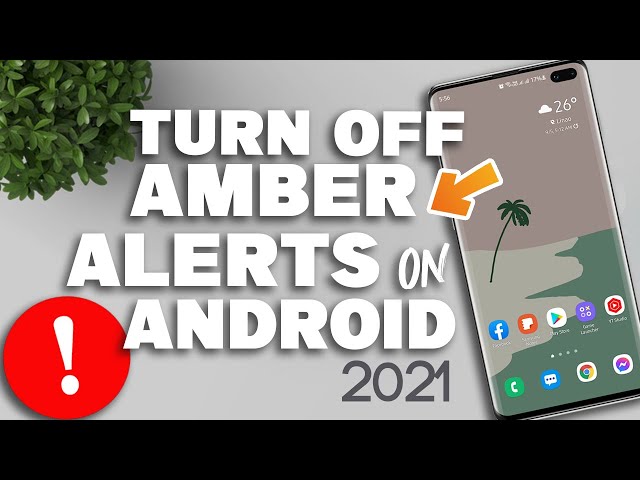
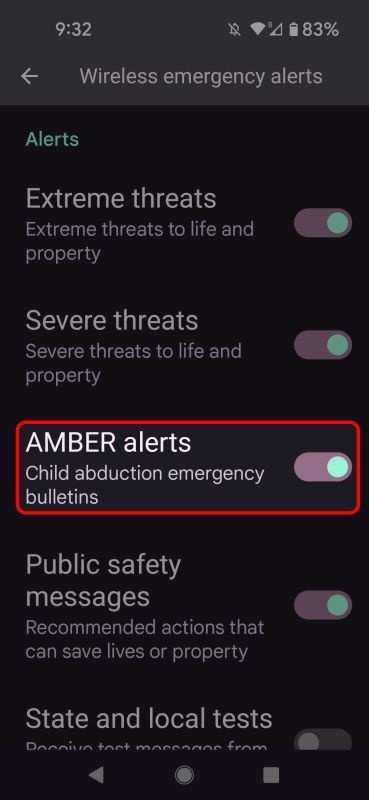
- For Android Users: Go to Settings > Notifications (or Sound & Notification, depending on the model). Look for "Advanced Settings" or "Wireless Emergency Alerts." You should see an option to manage Amber Alerts specifically.
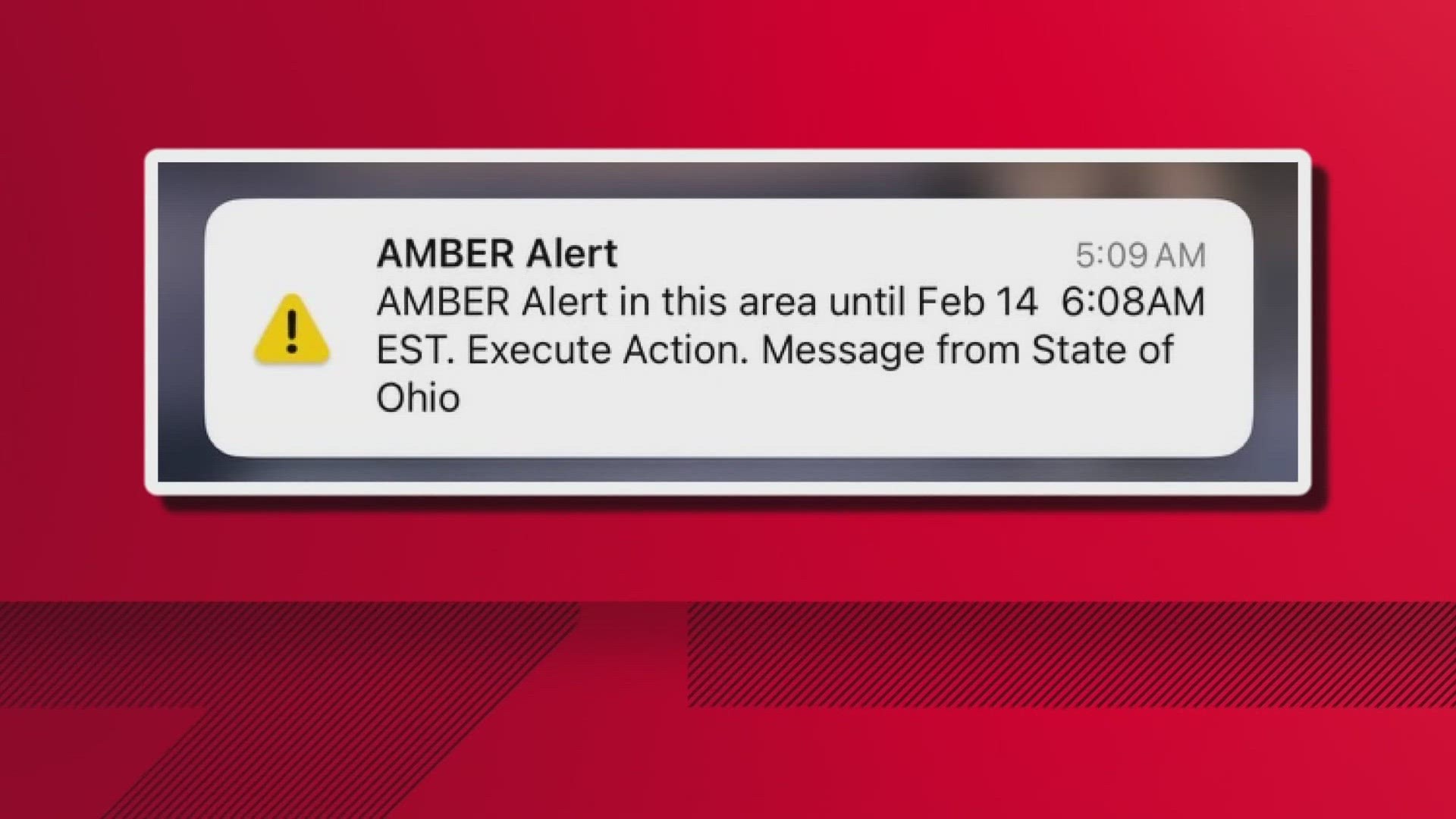
Keep in mind that when an Amber Alert sounds, it often overrides silent mode settings. This is intentional; the system is designed to notify you immediately, regardless of your current phone usage, due to the extreme urgency of the situation.
Other Essential Ways to Receive Amber Alerts
While the WEA system is the fastest and most direct way to answer the question, "How do you get Amber Alerts?" it is certainly not the only one. Multiple traditional and digital platforms are utilized to cast the widest possible net during a search.
This multi-platform approach is vital. It ensures that even those without a modern cell phone, or those traveling outside of a WEA coverage zone, still have a chance to receive the critical information about the abduction.
Broadcast Media and Road Signs
Traditional media remains a robust channel for alert dissemination. If you are tuned into the radio or watching television, you may suddenly hear or see an interruption detailing the alert. This is done through the Emergency Alert System (EAS), which precedes the WEA system.
Additionally, transportation authorities play a huge role. Look up! You often get Amber Alerts while driving via electronic message signs placed along major highways and roadways. These signs display abbreviated details about the vehicle involved, such as the license plate number, make, model, and color.
These older methods complement the wireless alerts, providing continuous coverage and reinforcing the message for those already on the road or consuming traditional media.
Digital Platforms and Social Media
In the age of instant connectivity, social media giants like Facebook and Google have integrated Amber Alerts directly into their platforms. This massively expands the reach of the message, relying on the public's tendency to check their feeds frequently.
When an alert is issued in your area, Facebook may place the information directly into your News Feed. Similarly, Google issues alerts through various products, including Android phones (as part of WEA integration) and occasionally through search results or mapping services.
Furthermore, many local law enforcement agencies utilize their official Twitter and Facebook accounts to disseminate the Amber Alert details. Following your local police department is an effective, albeit secondary, way to ensure you receive timely information.
What to Do When You Receive an Amber Alert
Knowing how to get Amber Alerts is only half the battle; knowing what to do with that information is the most important part. Your immediate action could be the key factor in recovering the child safely.
When you receive an alert, take a moment to absorb the critical details. Do not automatically dismiss the noise, even if it interrupts you.
- Read the Information Carefully: Note the descriptions of the missing child, the suspected abductor, and especially the vehicle (license plate, color, make, model).
- Be Observant: While driving or walking, actively look out for the described vehicle or individuals in your immediate vicinity.
- Do Not Approach: If you spot the vehicle or the abductor, absolutely do NOT attempt to intervene yourself. The situation may be dangerous.
- Call Law Enforcement Immediately: Dial 911 (or your local emergency number). Provide the location, direction of travel, and any additional details that may not have been included in the initial alert.
- Share Responsibility: Encourage friends and family in the alert area to check their phones and be vigilant.
Remember, the public response time after an alert is issued is often what leads to successful recoveries. By understanding and acting on the alert, you are contributing directly to public safety.
Amber Alert Best Practices for Travelers
Travelers often wonder if they will receive alerts when outside their home state or country. Since the WEA system is location-based, yes, if you are traveling within the United States or territories, and an alert is issued in your physical location, your phone will receive it, regardless of your service provider's home base.
If you are traveling internationally, Amber Alert coverage usually ceases, as it is a federally supported program within the US. However, many other countries have similar national alert systems (like the 'Missing Persons Alert' in Canada or the 'Child Rescue Alert' in the UK) which operate independently.
Conclusion
Understanding "How do you get Amber Alerts" reveals a sophisticated, multi-layered system designed for maximum public reach and speed. Whether it's the jarring, automatic notification via the Wireless Emergency Alert (WEA) system on your smartphone, the interruption on your favorite radio station, or the scrolling text on a highway sign, the goal is always the same: immediate dissemination of critical information.
The system relies heavily on your participation. By ensuring your device settings are correct and by being prepared to act responsibly upon receiving an alert, you become an indispensable part of the network dedicated to finding and returning missing children safely. Stay informed, stay vigilant, and know that your awareness truly makes a difference.
Frequently Asked Questions (FAQ)
- Can I turn off Amber Alerts on my phone?
- While you can often turn off Test Alerts and sometimes certain extreme weather alerts, Amber Alerts are generally classified as severe and critical. Most operating systems and carriers prevent users from completely disabling Amber Alerts, ensuring you always receive the notification when in an affected area.
- Why did my friend receive an Amber Alert but I didn't?
- This usually happens because Amber Alerts are geo-targeted based on cell tower location, not your home address. If your friend was connected to a cell tower within the defined alert perimeter and you were just outside of it, only your friend would receive the WEA notification. Also, check to ensure your phone is WEA-compatible and the settings are enabled.
- Is there an app I need to sign up for Amber Alerts?
- No, the primary and most effective method (WEA) does not require a third-party app or sign-up. It is built into your phone's operating system. However, some organizations, like the National Center for Missing & Exploited Children (NCMEC), offer apps that supplement the official alerts by providing additional details or photo updates.
- What if I receive an Amber Alert late at night?
- Amber Alerts are issued 24 hours a day, 7 days a week, because abduction situations are always time-sensitive. Even if the alert wakes you up, remember that the urgency is absolute. Check the details and be aware of the information as you start your day.
- How long do Amber Alerts last?
- The initial alert broadcast lasts for a limited time, usually a few hours, though the information may continue to appear on EAS and highway signs for longer. Law enforcement typically cancels the alert once the child is recovered or if the threat assessment changes.
How Do You Get Amber Alerts
How Do You Get Amber Alerts Wallpapers
Collection of how do you get amber alerts wallpapers for your desktop and mobile devices.
Vivid How Do You Get Amber Alerts Artwork Illustration
Explore this high-quality how do you get amber alerts image, perfect for enhancing your desktop or mobile wallpaper.
Gorgeous How Do You Get Amber Alerts Background for Desktop
This gorgeous how do you get amber alerts photo offers a breathtaking view, making it a perfect choice for your next wallpaper.
High-Quality How Do You Get Amber Alerts Abstract in HD
Transform your screen with this vivid how do you get amber alerts artwork, a true masterpiece of digital design.
Spectacular How Do You Get Amber Alerts Artwork for Mobile
Immerse yourself in the stunning details of this beautiful how do you get amber alerts wallpaper, designed for a captivating visual experience.
Spectacular How Do You Get Amber Alerts Artwork Photography
Immerse yourself in the stunning details of this beautiful how do you get amber alerts wallpaper, designed for a captivating visual experience.

High-Quality How Do You Get Amber Alerts Picture Art
Transform your screen with this vivid how do you get amber alerts artwork, a true masterpiece of digital design.
Artistic How Do You Get Amber Alerts Photo Collection
This gorgeous how do you get amber alerts photo offers a breathtaking view, making it a perfect choice for your next wallpaper.
Artistic How Do You Get Amber Alerts Photo in HD
This gorgeous how do you get amber alerts photo offers a breathtaking view, making it a perfect choice for your next wallpaper.
Mesmerizing How Do You Get Amber Alerts Design for Mobile
Transform your screen with this vivid how do you get amber alerts artwork, a true masterpiece of digital design.

Lush How Do You Get Amber Alerts Moment in 4K
Find inspiration with this unique how do you get amber alerts illustration, crafted to provide a fresh look for your background.

Beautiful How Do You Get Amber Alerts Abstract for Mobile
Explore this high-quality how do you get amber alerts image, perfect for enhancing your desktop or mobile wallpaper.
:max_bytes(150000):strip_icc()/002-turn-off-emergency-amber-alerts-iphone-1999203-9b6b61985af247cca6852687143f7ceb.jpg "Serene How Do You Get Amber Alerts Photo Digital Art")
Serene How Do You Get Amber Alerts Photo Digital Art
Explore this high-quality how do you get amber alerts image, perfect for enhancing your desktop or mobile wallpaper.

Artistic How Do You Get Amber Alerts Background Illustration
Immerse yourself in the stunning details of this beautiful how do you get amber alerts wallpaper, designed for a captivating visual experience.
Lush How Do You Get Amber Alerts Photo in HD
Find inspiration with this unique how do you get amber alerts illustration, crafted to provide a fresh look for your background.
Detailed How Do You Get Amber Alerts Design Nature
Explore this high-quality how do you get amber alerts image, perfect for enhancing your desktop or mobile wallpaper.

Breathtaking How Do You Get Amber Alerts Artwork in HD
Discover an amazing how do you get amber alerts background image, ideal for personalizing your devices with vibrant colors and intricate designs.
/cloudfront-us-east-1.images.arcpublishing.com/gray/T5XEDWAUW5I3DMCZT6M6U7BF44.png "Captivating How Do You Get Amber Alerts Moment Nature")
Captivating How Do You Get Amber Alerts Moment Nature
Immerse yourself in the stunning details of this beautiful how do you get amber alerts wallpaper, designed for a captivating visual experience.

Vibrant How Do You Get Amber Alerts Capture Nature
Experience the crisp clarity of this stunning how do you get amber alerts image, available in high resolution for all your screens.

Serene How Do You Get Amber Alerts Wallpaper in HD
Transform your screen with this vivid how do you get amber alerts artwork, a true masterpiece of digital design.
Mesmerizing How Do You Get Amber Alerts Capture in 4K
Discover an amazing how do you get amber alerts background image, ideal for personalizing your devices with vibrant colors and intricate designs.
Download these how do you get amber alerts wallpapers for free and use them on your desktop or mobile devices.