Free Software To Wipe Hard Drive
The Best Free Software To Wipe Hard Drive Securely Before Selling: A 2024 Expert Guide
So, you're ready to upgrade your PC or laptop. Exciting! But before that old drive goes into the trash, gets sold online, or is handed down to a family member, there is one crucial step you absolutely cannot skip: securely erasing your data.
Simply hitting 'Delete' or formatting the drive is never enough. Those files are still recoverable by basic tools. To ensure your personal information—from tax records to private photos—is permanently gone, you need powerful, specialized tools.
The good news? You don't need to spend a dime. We've compiled a list of the most trusted and effective **free software to wipe hard drive** data to the highest security standards. Let's dive in and secure your digital life.
Why You Need to Securely Wipe Your Drive, Not Just Delete Files
It's a common misconception: if you move files to the Recycle Bin and empty it, the data is gone. In reality, modern operating systems like Windows and macOS only remove the *pointer* (the address) to the file. The actual data blocks remain on the disk until new data overwrites them.
This means anyone with basic data recovery tools can easily undelete sensitive documents. A secure wipe utility uses specific algorithms to overwrite every sector of the disk multiple times with random data, making forensic recovery practically impossible.
The Critical Difference: Data Erasure vs. Simple Deletion
Data erasure tools, often referred to as "shredders" or "wipers," perform a complete, verifiable destruction of data. They follow strict international standards, ensuring that even highly sophisticated retrieval techniques fail.
When you choose a secure wipe tool, you are choosing peace of mind. You are ensuring compliance with data privacy standards, even if you are just an individual protecting your personal identity.
For more on the technical side of file systems and pointers, you might want to read our deep dive: Baca Juga: Data Recovery 101: How Deleted Files are Stored.
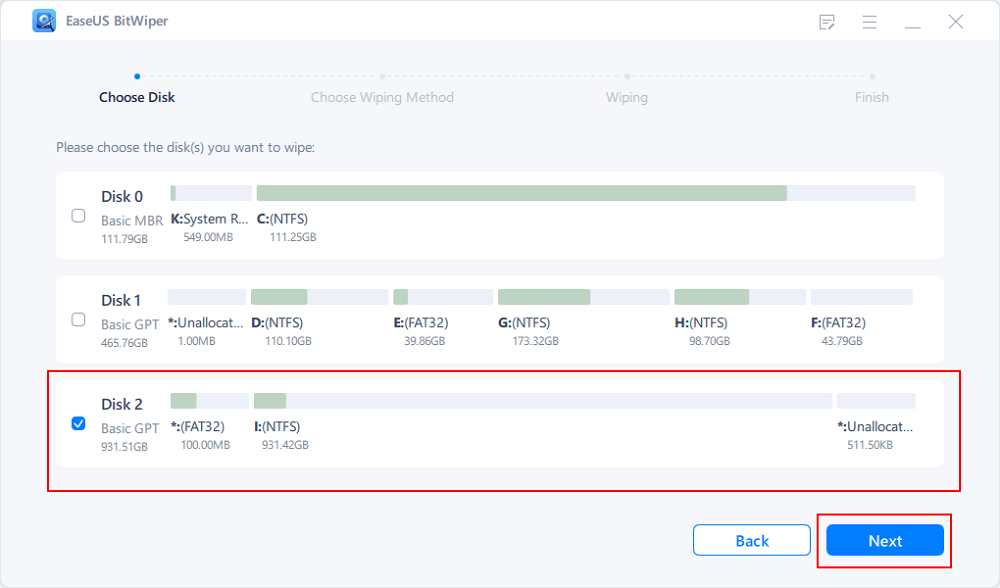
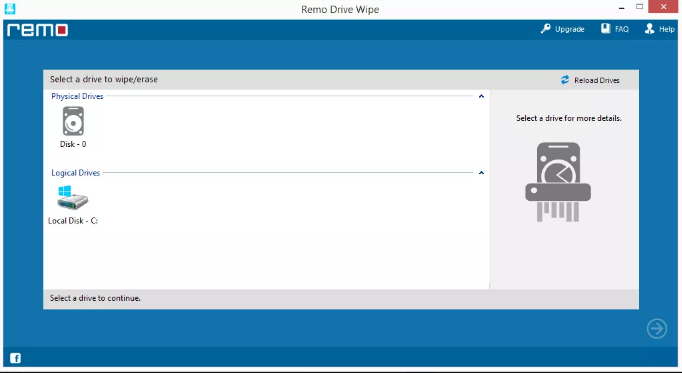
Top 4 Free Software To Wipe Hard Drive Safely and Completely
Not all free software is created equal. The tools below are widely trusted by IT professionals and are capable of implementing high-level erasure techniques, such as those mandated by the US Department of Defense (DoD) or the Gutmann method.
1. Darik's Boot and Nuke (DBAN)
DBAN is the undisputed king for wiping traditional Hard Disk Drives (HDDs). It's a completely standalone bootable solution, meaning it runs outside of your operating system. This is crucial because it allows it to wipe the primary drive where Windows or macOS resides.
Pros: Highly effective, supports numerous wiping methods (DoD, Gutmann), widely trusted.Cons: Requires burning an ISO image to a USB stick, generally not recommended for modern Solid State Drives (SSDs).
2. Eraser
Unlike DBAN, Eraser runs as a Windows application. While it cannot wipe the active system drive, it is perfect for securely erasing external drives, secondary partitions, or specific folders and files on your computer.
Eraser integrates neatly into the Windows context menu, allowing you to schedule wipes or manually shred files with just a right-click. It's ideal for routine security maintenance.
3. HDShredder Free Edition
HDShredder provides a simple, clean interface and is effective for both HDDs and low-security wipes on SSDs. The free version offers safe, standard deletion functions, usually a "Zero Fill" (single pass overwrite).
If you need maximum security and certified erasure, you'll need the Pro version, but the free edition is excellent for ensuring old, non-sensitive data is difficult to recover.
4. Manufacturer Tools (Seagate Seatools, WD Lifeguard)
Often overlooked, drive manufacturers provide free diagnostic and utility tools that include wiping functions. These tools are optimized specifically for their brand of hardware, offering efficient performance.
These tools usually include a 'Secure Erase' function. For SSDs, using the manufacturer's specific tool is often the safest and most effective method, as it utilizes the drive's firmware to reset the storage cells properly.
Comparing Data Destruction Standards for Maximum Trust
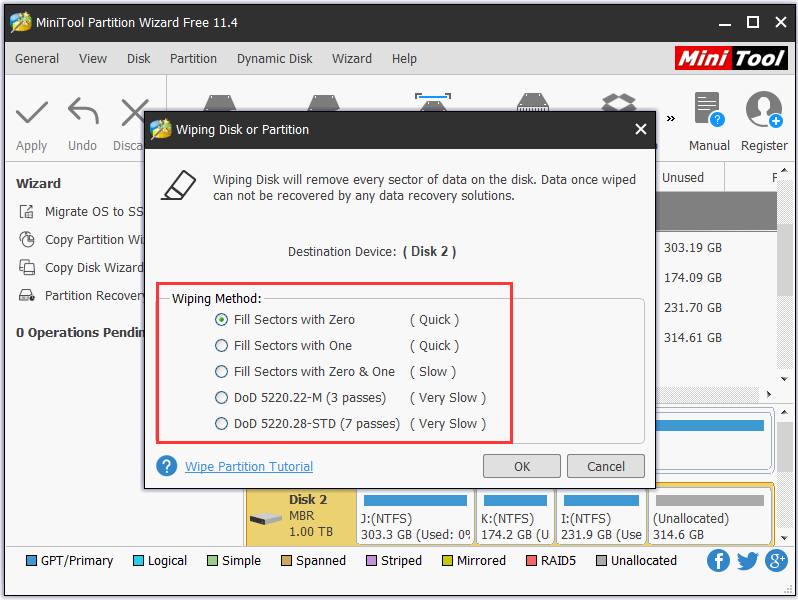
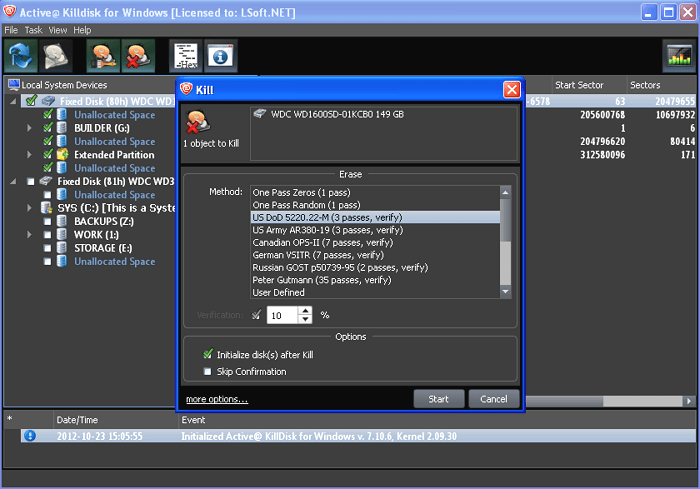
When selecting your **free software to wipe hard drive**, you will notice a list of available algorithms. Understanding these standards is essential for achieving the level of security you require. The more passes, the longer the process takes, but the higher the security.
| Method/Standard | Description | Number of Passes | Security Level |
|---|---|---|---|
| Zero Fill/Single Pass | Overwrites all data with zeroes (0x00). Fastest method. | 1 | Low (Suitable for non-sensitive data) |
| DoD 5220.22-M | Standard mandated by the U.S. Department of Defense. Highly respected. | 3 or 7 | High |
| Gutmann Method | Uses 35 random patterns. Designed to defeat all known magnetic residue recovery techniques. | 35 | Extreme (Overtkill for modern drives) |
| NIST 800-88 Purge (SSDs) | Modern standard for clearing sensitive data, often using hardware-based Secure Erase commands for SSDs. | 1 (Firmware Based) | High (Best for SSDs) |
Expert Tip: For most users selling a used HDD, the DoD 5220.22-M (3-pass) is more than sufficient. For modern SSDs, look for tools that execute the NIST 800-88 Purge standard, which often leverages the drive's internal firmware for maximum efficacy.
Step-by-Step Guide: Preparing Your Drive for a Secure Wipe
Wiping a drive, especially the main system drive, is an irreversible process. Preparation is key to avoiding disaster.
1. Backup Checklist: Is Everything Essential Saved?
Seriously, double-check this step. Once the process starts, there is no turning back. Use an external hard drive or a cloud service to ensure you have copies of:
- All documents, photos, and videos.
- Browser bookmarks and saved passwords.
- Software license keys.
- Your current operating system activation key (if relevant).
Once you are certain everything is safe, unplug the backup drive before starting the wipe process.
2. Creating Bootable Media (For DBAN Users)
Since tools like DBAN need to run outside of the OS, you must create a bootable USB drive (or CD/DVD, if you're vintage).
Download the DBAN ISO file from a trusted source. Use a utility like Rufus or Etcher to write the ISO image to a USB stick. This USB will become your wiping tool.
3. The Crucial SSD Note: Why Wiping SSDs is Different
Traditional overwrite methods (like Gutmann) that work perfectly on HDDs can significantly reduce the lifespan of an SSD due to the nature of NAND memory wear leveling.
For SSDs, the best solution is to use the drive's built-in Secure Erase (SE) command, typically accessed via the manufacturer's free utility or sometimes within the PC's BIOS/UEFI settings. SE tells the drive's controller to "forget" all data stored, performing the erase in seconds and without unnecessary wear.
For more detailed information on why magnetic storage differs from flash storage, check out the Wikipedia page on HDDs and SSDs.
Conclusion: Data Security Doesn't Cost a Thing
Securing your privacy before retiring hardware should be mandatory, not optional. Fortunately, the best tools for the job—such as DBAN for robust HDD destruction and specialized manufacturer tools for SSDs—are completely free.
Remember the golden rule: never rely on simple deletion. Choose a method that adheres to recognized standards like DoD or NIST. Taking a little time now to use reliable **free software to wipe hard drive** contents will save you a world of potential heartache down the line.
Stay secure, and happy upgrading!
Frequently Asked Questions (FAQ) About Drive Wiping
- Q: Can I use DBAN on my SSD?
A: It is highly discouraged. DBAN's multiple-pass methods cause unnecessary wear on SSDs and are less effective than the firmware-based Secure Erase (SE) command. Use the SSD manufacturer's utility for the safest and quickest result.
- Q: How long does a secure wipe take?
A: Time depends entirely on the drive size and the chosen method. A single-pass overwrite on a 1TB HDD might take 2-4 hours. A 7-pass DoD method on the same drive could take 12-24 hours. The more secure the method, the longer the wait.
- Q: Does formatting a drive make it safe for reuse?
A: For reusing the drive yourself, yes, formatting is fine. For selling or disposing of the drive, no. Formatting only creates a new file system index; the old data remains recoverable. You must use a secure wiping tool to overwrite the underlying data sectors.
- Q: Is the Gutmann Method necessary in 2024?
A: Generally, no. The 35-pass Gutmann method was developed for older, low-density magnetic drives. Modern high-density drives are securely wiped with just 3 to 7 passes (DoD) or even a single pass of randomized data. Gutmann is excessive and time-consuming today.
Free Software To Wipe Hard Drive
Free Software To Wipe Hard Drive Wallpapers
Collection of free software to wipe hard drive wallpapers for your desktop and mobile devices.

Spectacular Free Software To Wipe Hard Drive Background in HD
This gorgeous free software to wipe hard drive photo offers a breathtaking view, making it a perfect choice for your next wallpaper.
Vivid Free Software To Wipe Hard Drive Capture Nature
Transform your screen with this vivid free software to wipe hard drive artwork, a true masterpiece of digital design.
Stunning Free Software To Wipe Hard Drive Scene Concept
Find inspiration with this unique free software to wipe hard drive illustration, crafted to provide a fresh look for your background.
Gorgeous Free Software To Wipe Hard Drive Photo Collection
Immerse yourself in the stunning details of this beautiful free software to wipe hard drive wallpaper, designed for a captivating visual experience.
Captivating Free Software To Wipe Hard Drive Abstract for Mobile
This gorgeous free software to wipe hard drive photo offers a breathtaking view, making it a perfect choice for your next wallpaper.
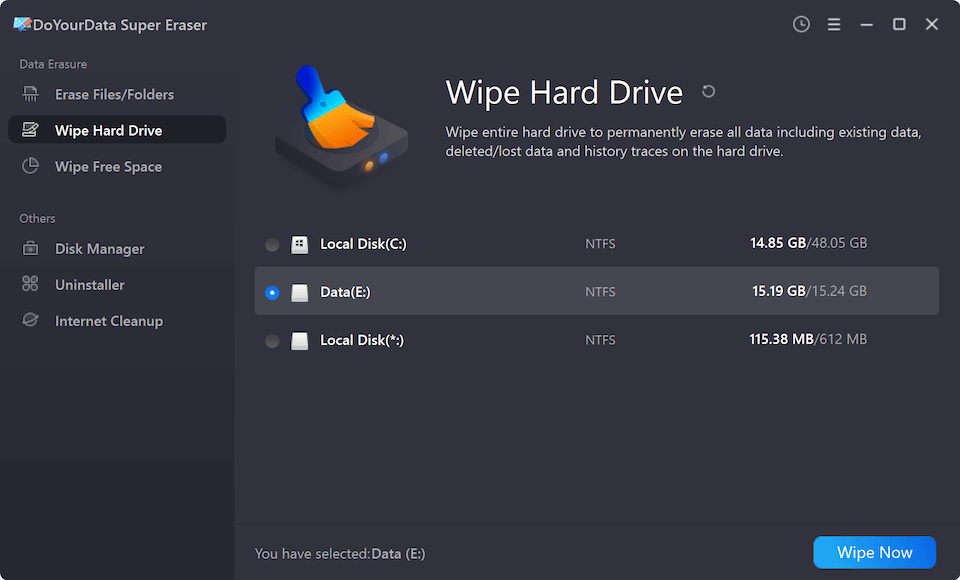
Lush Free Software To Wipe Hard Drive View for Desktop
Find inspiration with this unique free software to wipe hard drive illustration, crafted to provide a fresh look for your background.
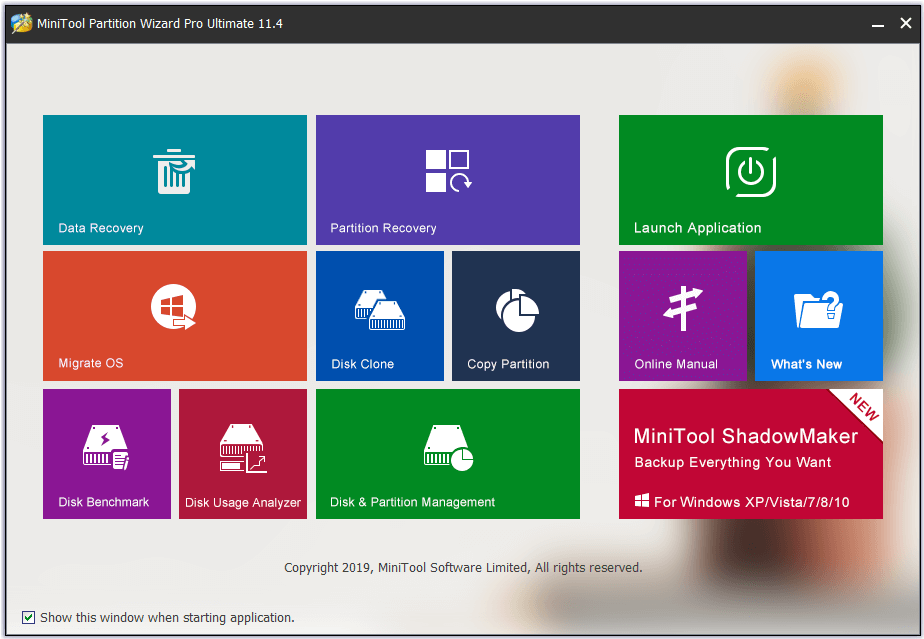
Detailed Free Software To Wipe Hard Drive Abstract for Mobile
Discover an amazing free software to wipe hard drive background image, ideal for personalizing your devices with vibrant colors and intricate designs.
:max_bytes(150000):strip_icc()/disk-wipe-56a6f9425f9b58b7d0e5c786.png "Exquisite Free Software To Wipe Hard Drive Wallpaper Collection")
Exquisite Free Software To Wipe Hard Drive Wallpaper Collection
Immerse yourself in the stunning details of this beautiful free software to wipe hard drive wallpaper, designed for a captivating visual experience.
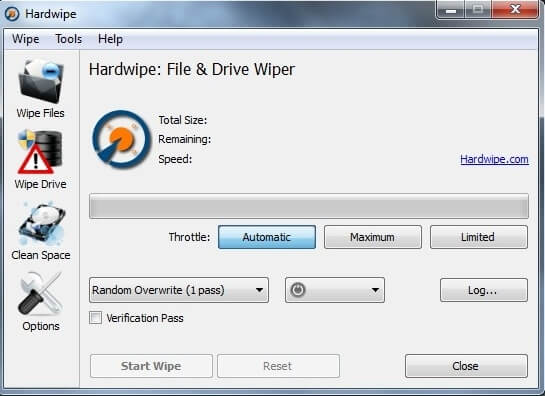
Serene Free Software To Wipe Hard Drive View Illustration
Experience the crisp clarity of this stunning free software to wipe hard drive image, available in high resolution for all your screens.
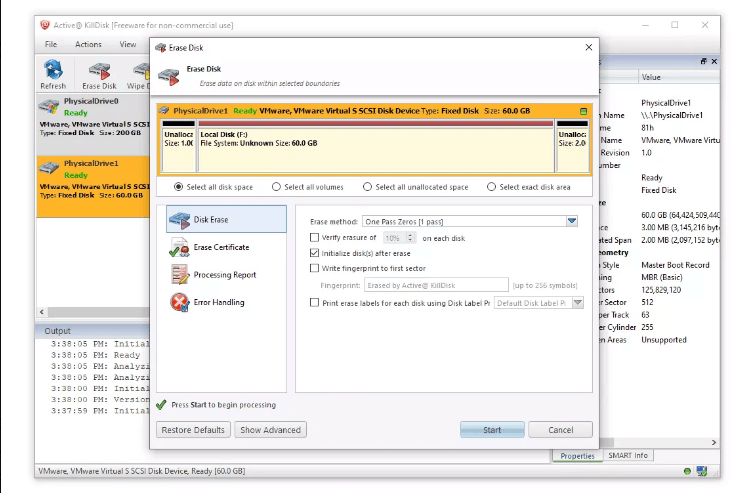
Spectacular Free Software To Wipe Hard Drive Wallpaper for Mobile
Immerse yourself in the stunning details of this beautiful free software to wipe hard drive wallpaper, designed for a captivating visual experience.
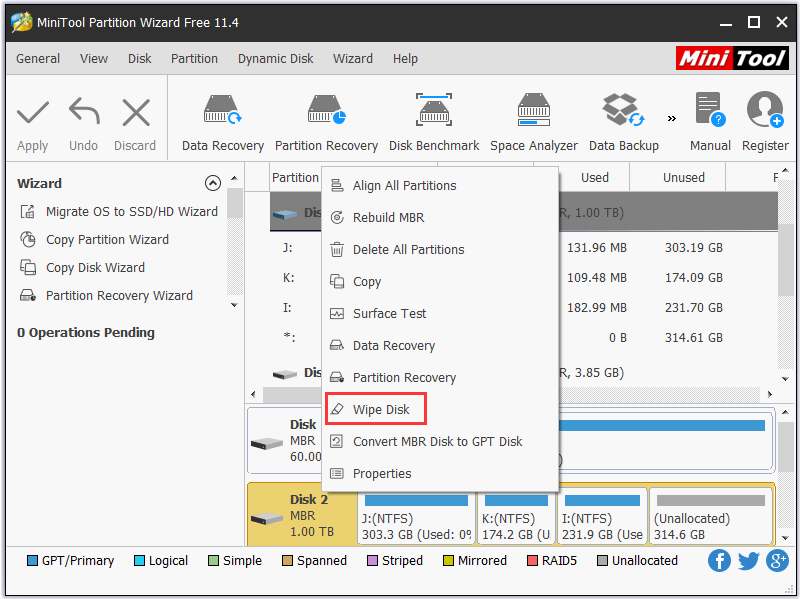
Breathtaking Free Software To Wipe Hard Drive Wallpaper for Mobile
Experience the crisp clarity of this stunning free software to wipe hard drive image, available in high resolution for all your screens.
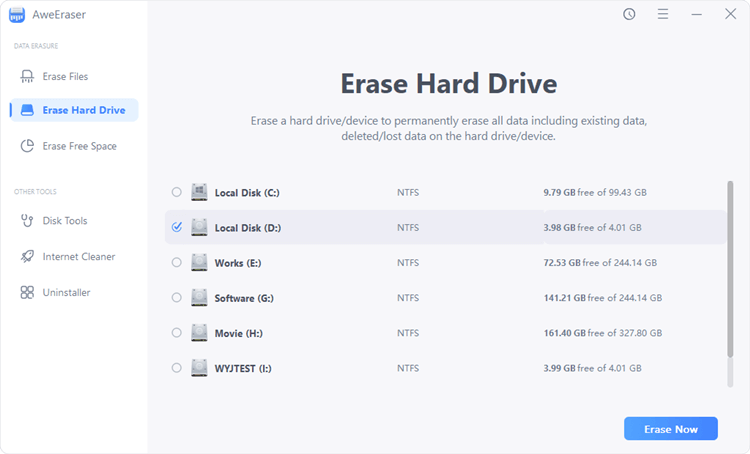
Vibrant Free Software To Wipe Hard Drive Design Concept
Explore this high-quality free software to wipe hard drive image, perfect for enhancing your desktop or mobile wallpaper.
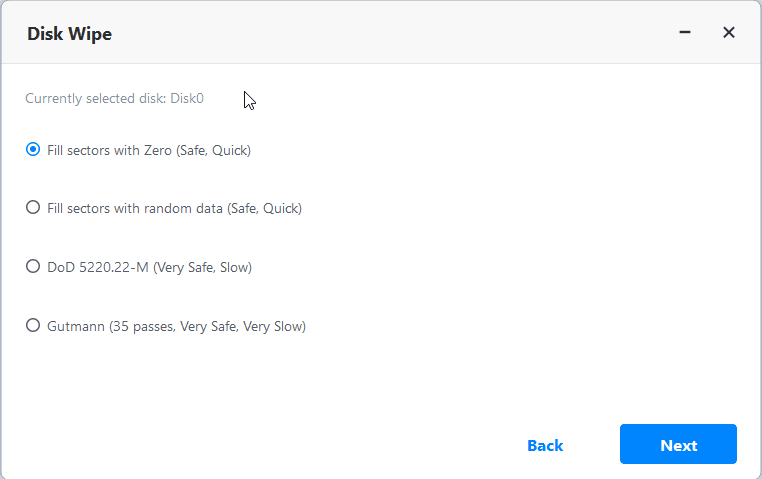
Mesmerizing Free Software To Wipe Hard Drive Wallpaper Digital Art
Discover an amazing free software to wipe hard drive background image, ideal for personalizing your devices with vibrant colors and intricate designs.
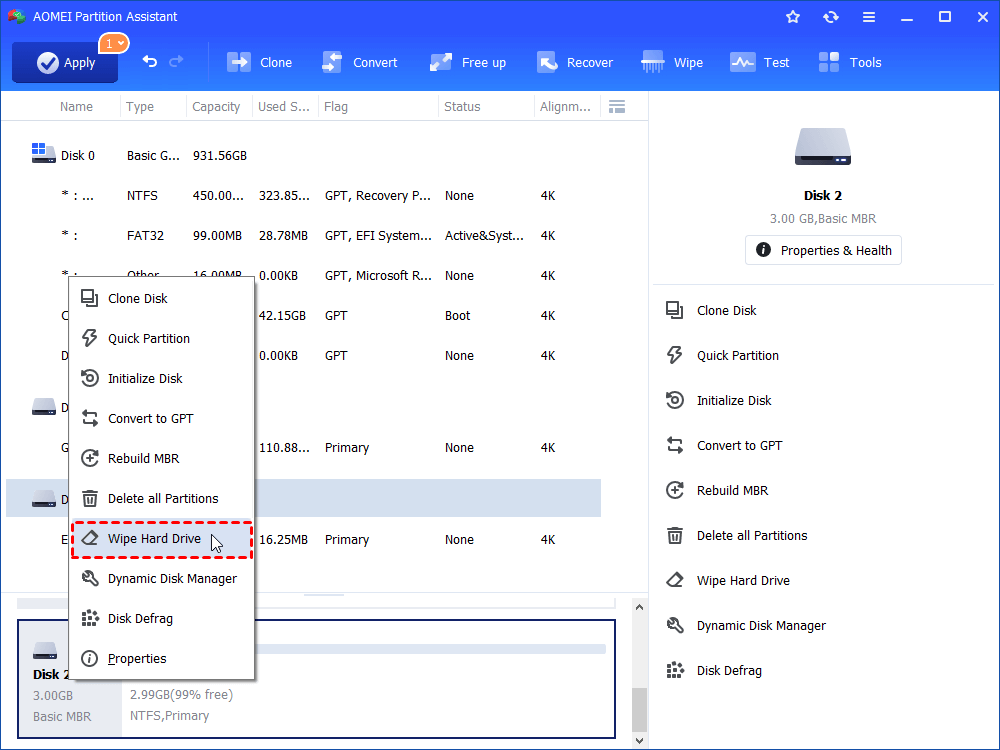
Stunning Free Software To Wipe Hard Drive Background Art
A captivating free software to wipe hard drive scene that brings tranquility and beauty to any device.
Exquisite Free Software To Wipe Hard Drive Artwork for Mobile
A captivating free software to wipe hard drive scene that brings tranquility and beauty to any device.
Amazing Free Software To Wipe Hard Drive Wallpaper in 4K
Transform your screen with this vivid free software to wipe hard drive artwork, a true masterpiece of digital design.
Exquisite Free Software To Wipe Hard Drive Artwork for Your Screen
Immerse yourself in the stunning details of this beautiful free software to wipe hard drive wallpaper, designed for a captivating visual experience.
Beautiful Free Software To Wipe Hard Drive Artwork Concept
Explore this high-quality free software to wipe hard drive image, perfect for enhancing your desktop or mobile wallpaper.
Amazing Free Software To Wipe Hard Drive Artwork Collection
Explore this high-quality free software to wipe hard drive image, perfect for enhancing your desktop or mobile wallpaper.
Amazing Free Software To Wipe Hard Drive Picture Illustration
Experience the crisp clarity of this stunning free software to wipe hard drive image, available in high resolution for all your screens.
Download these free software to wipe hard drive wallpapers for free and use them on your desktop or mobile devices.