Front Page Software
Stop Using Obsolete Tools: Choosing the Right Front Page Software for 2024
If you've been in the digital landscape long enough, the term "Front Page Software" likely triggers a very specific memory: Microsoft FrontPage. Ah, the 90s and early 2000s—a simpler, albeit clunkier, time for web development.
Today, however, the meaning of Front Page Software has broadened significantly. It's no longer about a single, proprietary tool. It refers to the suite of applications, platforms, and builders we use to craft the crucial first impression: the homepage, or the "front page," of any successful website.
The choice you make here is critical. A bad tool leads to slow load times and difficult maintenance, while the right platform ensures scalability, superior user experience (UX), and high search engine visibility. This comprehensive guide will dissect the modern web design landscape, helping you navigate the shift from archaic WYSIWYG editors to the powerful, efficient tools required in 2024.
The Ghost of WYSIWYG Past: Understanding Microsoft FrontPage's Legacy
For decades, Microsoft FrontPage was the go-to Front Page Software for small businesses and hobbyists. Its promise was simple: visual editing (What You See Is What You Get, or WYSIWYG) without needing to touch code. This democratized web creation, but it came at a significant cost.
If you inherited an old site built on FrontPage, you know the pain. Its reliance on proprietary components and tendency to generate incredibly bloated, non-standard code made websites fragile, slow, and nearly impossible to maintain outside of the Microsoft ecosystem.
Why FrontPage Died (And Why Modern Tools Thrive)
The web evolved, and standards became strict. Organizations like the World Wide Web Consortium (W3C) pushed for semantic, clean HTML. FrontPage simply couldn't keep up. Its demise was a necessary step toward speed, cross-browser compatibility, and better performance.
Modern alternatives prioritize modularity, responsive design (crucial for mobile-first indexing), and clean code output, ensuring your front page loads instantly and ranks well.
Analyzing Modern Front Page Software Categories
When searching for contemporary Front Page Software, you are essentially choosing between three major approaches, each suited for different expertise levels and project scopes.
The Drag-and-Drop Revolution (Visual Builders)
These tools are the true spiritual successors to FrontPage, but infinitely better. Platforms like Wix, Squarespace, and dedicated page builders (Elementor, Divi) allow non-coders to create stunning, professional homepages through a purely visual interface. They handle the underlying code, hosting, and security, making them excellent for quick launches and small portfolios.
The trade-off here is usually customization limits and reliance on the platform's ecosystem, which can impact advanced SEO strategies.
The Power of CMS (Content Management Systems)
For most mid-to-large websites, a robust CMS is the preferred Front Page Software. WordPress, by far the most dominant, offers unparalleled flexibility. While it requires a slightly steeper learning curve than pure drag-and-drop builders, its extensibility via plugins and themes allows for perfect optimization of the front page for conversions and ranking.
For enterprise-level needs, platforms like Drupal or dedicated e-commerce solutions like Shopify also fall into this category, offering strong framework support for high traffic.
Headless & Low-Code Solutions
This is the cutting edge. Headless CMS (like Contentful or Strapi) separates the content creation layer ("the body") from the presentation layer ("the head," or front page). Developers use frameworks like React or Vue.js to build extremely fast, custom front pages, pulling content via APIs.
This approach delivers maximum speed and flexibility—crucial for core web vitals—but requires significant technical skill and is usually reserved for major brands or highly specialized applications.
For more on structuring content for different platforms, see [Baca Juga: Content Modeling for Headless CMS].
Comparison: Top 3 Front Page Software Solutions Today
Selecting the right platform hinges on balancing ease of use, cost, and long-term scalability. Here is a quick comparison of three dominant modern tools:
| Software | Ease of Use | Core Strength | Best For |
|---|---|---|---|
| WordPress (with Page Builders) | Medium | Flexibility, Plugins, SEO Control | Publishers, Mid-Sized Businesses, E-commerce |
| Squarespace/Wix | High | Design Aesthetics, Managed Hosting, Simplicity | Artists, Portfolios, Personal Brands |
| Headless CMS (e.g., Contentful) | Low (Requires Developers) | Performance, Scalability, Custom Architecture | High-Traffic Sites, Web Apps, Enterprise |
Key E-E-A-T Factors When Selecting Your Tool
Google's focus on Experience, Expertise, Authority, and Trust (E-E-A-T) means that the underlying quality of your front page is more important than ever. Your Front Page Software must facilitate technical excellence.
Speed and Performance Optimization
The speed of your homepage directly impacts user retention and search rankings. Choose software that is known for clean code generation and efficient asset loading. For example, some builders load dozens of unnecessary scripts; others—like static site generators—deliver near-instantaneous load times because they pre-build the entire page.
Ensure your chosen platform supports modern image formats (like WebP) and automatic resource minification. According to recent industry reports, a one-second delay in mobile loading time can reduce conversions by up to 20%.
Dive deeper into performance standards here: Core Web Vitals Explained (Wikipedia).
Scalability and Future-Proofing
Think about where your website will be in three to five years. Will your software handle a sudden surge in traffic? Can you easily integrate new features, like multilingual support, advanced payment gateways, or API connections?
Proprietary platforms often limit scalability. Open-source solutions (like WordPress or headless architecture) generally offer better long-term adaptability because a large community constantly develops new extensions and security updates. This ensures your front page remains competitive and secure.
Before committing, assess the ecosystem's vitality. Does the platform regularly release updates? Are there reliable third-party developers? [Baca Juga: Web Design Trends 2025]
Conclusion: The Future of Your Digital Front Door
The evolution from the original Microsoft FrontPage to today's sophisticated tools highlights the necessity of adaptability in web development. The best Front Page Software isn't just about making something look pretty; it's about engineering a highly performant, secure, and user-friendly experience that builds trust and drives results.
Whether you opt for the simplicity of a managed builder, the flexibility of WordPress, or the blazing speed of a headless system, always prioritize performance and clean code. Your front page is your digital storefront—make sure it's built on a modern, solid foundation.
Frequently Asked Questions (FAQ)
Is Microsoft FrontPage still a viable Front Page Software option?
No. Microsoft discontinued FrontPage in 2003, replacing it briefly with Expression Web. Using it today poses significant security risks, creates non-standard HTML, and severely hurts your site's performance and SEO potential. It should be avoided entirely.
What is the easiest modern alternative to FrontPage for beginners?
Managed hosting builders like Squarespace or Wix offer the most beginner-friendly drag-and-drop experience. They are highly visual, require zero coding knowledge, and include hosting and maintenance in the subscription cost.
Does the Front Page Software I choose affect my SEO ranking?
Absolutely. While Google doesn't penalize a specific software (like WordPress or Shopify), poorly optimized software that generates bloated code, loads slowly, or struggles with mobile responsiveness will dramatically impact your SEO. Performance is a key ranking factor.
Should I use a page builder plugin or stick to pure HTML/CSS?
If you are a beginner or a small business owner, use a high-quality page builder (like Elementor Pro or Divi) on top of a CMS. If you are a professional developer working on an enterprise application where speed is paramount, pure HTML/CSS or a JavaScript framework (coupled with a Headless CMS) is usually the better, albeit more time-consuming, choice.
***
Disclaimer: This analysis provides expert insight into modern web design tooling and is not affiliated with any specific software mentioned above.
Front Page Software
Front Page Software Wallpapers
Collection of front page software wallpapers for your desktop and mobile devices.

Spectacular Front Page Software View Collection
This gorgeous front page software photo offers a breathtaking view, making it a perfect choice for your next wallpaper.

Dynamic Front Page Software Capture Photography
Immerse yourself in the stunning details of this beautiful front page software wallpaper, designed for a captivating visual experience.
Amazing Front Page Software Wallpaper Illustration
Discover an amazing front page software background image, ideal for personalizing your devices with vibrant colors and intricate designs.

Stunning Front Page Software Artwork Art
A captivating front page software scene that brings tranquility and beauty to any device.

Gorgeous Front Page Software Design Concept
This gorgeous front page software photo offers a breathtaking view, making it a perfect choice for your next wallpaper.

Beautiful Front Page Software View for Mobile
Explore this high-quality front page software image, perfect for enhancing your desktop or mobile wallpaper.

Detailed Front Page Software View Photography
Discover an amazing front page software background image, ideal for personalizing your devices with vibrant colors and intricate designs.

Serene Front Page Software Design in HD
Explore this high-quality front page software image, perfect for enhancing your desktop or mobile wallpaper.

Detailed Front Page Software Scene Collection
Explore this high-quality front page software image, perfect for enhancing your desktop or mobile wallpaper.

Vivid Front Page Software Wallpaper Illustration
Transform your screen with this vivid front page software artwork, a true masterpiece of digital design.
Serene Front Page Software Artwork Collection
Transform your screen with this vivid front page software artwork, a true masterpiece of digital design.

Gorgeous Front Page Software Scene Digital Art
Find inspiration with this unique front page software illustration, crafted to provide a fresh look for your background.

Lush Front Page Software Picture Digital Art
Immerse yourself in the stunning details of this beautiful front page software wallpaper, designed for a captivating visual experience.

Breathtaking Front Page Software Scene Nature
Transform your screen with this vivid front page software artwork, a true masterpiece of digital design.

Breathtaking Front Page Software Wallpaper in 4K
Transform your screen with this vivid front page software artwork, a true masterpiece of digital design.

Vibrant Front Page Software Artwork Art
Experience the crisp clarity of this stunning front page software image, available in high resolution for all your screens.

Dynamic Front Page Software Abstract for Mobile
Immerse yourself in the stunning details of this beautiful front page software wallpaper, designed for a captivating visual experience.

Captivating Front Page Software Design Concept
Immerse yourself in the stunning details of this beautiful front page software wallpaper, designed for a captivating visual experience.
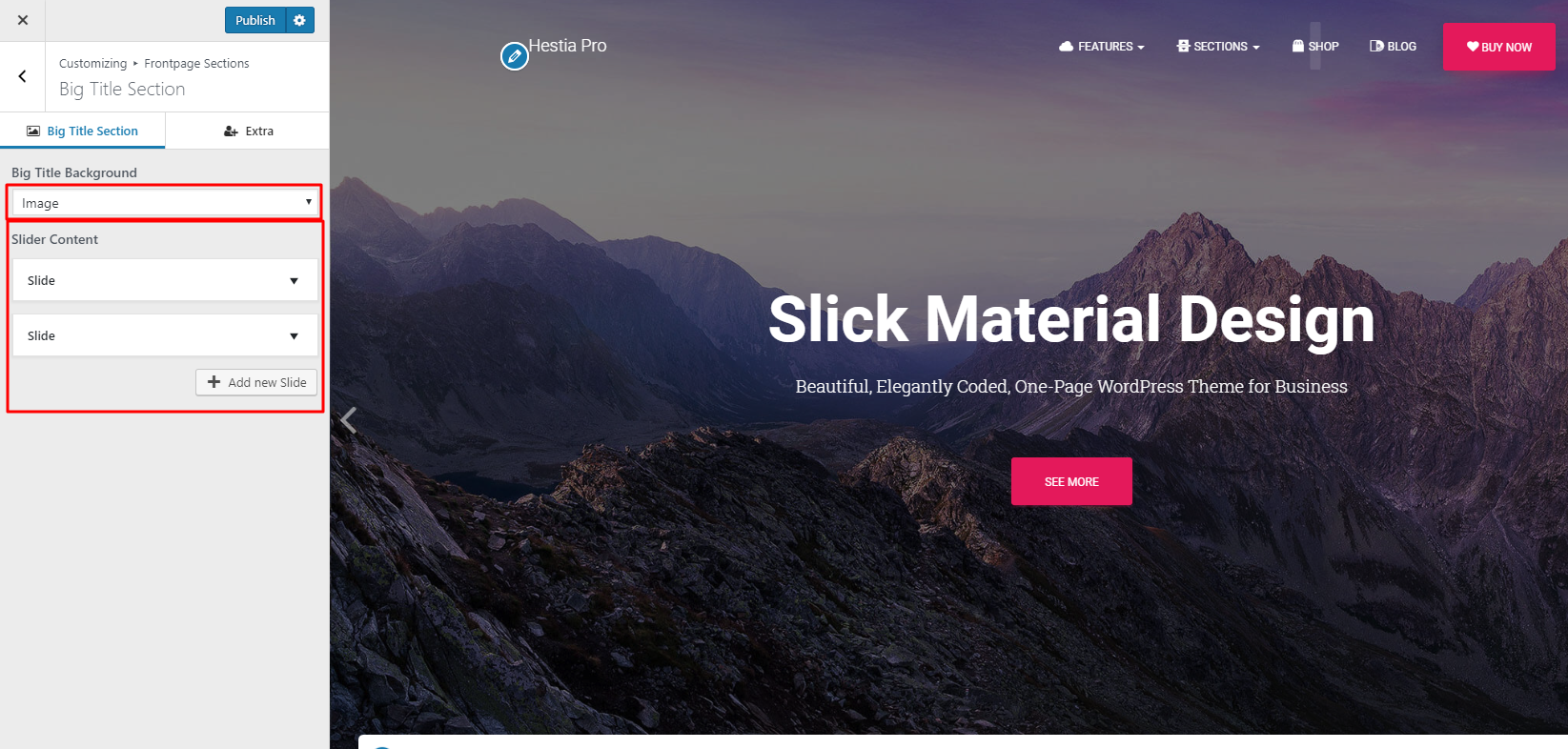
Vibrant Front Page Software Moment Art
Experience the crisp clarity of this stunning front page software image, available in high resolution for all your screens.

Mesmerizing Front Page Software Image for Mobile
Transform your screen with this vivid front page software artwork, a true masterpiece of digital design.
Download these front page software wallpapers for free and use them on your desktop or mobile devices.