Hamachi Software
Tired of Connection Issues? How Hamachi Software Solves Virtual LAN Gaming and Remote Access
For decades, the concept of a "Local Area Network" (LAN) was the gold standard for low-latency, intimate multiplayer gaming or seamless office file sharing. But what happens when the people you want to connect with are hundreds or thousands of miles away?
Enter Hamachi Software. This isn't just another VPN; it's a pioneering piece of technology that creates a secure, virtualized mesh network, tricking your computer into thinking remote users are sitting right next to you on the same router.
If you've ever wrestled with complex router configurations, port forwarding nightmares, or just wanted a simple way to play classic LAN games like Minecraft or Terraria with friends across the globe, Hamachi is likely your answer. This comprehensive guide will peel back the layers on this powerful tool, exploring its functions, security, and whether the free version is still worth using in today's demanding digital landscape.
What Exactly is Hamachi Software and How Does it Work?
At its core, Hamachi is a proprietary virtual private network (VPN) application developed by LogMeIn. Its primary function is to establish direct connections between computers that are separated by the internet, effectively creating a single, secure LAN—a Virtual Private Network (VPN).
Unlike traditional, server-based VPNs which route all your traffic through one central server, Hamachi utilizes a decentralized architecture. It uses a concept called "zero-configuration" networking, meaning most users don't need deep technical knowledge to get it running. You simply install the software, create a network name and password, and invite others to join.
Once connected, every device in the Hamachi network is assigned a specific IP address that acts exactly like a local IP. This is crucial because many applications, especially older games, are hard-coded to look only for local IPs for multiplayer sessions.
For more technical details on how virtual private networks function on a fundamental level, you can read the academic overview on Wikipedia.
The Magic Behind the Connection: P2P and Virtual Private Networks
The speed and simplicity of Hamachi are rooted in two key technologies: Mesh Networking and NAT Traversal.
Mesh Networking Explained
In a mesh network, every device connects directly to every other device. If you have five users, they aren't all routing data through one bottleneck server. Instead, User A can send data directly to User C. This Peer-to-Peer (P2P) setup dramatically reduces latency, making it ideal for real-time applications like voice chat and online gaming.
Dealing with NAT Traversal
The internet relies on Network Address Translation (NAT) to manage internal IP addresses behind a single public IP. NAT is usually the biggest hurdle for P2P connections. Hamachi tackles this using proprietary relay servers and sophisticated techniques like UDP Hole Punching. If a direct P2P connection can't be established (which is often the case with strict firewalls), Hamachi will fall back to using one of its relay servers, ensuring the connection is established even if speed takes a minor hit.
This reliable connection technology is why the Hamachi Software ecosystem remains robust despite newer competitors.
Practical Use Cases: Why Gamers Still Love Hamachi
While the world of multiplayer gaming has largely shifted to integrated online services (like Steam or Epic Games), Hamachi fills critical niche needs that modern platforms often ignore.
Classic LAN Gaming (Minecraft, Terraria)
Many older or independent games rely solely on the ability to detect local network traffic. Hosting a private Minecraft server for a few friends becomes trivially easy with Hamachi. Instead of manually editing server config files and opening ports on your router, Hamachi handles the underlying network logistics instantly.
Remote Office Access
Beyond gaming, Hamachi is an excellent tool for small businesses or remote teams. Need quick, secure access to a file server or a shared printer in the main office? By installing Hamachi on both your remote laptop and the office file server, you can securely access internal resources as if you were physically plugged into the office network.
[Baca Juga: Virtual LAN Software Comparison: Hamachi vs. ZeroTier]
Hamachi Free vs. Paid: Choosing the Right Tier
One of the most common questions is whether the free version of Hamachi Software is still viable. The answer depends entirely on the size of your network needs.
LogMeIn offers several tiers, but the major differentiating factor is the number of members allowed in a single network. Here is a quick comparison:
| Feature | Free Tier (Limited) | Standard/Premium Tier |
|---|---|---|
| Maximum Network Members | 5 (including the host) | Up to 256 or 32 Networks (varies by plan) |
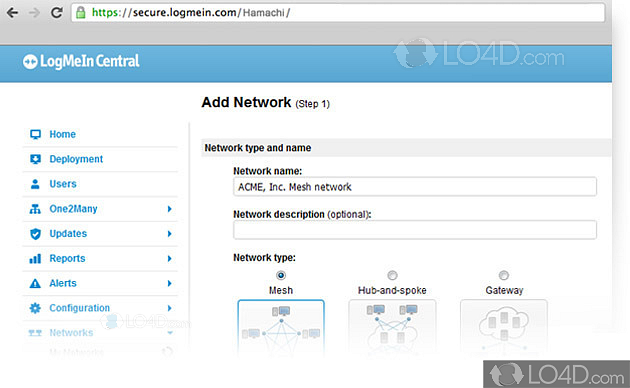
| Network Type Support | Mesh Networking only | Mesh, Hub & Spoke, Gateway |
| Remote Management | No | Yes (Web-based configuration) |
| File Transfer Rate | Throttled (Slower on relay) | Full Speed (Unthrottled) |
If you only need to connect 2 to 4 friends for an occasional gaming session, the free version is perfectly adequate. For commercial use, large gaming communities, or remote IT management, upgrading to a paid subscription is essential.
Step-by-Step Guide to Setting Up Your Hamachi Network
Setting up your first network is remarkably simple, following Hamachi's principle of zero-configuration:
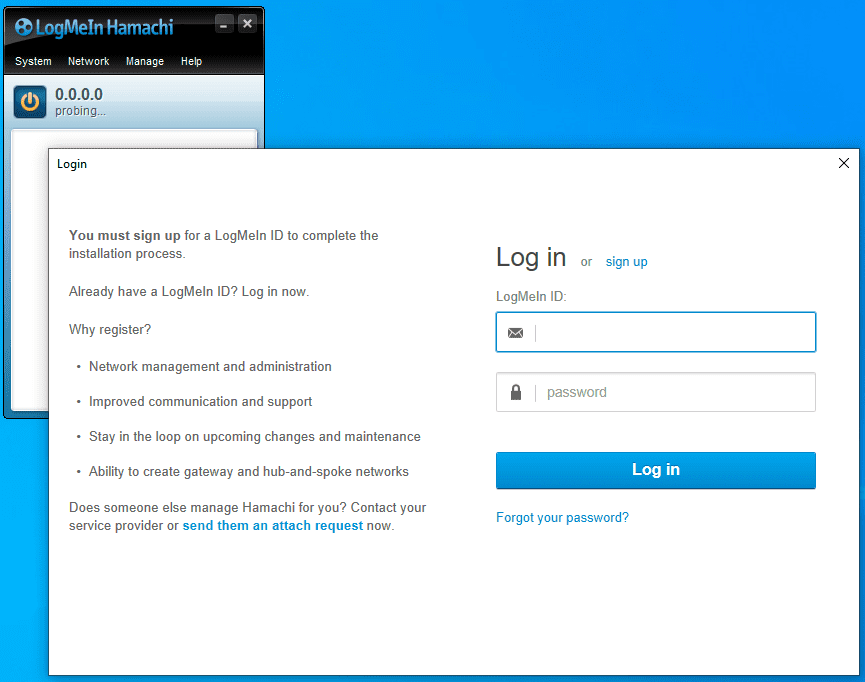
- Download and Install: Download the official client from the LogMeIn website and install it on all participating devices.
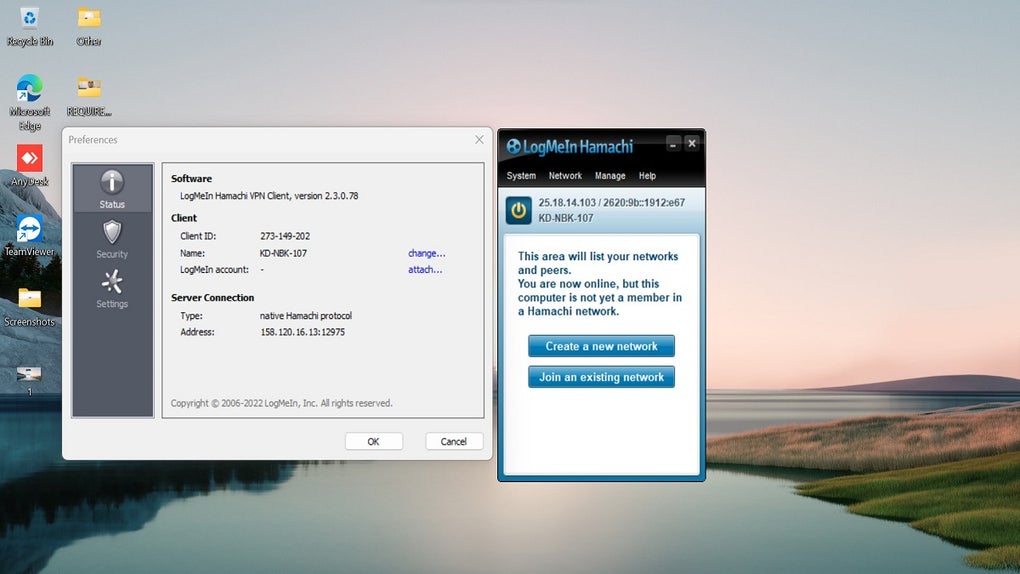
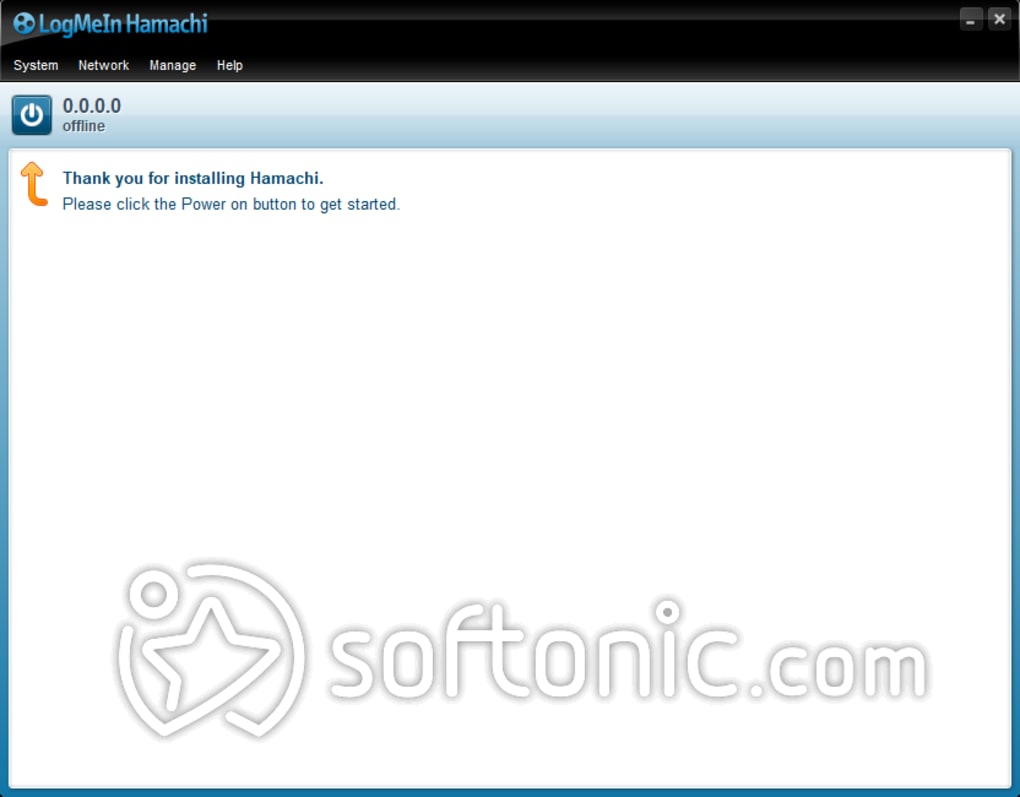
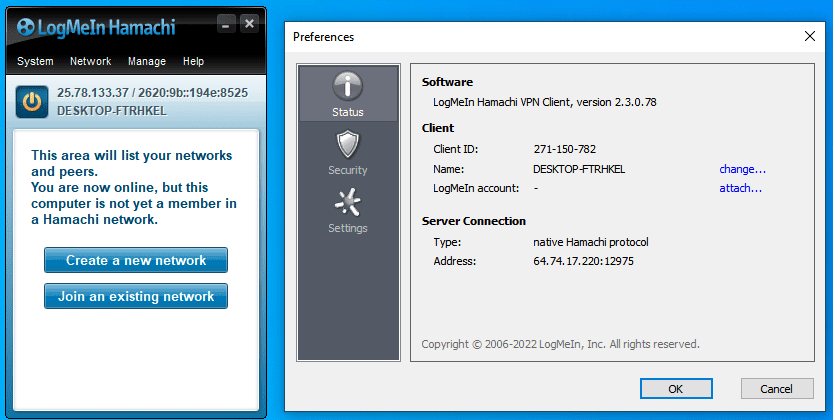
- Power On: Open the client and click the large power button. This will connect you to the Hamachi service and assign you a unique virtual IP address.
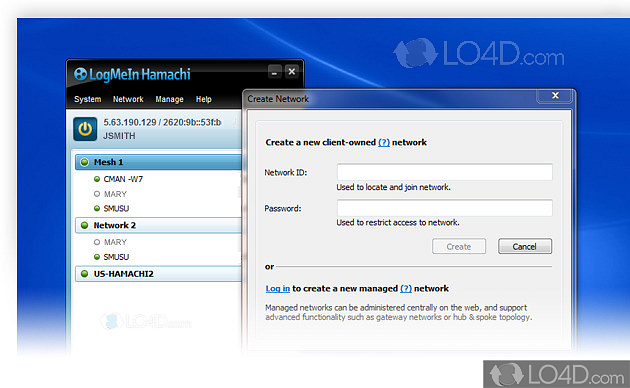
- Create the Network (Host): Click "Network" then "Create a new network." Enter a simple Network ID and a strong password. Share this ID and password with your friends.
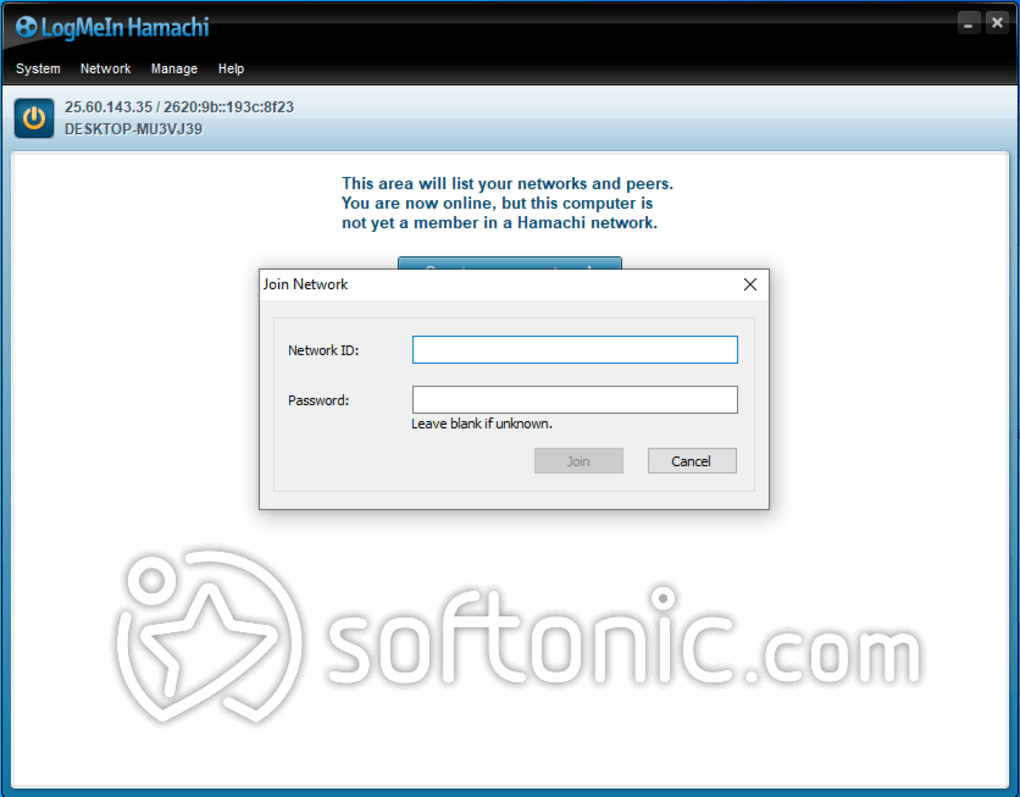
- Join the Network (Clients): Clients click "Network" then "Join an existing network." They enter the ID and password provided by the host.
- Verify Connection: Once connected, you will see the list of participants in the Hamachi window. Green dots indicate a healthy P2P connection; blue dots often mean the connection is relaying (slower), but still working.
That's it! If you were planning to host a classic game like Age of Empires II, you can now open the game and select "Local Area Network" or "LAN Game" and the host's session should appear immediately.
Common Troubleshooting and Security Concerns
While Hamachi Software simplifies networking, a few issues occasionally pop up.
Connection Status Errors
If you see a yellow triangle or a blue dot instead of a green dot, it usually indicates issues with your firewall or Antivirus software blocking the peer-to-peer connection. Ensure Hamachi is whitelisted in your security software.
E-E-A-T and Security
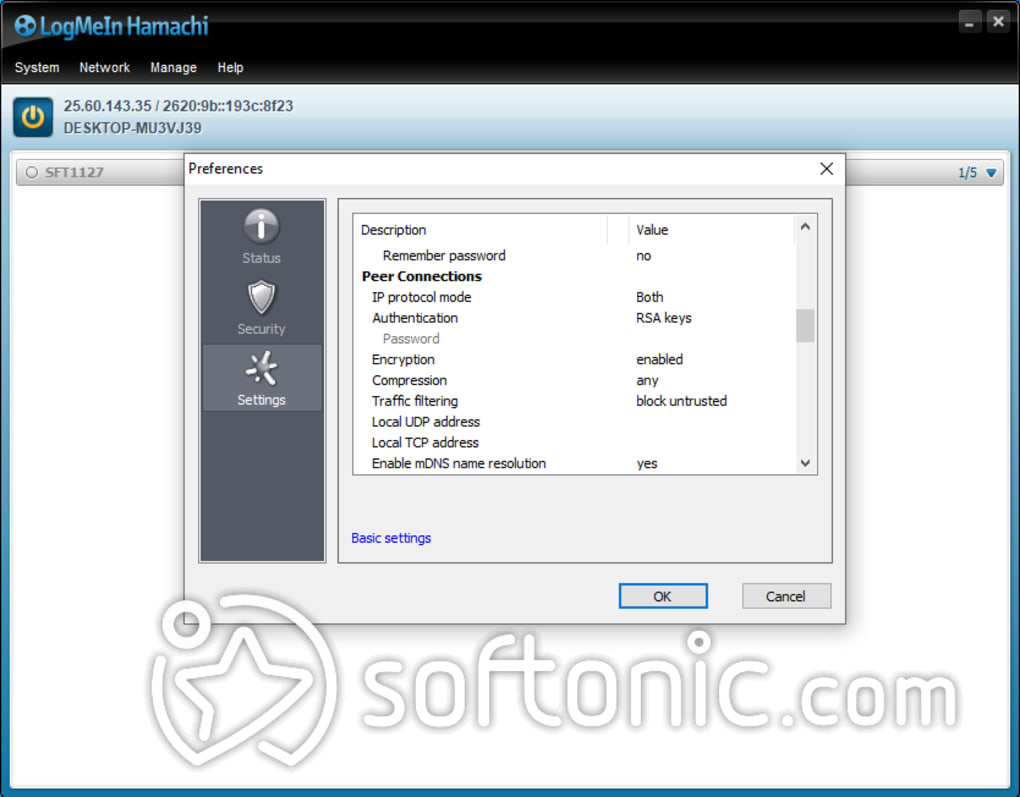
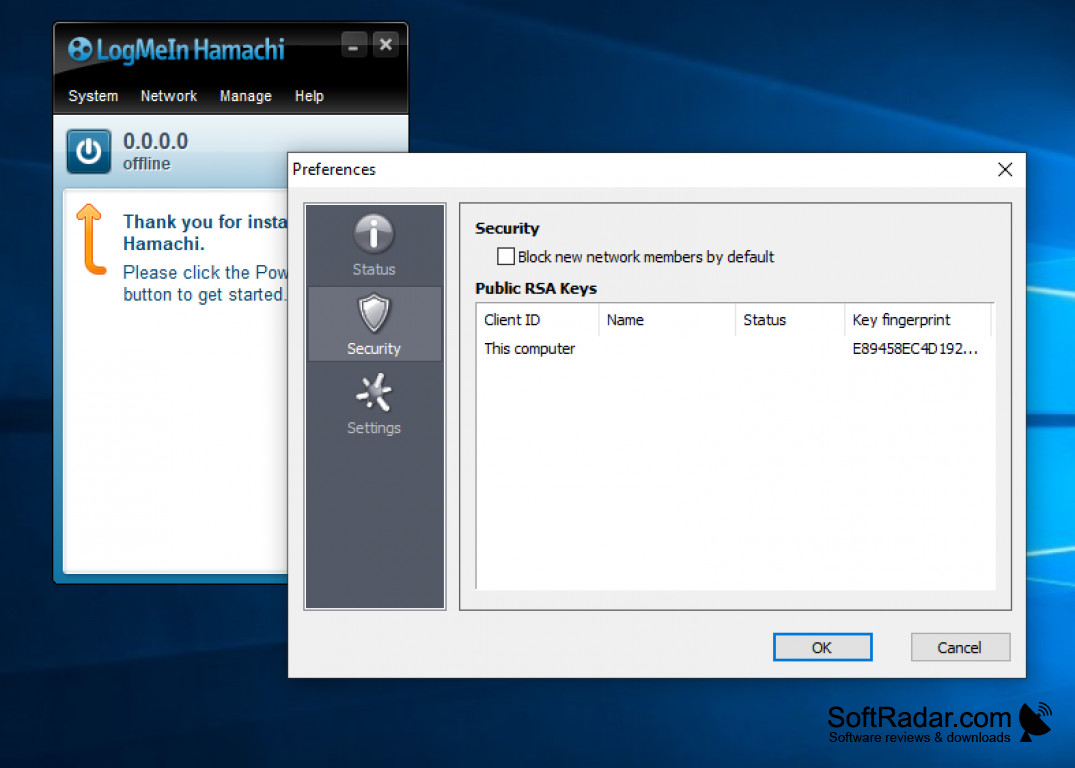
Since Hamachi creates a direct connection between remote computers, security is paramount. Hamachi uses AES-256 encryption for all traffic flowing over its virtual network. This robust encryption means that even if data is intercepted over the public internet, it cannot be read without the key.
However, granting someone access to your Hamachi network is akin to allowing them onto your home network. Only invite people you trust. Be cautious about accepting invitations from unknown sources, as they could potentially probe your local machine for vulnerabilities once they are virtually connected.
For official security best practices related to LogMeIn products, refer directly to their documentation on the LogMeIn support page.
[Baca Juga: Best practices for VPN security in 2024]
Conclusion: Is Hamachi Software Still Relevant Today?
Despite the proliferation of newer, browser-based, or centralized networking solutions, Hamachi Software retains a unique and highly relevant position, especially for legacy applications and specific gaming needs. Its ability to create a secure, mesh-based virtual LAN with minimal configuration is unmatched for small, private groups.
For quick LAN gaming with up to four friends, the free tier is a reliable powerhouse. For professional remote access or larger groups, the paid versions offer robust management features and scalability. Hamachi continues to be a simple, effective solution for bridging the gap between local and global networks.
Frequently Asked Questions (FAQ) about Hamachi Software
- Is Hamachi truly free?
Yes, there is a permanently free tier available, but it is severely limited to a maximum of 5 members per network. All paid features (like remote management and increased user limits) require a subscription.
- Is Hamachi safe to use?
Hamachi uses industry-standard AES-256 encryption to secure all traffic within the virtual network. The security risk lies not in the software itself, but in who you invite to your network. Only connect with known and trusted individuals, as they gain access rights similar to being on your physical network.
- Does Hamachi reduce lag in games?
Hamachi generally provides very low latency because it attempts to establish direct Peer-to-Peer (P2P) connections. However, if the network fails to establish P2P and must fall back to a LogMeIn relay server, you might experience slightly increased latency. Your overall internet connection speed remains the ultimate determining factor.
- Can I use Hamachi on Mac and Linux?
Yes, Hamachi is multi-platform and offers clients for Windows, macOS, and Linux (though the Linux client may require some command-line configuration).
-- End of Article --
Hamachi Software
Hamachi Software Wallpapers
Collection of hamachi software wallpapers for your desktop and mobile devices.
Dynamic Hamachi Software Design Digital Art
This gorgeous hamachi software photo offers a breathtaking view, making it a perfect choice for your next wallpaper.
Mesmerizing Hamachi Software Landscape Concept
Discover an amazing hamachi software background image, ideal for personalizing your devices with vibrant colors and intricate designs.
Spectacular Hamachi Software Landscape Concept
This gorgeous hamachi software photo offers a breathtaking view, making it a perfect choice for your next wallpaper.
Beautiful Hamachi Software Photo Nature
Discover an amazing hamachi software background image, ideal for personalizing your devices with vibrant colors and intricate designs.
Artistic Hamachi Software Photo in 4K
Immerse yourself in the stunning details of this beautiful hamachi software wallpaper, designed for a captivating visual experience.
Crisp Hamachi Software Photo Illustration
Immerse yourself in the stunning details of this beautiful hamachi software wallpaper, designed for a captivating visual experience.
Detailed Hamachi Software Picture Nature
Explore this high-quality hamachi software image, perfect for enhancing your desktop or mobile wallpaper.
High-Quality Hamachi Software Image Illustration
Explore this high-quality hamachi software image, perfect for enhancing your desktop or mobile wallpaper.

Gorgeous Hamachi Software Moment Illustration
This gorgeous hamachi software photo offers a breathtaking view, making it a perfect choice for your next wallpaper.
Dynamic Hamachi Software Capture Art
A captivating hamachi software scene that brings tranquility and beauty to any device.

Vibrant Hamachi Software Picture for Desktop
Explore this high-quality hamachi software image, perfect for enhancing your desktop or mobile wallpaper.

Artistic Hamachi Software Landscape Digital Art
Immerse yourself in the stunning details of this beautiful hamachi software wallpaper, designed for a captivating visual experience.

Vivid Hamachi Software Wallpaper Photography
Explore this high-quality hamachi software image, perfect for enhancing your desktop or mobile wallpaper.

Spectacular Hamachi Software Background for Your Screen
A captivating hamachi software scene that brings tranquility and beauty to any device.

Dynamic Hamachi Software Landscape Photography
Find inspiration with this unique hamachi software illustration, crafted to provide a fresh look for your background.
Breathtaking Hamachi Software Design Collection
Transform your screen with this vivid hamachi software artwork, a true masterpiece of digital design.
Artistic Hamachi Software Design Collection
Find inspiration with this unique hamachi software illustration, crafted to provide a fresh look for your background.

Mesmerizing Hamachi Software Scene for Mobile
Transform your screen with this vivid hamachi software artwork, a true masterpiece of digital design.

Exquisite Hamachi Software Capture Photography
Find inspiration with this unique hamachi software illustration, crafted to provide a fresh look for your background.
Captivating Hamachi Software Moment Photography
A captivating hamachi software scene that brings tranquility and beauty to any device.
Download these hamachi software wallpapers for free and use them on your desktop or mobile devices.