How To Get To A Website By Ip Address
How To Get To A Website By Ip Address: The Geeky Way to Navigate the Web
Have you ever wondered what happens behind the scenes when you type a friendly domain name like Google.com? While we usually rely on those easy-to-remember names, the internet fundamentally operates on numbers—specifically, IP addresses. Understanding how to get to a website by IP address is a powerful skill, especially for developers, troubleshooters, or just the curious mind!
It sounds complex, but trust me, it's quite straightforward once you know the steps. We're going to bypass the internet's phonebook (DNS) and punch those raw digits into your browser to reach your desired destination. This method is crucial for testing new websites or diagnosing networking issues.
Ready to get started? Let's break down the fundamentals of why this works and how you can do it right now.
Understanding IP Addresses and Domain Names
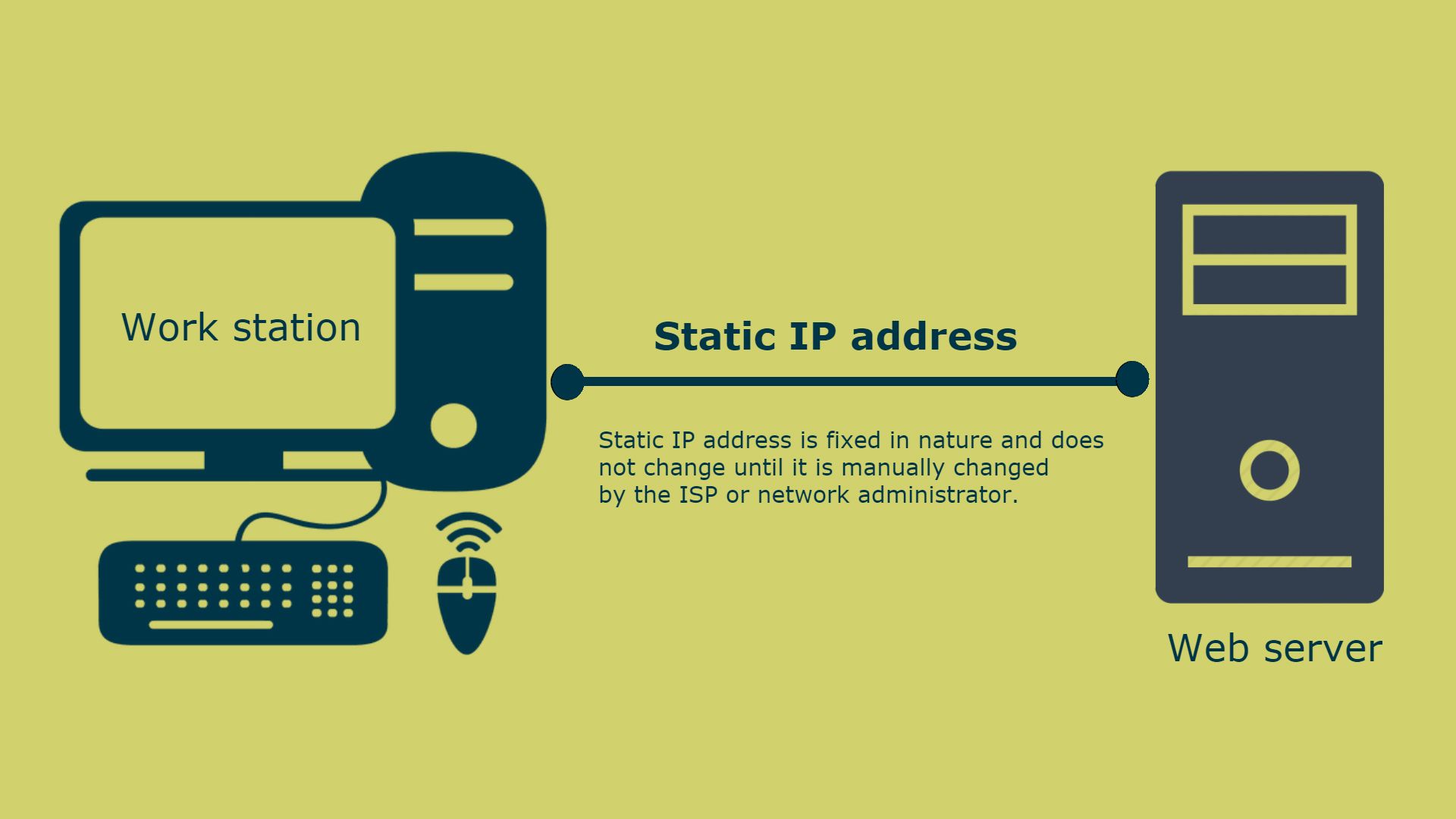
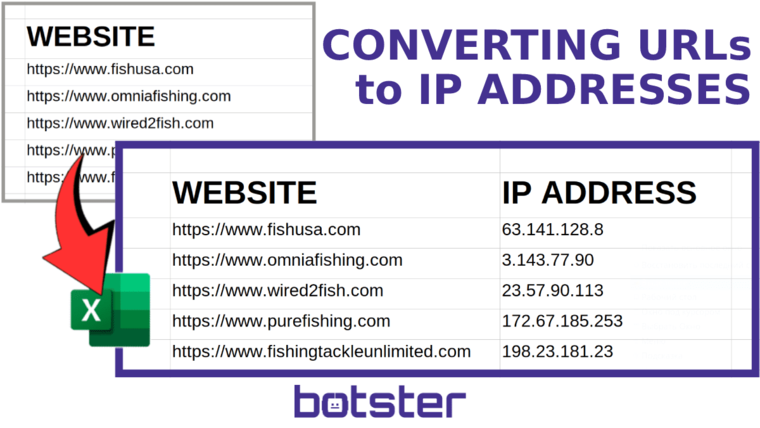
Before we jump into typing numbers, let's quickly clarify the fundamental difference between an IP address and a domain name. Think of a domain name (like "MyAwesomeBlog.com") as the street address, and the IP address (like "192.0.2.1") as the exact GPS coordinates.
They both point to the same location, but one is designed for human memory, and the other is essential for computer communication.
What Exactly Is an IP Address?
An IP address, or Internet Protocol address, is a unique numerical label assigned to every device connected to a computer network that uses the Internet Protocol for communication. There are two main versions you'll encounter: IPv4 (the familiar four sets of numbers separated by dots) and the newer IPv6 (a much longer, alphanumeric format).
Every single website server needs one. It's the foundational identifier for the server hosting the website data you want to see. When your browser requests a webpage, it must know that number to initiate contact.
The Role of DNS
The Domain Name System (DNS) is the internet's giant, distributed phonebook. It's what saves us from having to memorize hundreds of IP addresses just to check our email or read the news.
When you type a domain name, the DNS translates that name into the corresponding IP address so your browser can connect to the right server automatically. When you attempt to access a site directly via IP, you are essentially bypassing this convenient translation service entirely. Pretty neat, right?
Direct Access: How To Get To A Website By Ip Address Using Your Browser
So, you have the IP address and you're ready to dive in. Actually executing the command for how to get to a website by IP address is incredibly simple, often involving just a few key presses. The process is the same whether you are using Chrome, Firefox, Safari, or Edge.
The key here is ensuring you have the correct public-facing IP address for the server hosting the site you wish to visit.
Step-by-Step Guide for Direct Access
Follow these quick steps using any standard web browser:
- Open a new browser tab or window.
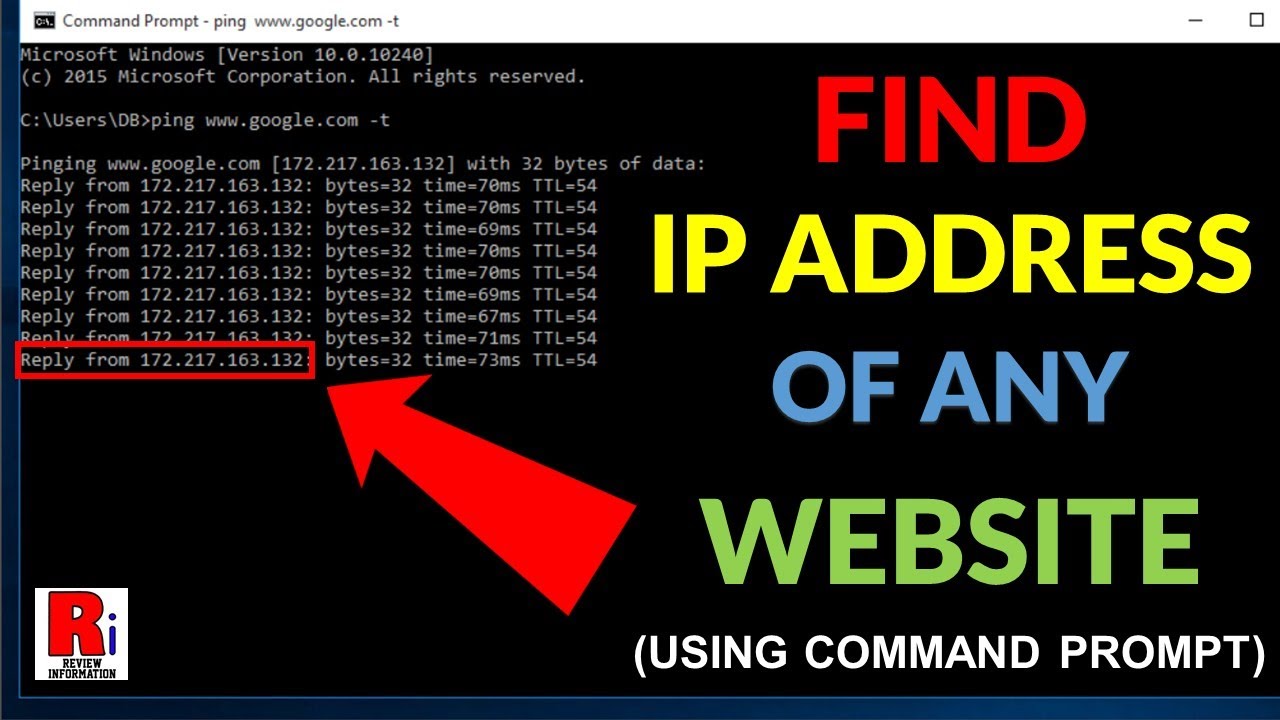
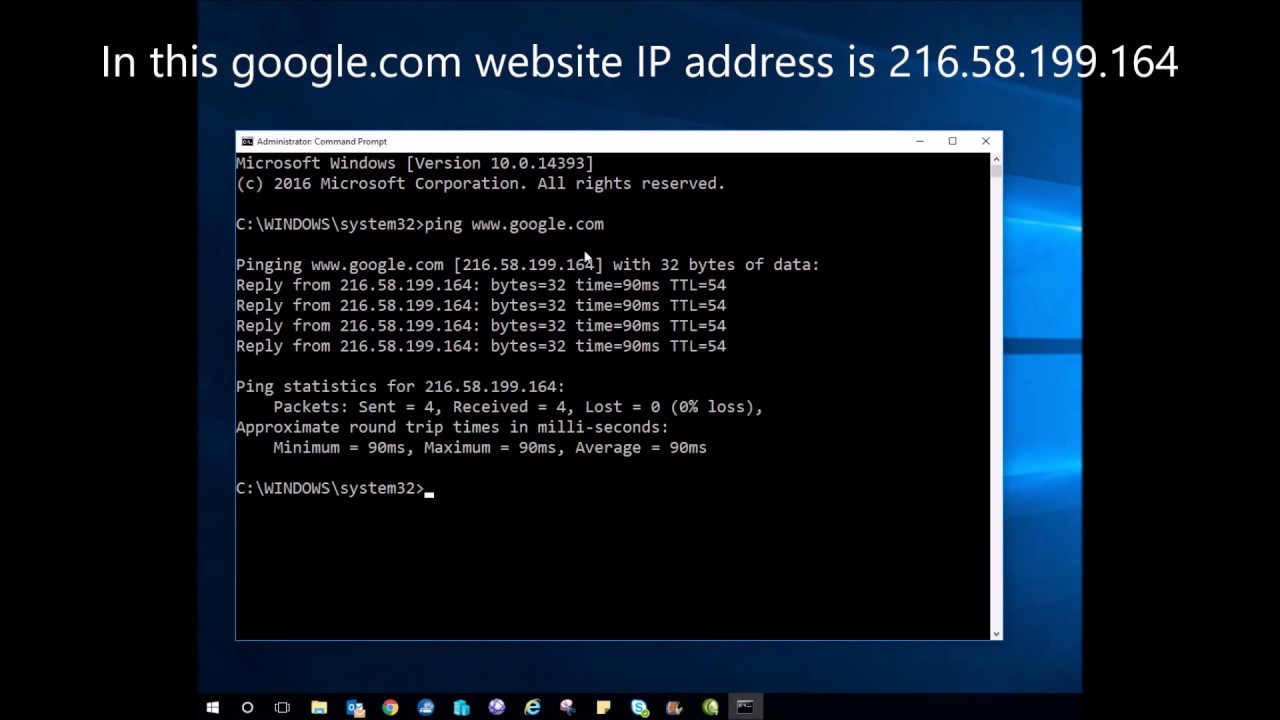
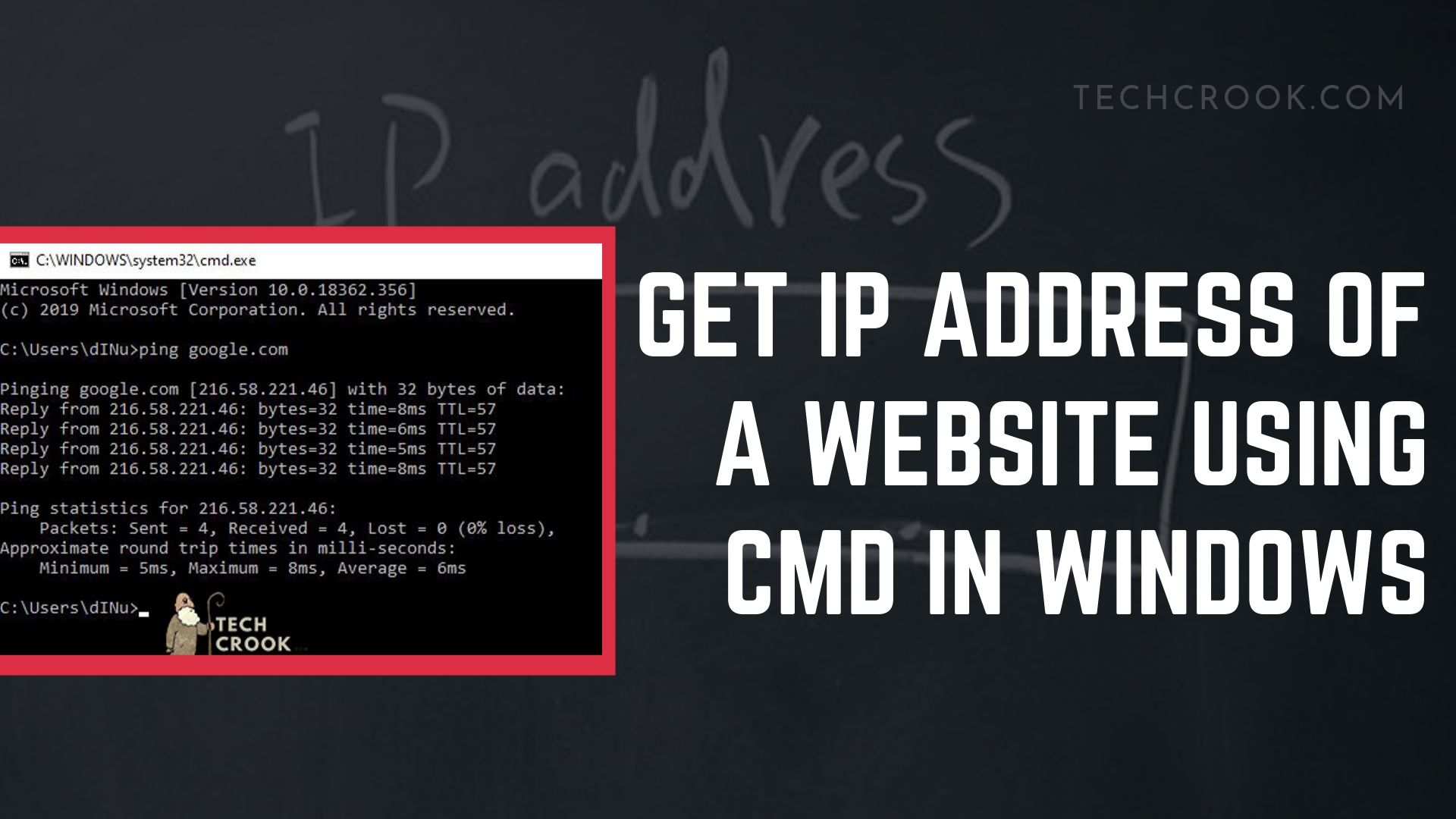
- Locate the server's IP address (e.g., 104.26.10.22). You might use tools like
pingornslookupon your computer's command line to find this if you don't already have it. - Type the IP address directly into the address bar where you would normally type the domain name.
- (Optional Port Number) If the site uses a non-standard port number (most common sites use standard port 80 for HTTP or 443 for HTTPS), add a colon and the port number (e.g., 104.26.10.22:8080).
- Press Enter.
If the connection is successful, your browser will attempt to load the content served by that specific IP address. Keep in mind, this might not always be the actual website homepage if the server hosts multiple sites.
Checking the Protocol (HTTP vs HTTPS)
Most websites today operate using HTTPS (secure HTTP), requiring an SSL certificate. When you use an IP address directly, browsers often default to HTTP, which can sometimes fail if the server is strictly configured for HTTPS only.
If the direct IP address doesn't load immediately, try manually prepending the protocol:
- For standard access:
http://[IP Address] - For secure access:
https://[IP Address]
A crucial note: don't be alarmed by security warnings when trying HTTPS with an IP address! This is standard behavior because the SSL certificate is tied to the domain name, and your browser sees a mismatch when you use only the numerical address.
Advanced Methods and Troubleshooting
Sometimes, simply typing the IP address doesn't work, and you get an error or a generic placeholder page. This is usually due to sophisticated server configurations designed to handle multiple domains efficiently.
If you're still struggling to figure out how to get to a website by IP address, these advanced techniques will help you navigate the common pitfalls of modern hosting.
When Direct IP Access Fails
The primary reason direct IP access fails to show the desired website is the use of "Virtual Hosting." In this setup, a single IP address can host dozens, or even hundreds, of different websites.
The server needs to read the "Host Header" (the domain name you typed) to determine which website folder to deliver. If you only provide the IP address, the server might not know which site you want, defaulting to an error or the host's generic landing page.
Using the Hosts File (Local Mapping)
For testers and developers, the "hosts" file is your best friend. This local file allows you to manually map a domain name to a specific IP address on your computer, overriding the public DNS system.
By editing this file, you can type the domain name into your browser, and your computer will secretly use the IP address you specified. This allows the necessary Host Header information to be sent to the server, resolving the virtual hosting issue.
Here's what an entry looks like (you'll need administrative rights to edit this file):
192.0.2.10 yourdomainname.com
Once saved, typing yourdomainname.com in your browser will load the content from 192.0.2.10, perfect for previewing a site before its DNS records are updated globally.
Dealing with Shared Hosting Issues
If the site uses typical shared hosting (like Bluehost or HostGator), the raw IP address will almost certainly fail to display the correct content. As mentioned, the web server needs the domain name to route the request.
If you are a customer of the hosting service, they sometimes offer a temporary URL format specifically designed for pre-DNS access. This often uses the server IP combined with your username, looking something like: http://server_ip/~username/.
Always check your hosting provider's documentation first. However, if that's not available, the Hosts File method remains the most reliable solution to access your site using numerical mapping.
Conclusion: Mastering the IP Address Route
While the internet is designed for ease-of-use via friendly domain names, knowing how to get to a website by IP address offers invaluable insight into networking and serves as a crucial troubleshooting technique.
The direct IP method is ideal for quick checks on dedicated servers or simple testing. However, modern web environments, particularly those involving shared hosting, often require the clever trick of modifying your local Hosts File to ensure the necessary domain information is passed along.
By understanding the basics of DNS and Host Headers, you have successfully gained the knowledge required to navigate the web using its raw numerical coordinates. Happy exploring!
Frequently Asked Questions About IP Access
- Q: Why do I get a security warning when accessing an HTTPS site via IP address?
- A: SSL certificates are issued specifically for a domain name (e.g., example.com). When you use the raw IP address, the certificate name doesn't match the address you entered, causing the browser to flag it as potentially insecure, even though the connection might be encrypted.
- Q: Is it faster to access a website via its IP address?
- A: Technically, you skip the brief DNS lookup phase. However, modern computers and DNS resolvers are so fast that the difference is negligible. For practical, daily browsing, using the domain name is easier and more reliable.
- Q: Can all websites be accessed by their IP address?
- A: No. Many websites, especially those on shared or clustered servers (using virtual hosting), rely entirely on the domain name (Host Header) to direct traffic correctly. Without the domain name, the server simply doesn't know which of the many hosted sites you are trying to view.
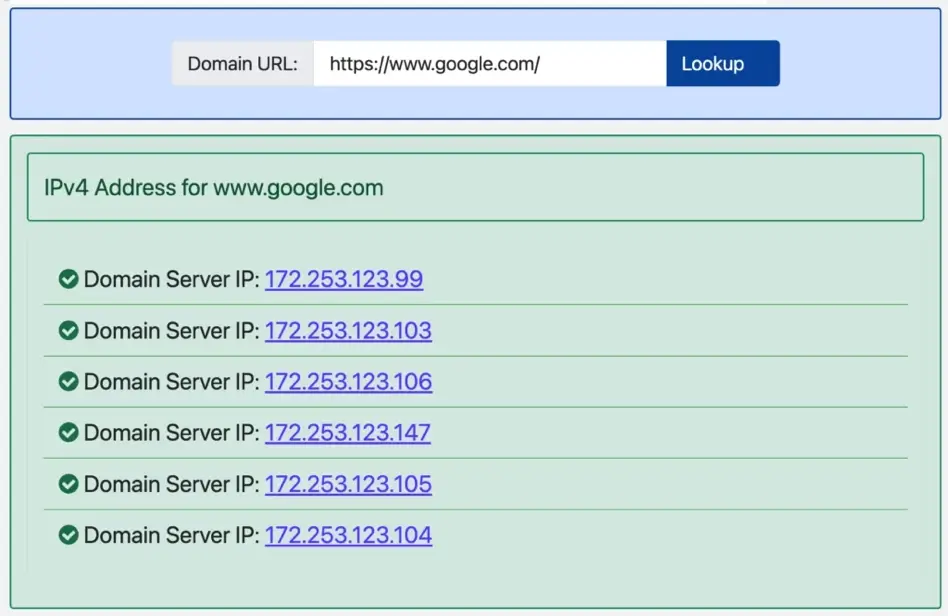
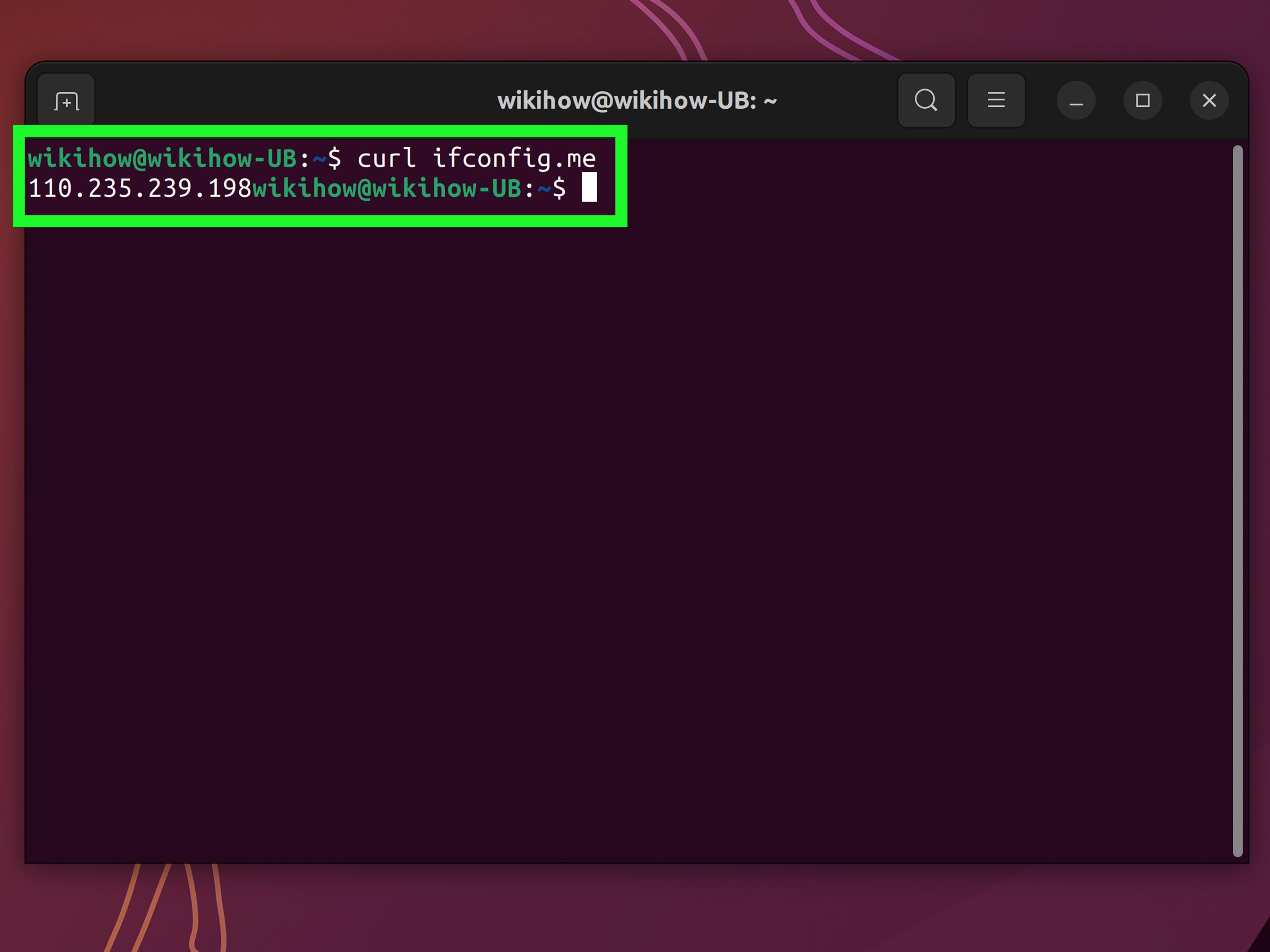
- Q: How do I find the IP address of a website?
- A: You can use command-line tools like
pingornslookup(ordigon Linux/macOS) followed by the domain name (e.g.,ping example.com). These commands will resolve the domain name to its corresponding public IP address.
How To Get To A Website By Ip Address
How To Get To A Website By Ip Address Wallpapers
Collection of how to get to a website by ip address wallpapers for your desktop and mobile devices.

Lush How To Get To A Website By Ip Address Wallpaper Collection
Immerse yourself in the stunning details of this beautiful how to get to a website by ip address wallpaper, designed for a captivating visual experience.
Beautiful How To Get To A Website By Ip Address Picture for Desktop
Explore this high-quality how to get to a website by ip address image, perfect for enhancing your desktop or mobile wallpaper.

Breathtaking How To Get To A Website By Ip Address Abstract for Your Screen
Experience the crisp clarity of this stunning how to get to a website by ip address image, available in high resolution for all your screens.

Artistic How To Get To A Website By Ip Address Image Nature
This gorgeous how to get to a website by ip address photo offers a breathtaking view, making it a perfect choice for your next wallpaper.

Spectacular How To Get To A Website By Ip Address View for Your Screen
A captivating how to get to a website by ip address scene that brings tranquility and beauty to any device.
Crisp How To Get To A Website By Ip Address Capture for Desktop
A captivating how to get to a website by ip address scene that brings tranquility and beauty to any device.

Spectacular How To Get To A Website By Ip Address Picture in 4K
Find inspiration with this unique how to get to a website by ip address illustration, crafted to provide a fresh look for your background.
Mesmerizing How To Get To A Website By Ip Address Design Concept
Experience the crisp clarity of this stunning how to get to a website by ip address image, available in high resolution for all your screens.
Gorgeous How To Get To A Website By Ip Address View Art
Immerse yourself in the stunning details of this beautiful how to get to a website by ip address wallpaper, designed for a captivating visual experience.
Detailed How To Get To A Website By Ip Address Capture for Desktop
Discover an amazing how to get to a website by ip address background image, ideal for personalizing your devices with vibrant colors and intricate designs.
Breathtaking How To Get To A Website By Ip Address View Digital Art
Transform your screen with this vivid how to get to a website by ip address artwork, a true masterpiece of digital design.
Exquisite How To Get To A Website By Ip Address Moment for Mobile
Immerse yourself in the stunning details of this beautiful how to get to a website by ip address wallpaper, designed for a captivating visual experience.

Beautiful How To Get To A Website By Ip Address View for Desktop
Experience the crisp clarity of this stunning how to get to a website by ip address image, available in high resolution for all your screens.
Gorgeous How To Get To A Website By Ip Address View Illustration
This gorgeous how to get to a website by ip address photo offers a breathtaking view, making it a perfect choice for your next wallpaper.

Detailed How To Get To A Website By Ip Address Landscape for Mobile
Experience the crisp clarity of this stunning how to get to a website by ip address image, available in high resolution for all your screens.

Spectacular How To Get To A Website By Ip Address Design Concept
A captivating how to get to a website by ip address scene that brings tranquility and beauty to any device.

Vibrant How To Get To A Website By Ip Address Background Photography
Explore this high-quality how to get to a website by ip address image, perfect for enhancing your desktop or mobile wallpaper.
Exquisite How To Get To A Website By Ip Address Design for Mobile
Immerse yourself in the stunning details of this beautiful how to get to a website by ip address wallpaper, designed for a captivating visual experience.

Amazing How To Get To A Website By Ip Address Picture in 4K
Experience the crisp clarity of this stunning how to get to a website by ip address image, available in high resolution for all your screens.
Vivid How To Get To A Website By Ip Address Design for Desktop
Discover an amazing how to get to a website by ip address background image, ideal for personalizing your devices with vibrant colors and intricate designs.
Download these how to get to a website by ip address wallpapers for free and use them on your desktop or mobile devices.
0 Response to "How To Get To A Website By Ip Address"
Post a Comment